Posted on

Archaeologists May Have Found 2,100-Year-Old Roman Canal Built by Gaius Marius in Southern France

A Roman canal dated back more than 2,100 years may have been located in southern France. The structure is believed to be the Marius Canal. It is thought to have been built between 104 and 102 B.C. during the Cimbrian Wars. The Romans had been engaged in battles against the Cimbri and Teutones, two migrating Celtic tribes. The waterway was said to have been ordered by Roman general Gaius Marius to improve supply routes. If confirmed, this would be the first major Roman hydraulic engineering project in Gaul.

Study Suggests Ancient Canal Matches Roman Construction Patterns

According to a study published in the Journal of Archaeological Science: Reports, the canal’s remains were found south of Arles within the Rhône River delta. The research team which was led by Joé Juncker, a geoarchaeologist at the University of Strasbourg, conducted sediment core analysis and radiocarbon dating. These tests indicate that the site was used between the first century B.C. and third century A.D. The dimensions of the canal which measured approximately 98 feet in width, aligns with Roman engineering standards.

Archaeological Evidence Points to Roman Use

Finding from the site includes 69 pieces of Roman ceramics. It  has two ancient wooden stakes, and large cobblestone platforms. Radiocarbon analysis of the stakes suggests they date back to the first to fourth century A.D. Simon Loseby, an honorary lecturer at the University of Sheffield, told Live Science that the discovery adds to evidence of Roman large-scale infrastructure projects. He noted that further excavations may reveal quays or towpaths, which could provide stronger confirmation of the canal’s purpose and duration of use.

Further Excavations Needed to Confirm Identity of Canal

The last historical mention of the Marius Canal was recorded by Pliny the Elder in the first century A.D. Juncker cautioned that without additional archaeological verification, definitive attribution to Marius remains uncertain. Research at the site continues.

For the latest tech news and reviews, follow Gadgets 360 on X, Facebook, WhatsApp, Threads and Google News. For the latest videos on gadgets and tech, subscribe to our YouTube channel. If you want to know everything about top influencers, follow our in-house Who’sThat360 on Instagram and YouTube.

OpenAI Close to Finalising $40 Billion SoftBank-Led Funding

Infinix Note 50X 5G With MediaTek Dimensity 7300 Ultimate Chipset Launched in India: Price, Specifications

Related Stories

Posted on

Samsung Galaxy Watch Ultra 2 wishlist: All the features I want to see

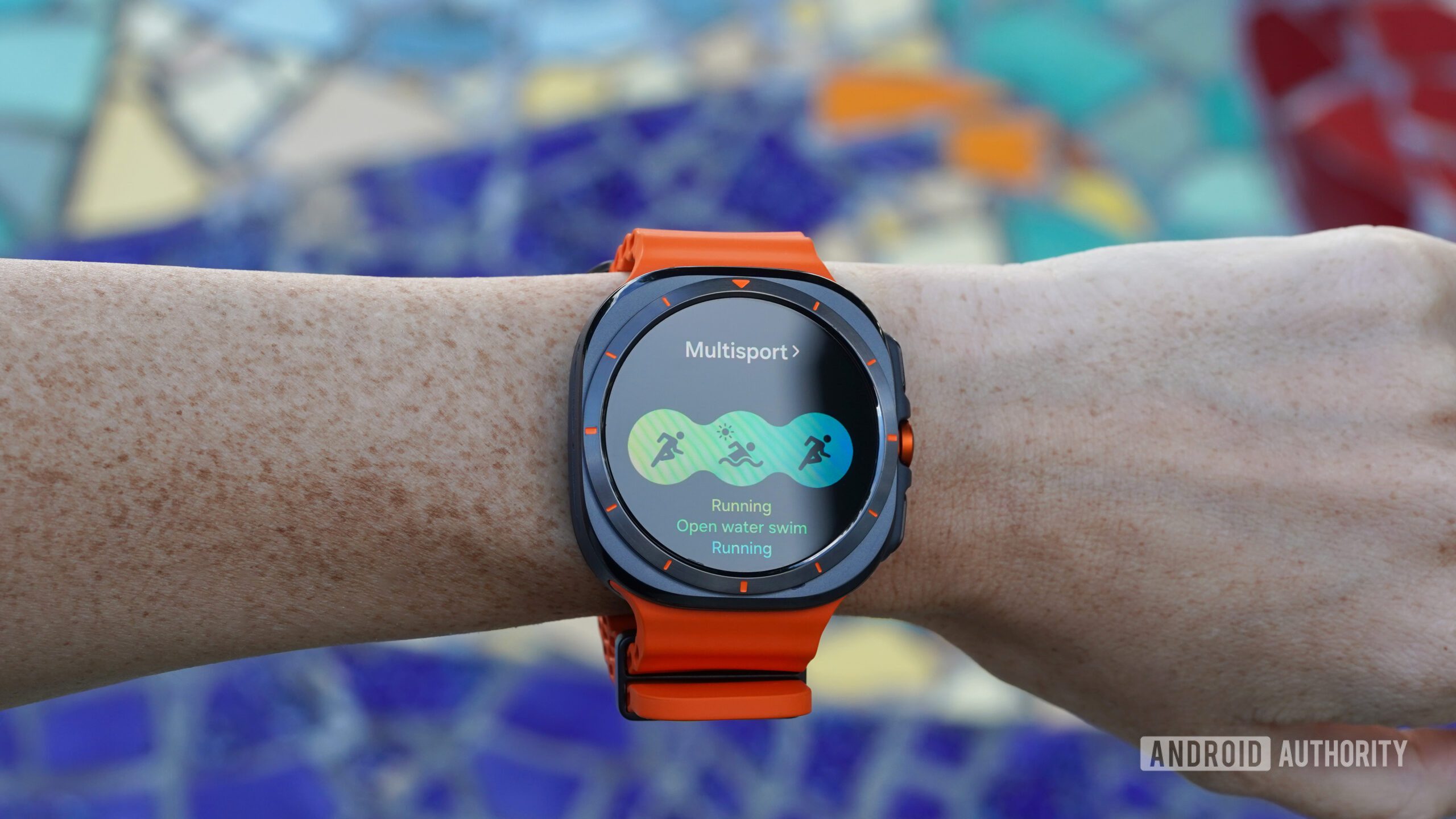
A Samsung Galaxy Watch Ultra displays multisport mode.

Kaitlyn Cimino / Android Authority

The Galaxy Watch Ultra is a top contender in the smartwatch market, offering excellent GPS tracking, solid battery life, and comprehensive health monitoring, but the device isn’t perfect. My mind is already on a potential Galaxy Watch Ultra 2, and I can’t help but wonder what improvements Samsung might bring to the table. With the possibility of a follow-up device, here’s everything I hope to see in the new generation (and everything we know so far).

Improved aesthetics

A Samsung Galaxy Watch Ultra displays the watch face Chronos.

Kaitlyn Cimino / Android Authority

While the Galaxy Watch Ultra’s rugged design is functional, it feels bulky and frankly strange. I’d like to see a sleeker, more refined aesthetic in the Ultra 2, from a thinner build to a better overall design. I loath the indecisive circle-inside-a-square shape, but beyond my subjective dislike, the device deserves a display size and shape that enhances usability, especially for maps and fitness tracking data.

Additionally, not including a rotating bezel on the current generation was a miss. If Samsung is going to maintain the odd square-circle design, the bezel should at least be functional. I love the Ultra’s action button, and a rotating bezel would pair well with its capabilities. I won’t hold my breath for a rotating crown, but I would certainly welcome one of those as well.

Refined heart rate tracking

A Samsung Galaxy Watch Ultra rests face down, displaying the device's upgraded sensor.

Kaitlyn Cimino / Android Authority

For serious fitness trackers and data-obsessed endurance athletes, I’m crossing my fingers that the Ultra 2 will deliver more refined heart rate data. I had high hopes for the accuracy of its new sensor when the original Ultra launched, but while the current model does a solid job overall, there are times when heart rate tracking falters, especially during workouts like outdoor cycling, weightlifting, or rowing, where wrist tension can skew readings. Compared to the heart rate tracking of Garmin watches, the Apple Watch Ultra line, and the highly reliable Pixel Watch 3, the Galaxy Watch Ultra needs refinement. The device already boasts fantastic GPS performance. Given this accuracy and Samsung’s clear focus on athletes with multisport modes and Race Partner features, improving the heart rate tracking feels like a natural step forward for the Ultra 2.

Even better battery life (and a better charging experience)

A Samsung Galaxy Watch Ultra displays its battery life.

Kaitlyn Cimino / Android Authority

With the caveat that I will never be fully satisfied, I want to see even better battery life in the Galaxy Watch Ultra 2. Compared to regular Galaxy Watches, the original Ultra offered a solid improvement, with three days between charges at baseline. However, when devices like the Garmin Fenix 8 offer multi-week battery life, it’s hard not to want more from a watch carrying the “Ultra” moniker. Instead, Samsung’s adventure-focused watch is currently being outperformed by the OnePlus Watch 3, an everyday device.

On that note, I’d also love to see reverse wireless charging brought to the Ultra line. The updated BioActive sensor on the original Ultra made this feature impossible, and I see that as a missed opportunity. A rugged device built for adventure-focused users should be as convenient and adaptable as possible. I’d also like to see charge times improved so I can spend more time using the watch instead of tethering it to a charger.

Advanced feature access for all (not just Samsung phone users)

A user attempts to spin the stationary bezel on their Samsung Galaxy Watch Ultra.

Kaitlyn Cimino / Android Authority

One of my biggest hopes for the Galaxy Watch Ultra 2 is that Samsung will finally drop its walled garden and make advanced health features accessible to all users. Right now, features like body composition analysis and ECG monitoring are limited to Samsung phone users, which feels unnecessarily restrictive.

Garmin already provides full access to its fitness and health metrics across multiple platforms, catering to both Android and iOS users. While most Wear OS watches aren’t compatible with iPhones, Samsung chops off its legs by restricting its devices even further. Opening up these advanced features would make the Ultra 2 much more appealing to a broader audience and position it as a standout option in the wearable space.

What do you want to see most on the Samsung Galaxy Watch Ultra 2?

2 votes

Will there be a Samsung Galaxy Watch Ultra 2?

A Samsung Galaxy Watch Ultra displays the MD323 watch face

Kaitlyn Cimino / Android Authority

  • Samsung Galaxy Watch Ultra — July 10, 2024

While it’s likely we will see another Galaxy Watch Ultra in the future, as of now, details about the potential device are thin. The original model landed in July of 2024 alongside the Galaxy Watch 7. If Samsung adopts an annual launch schedule for the Ultra lineup, it’s possible we could see the new generation as soon as this summer.

The company typically unveils its wearables at the July Unpacked event each year, which would put the Ultra 2 on the same schedule as the Galaxy Watch 8. Again, we haven’t heard much, but I’ll keep this hub updated as more rumors unfold.

Should you wait for the Samsung Galaxy Watch Ultra 2?

A Samsung Galaxy Watch Ultra Wear displays a users app library.

Kaitlyn Cimino / Android Authority

If you’re not in a hurry and want the best features, it might make sense to wait for the Galaxy Watch Ultra 2. The new watch could launch with potential upgrades like better battery life and more accurate health tracking. If we’re lucky, it may even feature a more attractive and refined design. However, I’m always in favor of buying a device now to get your wellness journey started. The original Galaxy Watch Ultra ($649.99 at Amazon) is still an excellent choice with solid GPS, good battery life, and comprehensive health features.

Alternatively, the OnePlus Watch 3 ($329.99 at Amazon) is available now and offers fantastic battery life paired with the latest Wear OS software. The Pixel Watch 3 ($349.99 at Amazon) also stands out, boasting some of the best heart rate tracking available.

If you’re an iOS user looking for an adventure watch, your best bets are either the Fenix 8 ($999.99 at Amazon) for top-tier Garmin’s features or the Apple Watch Ultra 2 ($759.99 at eBay) for seamless device integration. I would be very surprised to see the next Ultra from Samsung offer iOS compatibility, so there is no point in waiting.

Ultimately, it depends on whether you’re willing to wait for enhancements or if you’re happy with the current offerings.

You might like

Posted on

LG removes DTS audio from its 2025 TVs – here’s what that means in practice

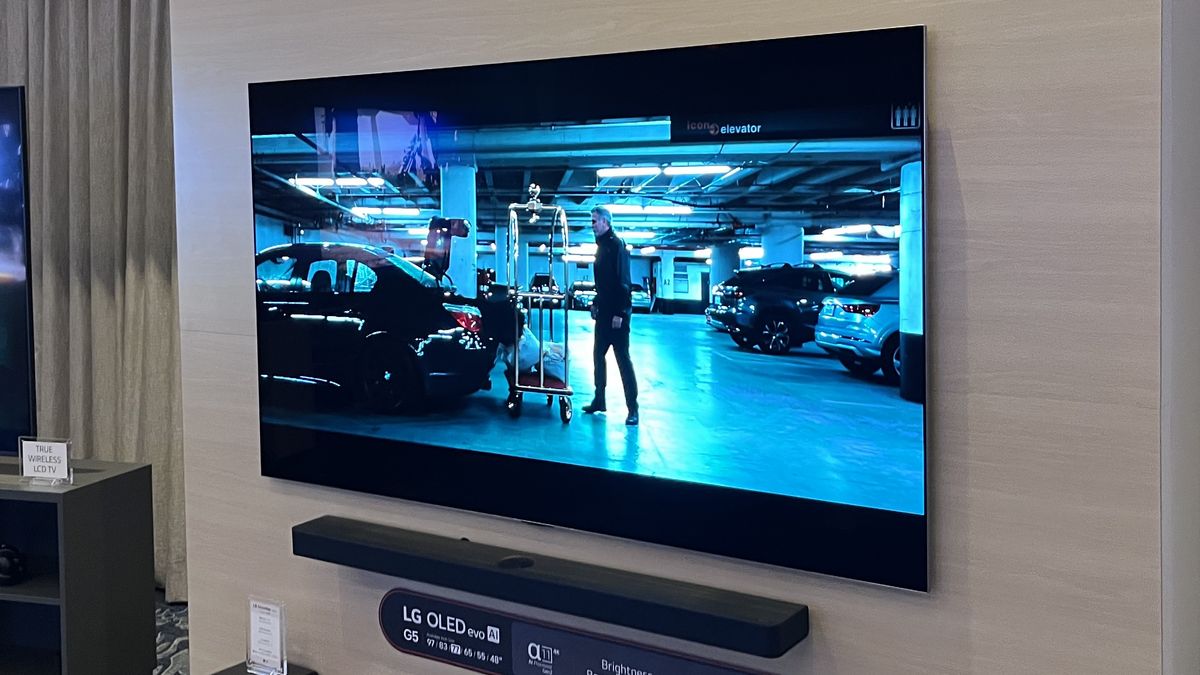
DTS support seems to have been removed from 2025 LG TVs Almost all streaming services are Dolby, not DTS Your AV streamer or soundbar may have a DTS decoder History appears to be repeating: LG has removed DTS support from its 2025 OLED TVs, including the LG C5, just like it did in 2020. Noticed by TV reviewer Vincent Teoh (via FlatpanelsHD) reports, the EDID information on the LG G5 – the information that tells audio and video sources what formats a TV supports – doesn’t include DTS audio. When LG brought DTS back in 2023, we said that it was good news for home theater lovers, as it would give them support for content that didn’t use Dolby Atmos. But it seems that according to LG’s internal data, there weren’t many such users or much of that content being played on LG TVs: Dolby was by far the most-used surround sound format. That’s largely because Dolby and Atmos is the preferred format of the best streaming services. The one notable DTS exception, the IMAX Enhanced streamed by Disney+, wasn’t supported on LG TVs due to its particular variation on the format. The 2025 models will be Dolby-only – but that doesn’t mean you can’t still enjoy DTS soundtracks. If DTS is a dealbreaker, there are tons of C4 and G4 OLEDs still available – and for amazing prices now. (Image credit: Future) How to get around the lack of DTS on 2025 LG TVs The issue here is all about decoding. DTS is a compressed audio format, and that means you need a device that can uncompress it and send it to one of the best soundbars, or your home theater speakers. If your TV is removed from the equation, then it doesn’t matter if it’s supports DTS, though. Sign up for breaking news, reviews, opinion, top tech deals, and more. If your TV can’t decode DTS, you may have other devices that can. So if your source device is connected to an AV receiver that’s DTS-compatible, then you don’t need to worry whether your TV has DTS: the decoding happens on your receiver, not on your TV. With soundbars it’s a little more complex, because you’ll need a soundbar that supports HDMI passthrough as well as DTS so that the soundbar can handle the audio and send the video to the TV. Many models don’t offer that connectivity, though most high-end or mid-range models from Sony, Samsung and LG do. You can can connect one of the best 4K Blu-ray players or other DTS source directly to the soundbar’s HDMI input and then connect the TV to the other port, and the soundbar will take and decode the DTS audio. If that’s not an option, there’s one more thing you can do: if your LG TV (or any other TV) doesn’t have the ability to decode DTS, but your 4K Blu-ray players does, then you can usually set the player to decode the DTS and to output uncompressed audio. Try setting your player’s audio output format to LPCM, often labelled Linear PCM. This format can be passed through the TV to your soundbar in surround sound without any concerns about format at all, though you’d lose the spatial sound of DTS:X. It’s a shame that LG has dropped this format, and we’re not sure that LG TVs likely adding Eclipsa Audio in the future will really make up for it. However, for the next few months, LG’s 2024 TVs will remain on-sale, including the LG C4 and LG G4, and are arguably better value than its 2025 models – doubly so if you want DTS support… You might also like

Posted on

Asus Gaming V16 Review: Strong Battery, Mid-Range Performance

Asus Gaming V16 is part of a new lineup from the Taiwanese manufacturer made for those who want a decent gaming laptop on a budget. The Gaming V16 features a slim and understated design. The laptop weighs under 2kg, making it portable enough to take around in your backpack. It is equipped with the latest Intel Core CPU and a discrete Nvidia GeForce RTX 4050 GPU that is powerful enough to run most games.

The laptop has a starting price of Rs. 82,990 for the base variant, which gets the Intel Core 5 210H CPU. Meanwhile, the Intel Core 7 240H processor variant is priced at Rs. 92,990. Both variants get 16GB RAM, 512GB storage, and Nvidia GeForce RTX 4050 laptop GPU with 6GB video RAM. Is the Asus Gaming V16 a good option for budget gamers? Read on to find out.

Asus Gaming V16 Design: Simple

  • Dimensions – 35.70 x 25.07 x 1.80 ~ 2.20 cm
  • Weight – 1.95kg
  • Colours – Black

Asus has kept the design of the Gaming V16 very simple. There aren’t any RGB lights or fancy logos suggesting that it’s a gaming laptop. The lid has a matte finish, is prone to fingerprints, and features an Asus logo.

asus gaming v16 review1 AsusGamingV16 Asus

The bottom houses dual speakers

Owing to the plastic build, you’ll find that the lid and the bottom cover flex a bit, but everything is assured to be durable. According to Asus, the laptop even meets the MIL-STD 810H military standards and has passed several tests. The hinge also feels like it won’t give up on you and lets you open the lid with one hand.

asus gaming v16 review2 AsusGamingV16 Asus

There’s a single USB Type-A 3.2 port on the right side

You’ll find a textured finish on the sides and bottom of the laptop, which keeps the fingerprints away. The bottom also houses the dual speakers, large rubber feet, and cutouts for the fan.

asus gaming v16 review3 AsusGamingV16 Asus

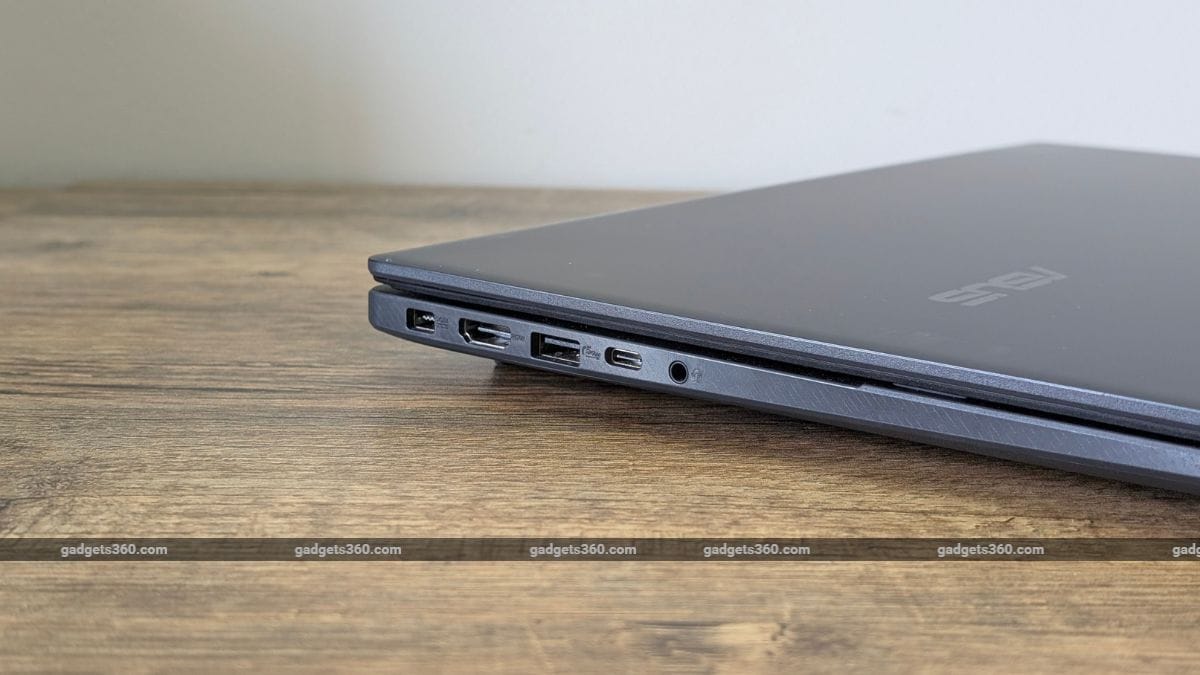
The left houses most of the ports

As for connectivity, the Gaming V16 offers an HDMI 2.1 port, a USB Type-A 3.2 port, a USB Type-C 3.2, and a 3.5mm audio jack on the left side, along with a proprietary power connector. The right side of the laptop features another USB Type-A 3.2 port.

asus gaming v16 review4 AsusGamingV16 Asus

The laptop features large exhaust ports at the back

The laptop doesn’t get a LAN port, which is something gamers may find discouraging.

Asus Gaming V16 Display: Good enough

  • Size and type – 16-inch FHD+ IPS panel
  • Refresh rate – 144Hz
  • Brightness – 300 nits

The 16-inch IPS display on the laptop offers a 16:10 aspect ratio with a 1920 x 1200p resolution. The display has an anti-glare coating and a screen-to-body ratio of 89 percent. It also offers a 144Hz refresh rate, which is excellent when gaming. The 16:10 aspect ratio is also good when working or browsing the web.

asus gaming v16 review9 AsusGamingV16 Asus

The display gets an anti-glare coating

Brightness is alright indoors, but I’d recommend not using the laptop outdoors as the 300 nits is barely enough. The display also features muted colours, and while that’s okay for watching content and playing games, it’s not great for video or photo editing. You can improve colour reproduction slightly by choosing a different profile, which is available in the MyAsus software.

Asus Gaming V16 Keyboard, Touchpad, speakers, and webcam

  • Keyboard – Full-size keyboard with Numpad, Single colour backlight
  • Touchpad – Large size, multi-touch with smart gesture support
  • Speakers – Dual drivers with Dirac tuning
  • Webcam – 1080p FHD with privacy shutter

Asus equips the Gaming V16 with a full-sized keyboard, complete with a numeric keypad and a full-function row. The keyboard features what Asus calls a “Turbo Blue” backlight, which is both adjustable and sufficiently bright for nighttime use. While I personally liked the blue backlighting, it may not appeal to everyone. Asus should’ve at least offered the ability to change colours since most competitors do.

asus gaming v16 review5 AsusGamingV16 Asus

The laptop gets a full-size keyboard with numpad

Additionally, the arrow keys and W, A, S, and D keys have translucent caps, allowing more of the blue light to shine through. The keyboard is nice to type on, has good spacing, and offers 1.7mm of travel.

asus gaming v16 review7 AsusGamingV16 Asus

The large touchpad supports Smart Gestures

It’s uncommon to see a large touchpad on a gaming laptop, but I’m glad that Asus offers one with the Gaming V16. The large ErgoSense touchpad supports multi-touch gestures but also offers Smart gestures that let you adjust brightness, volume, and more. While it doesn’t have a glass coating, the surface is smooth and also features a hydrophobic coating. The clicks are fine, and so is the feedback.

asus gaming v16 review10 AsusGamingV16 Asus

The downward-firing speakers lack bass

You get dual downward-firing speakers on the laptop, and they’re decent. The speakers don’t get very loud, and there’s very little to almost no bass. However, the sound is clear and doesn’t crack even at full volume. When gaming or watching movies, it’s better to use headphones.

asus gaming v16 review6 AsusGamingV16 Asus

The laptop offers a privacy shutter for the webcam

The webcam on the laptop is also nothing to brag about. It’s the usual 1080p camera found in most Windows laptops and does the job. The image is grainy in most lighting conditions. Asus offers a physical privacy shutter, which is nice.

Asus Gaming V16 Software: Basic

  • OS – Windows 11 Home
  • Additional software – MyAsus, ScreenXpert 3.0

The laptop runs Windows 11 Home and has some Asus tools, such as MyAsus and ScreenXpert 3.0. A Copilot key is available on the keyboard, which you can use to access the AI chatbot.

asus gaming v16 review8 AsusGamingV16 Asus

You get access to Microsoft’s Copilot chatbot on the laptop

The MyAsus app lets you customise the laptop to your liking. You can check for hardware problems, troubleshoot, check battery health, change performance/fan profiles, and adjust the display colour. Unfortunately, there are no AI tools such as Microsoft Studio Effects.

Asus Gaming V16 Performance: Mid-range

  • CPU – Up to Intel Core 7 240H
  • RAM – 16GB DDR5
  • Storage – 512 GB PCIe 4.0 SSD storage
  • GPU – Nvidia GeForce RTX 4050 6GB VRAM (70W TDP)

Coming to the performance, the Gaming V16 unit we got for review was equipped with the Intel Core 5 210H processor. There’s also a variant with the Intel Core 7 240H chipset. However, the RAM and storage are capped at 16GB of DDR5 and 512GB PCIe 4.0. They’re both expandable, though and while 16GB RAM is good enough to run most tasks, it’s best to upgrade the storage as 512GB will run out in no time if you like to install and play a lot of games.

asus gaming v16 review12 AsusGamingV16 Asus

The GeForce RTX 4050 GPU has a max TDP of 70W

The laptop performs well without much lag when used regularly. However, I did notice some hiccups when running benchmark tools. Talking about benchmarks, I ran a couple of them and below are the results.

Benchmarks Asus Gaming V16
Geekbench Single 2,413
Geekbench Multi 9,349
PCMark 10 6,801
Geekbench AI CPU (ONNX) 3,631 (Quantized)
Geekbench AI DirectML (ONNX) 9,618 (Quantized)
3DMark Steel Nomad 1,557
3DMark Time Spy 7,445

The Asus Gaming V16 performed quite well in the benchmarks, especially when it comes to GPU scores. The GeForce RTX 4050 GPU on the laptop is topped at 70W TDP, which is not the most amount of power, which shows in demanding games. I played the new Indiana Jones and the Great Circle on the laptop, and even with DLSS enabled and graphics set to low/medium, the game only delivered about 30 to 40 fps. However, less demanding titles such as Forza Horizon 4 did perform better on the laptop, delivering over 70 fps.

In terms of heat management, the laptop did a decent job. The dual fans helped to keep most of the heat away from me, but the top part of the keyboard did get hot when playing games and running benchmarks.

Asus Gaming V16 Battery: Impressive

  • Capacity – 63Wh
  • Charger – 150W AC adapter

While the performance didn’t impress, the battery life did. The Intel Core 5 210H chipset is an efficient one, and coupled with the 63Wh battery, you can expect the laptop to last anywhere between 6 to 7 hours and even longer if you just use it for web browsing. That’s not something you’d expect from a gaming laptop.

asus gaming v16 review13 AsusGamingV16 Asus

The laptop comes with a 150W charger

Asus bundles a chunky 150W charger with the laptop that can fully charge the laptop in under 2 hours. You can also charge the laptop using the USB Type-C port, but it’s not as fast.

Asus Gaming V16 Verdict

The Asus Gaming V16 is a good buy for those venturing into the world of gaming, but not if you’re a seasoned gamer. If you’re on a budget and don’t do a lot of gaming, this might be a good option. It’s got a portable design with a decent build, a 16-inch high refresh rate display, a good keyboard, and excellent battery life. And, for those short gaming sessions between study or work, you’ve got the GeForce RTX 4050 GPU. At a starting price of Rs. 82,990, the Gaming V16 should certainly be on your list of budget gaming laptops.

Posted on

These 3 features just made Android 16 a lot more exciting

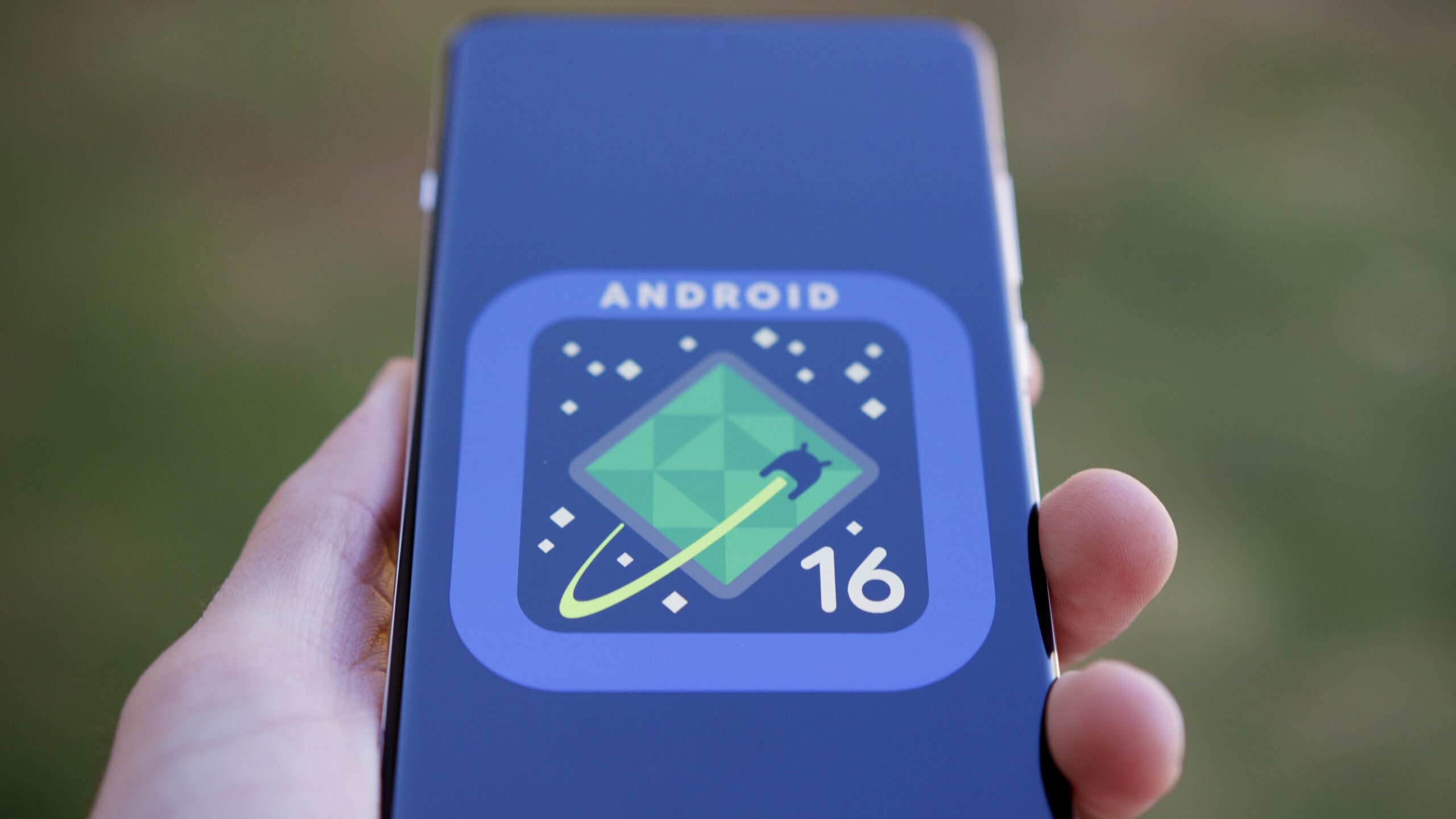
Android 16 logo on a phone.

Joe Maring / Android Authority

As hard as it is to believe, we’re just a few short months away from Android 16’s public release. We’ve had Developer Previews since last November and beta releases since January, and we’re expecting the final release to be ready in May or June.

So far, the update hasn’t given us much to look forward to. There are loads of developer-focused and under-the-hood tweaks, but in terms of exciting user-facing changes, Android 16 has been lacking. Outside of improvements to the photo picker, Live Updates notifications, and improving app support for tablets and foldables, it’s shaping up to be a pretty dull update.

Thankfully, it looks like things are taking a turn for the better. Google released Android 16 Beta 3 on March 13, and hiding inside this release are a handful of small yet promising new features. I have to admit, they’ve made me significantly more excited about Android 16 than I previously was.

Which Android 16 feature are you most excited about?

473 votes

Big upgrades to Quick Settings

Android 16 Beta 3 dual shade hero image

Mishaal Rahman / Android Authority

The first — and arguably biggest — change I’m excited about is the overhauled Quick Settings. Quick Settings in “stock” Android has largely stayed the same since Android 13, but Android 16 will introduce a new split design. Instead of seeing your notifications and Quick Settings on the same page, Android 16 will split them across two pages. You’ll get your notifications when you swipe down from the top left corner and your Quick Settings after swiping down from the top right.

I could take or leave the split design itself. What I’m most geeked about is the new look of the Quick Settings page. For one, your Quick Settings are now vertically scrolling and take up the entire page — meaning you’ll be able to fit a lot more toggles on your screen. As it stands today, Android 15 on a Pixel shows just eight Quick Settings toggles at a time. However, with this new design in Android 16, you’ll be able to see an appropriate 16 (or more) buttons at once. That’s a big upgrade.

Furthermore, Google appears to be experimenting with additional toggle sizes and designs, including a new small square that takes up half the space of the standard rectangle buttons. As visually pleasing as the big, rectangular bubbles may be, I’m really glad that more practical designs are coming with Android 16. The smaller icons still look great while letting you squeeze much more functionality on your screen. That’s a win-win if you ask me.

I love that Google is opening up Quick Settings to more user customization.

Finally, in addition to being more practical, I also love that Google is opening up Quick Settings to more user customization. Especially compared to skins like One UI and OxygenOS, stock Android has paled in comparison with giving you full control over what your Quick Settings look and feel like. For that to finally be changing in Android 16 is a big deal to me.

The biggest downside is that this new Quick Settings/notification panel likely won’t be ready in time for the first stable Android 16 release. However, we should see it with a future Android 16 update down the road, and I cannot wait for it.

More customizable app icons

Android 16 grid and icon shape customization hero image

Mishaal Rahman / Android Authority

In Android 15, home screen customization for Pixel phones is pretty basic. You have some app grid choices, accent color selections, and the option to theme your app icons with the accent color you choose. And … that’s about it. But Android 16 will add another option to the mix: app icon shapes.

Although not live in Android 16 Beta 3, we managed to enable the functionality, and it works as you’d expect. In a new “App shape & layout” page, you can choose one of six shapes to apply to all your app icons. Some are straightforward, like a circle or a squircle, while others have more unusual designs — including “four-sided cookie” and “complex clover.”

I’m encouraged this is a sign of even more customization yet to come.

Although I don’t like how all of these look, I do love seeing Google bring more customization options to the Pixel Launcher. App icon customization has been a pillar of third-party Android skins and launchers for years, yet Google’s Pixel Launcher has always lagged in this department. I’m also encouraged that this is a sign of even more yet to come — such as custom icon pack support or customizing app icons on an individual basis. This is one of the reasons I’ve preferred using OxygenOS 15 so much recently, and I’m thrilled to see Android 16 is taking steps to improve things here.

This one may or may not be ready in time for the first Android 16 public release, but I’m crossing my fingers that it is.

Lock screen widgets

Lock screen widgets on phones in Android 16 hero image

Mishaal Rahman / Android Authority

This last Android 16 feature isn’t technically part of Android 16 Beta 3. However, Google did confirm its existence recently as something that’ll be a part of Android 16 QPR1, which is set for a September rollout. The feature I’m talking about is lock screen widgets. Google added lock screen widgets specifically for Android tablets last year, but Android 16 will bring them to phones, too.

As someone who carries an iPhone and an Android phone, lock screen widgets with iOS 16 has been one of my favorite new iOS features in recent years. Customizing my lock screen to show my shopping list, upcoming calendar events, a Google Maps search widget, or even a shortcut to ChatGPT is equally cool and convenient.

I’m a big widget fan, but it doesn’t take long to run out of home screen space to put said widgets. The lock screen is a great canvas for them, especially to quickly glance at your calendar or to-do list, or to display some Google Photos memories. Admittedly, it is a bit silly to champion Google for re-adding a feature that previously existed with Android 4.2 (and was then removed with Android 5.0), but I’m still very happy to see lock screen widgets make a return.

Android 16 is shaping up nicely

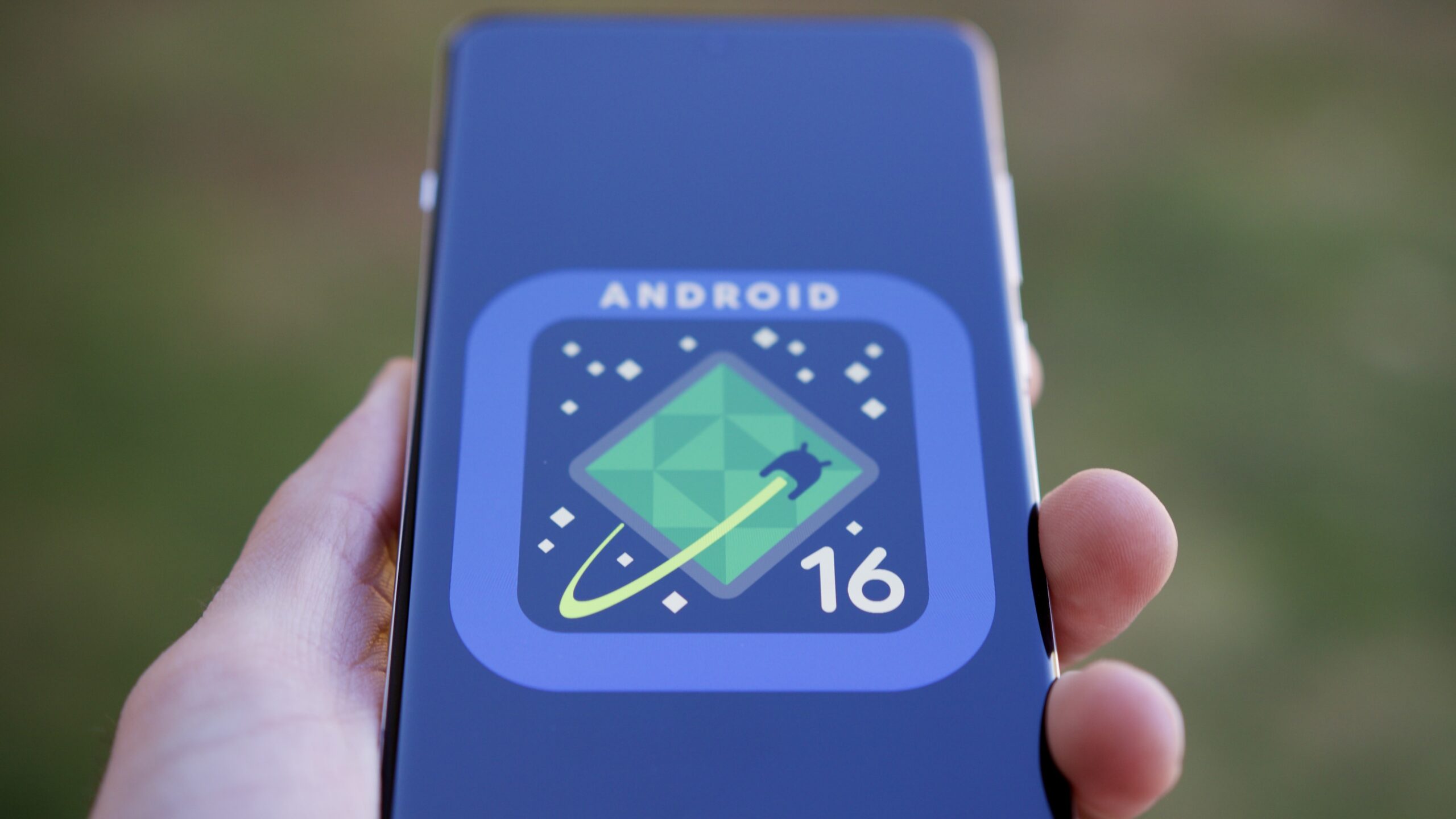
Android 16 logo on smartphone 08

Edgar Cervantes / Android Authority

While certainly not the most thrilling Android update we’ve ever had, Android 16 is shaping up nicely and coming into focus better than it was a couple of weeks ago. Much of the update is still centered on behind-the-scenes changes you and I won’t immediately notice, but it’s reassuring that some user-facing goodies will give us new toys to play with. With a revamped Quick Settings and notification panel, new app icon customization options, and the reintroduction of lock screen widgets, I don’t think we can call Android 16 “boring” any longer.

We should get a better look at these changes during Google I/O in May, and it’s also possible that Google will show additional Android 16 features that haven’t been revealed yet. Even if it’s not the massive revamp that Android 13 was, there are exciting changes here, and I’m looking forward to getting my hands on them.

You might like

Posted on

Should you buy a new TV in 2025?

Buying a new TV in 2025 could be an exciting upgrade – or an unnecessary expense, depending on what you’re looking for and your current TV setup. This year’s biggest TV brands like Samsung and LG are rolling out cutting-edge innovations, with CES 2025 showcasing next-gen OLED panels, improved mini-LED backlighting, and AI picture processing. Samsung, LG, Sony, TCL, and others are leading the charge with brighter OLEDs and better contrast in mini-LED models. Micro-LED tech is inching closer to mainstream adoption, and 8K TVs are getting more sophisticated, even if content remains scarce. But should you rush to upgrade, or will 2024’s best TVs serve you just as well for a lower price? To answer the question, let’s explore the most significant TV advancements set for 2025, what’s worth upgrading for, and who should consider buying a new set this year. The biggest upgrades to expect in 2025 LG’s G5 OLED TV uses a new four-stack display panel that yields even higher brightness than its predecessor (Image credit: LG) Every year, TV makers push the boundaries of display technology, and 2025 is no exception. CES 2025 gave us a glimpse of what’s to come, with major brands unveiling significant advancements across OLED, mini-LED, AI processing, and even next-generation micro-LED and RGB LED tech. One of the biggest areas of innovation is OLED, the leading-edge display tech for most TV buyers. LG’s new G5 OLED introduces a four-layer tandem structure designed to boost brightness while maintaining OLED’s signature deep blacks and rich colours, addressing concerns around dim OLED panels in bright rooms. Mini-LED TVs are also levelling up. Samsung’s new flagship models for 2025 such as the 4K Samsung QN90F and 8K Samsung QN990F bring new picture enhancements like Glare-Free screen tech (a feature previously limited to the Samsung S95D OLED that will continue in the new Samsung S95F OLED), along with a new Wirless One Connect Box for the 8K model. Even the new Samsung The Frame Pro, announced at CES, now features mini-LEDs, bringing sharper contrast, deeper blacks, and improved brightness to its popular art-inspired TV. Sign up for breaking news, reviews, opinion, top tech deals, and more. TCL and Hisense are similarly refining mini-LED backlighting, with higher dimming zones and more precise control over brightness, helping close the gap between mini-LED and OLED and offering a more affordable alternative for buyers. The RGB LED backlighting tech in Hisense’s forthcoming 116-inch UX Trichroma TV brings the benefits of enhanced brightness, color depth, and off-axis picture uniformity (Image credit: Hisense) Meanwhile, RGB LED backlighting tech is making waves. Hisense’s 116-inch UX Trichroma TV introduces a new way of producing colour, using dedicated red, green, and blue LEDs rather than traditional white or blue backlights filtered through colour layers, which achieves a stunning 97% of the BT.2020 colour space, alongside an eye-watering peak brightness of 10,000 nits. The result? Even more vivid, lifelike images with unparalleled brightness, making this one of the most exciting display advancements on the horizon. TVs aren’t just about better picture quality: AI-powered processing is becoming an increasingly important part of the experience. Samsung’s latest TVs incorporate AI in new ways, from advanced upscaling that makes lower-resolution content look sharper to motion enhancement that makes fast-motion sports look incredibly clear and solid.Finally, gaming-focused features are becoming more prominent. More TV models support higher refresh rates (up to 240Hz in some cases), providing smoother, more responsive gameplay, and enhanced cloud-gaming options. What’s out there right now? The LG C4 remains TechRadar’s choice of best TV for most people even as new models arrive to challenge its throne (Image credit: Future) While 2025’s TV innovations are exciting, last year’s models are still some of the best TVs on the market – and with big price drops on select models. The flagship TVs of 2024, including top-tier OLEDs and high-performance Mini-LED models, continue to deliver outstanding picture quality, gaming features, and smart TV capabilities that won’t feel outdated anytime soon. Take LG’s C4 OLED, for example. As one of the best OLED TVs of 2024, it offers deep blacks, excellent colour accuracy, and great gaming support, with 120Hz refresh rates, VRR, and low input lag. The high-end LG G4 OLED pushed brightness levels even higher, closing the gap between OLED and mini-LED in well-lit rooms. For those looking for high brightness and contrast without OLED’s potential burn-in concerns, mini-LED TVs like the Samsung QN90D or TCL’s QM8 were among the top picks last year, offering deep black levels, impressive HDR performance, and thousands of local dimming zones for precise contrast control. Even Hisense’s U8N, a more affordable mini-LED model, delivered fantastic peak brightness and colour accuracy, making it one of the best value-for-money TVs of 2024, and it’s still available in 2025. Meanwhile, 2024 also saw major improvements in mid-range TVs. For example, Roku launched its first high-end Roku Pro Series, bringing mini-LED technology and Dolby Vision support to an affordable price bracket. What’s missing from 2025 TVs? Hisense’s first micro-LED TV is expected to arrive in 2025 and should be available through regular consumer retail channels (Image credit: Future) While 2025’s TV advancements look impressive, there are still a few key areas where TV tech hasn’t quite reached its full potential. Some of the most exciting innovations, like micro-LED, true 8K content, and major OLED breakthroughs that would bring down prices, are still in their early stages, making them more of a glimpse into the future rather than a reason to upgrade right now. Micro-LED remains the holy grail of display tech, offering OLED-level blacks with extreme brightness and no burn-in risk. But pricing is still prohibitive. Meanwhile, 8K resolution continues to struggle with a lack of native content, and OLED advancements like PHOLED (higher efficiency) and dual-layer OLED (brighter panels) aren’t widely available yet. For all the buzz around next-gen innovations, game-changing TV tech is still a few years away. That means 2025’s models bring solid refinements, but they don’t necessarily make last year’s best TVs feel outdated. So, who should buy a TV in 2025? Not everyone needs to upgrade their TV this year, but for some, 2025’s advancements could make a strong case for upgrading. Whether you should buy now depends on your current setup, viewing habits, and what you want from a new TV, among other factors. Those who should: If you’re coming from an older TV, especially one from 2017 or earlier, you’ll see a huge jump in picture quality, brightness, and smart features. Modern OLED and mini-LED panels offer better contrast, higher peak brightness, and excellent HDR performance, making content more immersive. Gamers should also consider upgrading, as 2025’s TVs bring higher refresh rates (up to a whopping 240Hz), ultra-low input lag, and improved VRR support. Whether you’re gaming on PlayStation 5, Xbox Series X, or a high-end PC, the latest models deliver smoother gameplay and more responsive controls, especially in fast-paced titles. If you want the absolute best OLED or mini-LED TV, 2025’s models are refining these technologies further. LG’s G5 OLED is brighter and more energy-efficient, while Samsung and TCL’s latest Mini-LED sets offer deeper black levels and more precise contrast control. Those who shouldn’t: If you already own a high-end 2023 or 2024 TV, the improvements in 2025 aren’t radical enough to justify an upgrade for many people. Last year’s LG C4, Samsung S95D, and Hisense U8N still offer excellent brightness, contrast, and gaming performance – and they’re now available at discounted prices. Unless you’re chasing the absolute best, you can safely hold onto your current TV for another couple of years. Micro-LED and 8K aren’t fully ready yet, so if you were waiting for these to go mainstream, you might want to wait until 2026 or beyond. Right now, micro-LED TVs remain far too expensive, and 8K content is still scarce, meaning even the best 8K TVs are mostly relying on AI upscaling rather than native content. Hisense’s U8N is one of the best TVs of 2024 and is now selling at a deep discount (Image credit: Future) So, to summarise, if your TV is over six or seven years old, you’ll see meaningful benefits from upgrading in 2025. Gamers, home cinema enthusiasts, and those chasing the latest display tech will also find compelling reasons to buy now. But if you have a recent high-end TV, the improvements in this year’s models aren’t necessarily drastic enough to justify the extra cost, especially when last year’s best models are now available for less. You might also like…

Posted on

Mr Housekeeping Now Streaming on Aha Tamil: Everything You Need to Know

The Tamil romantic comedy Mr Housekeeping is now streaming. Directed by Arun Ravichandran, the film hit theatres earlier this year with Losliya Mariyanesan and Hari Bhaskar in lead roles. The story follows a young man who takes up a housekeeping job at the home of his former college mate, who once turned him down. As they reconnect, their changing friendship takes centre stage. The film is available on Aha Tamil from March 25, with OTTplay Premium users getting a discounted viewing option.

When and Where to Watch Mr Housekeeping

The film is streaming on Aha Tamil. It was released on the platform on March 25. The announcement was made by Aha Tamil through social media posts.

Official Trailer and Plot of Mr Housekeeping

The trailer of Mr Housekeeping gives a glimpse into a heartfelt yet fun-filled story. It follows a young man who becomes a housekeeper at the home of a woman he once had feelings for. With her engagement approaching, their interactions take an unexpected turn. The film weaves romance and comedy together, exploring how relationships change with time.

Cast and Crew of Mr Housekeeping

Losliya Mariyanesan and Hari Bhaskar play the lead roles. Supporting roles are played by Ilavarasu, Shah Ra, and Rayan. The film is directed by Arun Ravichandran and produced by Sri Thenandal Films and Invate Media. Cinematography is handled by Kulothungavarman R, while Rama Subbu has edited the film. The music is composed by Osho Venkat.

For the latest tech news and reviews, follow Gadgets 360 on X, Facebook, WhatsApp, Threads and Google News. For the latest videos on gadgets and tech, subscribe to our YouTube channel. If you want to know everything about top influencers, follow our in-house Who’sThat360 on Instagram and YouTube.

Guilty Gear Strive: Dual Rulers OTT Release Date: When and Where to Watch it Online?

The Witcher 4 Will Not Release Before 2027, CD Projekt Red Says

Posted on

Can you use Wi-Fi calling for free while traveling abroad?

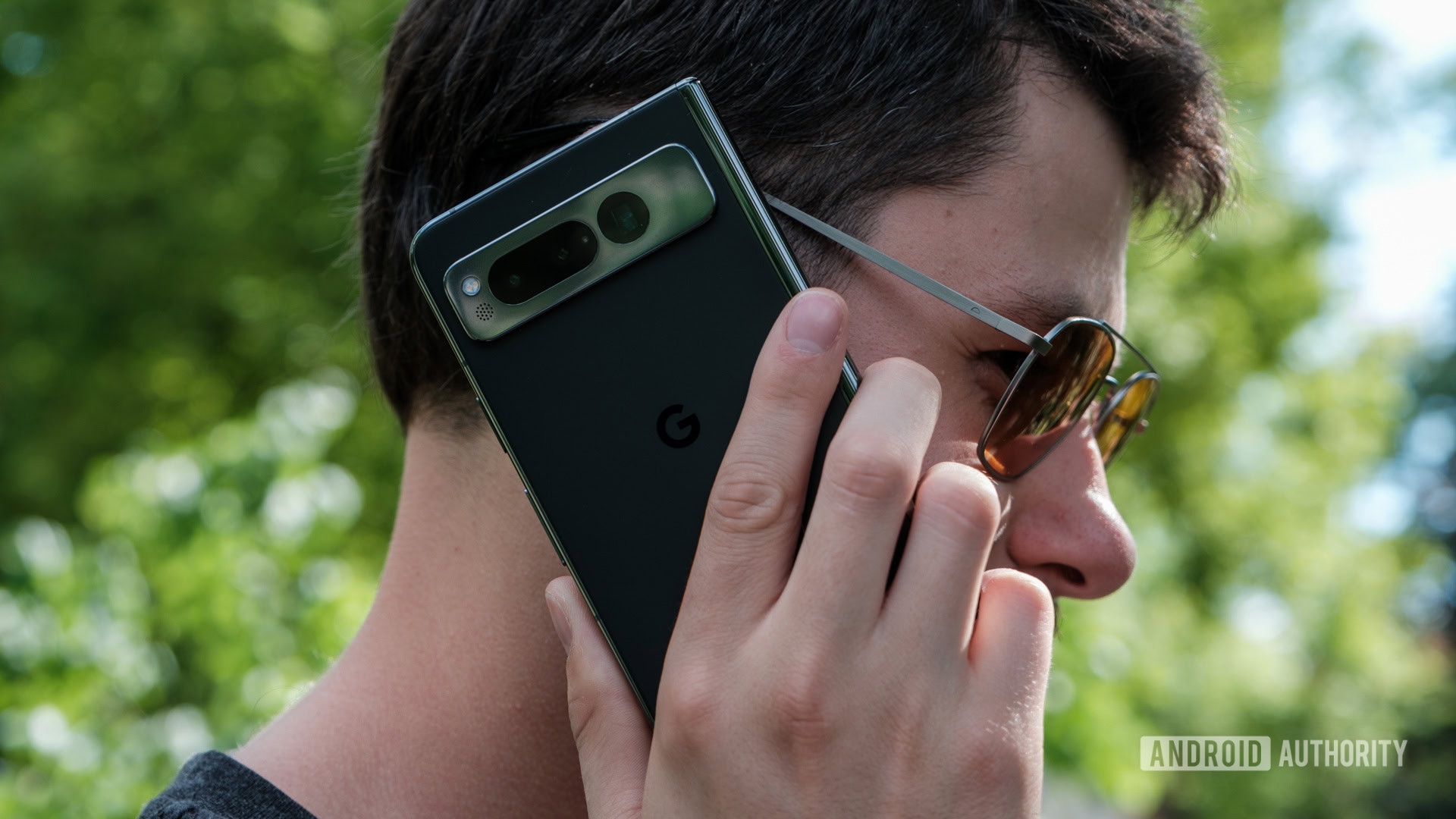
google pixel fold on a phone call

Ryan Haines / Android Authority

If you’re planning to travel internationally this year, you’ll want to have a solid game plan for phone coverage during your trip. There are several options available, including using a foreign SIM or eSIM, or even opting for a special travel SIM plan. For many, the most convenient method is simply using their carrier’s roaming solution, though not all carriers are created equal in this regard.

If your international roaming options are limited, you might be wondering if you can simply connect to an international Wi-Fi network to place phone calls instead. In most cases, the answer is yes, but whether you’re charged for it depends on your carrier’s policies.

Ensuring You Have Wi-Fi Calling

First, it’s important to ensure you have Wi-Fi calling in the first place. The good news is that every major US carrier now offers this feature, even most prepaid providers. However, some carriers may have device restrictions. For example, Cricket typically requires a Cricket-purchased device to use its Wi-Fi calling feature, with only a few exceptions. If you’re unsure whether your carrier supports Wi-Fi calling on your device, be sure to check their terms and conditions.

Will Wi-Fi calling be free internationally?

Once you’ve confirmed that you have Wi-Fi calling, you might be wondering if you can use it for free while traveling internationally. If you’re calling the US, the answer is almost always yes. However, if you’re calling other countries while on an international Wi-Fi connection, you can generally expect a charge.

A look around Reddit makes it clear some travelers have reported being charged for Wi-Fi calls to the US while abroad, and you may have experienced this yourself. While this can happen, in most cases, it can be prevented.

How to avoid charges for Wi-Fi calls to the US while abroad

No one likes unexpected charges. For many prepaid providers, if Wi-Fi calling fails, you simply won’t be able to place the call, which means you’re less likely to face an unexpected fee. However, some prepaid providers can and will charge extra fees to your default billing payment if it aligns with their terms.

Regardless of whether the charge is on a prepaid or postpaid account, the reason behind it is usually the same: If your Wi-Fi call drops without your knowledge, your phone may automatically switch to a roaming network, resulting in charges.

To prevent this, follow these steps:

  • Turn on Wi-Fi calling before leaving the US. This may seem simple, but if you don’t enable Wi-Fi calling before departure, you likely won’t be able to activate it once abroad. Additionally, avoid turning it off while traveling, as you may not be able to reenable it. Need help? Check out our guide to Wi-Fi calling for exact steps and more details.
  • Enable Airplane mode. Don’t just turn off your data; instead, activate Airplane mode and then connect to a Wi-Fi network. This ensures your phone won’t attempt to connect to a mobile network if there’s an issue with the Wi-Fi call.

I have an international calling plan; can I use that over Wi-Fi calling?

Let’s say you live in the US and are visiting France. You use Wi-Fi calling to contact a few French businesses. Will you be charged if you already pay for an international calling plan? For nearly every carrier, the answer is yes.
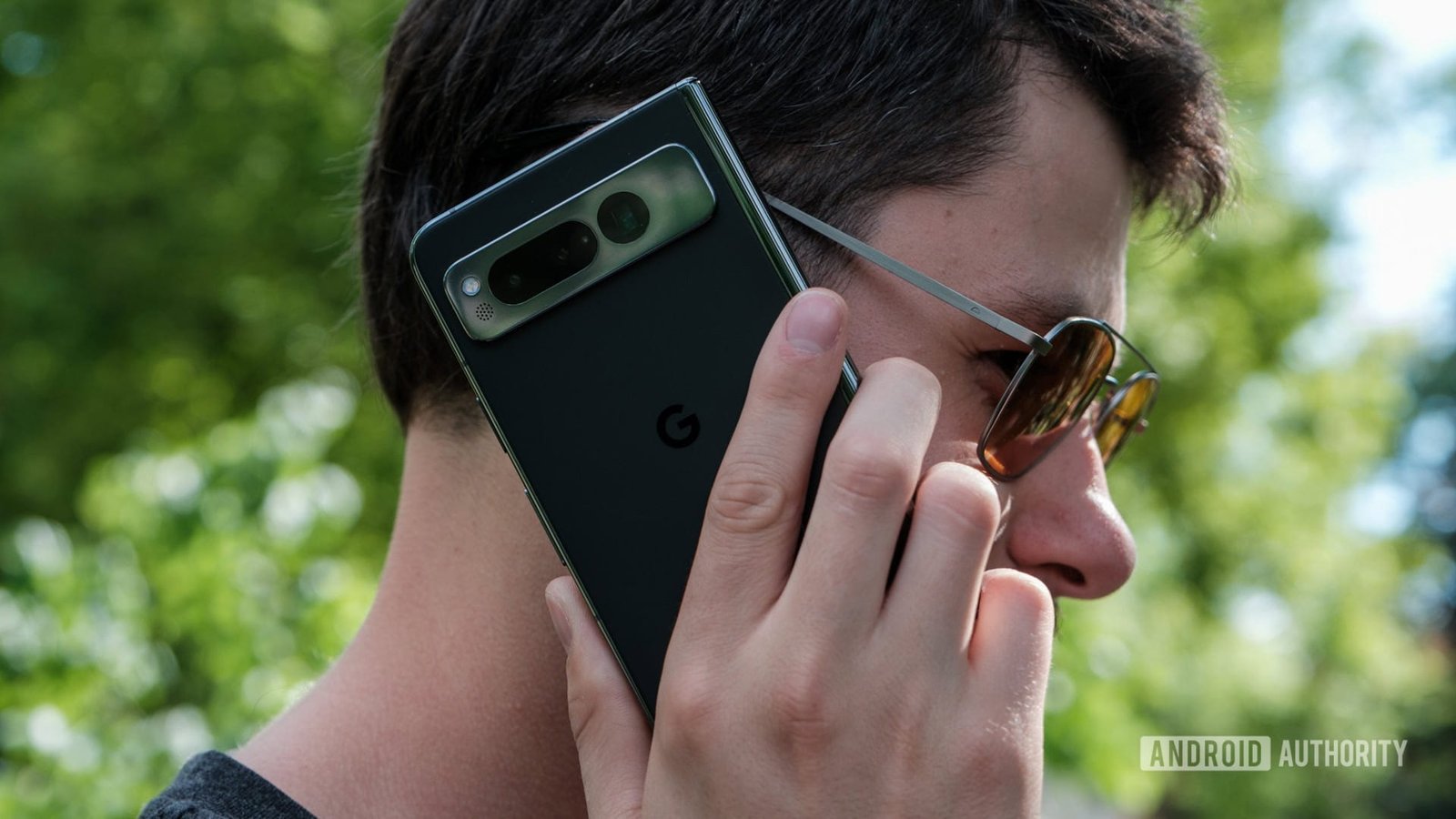
An international calling plan is designed to allow users in the US to call other countries without extra charges. However, if your Wi-Fi connection isn’t US-based, you will likely incur a roaming fee. Some users attempt to bypass this by connecting to a Wi-Fi network through a VPN, but there are no guarantees, and doing so could potentially violate your plan’s terms of service.

Some argue that it shouldn’t matter where you are when using Wi-Fi calling since the traffic is still routed to T-Mobile (or another carrier) the same way. In theory, this means there’s no extra cost to the carrier. However, there’s no real way around it; carriers like T-Mobile benefit from steering users toward purchasing international roaming add-ons.

It’s important to clarify that international calling plans and international roaming plans are not the same. An international calling plan allows you to call other countries from the US, while an international roaming plan enables you to place calls to and from other countries.

If you have an international roaming plan, you shouldn’t see additional charges for Wi-Fi calls, as long as both the numbers you’re calling and receiving calls from are covered under your plan. Of course, if you have an international roaming plan, you can also make calls using your mobile network directly.

What is the best alternative to Wi-Fi calling with your carrier?

2024 Verizon logo on smartpohone Stock photo (11)

Edgar Cervantes / Android Authority

If you don’t have an international calling plan and are looking for a cheap way to make calls while abroad, here are some options:

  • Use a VoIP service. A Voice over Internet Protocol (VoIP) provider lets you make free Wi-Fi calls to the US from any country. Our top recommendation is Google Voice: it may be more lightweight than other VoIP solutions, but it works well for Wi-Fi calling and offers competitive international rates, some as low as just a few cents per minute.
  • Check your carrier for add-on roaming plans. Even if your carrier doesn’t offer free roaming, it likely has some kind of international package you can purchase. Many prepaid carriers, including Google Fi, Mint Mobile, and others, offer affordable international add-ons.
  • Get a local SIM or eSIM. While this requires a tad more effort, the cheapest way to get international roaming service is to use a local SIM or eSIM provider. Many airports sell these through kiosks or small storefronts.
  • Consider a travel SIM plan. Travel SIMs and eSIMs are typically more expensive than local SIMs but offer greater convenience. You pay a provider for international data, and they partner with local carriers to give you seamless service while you travel.

The best carrier for international travel

Google Fi Wireless logo on smartphone with colored background stock photo

Edgar Cervantes / Android Authority

Another option to consider is switching to a carrier where roaming isn’t an issue. For frequent international travelers, Google Fi is arguably the best option, even when compared to the big three carriers. Its Unlimited Plus plan costs just $65 per month or as low as $40 per line for four or more lines.

In addition to unlimited data, you get unlimited texts and data in over 200 countries, which activates instantly the moment you arrive — no changes or hassle required. You can learn more in our Google Fi plans guide or hit up the widget below to sign up for yourself.

You might like

Posted on

3 discs to add to your 4K Blu-ray collection in March 2025

Welcome to the March 2025 edition of the Blu-ray Bounty, where we’ll be looking at three 4K discs released in March 2025 that you could add to your (hopefully) growing collection. If this is your first time here, you can read past entries of the Blu-ray Bounty here. This is where we at TechRadar get to indulge in our love of 4K Blu-ray by exploring the latest releases in the 4K world. 4K Blu-ray is the best way to experience movies on your home theater, as combining one of the best 4K Blu-ray players, best TVs and best soundbars into one entertainment powerhouse package can give you the cinema experience at home. Plus, it’s our favorite way to test TVs and soundbars here at TechRadar! In our last Blu-ray Bounty in February 2025, we looked at The Last Voyage of the Demeter, Winchester 73’ and Punch Drunk Love as three titles that could make great additions to any collection. This month, I’ve picked Wicked, Constantine and Gladiator II. I’m sticking with my trusty setup of the Panasonic DP-UB820 4K Blu-ray player, Panasonic MZ1500 OLED TV and Samsung HW-Q990C Dolby Atmos soundbar to put these discs through their paces. As always, I’m not reviewing the movies themselves; I’m just highlighting new options with some visual and/or audio qualities to show off the power of 4K Blu-ray. Wicked Image 1 of 4 (Image credit: Future) (Image credit: Future) (Image credit: Future) (Image credit: Future) The movie adaptation of one of the world’s most popular stage musicals, Wicked is a prequel to The Wizard of Oz. It follows the story of how Elphaba (Cynthia Erivo) and Glinda (Ariana Grande) (the wicked witch and good witch respectively in The Wizard of Oz) came to meet one another and forge an unlikely friendship. Sign up for breaking news, reviews, opinion, top tech deals, and more. Wicked is of course a musical so sound is critical. Thankfully, it uses every ounce of its Dolby Atmos soundtrack. Soaring, powerful vocals from both Grande and Erivo are crystal clear, and balanced well with the uplifting score, which when given a proper soundbar or sound system to play through will be a real showcase. Interesting movement in the sound is presented in every musical number with excellent accuracy. It’s a seriously engaging Atmos soundtrack that even manages to capture the surround effects with serious detail. Musical fans with a home theater system; take note. Visually, Wicked is a veritable feast for the eyes. With Dolby Vision HDR support, it’s a visually striking movie with gorgeous, bright and dynamic colors that really benefit from that Dolby Vision touch. Pink and green play a critical role in the movie and thankfully, are presented in a stunning manner. From Glinda’s sickly-sweet pink outfits to Elphaba’s green skin and the dazzling greens of the Emerald City, colors somehow are both accurate and shockingly punchy. Even in darker scenes, however, black levels and contrast are authentic and balanced. Put this movie on one of the best OLED TVs or one of the best mini-LED TVs. Constantine Image 1 of 3 (Image credit: Future) (Image credit: Future) (Image credit: Future) Somewhat of a cult ‘comic book’ movie, 2005’s Constantine follows the exploits of John Constantine (Keanu Reeves), based on the DC Comics character of the same name, who is a demon-hunting exorcist with otherworldly powers, finds himself tasked by Detective Angela (Rachel Weisz) to investigate her twin sister’s mysterious death. There’s no getting around the fact that Constantine has a very distinct color palette, with the grimy browns and reds of hell and the pale, beige whites in the skies being the predominant colors. Still, this 4K HDR release presents these colors with real accuracy and plenty of detail. It’s also a high-contrast movie, with plenty of dark scenes, blending with minimal light. Black levels, contrast and shadow detail are all excellent throughout the movie and textures, especially skin tones, are presented with a true-to-source look. Audio-wise, Constantine’s Dolby Atmos soundtrack captures all the gusto you could hope for in an action movie. The often pounding score is suitably tense and immersive, but speech and other effects aren’t lost in the mix. Any shootouts or fight sequences carry plenty of heft, with bass giving thumping sound effects a nice boost and the direction of sound is connected well with the action on screen. Gladiator II Image 1 of 3 (Image credit: Future) (Image credit: Future) (Image credit: Future) The sequel to Ridley Scott’s action-blockbuster epic, Gladiator II is the story of Lucius (Paul Mescal), son of Maximus Decimus Meridius (Gladiator’s protagonist), who after years of life in exile is captured to fight in the Colosseum in Rome. The movie also features Denzel Washington, Pedro Pascal, Joseph Quinn and more. Gladiator II’s greatest strength lies in its Dolby Atmos soundtrack. Engaging, immersive and downright meaty, every combat sequence has real punch. Slicing swords are presented with superb detail and the action and sound are always working in tandem. In the chaotic opening battle, arrows whistle through the air and feel like they’re either raining down or swooping past. The rousing score is nicely mixed with the other elements of the soundtrack, never overpowering speech or other effects. In terms of visuals, Gladiator II has a very brown-and-beige heavy color scheme. While these are presented accurately, it’s moments when the gold of the throne and outfits of the emperors or the reds of the Roman headpieces add that extra visual punch. Scenes in dark rooms with torchlight show great contrast and black levels and textures are realistic, with every bit of sweat, blood and mud on characters’ faces looking authentic. Looking to get a similar setup to ours? Below, we’ve listed the closest available models to what we use (our TV and soundbar are a couple of years old). You might also like

Posted on

Tested for Durability, Enhanced for Connectivity, Built for Longevity: Why OPPO F29 Series is the Ultimate Durable Champion, Starting Rs. 23,999

When it comes to choosing a smartphone, durability and reliability are often top priorities. You want a device that can handle everyday mishaps, stay connected no matter where you are, and keep up with your daily demands without running out of battery. In the world of smartphones, OPPO has earned its reputation as the most preferred brand for durability, and the F Series stands as a true testament to that. With the recently launched F29 Series, OPPO has once again raised the bar, setting new standards for toughness. Starting at just Rs. 23,999, the F29 and F29 Pro are built to perform perfectly in real-life scenarios, making them OPPO’s most reliable smartphones yet.

wet wet

Durability Tested Like Never Before

OPPO’s new F29 Series is designed with real-life durability in mind, pushing the boundaries of smartphone strength. After rigorous testing conducted by SGS India in Bengaluru, these phones have earned top-notch international certifications, including IP66, IP68, and IP69 ratings. This means they effectively guard against dust, survive immersion in water up to 1.5 meters deep for half an hour, and even powerful, high-temperature water jets.

coffee coffee

Think about the accidents that happen daily, spilled coffee during a busy morning, juice knocked over by kids, or your phone accidentally slipping into a sink full of soapy dishes. Unlike most phones that would immediately fail and stop responding, the OPPO F29 Series stays fully functional, resisting damage from as many as 18 common liquids, including soda, beer, soap water, and even hot springs.

To your surprise, OPPO has thoughtfully equipped a handy One-Click Drainage function that enables you to quickly clear out water from the speaker. Amazing, isn’t it?

oppo pebbel

Built Tough for Real-Life Scenarios

We put the OPPO F29 Series through the kind of chaos any phone would face in everyday life, and it outperformed our expectations.

To test durability, we dropped it from a regular staircase (about 1.5 meters high). It bounced, landed hard, and still powered on without a single crack. The damage free 360 degree Armour body, reinforced corners clearly do their job, and the cushioning inside helps absorb shocks better than you’d expect. The phone’s frame is made from aerospace-grade aluminium alloy (AM04), which is 10% stronger than previous generations. So, we’re not saying go around dropping it, but if it slips out of your pocket while getting out of the car or falls off your desk, it’ll be just fine.

We also made it go through a few messy scenarios that involved keys, coins, and rough tabletops. The front, protected by Corning Gorilla Glass Victus 2 in F29 Pro, and Corning Gorilla Glass 7i in F29 came out without a scratch. The rear panel, made with high-molecular fiberglass, held up well too. It doesn’t feel like a fragile phone, and that’s a rare thing these days.

The camera bump is usually where a lot of phones get scratched up, but here, the lens protection ring actually made a difference. We kept it face down on rough cafe tables, benches in park, even office floors, and there were no scratches on the lens.

Beyond drops and scratches, we wanted to see how it’d handle extreme environments. So we used it during a hot afternoon out in the Delhi sun, then again on a rainy day with humidity pushing 90%. The F29 Series didn’t heat up, glitch, or struggle at all.

OPPO says it’s passed 14 Military Standard MIL-STD-810H-2022 environmental tests, and honestly, after the week we put it through, we believe it.

base base

Unmatched Connectivity Wherever You Go

Struggling with poor network connectivity is incredibly frustrating, whether you’re deep in rural areas or navigating bustling city streets. To address this, the F29 Series introduces New Hunter Antenna architecture that offers an impressive 300% improvement in signal strength.

OPPO’s exclusive antenna tech covers 84.5% of the device, meaning stronger, more consistent signal, no matter how you hold the phone. It also supports 4×4 MIMO, which basically allows for multiple data streams at once. Think of it like upgrading from a two-lane road to a four-lane highway, uploads, downloads, and video calls feel faster and a lot more stable, even in weak network zones.

There’s also Smart Network Switching that further ensures your phone automatically connects to the strongest signal available, minimising disruptions during important calls, video streaming sessions, or intense gaming moments.

We also tested out OPPO’s AI LinkBoost 2.0, which kicked in especially well when walking into network dead zones like underground parking lots or elevators. The signal didn’t completely drop, calls didn’t cut off, and videos buffered less.

For gamers, the Game-exclusive Wi-Fi Antenna really helps. Holding the phone in landscape mode usually blocks antennas on many devices, but here, we played for nearly an hour and didn’t face any lag.

The F29 Series is also TÜV Rheinland-certified for high network performance, and in our tests, that checked out. We tried making WhatsApp calls, watching YouTube, and uploading photos in signal-challenged areas like old residential buildings and basement cafés. Compared to other phones in the same price range, the F29 Series was always faster.

For those working outdoors, like delivery partners, Outdoor Mode boosts brightness, keeps the screen on longer, and improves performance for apps like Zomato or Swiggy. It even switches to loudspeaker if you’re not using a headset.

And if you’re wearing gloves, Glove Mode lets you use the screen without taking them off. We tried it with wool and cotton gloves, and it worked without fuss.

charge charge

Powerful Battery That Lasts All Day

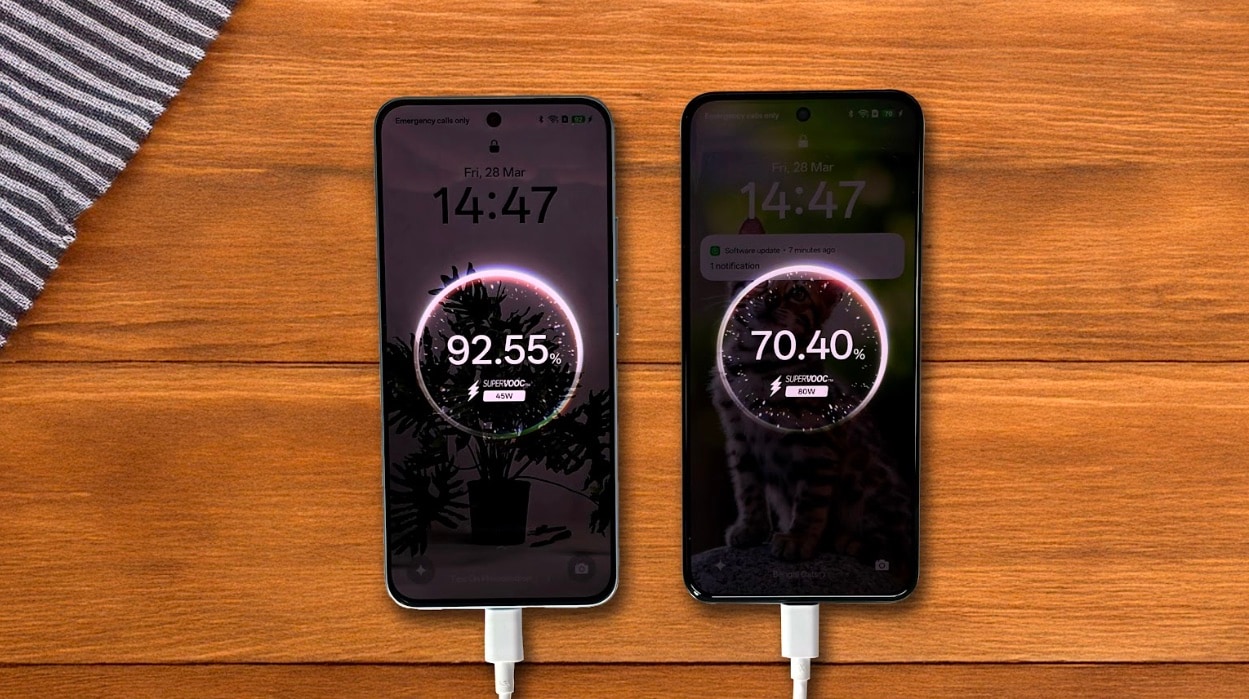
Running out of battery is a common stress, but OPPO F29 Series lets you stay worry-free all the time. The F29 Pro comes equipped with an impressive 6000mAh battery which has been designed to maintain same performance for up to five years. Backed by OPPO’s cutting-edge 80W SUPERVOOCTM charging tech, the phone can instantly recharge from 0% to 62% in just 30 minutes and a 100% in approximately 54 minutes, hence making it super ideal for those constantly on the move.

However, the F29 isn’t far behind. It packs a larger 6500mAh battery largest battery ever in F-Series with 45W SUPERVOOCTM charging capability, reaching an 80% charge within roughly one hour and fully charged in just 84 minutes. Also, both variants offer reverse charging, allowing you to easily share battery power with other USB-C compatible devices during those urgent situations.

mat mat

Capturing Moments Underwater and Beyond

Photography is another key strength of the OPPO F29 Series. With dedicated underwater photography capabilities, you can effortlessly capture stunning pictures and videos underwater at depths of up to 1.5 meters. Whether you’re on vacation or just exploring, this phone lets you capture underwater beauty clearly and vividly.

AI-powered camera features further enhance photography. Tools like AI Livephoto, AI Unblur, AI Reflection Remover, AI Clarity Enhancer, and AI Eraser allow anyone to create professional-quality photos easily. From capturing concerts clearly to removing unwanted reflections from windows, these features make every shot perfect.

snake snke

 Powerful Performance and Immersive Display

The OPPO F29 Pro comes with the high-performance MediaTek Dimensity 7300 Energy processor, delivering smooth multitasking, lag-free gaming, and efficient battery use. The OPPO F29 sports the reliable Snapdragon 6 Gen 1 processor, ideal for everyday tasks, social media, and moderate gaming, offering a perfect balance between power and efficiency.

Both models feature a stunning 6.7-inch AMOLED display, reaching up to 1200 nits of brightness, great for use in sunlight. The screen refreshes at 120Hz and has 93.5 screen-to-body ratio, making animations silky-smooth, while the built-in stereo speakers offer an immersive audiovisual experience with a 300% Ultra Volume mode.

style style

Stylish, Comfortable Design

Despite their unmatched toughness, the OPPO F29 Series phones are impressively slim and lightweight. The F29 Pro weighs just 180 grams, while the F29 remains around 185 grams, each under 8mm thick, making them easy to hold and carry.

The F29 Pro comes in two striking colours: sophisticated Marble White and sturdy Granite Black, each inspired by natural looks. Meanwhile, the F29 offers stylish choices like Solid Purple and Glacier Blue, ensuring there’s something for everyone.

studio studio

Smart AI Tools for Productivity

Powered by ColorOS 15, the OPPO F29 Series comes with powerful advanced AI tools to simplify your daily tasks and boost productivity. With features like AI Summary, you can effortlessly get short and simple summaries of long articles. The Screen Translator tool easily breaks down language barriers by translating text in real time. Also, AI Writer helps you craft extremely polished emails and messages, streamlining your everyday communication. The integration of Google Gemini AI ensures you always have intelligent assistance available right on your phone.

conc conc

Conclusion

The OPPO F29 Series stands out when it comes to toughness, connectivity, battery life, and photography, all without breaking the bank. Carefully designed and rigorously tested with everyday Indian scenarios in mind, the OPPO F29 and F29 Pro deliver exceptional durability and reliability starting at Rs. 23,999. Whether you’re dealing with accidental drops, staying connected in tricky areas, or needing a battery that lasts all day, these phones handle it effortlessly. They’re built to be durable companions that you can count on in everyday life.

Price 1x1 last

Price and Availability

The  OPPO F29 5G is priced at Rs. 23,999 for the 8GB + 128GB variant, Rs. 25,999 for the 8GB + 256GB variant and is already up on sale. The OPPO F29 Pro 5G is priced at Rs. 27,999 for 8GB + 128GB variant, Rs. 29,999 for 8GB + 256GB variant and Rs. 31,999 for 12GB + 256GB variant. The Pro version will go on sale starting 29th March 2025 at 6:00 PM (IST) and both Pro and base variant will be available across Flipkart, Amazon, OPPO e-Store along with mainline retail outlets. So, go grab your device right now!

Affiliate links may be automatically generated – see our ethics statement for details.