Posted on

This cheap projector has a gimbal stand and smart auto adjustments so it’s easy to stream Netflix and Prime Video anywhere

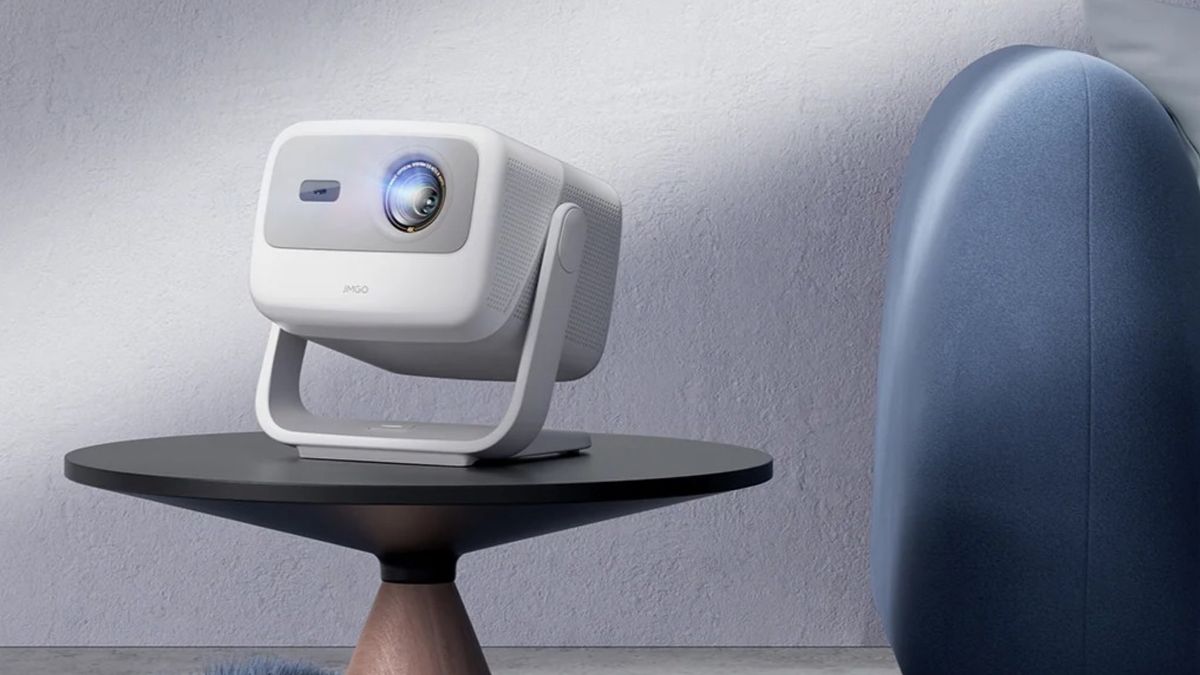
The Dangbei N2 mini is available now, priced at $179 / £159 )about AU$330) 1080p, 200 ISO Lumens, up to 120-inch display ‘AI’ auto picture adustments, 190º tilt for easy projection anywhere Dangbei’s new entry level LED projector, the Dangbei N2 mini, delivers 1080p HD and has native apps for Netflix, YouTube and Prime Video – plus a built-in gimbal and automatic picture adjustment tech (with the obligatory claim of ‘AI’ powers) that should make it easy to place it anywhere and get a well-aligned display. It’s also very keenly priced, with an introductory offer of $179 / £159 (about AU$330). That’s roughly 20% off the normal list price, and it’s less than half what you’d pay for our current best portable projector pick, the XGIMI MoGo 3 Pro. (Image credit: Dangbei) Dangbei N2 mini: key features The most obvious difference between the N2 mini and more expensive models is brightness: where the XGIMI is 450 ISO Lumens, the N2 mini is rated at 200 ISO Lumens, so this isn’t one for brightly lit spaces. But it’s exceptionally portable, weighing just 3.78 lb (1.72 kg), and it comes with a host of automatic features for easy setup and operation. There’s also a 6W speaker system with Dolby Audio support. You may like The recommended display size is 100 inches, but the N2 mini is capable of projecting from 40 to 120 inches. The integrated gimbal enables smooth and accurate positioning on floors, walls or ceilings and the power port is base-mounted to avoid interference. The optical system is sealed to keep dust out, which Dangbei says delivers 30% longer life – although it doesn’t say what that lifespan actually is. Bluetooth is 5.2 and the N2 mini has Wi-Fi 6. The N2 mini has nearly 300 apps to choose from, and the pre-installed Netflix, Prime Video and YouTube apps are all given their own buttons on the remote. The Dangbei N2 mini is available now. Sign up for breaking news, reviews, opinion, top tech deals, and more. You might also like

Posted on

BenQ launches two new 4K projectors – one promises theater-grade image quality, and one brings AI processing to home projectors

180-inch screens from just 4 metres away; designed for up to 200 inches AI-powered optimization of compressed streaming video HDR-PRO with HDR10, HLG, and HDR10+ BenQ has announced two new 4K projectors as part of its Home Cinema Series: the premium W5850, which is designed for theater-grade large screens; and the W4100i, which promises cinema-grade visuals for home theater rooms to rival the best projectors. The 2,600 lumen W5 is “designed for the ultimate cinematic experience”. It’s capable of up to 200-inch screens with a shorter throw ratio of 1.0 to 1.6. That enables it to deliver a 180-inch display from just four meters away. The W4100i has a 3,200-lumen LED light source, Android TV and AI Cinema Calibration mode, which BenQ says ensures “cinema-grade visuals” from streaming content. You may like (Image credit: BenQ) BenQ Home Cinema Series: key features Each of the Home Cinema Series projectors meets key industry standards including 100% DCI-P3, and Delta E<3 (with high-end models such as the W5850 achieving Delta E<2). There’s BenQ’s own HDR-PRO technology, which enhances contrast through multi-stage processing – Global Contrast Enhancer, Local Contrast Enhancer, and Dynamic Black – and the tech supports HDR10, HLG, and HDR10+. There’s built in noise reduction to enhance compressed streaming content, and the latest version of BenQ’s AI Cinema Mode. This is a real-time image composition analyzer that dynamically adjusts HDR, color saturation and sharpness, significantly improving the appearance of the compressed video content from the major streaming services. AI processing is big among the best TVs, but hasn’t made an impact on projectors much yet – that’s clearly starting to change. Sign up for breaking news, reviews, opinion, top tech deals, and more. Connectivity includes HDMI 2.1, SPDIF and eARC with support Dolby Atmos and 7.1 surround sound. There’s also a low-latency Fast Mode that promises a fast 17.9ms response time for movies, sports, and games. We only have UK pricing so far, with the BenQ W4100i set for a £2,999 (about $3,890 / AU$6,225) price, while the W5850 is set to cost £4,599 (about $5,960 / AU$9,550). You might also like

Posted on

This 4K portable laser projector goes twice as bright, twice as big as LG’s equivalent, for the same price

JMGO N1S 4K is a new portable 4K laser projector 1,100 lumens, and up to 200 inches at a 1.2:1 throw ratio $1,299 / about £1,005 / AU$2,155 If you’re in the market for one of the best portable projectors, one of the most tempting models is the LG Cinebeam Q with its 120-inch, 4K projection and $1,299 / £1,299 / AU$2,499 price tag at launch (now largely available under £1,000/$1,000). But it’s just got some serious competition in the form of the similarly priced JMGO N1S 4K. Like the LG, it produces big images from a small footprint. But it’s capable of projecting 4K at up to 200 inches compared to the LG’s 120 inches. Okay, that’s not quite the double we mentioned in the headline, but it’s close enough – it’s a lot of inches for a compact beamer. (Image credit: JMGO) JMGO N1S 4K: key features and price This is a portable player measuring just 7.3 x 6.5 x 7.5 inches (18.5 x 16.5 x 19.1 cm), but there’s no battery so you’ll need to find somewhere to plug it in. Because it doesn’t need to worry about battery life, it’s impressively bright, putting out a claimed 1,100 ISO lumens – the LG Cinebeam Q, for comparison, is 500 ANSI lumens. You might notice there’s a difference there – ISO lumens versus ANSI lumens. But a rating in ISO lumens is generally brighter than ANSI lumens, so actually the difference appears (on paper) to be even wider than it first looks. The sound system is decent given the small size of the devices, cramming in 10W speakers and a small bass unit, and the N1S is compatible with both Dolby Audio and DTS-HD. You can adjust the projection angle up to 127 degrees using the stand that doubles as a handle, and there’s promised 110% coverage of BT.2020 color, a 1,600:1 full on/full off contrast ratio, and HDR10. There’s MEMC motion smoothing, an HDMI 2.1 port with eARC, and it runs Google TV with support for both Google Assistant and Google Cast. For gamers there’s 1080p 60Hz support with a reasonable 17ms input lag. Sign up for breaking news, reviews, opinion, top tech deals, and more. Officially the N1S 4K will retail at $1,299 in the US and €1,399 in the EU (roughly £1,006 / AU$2,155). But at the moment it’s being discounted heavily for US users with a price of just $999. It’s unclear whether that’s a permanent price adjustment or just a limited-time offer. You might also like

Posted on

3 discs to add to your 4K Blu-ray collection in March 2025

Welcome to the March 2025 edition of the Blu-ray Bounty, where we’ll be looking at three 4K discs released in March 2025 that you could add to your (hopefully) growing collection. If this is your first time here, you can read past entries of the Blu-ray Bounty here. This is where we at TechRadar get to indulge in our love of 4K Blu-ray by exploring the latest releases in the 4K world. 4K Blu-ray is the best way to experience movies on your home theater, as combining one of the best 4K Blu-ray players, best TVs and best soundbars into one entertainment powerhouse package can give you the cinema experience at home. Plus, it’s our favorite way to test TVs and soundbars here at TechRadar! In our last Blu-ray Bounty in February 2025, we looked at The Last Voyage of the Demeter, Winchester 73’ and Punch Drunk Love as three titles that could make great additions to any collection. This month, I’ve picked Wicked, Constantine and Gladiator II. I’m sticking with my trusty setup of the Panasonic DP-UB820 4K Blu-ray player, Panasonic MZ1500 OLED TV and Samsung HW-Q990C Dolby Atmos soundbar to put these discs through their paces. As always, I’m not reviewing the movies themselves; I’m just highlighting new options with some visual and/or audio qualities to show off the power of 4K Blu-ray. Wicked Image 1 of 4 (Image credit: Future) (Image credit: Future) (Image credit: Future) (Image credit: Future) The movie adaptation of one of the world’s most popular stage musicals, Wicked is a prequel to The Wizard of Oz. It follows the story of how Elphaba (Cynthia Erivo) and Glinda (Ariana Grande) (the wicked witch and good witch respectively in The Wizard of Oz) came to meet one another and forge an unlikely friendship. Sign up for breaking news, reviews, opinion, top tech deals, and more. Wicked is of course a musical so sound is critical. Thankfully, it uses every ounce of its Dolby Atmos soundtrack. Soaring, powerful vocals from both Grande and Erivo are crystal clear, and balanced well with the uplifting score, which when given a proper soundbar or sound system to play through will be a real showcase. Interesting movement in the sound is presented in every musical number with excellent accuracy. It’s a seriously engaging Atmos soundtrack that even manages to capture the surround effects with serious detail. Musical fans with a home theater system; take note. Visually, Wicked is a veritable feast for the eyes. With Dolby Vision HDR support, it’s a visually striking movie with gorgeous, bright and dynamic colors that really benefit from that Dolby Vision touch. Pink and green play a critical role in the movie and thankfully, are presented in a stunning manner. From Glinda’s sickly-sweet pink outfits to Elphaba’s green skin and the dazzling greens of the Emerald City, colors somehow are both accurate and shockingly punchy. Even in darker scenes, however, black levels and contrast are authentic and balanced. Put this movie on one of the best OLED TVs or one of the best mini-LED TVs. Constantine Image 1 of 3 (Image credit: Future) (Image credit: Future) (Image credit: Future) Somewhat of a cult ‘comic book’ movie, 2005’s Constantine follows the exploits of John Constantine (Keanu Reeves), based on the DC Comics character of the same name, who is a demon-hunting exorcist with otherworldly powers, finds himself tasked by Detective Angela (Rachel Weisz) to investigate her twin sister’s mysterious death. There’s no getting around the fact that Constantine has a very distinct color palette, with the grimy browns and reds of hell and the pale, beige whites in the skies being the predominant colors. Still, this 4K HDR release presents these colors with real accuracy and plenty of detail. It’s also a high-contrast movie, with plenty of dark scenes, blending with minimal light. Black levels, contrast and shadow detail are all excellent throughout the movie and textures, especially skin tones, are presented with a true-to-source look. Audio-wise, Constantine’s Dolby Atmos soundtrack captures all the gusto you could hope for in an action movie. The often pounding score is suitably tense and immersive, but speech and other effects aren’t lost in the mix. Any shootouts or fight sequences carry plenty of heft, with bass giving thumping sound effects a nice boost and the direction of sound is connected well with the action on screen. Gladiator II Image 1 of 3 (Image credit: Future) (Image credit: Future) (Image credit: Future) The sequel to Ridley Scott’s action-blockbuster epic, Gladiator II is the story of Lucius (Paul Mescal), son of Maximus Decimus Meridius (Gladiator’s protagonist), who after years of life in exile is captured to fight in the Colosseum in Rome. The movie also features Denzel Washington, Pedro Pascal, Joseph Quinn and more. Gladiator II’s greatest strength lies in its Dolby Atmos soundtrack. Engaging, immersive and downright meaty, every combat sequence has real punch. Slicing swords are presented with superb detail and the action and sound are always working in tandem. In the chaotic opening battle, arrows whistle through the air and feel like they’re either raining down or swooping past. The rousing score is nicely mixed with the other elements of the soundtrack, never overpowering speech or other effects. In terms of visuals, Gladiator II has a very brown-and-beige heavy color scheme. While these are presented accurately, it’s moments when the gold of the throne and outfits of the emperors or the reds of the Roman headpieces add that extra visual punch. Scenes in dark rooms with torchlight show great contrast and black levels and textures are realistic, with every bit of sweat, blood and mud on characters’ faces looking authentic. Looking to get a similar setup to ours? Below, we’ve listed the closest available models to what we use (our TV and soundbar are a couple of years old). You might also like

Posted on

Sony launches new version of the best cheap 4K Blu-ray player that drops the streaming tech – but the price looks odd

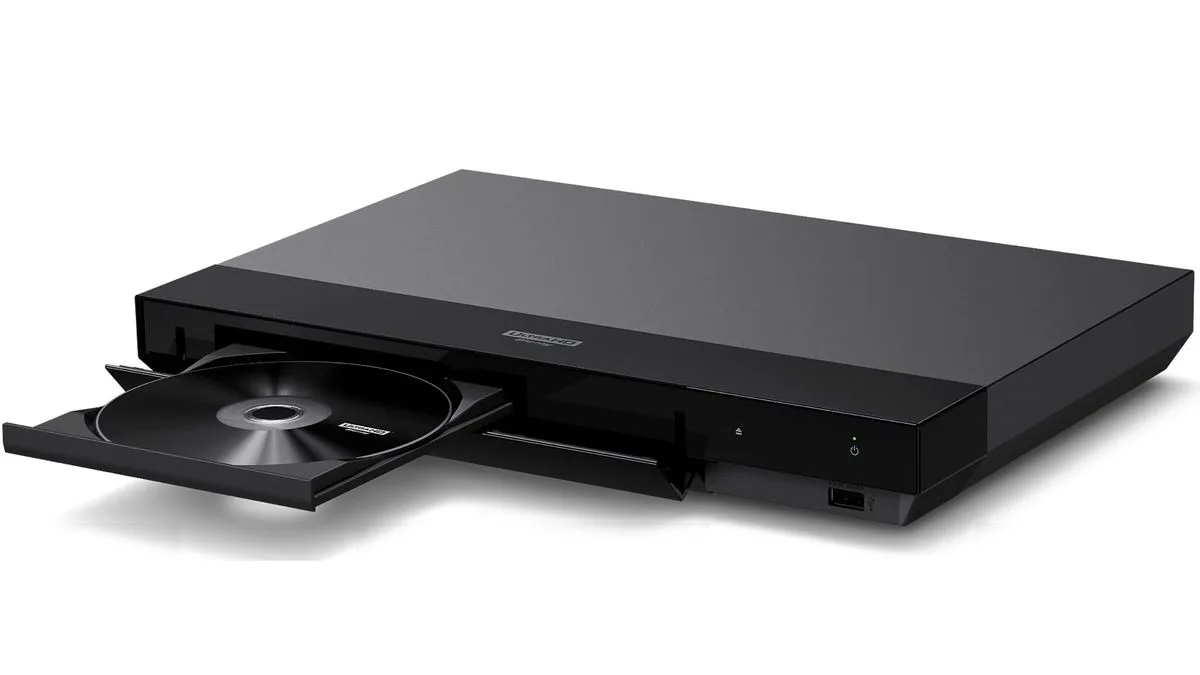
Sony UBP-X700K is a stripped back version of the UBP-X700 No Wi-Fi and no streaming features Japanese pricing suggests a price hike We think that the Sony UBP-X700 is the best cheap 4K Blu-Ray player. And now there’s a new version – the first new Sony Blu-Ray player since 2019 – with some changes that make total sense to me, and potentially some that don’t. Based on its product listings (via FlatpanelsHD.com), the new UBP-X700K drops some of the features from the current model – but the price, in Japan at least, is 25% higher than the street price of the current one. More money, fewer features? That seems strange, so we’ve put in a request to Sony asking for pricing and availability details. We’ll let you know if we get confirmation. You may like (Image credit: Sony) Sony UBP-X700K: what’s different to the UBP-X700 According to the Japanese publication Monohika, the new player is effectively a scaled-down eversion of the UBP-X700 and there are a few key differences. The big difference is that there are no wireless networking features, and that in turn means no video streaming apps, no Spotify Connect and no screen mirroring. The Video & TV SideView app is also gone, Monohika reports. Removing streaming features to make a more streamlined budget Blu-ray player sounds like a smart move to me in the age of smart TVs – it’s just not something that too many buyers today will want from their disc player. But you’d expect it to come with a lower price made to attract people to the world of physical media, and 4K Blu-ray’s benefits over streaming. The player is a typically black Sony block, and round the back there’s an Ethernet port, two HDMI ports (one audio-only) and a coaxial digital out. There’s support for HDR10 and Dolby Vision (no HDR10+, as with the regular model), Dolby Atmos and DTS:X audio, and it works with UHD Blu-Ray, standard Blu-Ray and DVDs. Sign up for breaking news, reviews, opinion, top tech deals, and more. The new Blu-Ray player will be available from April or May 2025, hopefully for an attractive price. The current model can be found for under $199 / £199 / AU$369. You might also like

Posted on

Warner Bros is replacing some DVDs that ‘rot’ and become unwatchable – but there’s a big catch that undermines the value of physical media

Some Warner Bros DVDs won’t play due to material problems Affected discs were made between 2006 and 2008 Warner Bros is replacing discs, but not all movies are still available Of all the advantages of physical media – picture and sound quality, extra features, impressing visitors to your home with your excellent and eclectic taste – one of the most important ones is permanence. Unlike movies on the best streaming services, movies won’t suddenly disappear from your shelves overnight because of licensing issues or cost-cutting. Unless… they rot. A new plague of disc rot has been discovered, and it’s affecting Warner Bros Home Entertainment movies manufactured between 2006 and 2008. The rot renders the discs unplayable, and while Warner Bros is offering replacements, it can’t replace them all. You may like Why isn’t Warner Bros replacing every rotted disc? The short answer is that it can’t. As the firm explained in a statement, “Where possible, the defective discs have been replaced with the same title. However, as some of the affected titles are no longer in print or the rights have expired, consumers have been offered an exchange for a title of like-value.” Disc rot isn’t new – it affected laserdiscs, and CDs, and every other shiny disc format since. But this particular outbreak is happening very early in the discs’ lifespan. Disc rot is oxidization, and it’s very unusual to have that happen on discs that are still relatively young. In ideal conditions and with careful storage and handling a DVD could last as long as 100 years, and even the lowest lifespan expectation is around 30 years. However, if the manufacturing isn’t perfect, then the lifespan can be much shorter: for example, the phenomenon of disc bronzing, a form of disc rot affecting compact discs in the early 1990s, was largely found in discs made at a specific UK factory between 1988 and 1993. Sign up for breaking news, reviews, opinion, top tech deals, and more. There’s no cure for disc rot, so if you think you might have some of the affected titles it’s a good idea to check them now: disc rot is often visible on the disc itself, usually as a cloudy area, but it’s most apparent when you actually play the disc: rot means it doesn’t work properly. As for prevention, other than careful handling and storage there’s not a great deal you can do to prevent something that’s mostly the result of manufacturing issues. And it’s all especially frustrating in this case, where collectors of physical media may be keeping these discs because a particular movie – or feature, or commentary – is hard to find or not available now. That’s not a problem if Warner Bros can really replace the disc, but when it can’t we’re facing the question of how can we secure access to art for the future? People who rip discs to make a backup aren’t necessarily immune either: rewritable Blu-Rays and DVD discs may only have a lifespan of five to 10 years. But it’s more understandable than ever that people want a backup of the things they want to keep most – even the physical object isn’t safe from change. You might also like

Posted on

I think new world of wireless home theater is coming that could explode its popularity, if anyone can put all the pieces together

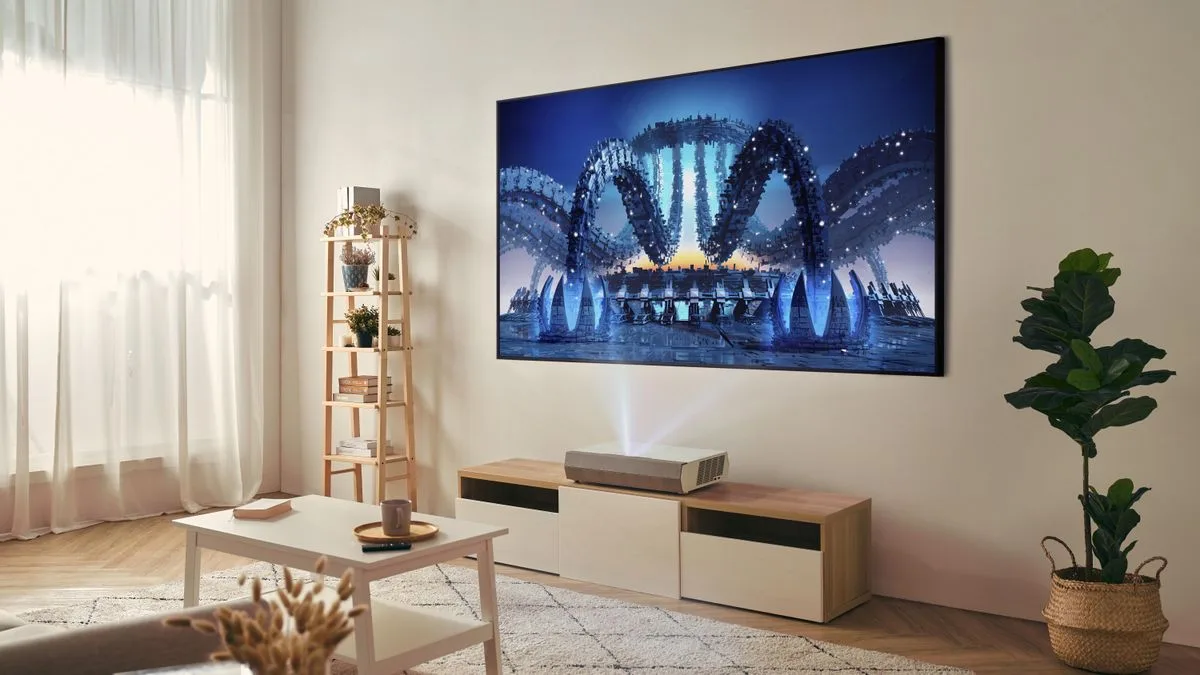
We’re on the cusp of a few interesting breakthroughs in home theater that could make it much more tempting for people to get on board with more serious setups. I’m talking about the huge screens and separate speakers that hardcore home theater fans champion over even the best TVs and best soundbars – but without the inconveniences that stop people from going for these options currently. In five years, I think the potential for more people to have a serious home theater setup without needing a dedicated room will look very different from now, based on new releases, demos I’ve seen at trade shows, or what I’ve been shown by companies. There’s some great emerging tech that will make the difference – but at the moment, it’s all very disparate, full of proprietary tech from companies that don’t tend to work together. Bringing it all together will be a big ask… but if it happens, it’s going to be glorious for those who want the home theater experience without the hassle. Here are the changes coming that could turn the tide. 1. Wireless and flexible sound (Image credit: Future) One of the biggest changes will be the explosion of wireless sound options. Right now, we’re seeing the infancy of this: Samsung and LG TVs offer wireless connectivity with their soundbars; Sony’s Bravia Theater Quad system offers easy real surround sound from a wireless HDMI adapter; Dolby Atmos FlexConnect and the new version of DTS Play-Fi promise wireless sound beamed to any compatible speaker system; and Sonos is set to launch a streaming box that will enable you to use Sonos speakers as wireless separates in surround system. Dolby Atmos FlexConnect is an especially interesting one because the idea of this system is that it doesn’t require you to have speakers in traditional home theater positions, or even in matching pairs – the system will map your room and adjust the sound to give the best experience based on what’s available to you in reality, not in an ideal world of speaker placement. Perhaps Sonos could do the same for its system using its Trueplay room-tuning tech. Any home theater fan knows that sound is the biggest upgrade when you switch to dedicated gear, but the idea of working out an AV receiver and cabling system means it’s always going to remain of interest to only the most dedicated. Going wireless and convenient could unlock a whole new world of home theater fans, and the tech is more than capable of handling uncompressed DTS-HD and Dolby TrueHD. However, you might have noticed the thing that could hold it back from taking off, implied in what I’ve written above… lock-in. Right now, all the big wireless sound options are company-specific. Samsung works with Samsung, and LG with LG. Sonos will need an expensive Sonos streamer to work. Even Sony’s option that’s theoretically more neutral, thanks to its HDMI adapter, works better with Sony TVs, which it treats as the center channel. Dolby Atmos FlexConnect is a TCL-exclusive option for the foreseeable future (and hasn’t launched yet). Play-Fi won’t be locked in, but interest in it from companies seems minimal to date. Sign up for breaking news, reviews, opinion, top tech deals, and more. 2. Smaller ultra short throw projectors (Image credit: Future) The best ultra short throw projectors will be key to home theater taking off in mixed-use rooms because people can get images up to 150 inches without the expense (and delivery logistics…) of a TV that size, or the need to find a home and uninterrupted beaming corridor for a traditional long or short-throw projector. UST projectors just sit right near the wall, projecting the image upwards perfectly. But even UST projectors are still hefty and require a larger surface than people want to devote in their living room. Thankfully, a new wave of tiny UST projectors is arriving that could make all the difference as they develop. The most real-world option right now is an absolutely tiny new UST projector from Optoma that takes up barely any room but can project images up to 100 inches in 1080p HD. Meanwhile, a small 4K JMGO option can hit the same size and promises up to 2,500 ANSO lumens of brightness, which is impressive. Hisense has shown a prototype of a small UST projector with next-gen laser tech that’s the same level of quality and brightness as the fantastic Hisense PX3-Pro projector (meaning brightness of up to 3,500 ANSI lumens) but is a fraction of the size. It’s a real working unit now, though it’s not planned for release this year – but in the next few years, if today’s best picture quality can be shown at 120-150 inches and sticks just a handful of inches out from the wall, projection becomes a lot more tempting. 3. Wireless connection boxes (Image credit: Future) Okay, your tiny projector sits tidily on the edge of your room beaming big images, and it connects wirelessly to your speakers, keeping everything neat and tidy. You don’t then want your games console/set-up box/Blu-ray player all running ugly cables to it, do you? A TV is good at hiding these things behind it, a tiny projector will not be. 2025 is the year that wireless connection boxes for TVs have really landed. LG has had this tech for a couple of years in its M-series of OLED TVs, but this year there will be several models that can receive full-quality 4K HDR 144Hz images from an external box wirelessly. They include the LG M5 OLED TV, LG’s new high-end QNED mini-LED TV, Samsung’s Frame Pro art TV, Samsung’s QN990F 8K TV, and Samsung’s 8K The Premiere projector. The convenience is that you can shut all the boxes you want to connect to your TV or projector away in a cupboard separate from your screen, giving you way more flexibility over the design and layout of your room. Obviously, the tech is still cutting-edge right now, so is only in the most expensive models. Over time, hopefully, this will change – perhaps every projector or TV will have the option of using a separately purchased wireless box instead of the built-in connections, so you only need to pay for it if you want it. 4. Better projector screens (Image credit: Future) Realistically, my hope of having smaller projectors means we can’t expect them to be any brighter than today’s, and if you have a bright room, this may be a problem – so projector screens with ambient light rejection will be essential. I discussed the advantages of ALR projector screens in this article, so I won’t go into all the details here, but here’s the short version: an ALR screen reflects light from the projector’s particular angle toward your eyes, and avoids reflecting light from other angles towards you, meaning that the image you see is brighter, colors are richer, and black tones look deeper. Hisense says that its newest generation of screen can raise the real-world brightness of the PX3-Pro’s projector to 700 nits, putting it in line with mid-range TVs… but obviously, at a much larger size than mid-range TVs. ALR screens are, however, really quite expensive at the moment. If more companies can do what Hisense does, and bundle them with projectors for a great overall price, then that will be a key part of making sure projectors can fully serve as TV replacements. It’s all got to come together, though… As I mentioned at the top, this might all come to nothing if we can’t get the ecosystem right. But these days, tech companies are leaning so hard into ecosystems being a way to sell a second product of their own, rather than to launch something new and expansive, that it’s far from certain that the big companies will support the interoperability needed bring this all together. It’s not impossible (if I were Sonos, trying to regain good word-of-mouth after my app debacle, maybe I’d try working with other companies to offer something new; if I were Hisense, maybe I’d try being open to working with others as a way to get one over on Samsung and LG), but we’re going to need this to develop just as quickly as the tech itself to achieve the easy home theater dream. You might also like…

Posted on

I tested a cheap smart projector with surprisingly good JBL sound, but don’t get too excited

The Yaber K3 is a budget smart projector that offers 1080p resolution, 1600 ANSI lumens brightness and built-in access to streaming services such as Netflix and Disney Plus. While it delivers good sound and a Google TV smart interface for cheap, its picture quality is inconsistent and there are several other issues with it as well. A smart projector such as the Yaber K3 for $599 / £569 is a tempting prospect, especially when it can light up 40-200-inch screens. And while it’s not as well featured as the best projectors, built-in Wi-Fi and decent built-in speakers are hard to find at this price range. But some of the K3’s other main features such as its auto keystone correction and processing are sluggish and often frustrating to use. Gamers will also be better off looking elsewhere. The K3’s picture quality is a very mixed bag. It displays natural colors and solid enough detail at times and puts in a decent showing with sports. But contrast is weak and black levels are washed out. The K3’s picture quality was never going to compete with the best 4K projectors, but even compared with some of the best portable projectors, such as the Samsung Freestyle Gen 2, the K3’s picture struggles. Where the K3 excels is its sound, as the built-in JBL speakers are punchy and powerful, especially at this budget price range. While one of the best soundbars is still recommended, some won’t find the need to add one, especially for casual viewing. Fundamentally, the Yaber K3 is for those who are looking for a smart projector at an affordable price for the occasional movie night. While it packs as much as it can into its budget-friendly frame, it’s not quite the bargain budget gem it could have been. Yaber K3 projector review: Price & release date The Yaber K3 has natural enough colors but they appear washed out in some instances (Image credit: Future) Price: $599 / £569 (roughly AU$942) First available: September 2024 The Yaber K3 is a 1080p smart projector that follows on from Yaber’s K2 series. The K3 is priced at $599 / £569 (roughly AU$942 with direct exchange), putting it at the budget end of the projector spectrum in direct competition with portable projectors such as the Samsung Freestyle Gen 2 (also a 1080p smart projector) which has a standard price of $749 / £649. Since its release in September 2024, there have been some discounts on the Yaber K3, with prices falling to $499 / £465 during sales events. This is similar to the discounts the Samsung Freestyle receives, as it’s regularly priced at $549 / £499 during sales events. Yaber K3 projector review: Specs Swipe to scroll horizontally Screen sizes supported: 40-200-inches Brightness (specified): 1600 ANSI Lumens HDR support: N/A Optical technology: LED, DLP Smart TV: Google TV Connections: HDMI x2, 3.5mm, USB Dimensions: 11.4 x 12.7 x 6.1 inches (290 x 3232 x 154mm) Weight: 11.2 pounds (5kg) Yaber K3 projector review: Design & features 1600 ANSI lumens Google TV smart interface Nice fabric grill but bulky elsewhere The Yaber K3 offers access to smart features and streaming via Google TV at a budget price (Image credit: Future) The Yaber K3’s fabric front grill gives it a slightly more premium appearance than its budget price would suggest, but elsewhere it appears a little plain and oddly bulky looking. It measures 11.4 x 12.7 x 6.1 inches (290 x 3232 x 154mm) and requires a mains power supply with no battery options. There’s also a noticeable amount of fan noise after extended viewing periods. The K3 has a specified 1080p resolution and 1600 ANSI lumens brightness. It has a 1.2:1 throw ratio and fits screens from 40-200 inches. Auto and manual keystone adjustment and object detection count among its features, but I generally found that auto keystone was frustrating and often didn’t calibrate correctly to the Optoma 80-inch portable screen I was using for my tests. Manual keystone correction can only be done via the Yaber homepage and not while watching content – another aspect I found frustrating. Despite its budget price, it uses Google TV as a smart TV interface. This provides access to some of the best streaming services including Netflix, Prime Video and Disney Plus. For connections, it has two HDMI ports, one USB-A port, a 3.5mm audio output and Bluetooth wireless. The K3 has a surprisingly robust built-in speaker system for such a budget projector, with dual 15W JBL speakers totaling 30W of power. No gaming features are included on the K3. For those looking for a gaming projector, you’re better off with something like the BenQ X300G. Design & features: 3/5 Yaber K3 projector review: Picture & sound quality The Yaber K3 displays details well on occasion, but textures and contrast are often inconsistent and unbalanced (Image credit: Future) Inconsistent picture quality Decent enough colors Surprisingly punchy sound For my testing, I used an Optoma 80-inch, 1.0 gain matte white projection screen. I first began by taking brightness measurements using a colorimeter, and the K3 yielded results of 109 nits and 93 nits in Standard and Natural picture modes respectively, putting it above 4K portable projectors such as the LG CineBeam Q (which yielded 60 nits in Filmmaker Mode). Moving on to critical viewing, I first looked at an HD stream of Star Wars: The Last Jedi on Disney Plus, focusing on the throne room fight scene. Colors were natural enough, but they lacked any sort of dynamic punch. Characters’ skin tones also appeared washed out, even in the most accurate Natural picture mode (though there wasn’t a great deal of difference between the various picture modes). The same was true for La La Land on Blu-ray, which showed natural colors but also inaccurate textures, although in some scenes details were more refined than I’d anticipated. Next, I watched a Blu-ray of The Batman to test black levels and contrast. While mostly acceptable, I found some scenes difficult to watch due to limited brightness (namely the opening crime scene investigation) even in blacked-out viewing conditions. In brighter scenes, details were clear and accurate enough, but there was a gray wash over the screen and textures still appeared fuzzy. One area where the K3 did well was with sports. Watching soccer matches in Sports mode, the action was smooth and accurate enough that the games were watchable, though it won’t beat more premium projectors. While the K3’s picture is average, its built-in sound is surprisingly good. Equipped with a JBL speaker system totaling 30W of power, the K3’s sound is punchy, detailed and clear. Watching the Batmobile chase sequence in The Batman, the sound of swerving cars was accurately presented, with a strong sense of direction. The rumble of the Batmobile’s engine had a hefty amount of bass and plenty of power, especially for small built-in projector speakers. Even La La Land’s dynamic, jazzy score was presented with real clarity, with a good balance between the horns, strings and vocals throughout. While the JBL speaker’s soundstage is limited by its size, it’s still surprisingly effective for a built-in speaker at this price range. Picture and sound quality: 3/5 Yaber K3 projector review: Value The Yaber K3’s remote is cheap-feeling but has the buttons you need (Image credit: Future) Smart projector for a budget price Cheaper than most portable projectors Overall performance is frustrating The $599 / £569 Yaber K3 is good value for those looking for an affordable projector that provides access to streaming services via the Google TV smart platform. It isn’t going to beat more premium projectors and may even struggle against some of the best portable projectors, but for those looking for a casual projector, the K3 is a budget-friendly option. Unfortunately, shortcomings in the K3’s picture quality and some frustrations with setup such as keystone correction hold it back from being a budget gem. You’ll have to make some sacrifices, particularly with sound, on other portable projectors such as the Samsung Freestyle Gen 2, but the Freestyle is likely to give you a more consistent experience for a similar price. Value score: 3.5/5 Should I buy the Yaber K3 projector? Black levels are one of the K3’s weakest areas, with pictures appearing washed out at most times (Image credit: Future) Swipe to scroll horizontally Yaber K3 projector Attributes Notes Rating Design and features Google TV smart interface and fabric grille, but problematic keystone features and sluggish software 3/5 Picture quality & sound quality Punchy built-in sound plus good brightness and natural colors but inconsistent in every aspect with picture 3/5 Value A smart projector at an affordable price, but similarly priced protable projectors probably a better alternative 3.5/5 Buy it if… Don’t buy it if… Also consider Swipe to scroll horizontally Comparison: portable projectors Header Cell – Column 0 Yaber K3 Samsung The Freestyle 2nd Gen Xgimi MoGo 3 Pro LG CineBeam Q Price: $599/£569 $799/£549 $449 / £429 / AU$1,099 $799/£749 Screen sizes supported: 40 to 200 inches 30 to 130 inches 40 to 200 inches 50-120 inches Brightness (specified): 1600 ANSI lumens 230 ANSI lumens 450 ANSI lumens 500 ANSI lumens HDR support N/A HDR10+, HDR10, HLG HDR10, HLG HDR10, HLG Optical technology: LED LED, DLP LED, DLP RGB laser DLP Smart TV: Google TV Tizen Google TV webOS Connections: HDMI 2.0 x2, 3.5mm x1, Ethernet x1 Micro-HDMI, USB-C (power) Micro-HDMI, USB-A, USB-C (power), Bluetooth 5.1 HDMI, USB-C (display, power) How I tested the Yaber K3 projector (Image credit: Future) Tested with an Optoma 1.0 gain, matte white 80-inch screen Tested using Blu-ray, streaming sources Measurements taken using Portrait Displays’ Calman calibration software To test the Yaber K3 projector, I first used high definition and standard definition sources including Blu-ray and streaming. I tested the K3’s picture quality, analyzing color, contrast, black levels, detail and motion. I also evaluated its built-in JBL sound using the same reference scenes from movies and TV shows. I used a colorimeter, test pattern generator and Portrait Displays’ Calman color calibration software to record measurements for brightness, contrast ratio and color and grayscale accuracy. The projector was primarily tested in pitch-black conditions in our testing room at TechRadar and also in full ambient light settings to see how it handled brighter viewing environments.

Posted on

I tested Sony’s Bravia Projector 8, and its class-leading motion handling and ultra-low input lag make it fantastic for gaming

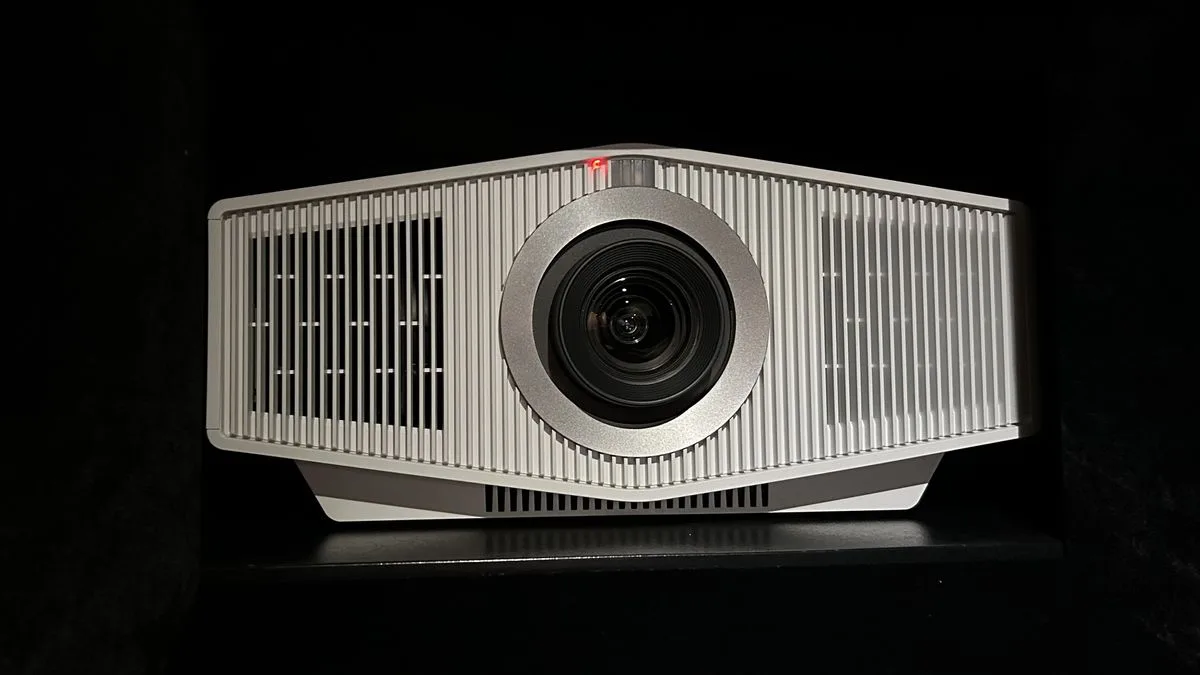
Sony Bravia Projector 8: two-minute review The Sony Bravia Projector 8 (VPL-XW6100ES) is the latest addition to the company’s lineup of native 4K projectors, all of which use the Z-Phosphor laser light source. This new beamer, along with the flagship Bravia Projector 9 (VPL-XW8100ES), adds several key features that bring the brand’s higher-end models in line with their chief competitors among the best 4K projectors, the JVC DLA-NZ800 and JVC DLA-NZ900. Brightness for the Sony Projector 8 has been increased to 2,700 lumens and both models now use Sony’s professional-grade XR Processor. One of the key benefits is genuine dynamic tone mapping for a superior HDR experience. The Projector 8 and 9 retain the same chassis and Advanced Crisp-Focus (ACF) lens, motorised lens controls and lens memories as the previous generation, but unlike the JVC projectors, they don’t support HDR10+ high dynamic range or 3D. The Projector 8’s design is the same as previous generations, but the compact chassis remains well-built. The menu system is easy to navigate, installation is flexible, and the backlit remote control makes this beamer a pleasure to operate. The connectivity has been upgraded and now includes two HDMI 2.1 inputs, which means the Projector 8 accepts signals with higher frame rates up to 4K 120p – great news for next-generation console and high-end PC rig gamers. The inclusion of 4K 120p isn’t the only good news for gamers, with the Projector 8 supporting ALLM. As a result, it automatically goes into the game mode when a console is detected, and the input lag is an incredibly low 10ms. All of this finally makes this beamer the ideal companion to the brand’s own PlayStation 5 game console, as well as other consoles and PC gaming rigs. It’s not perfect of course. There’s no HDR10+ or 3D support, the colour gamut could go wider, the black levels dig a little deeper, and shadows retain more detail, but overall this high-end beamer delivers the big screen goods. In fact, its smooth motion, superior processing, fast responses, and improved HDR are sure to please even the most demanding cinephile or competitive gamer. Sony Bravia Projector 8 review: price and release date First available: October 2024 Price: £15,999 / $15,999 / around AU$21,170 The Sony Bravia Projector 8 (VPL-XW6100ES) is the new mid-range model in the brand’s line-up of home cinema projectors and is available now in a choice of matte black or white finishes. The Projector 8 currently retails for £15,999 in the UK or $15,999 in the US. The Sony Projector 8 has a specified 2,700 lumens light output, and its laser light engine has a 20,000-hour lifespan (Image credit: Future) Sony Bravia Projector 8 review: Specs Swipe to scroll horizontally Screen sizes supported: Up to 150 inches Brightness (specified): 2,700 lumens HDR support: HDR10, HLG Optical technology: Z-Phosphor laser, SXRD Smart TV: NA Connections: 2 x HDMI 2.1 , 2x USB-A (powered), IR, RS-232C, Ethernet Dimensions (W x H x D): 460 x 210 x 517mm (18.1 x 8.2 x 20.3 inches Weight: 14kg/30.8 pounds The Projector 8 is available with either a white or black casing (Image credit: Future) Sony Bravia Projector 8 review: design Advanced Crisp-Focus (ACF) lens Motorised lens controls and memories Backlit remote control The Sony Projector 8 looks identical to the brand’s previous generations, with the same angled design and centrally-mounted lens. There are air intake grilles at the front, exhaust vents at the rear, and some basic controls on the left-hand side as you face the lens. The Projector 8 measures 460 x 210 x 517mm (WxHxD), and weighs in at 14kg. Sony offers a choice of matte black or matte white, and you can also choose between a stand or ceiling mount. The build quality is good, although it feels less substantial when compared to the JVC NZ800. The Projector 8 uses the Advanced Crisp-Focus (ACF) 70mm lens introduced on earlier models, which is designed to resolve more detail. The lens controls are also motorised, making setup easier, and there are lens memories to create different aspect ratios if you use a 2.35:1 screen. The connections are all located in a recess along the bottom left-hand side as you face the projector. Here you’ll find two HDMI 2.1 inputs, which is a welcome addition, along with an Ethernet port and RS-232C connector, a 12V trigger, an IR input jack, and a USB port for power. The provided remote is the same large and backlit zapper included with previous generations of Sony beamers. The buttons are laid out sensibly, it’s comfortable to hold and use with one hand, and includes all the controls you’ll need to set up and operate the Projector 8. Design score: 5/5 Ports include 2 HDMI 2.1 connections with 4K 120Hz support for gaming (Image credit: Future) Sony Bravia Projector 8 review: features Z-Phosphor laser light source Dynamic HDR Tone Mapping Support for 4K 120Hz high frame rate The Sony Projector 8 uses the brand’s current 0.61-inch SXRD chip to deliver native 4K (3840 x 2160) images. The projector has a refresh rate of 120Hz, and thanks to the addition of the two HDMI 2.1 inputs it can now support higher frame rates up to 4K 120p. The Projector 8 also uses a Z-Phosphor laser light source, with an increased claimed brightness of 2,700 lumens and a claimed lifespan of up to 20,000 hours. That basically means you could watch a film a day for the next ten years without worrying about the image dimming like a lamp or bulb. The inclusion of wide dynamic range optics and Sony’s XR Triluminos Pro technology promises deeper blacks, more saturated colours and improved contrast ratios. Sony’s professional-grade XR Processor also promises advanced image processing and real-time optimisation of the picture. Thanks to the addition of the XR Processor the Projector 8 has XR Clear Image processing for intelligent upscaling and noise reduction, along with improved HDR thanks to image cross-analysis, depth mapping and focal point recognition. There’s also XR Deep Black laser dimming and XR Dynamic Tone Mapping for optimised HDR10 based on analysis of the incoming signal. There’s Motionflow frame interpolation for fast-paced sports action and a low-latency mode for gaming. In addition to the support for 4K 120p high frame-rate gaming, the Projector 8 also has ALLM (auto low latency mode) that puts it into game mode when a games console is detected. Features score: 4 The Sony’s Reference picture mode proved very accurate out of the box (Image credit: Future) Sony Bravia Projector 8 review: picture quality Bright and detailed pictures Impressive HDR tone mapping Very low input lag for gaming The Sony Projector 8 (VPL-XW6100ES) delivers awesome big-screen pictures thanks to its native 4K (3840 x 2160) resolution and Advanced Crisp-Focused (ACF) 70mm lens. This results in detailed and distortion-free images, along with wider dynamic range optics. All of this means you’ll get pin-sharp resolution across the entire screen – no matter how big that screen is. If you have a really large screen, there’s no need to worry, because this beamer has a Z-Phosphor laser light source that can reach an extremely bright 2,700 lumens. It also has a claimed lifespan of 20,000 hours, so you’ll never have to worry about changing a lamp, plus the laser itself delivers a consistent colour performance and doesn’t dim significantly over its long average lifespan. The Reference picture mode proves very accurate out of the box, and the extensive calibration controls can be used to dial in a near-perfect picture. The black levels are not as good as the JVC NZ800, and I measured the Projector 8’s contrast ratio at 12,000:1. Sony only quotes a dynamic contrast ratio of infinity to one, but this is achieved by turning the laser off, which doesn’t represent mixed content. The big selling point of a Sony projector is its image processing, and the XR Processor doesn’t disappoint. When watching a high quality 1080p source, you’ll be rewarded with an upscaled picture that makes full use of the projector’s more than eight million pixels, producing images that are expertly rendered so they appear clean, detailed and free of unwanted artefacts or noise. Sony’s Reality Creation detail enhancement applies sharpening to any resolution, including 4K, but is so sophisticated that it achieves this without introducing distracting artefacts. Motion handling is class-leading, appearing fluid and free of judder or other issues, even without engaging Motionflow. Although for fast sports the frame interpolation feature can be beneficial. The Projector 8 supports HDR10 and HLG, but not HDR10+. The addition of dynamic tone mapping is most welcome, performing frame-by-frame analysis of incoming HDR signals, and adjusting the tone mapping dynamically through pixel processing and the laser power. The results are impressive for a projector, bringing out details in the darkest and brightest parts of the picture. While I was generally impressed by the picture quality, I do feel that to get the most out of this beamer you need to use all the processing. The Reference mode, which bypasses a lot of the processing, often appeared flat and lifeless, but when switched to Film 1 or Film 2 it was a different story. The images burst into life with detail, depth and colour that really add to SDR and HDR. Watching Passengers reveals a detailed native 4K image with well rendered HDR and rich colours that retain plenty of depth. The same is true with the saturated primaries in The Greatest Showman, which the Projector 8 handles with skill. It’s only when watching a darker film like The Batman that the weaker blacks of the Projector 8 are laid bare, but at least the shadows are free of crush and the peak highlights don’t suffer from loss of detail or clipping. The Projector 8 is a great choice for gamers thanks to its bright and detailed images, as well as its peerless motion handling. The performance with SDR is superb, while HDR gaming is exceptional due to the laser light source and HDR enhancements. The overall gaming experience is smooth and responsive thanks to a dedicated game mode that delivers an input lag of 18ms with 4K 60p, and just 10ms with 4K 120p. Both these latency measurements are lightning-fast for a projector, and better than many TVs. Picture quality score: 4.5/5 The Sony’s fully backlit remote control makes it easy to adjust settings in a dark room and has all of the adjustments you’ll need (Image credit: Future) Sony Bravia Projector 8 review: value Priced to directly compete with superior JVC NZ800 Expensive when compared to very similar JVC NZ700 The Sony Bravia Projector 8 (VPL-XW6100ES) is priced to compete directly with the JVC DLA-NZ800, which also costs £15,999/$15,999. However, the NZ800 does have the edge due to its all-glass lens, deeper blacks, superior dynamic tone mapping, and support for both HDR10+ and 3D. The Projector will also face serious competition from JVC’s DLA-NZ700, which currently retails for £9,499/$8,999. The NZ700 isn’t as bright at 2,300 lumens, but it delivers better contrast and HDR tone mapping, and it supports HDR10+. However, the Sony still has the edge with gaming thanks to its lower input lag and support for 4K 120p compared to the JVC, which is limited to 4K 60p. Value score: 4/5 The Projector 8’s surface controls (Image credit: Future) Swipe to scroll horizontally Sony Bravia Projector 8 Header Cell – Column 0 Notes Rating Features Long-life laser light source, dynamic HDR tone mapping, advanced frame interpolation, and superior image processing 4/5 Design Compact chassis, backlit remote, excellent build quality, easy setup and motorised lens controls with memories 5/5 Picture quality Good out-of-the-box accuracy and super-bright pictures produce enjoyable HDR, although the black levels aren’t great 4.5/5 Value Faces stiff competition from JVC NZ700, which has better HDR support and 3D, but lower brightness 4/5 Should I buy the Sony Bravia Projector 8? (Image credit: Future) Buy it if… Don’t buy it if…  Also consider… Swipe to scroll horizontally Comparison: 4K UST projectors Header Cell – Column 0 Sony Projector 8 Epson QB1000 Epson LS1200 JVC DLA-NZ800 Price: £15,999 / $15,999 £4,799 / $7,999 £4,399 / $4,999 £15,999 / $15,999 Screen sizes supported: up to 150 inches 50 to 300 inches 50 to 130 inches 30-150 inches Brightness (specified): 2,700 lumens 3,300 lumens 2,700 lumens 2,700 lumens HDR support HDR10, HLG HDR10+, HDR10, HLG HDR10+, HDR10, HLG HDR10+, HDR10, HLG Optical technology: Z-Phosphor laser, SXRD Laser 3LCD Laser 3LCD Laser D-ILA Smart TV: N/A N/A N/A N/A Connections: 2 x HDMI 2.1 , 2x USB-A (powered), IR, RS-232C, Ethernet 2 x HDMI 2.1 (1 with eARC), 2xUSB-A (powered), RS-232C, Ethernet 2xHDMI 2.1 (1 with eARC), 1 x powered USB, Ethernet, RS232-C, 12-volt trigger output 2x HDMI 2.1 (Image credit: Future) How I tested the Sony Bravia Projector 8 Measured with Calman calibration software Evaluated using SDR and HDR content Reviewed in a dedicated home cinema As with all my TV and projector reviews I use a combination of subjective viewing and objective measurements against the industry standards. For projectors, I also do all my testing in a dedicated home cinema with a completely blacked-out environment and high-quality screen. The subjective testing is based around watching a variety of familiar scenes, primarily sourced from 4K and 1080p Blu-rays, plus the Spears & Munsil UHD Benchmark 4K disc. Any test scenes have been specifically chosen to evaluate a display’s black levels, contrast performance, colour accuracy, upscaling, image processing, motion handling, and HDR tone mapping. For the objective testing, I measured the Projector 8’s brightness, greyscale and colour gamut in SDR, before doing the same in HDR. I also evaluated the accuracy of the HDR tone mapping, along with the colour gamut coverage for DCI-P3. To do this I used a pattern generator and colour meter combined with Portrait Display’s Calman calibration software. I measured the Projector 8’s input lag in milliseconds using a specialised Leo Bodnar tester. First reviewed: February, 2025