Posted on

Disney’s 4K Blu-rays are finally getting Dolby Vision HDR – including two of this year’s biggest movies

Dolby
Vision

HDR
support
is
finally
coming
to
Disney’s
future

4K
Blu-ray
releases,
as
reported
by

Forbes

and
the
first
two
releases
to
include
this
are
both
summer
blockbusters.

Disney
has
announced
that

Deadpool
&
Wolverine,
set
for
release
October
22,
and

Alien
Romulus,
set
for
release
on
December
3,
will
both
support
Dolby
Vision
HDR,
marking
the
first
Disney
releases
(other
than
some
James
Cameron
titles)
since

Star
Wars:
The
Last
Jedi,
which
was
released
in
2018,
to
support
Dolby
Vision.

Dolby
Vision
is
a
popular
HDR
format
that
is
seeing
increasing
support
in
the

best
TVs
available

even
budget
models
such
as
the

Amazon
Fire
TV
Omni
QLED
support
it.
Dolby
Vision
improves
picture
quality
on
Dolby
Vision
compatible
displays
by
improving
color,
contrast
and
brightness
to
give
a
wider
dynamic
image
and
better
handling
of
highlights
and
dark
tones
in
difficult
scenes
depending
on
what
your
TV’s
capable
of.

Disney
initially
only
used
the
standard
HDR10
format
on
its
Blu-rays,
and
it’s
not
entirely
clear
why
it
has
now
decided
to
support
Dolby
Vision
(considering
it
supports
it
on
the
Disney
Plus
streaming
platform
already)

although
it’s
possible
that

Sony’s
acquisition
of
Disney’s
physical
media
production
may
have
something
to
do
with
it,
as

Sony
itself
is
a
big
user
of
Dolby
Vision
in
its
TVs,
including
the
Sony
Bravia
9,
and
some
of
the

best
4K
Blu-ray
players.

Whatever
the
reason
why,
it’s
great
news
for
home
theater
fans.

More
4K
Blu-ray
good
news

(Image
credit:
Future)

It’s
no
secret
that
the
state
of
4K
Blu-ray
and
physical
media
has
been
looking
bleak
in
recent
years,
with
Disney
all-but-signaling
a
shift
away
from
it
when
it
announced
it
would

no
longer
sell
4K
Blu-ray
in
Australia
last
year.
It
came
down
to
the
efforts
of
publishing
houses
such
as
Arrow
Video,
Criterion
Collection
and
more
to
keep

4K
Blu-ray
from
dying.

However,
earlier
this
year,

2
big
stores
in
the
US
announced
they
would
stock
discs
and
in
the
UK,
HMV,
a
major
AV
retailer,
announced
that

its
physical
media
sales
were
on
the
rise.

Sign
up
for
breaking
news,
reviews,
opinion,
top
tech
deals,
and
more.

With
the
arrival
of
Dolby
Vision
on
Disney’s
4K
Blu-rays,
it
hopefully
signals
even
more
investment
into
the
field
that
seemed
to
be
in
its
‘dying
days’
not
too
long
ago.
Starting
with
a
major

Marvel
release
in

Deadpool
&
Wolverine
could
bring
more
exposure
into
the
benefits
of
Dolby
Vision
in
home
media,
and
in
turn
lead
to
a
further
resurgence
in
the
physical
media
sector

showing
streaming
sites
such
as
Netflix,
Prime
Video
or

Disney
Plus
and
Hulu,
both
of
which
recently
announced
further
price
hikes,
that
making
streaming
platforms
more
expensive
is
not
a
good
look.

You
might
also
like

Posted on

HDMI ARC and HDMI eARC: the differences explained

Behind
every
good

home
cinema
setup,
there
is
an

HDMI
cable

or
so
the
saying
goes
(sort
of).
While
HDMI
cables
might
not
be
the
most
exciting
things
in
an
AV
system,
it’s
hard
to
overstate
how
essential
they
are
to
its
proper
operation. 

Besides

iPhone
chargers,
HDMI,
which
was
introduced
in
2002,
may
well
be
the
most
common
cable
that
the
world
owns,
transferring
up
to

8K
video
and
multichannel
audio
to
the

best
TVs
of
any
size
or
type. 

Today,
we’re
taking
a
look
at
two
innovations
in
the
HDMI
cable
connection
standard:
HDMI
ARC
and
HDMI
eARC. 

ARC
stands
for
Audio
Return
Channel,
and
eARC
stands
for
Enhanced
Audio
Return
Channel.
ARC
was
introduced
as
part
of
the

HDMI
1.4b
Specification,
and
allows
for
the
two-way
travel
of
audio
data
over
an
HDMI
cable
to
and
from
a
TV.
A
standard,
pre-ARC
HDMI
port,
in
contrast,
only
supports
video
and
audio
transmitted
from
a
source
device
directly
to
a
TV
or
another
type
of
display. 

The
biggest
practical
application
of
ARC
is
to
have
just
one
cable
that
connects
a
smart
TV
and
one
of
the

best
soundbars
or
another
external
sound
system,
which
would
have
previously
required
multiple
cables.
In
2024,
the

best
TVs
across
all
price
ranges
will
come
with
HDMI
ARC
or
eARC
ports. 

(Image
credit:
Future)

How
HDMI
ARC
and
eARC
differ
from
regular
HDMI
ports

As
just
discussed,
HDMI
ARC

or
Audio
Return
Channel

offers
one
huge
benefit:
as
well
as
receiving
audio
and
video
like
normal,
your
TV
can
send
audio
back
over
the
same
HDMI
cable.
That
means
audio
from
the
TV’s
built-in
streaming
apps
like
Netflix,
as
well
as
source
devices
connected
to
the
TV
via
its
other
HDMI
ports
such
as
a
gaming
console
or
one
of
the

best
4K
Blu-ray
players,
can
be
routed
to
an
external
speaker
system
like
a
soundbar
or
AV
receiver. 

The
result:
fewer
cables
(or
even
just
one
cable
connecting
the
TV
and
a
soundbar)
in
your
home
theatre
setup.
 

Sign
up
for
breaking
news,
reviews,
opinion,
top
tech
deals,
and
more.

(Image
credit:
bomg
/
A_R_Uzzal
/
Shutterstock)

The
difference
between
HDMI
ARC
and
HDMI
eARC

So,
what’s
the
new
thing
that
the
“e”
in
eARC
introduces?
What
does
“enhanced”
mean
for
an
HDMI
connection? 

The
answer
is
that
eARC,
introduced
as
part
of
the

HDMI
2.1
standard,
brings
several
important
improvements,
most
notably
in
the
quality
and
type
of
audio
formats
it
can
handle. 

While
HDMI
ARC
is
limited
to
compressed
audio
formats
like
Dolby
Digital,
Dolby
Digital
Plus,
and
DTS,
HDMI
eARC
is
a
significantly
higher-bandwidth
connection
that
allows
for
the
transmission
of
lossless,
high-quality
audio,
including
Dolby
Atmos
and
DTS:X,
providing
a
richer
and
more
immersive
listening
experience.

Briefly,

Dolby
Atmos

a
technology
you
might
have
seen
more
and
more
about
in
recent
years

adds
a
3D
element
to
surround
sound
by
producing
sounds
above
the
listener,
as
well
as
sounds
that
come
from
front
and
behind
in
a
traditional
5.1
or
7.1
setup. 

Given
that
you’re
reading
this
article,
we
imagine
you
care
about
these
somewhat
small
details,
so
eARC
is
definitely
a
benefit
if
you
want
to
harness
the
full
power
of
your
home
theatre
rig. 

(Image
credit:
Sonos)

TV
and
cable
requirements

Let’s
get
into
the
nuts
and
bolts.
In
terms
of
TVs,
HDMI
ARC
is
supported
on
most
modern
models,
but
only
one
HDMI
port
is
typically
designated
as
ARC-compatible.
If
you’re
using
a
soundbar
or
AV
receiver,
you’ll
need
to
make
a
connection
from
its
ARC
port
to
the
ARC
port
on
your
TV.
For
eARC,
you’ll
need
a
TV
with
an
HDMI
2.1
port,
which
is
found
on
newer
models. 

For
making
ARC
connections,
a
high-speed
HDMI
cable
is
recommended.
For
eARC,
both
a
standard
HDMI
Cable
with
Ethernet
and
a
high-speed
HDMI
Cable
with
Ethernet
will
work,
according
to
HDMI
Licensing. 

Even
though
many
existing
high-speed
HDMI
cables
will
work
fine
with
both
connection
types,
ultra-high-speed
HDMI
cables
offer
more
robust
performance
for
higher
bandwidth
needs,
such
as
8K
and

4K
120Hz
video
and
uncompressed
Dolby
Atmos
audio.

(Image
credit:
Bose)

So
do
I
need
HDMI
ARC
or
eARC? 

Good
question! 

The
answer
is
most
probably
yes,
given
the
upsides
of
two-way
audio
transfers,
better
audio
quality,
and
generally
keeping
up
with
technological
trends. 

Of
course,
if
your
current
AV
setup
is
working,
and
you’re
happy
with
it,
ripping
everything
apart
to
fit
in
a
new
ultra-high
speed
HDMIcable
probably
doesn’t
make
sense.
But
for
your
next
TV
purchase,
definitely
keep
these
standards
in
mind. 

The
convenience
of
only
having
to
run
a
single
cable
from
your
smart
TV
to
your
soundbar
makes
the
dream
of
a
“cable-less”
setup
from
a
viewer’s
perspective
much
easier
than
it
was
before. 

You
might
also
like…

Posted on

Hisense PX3-Pro: a perfect ultra short throw projector for gaming and movies

Hisense
PX3-Pro:
two-minute
review

Hisense
has
been
has
been
responsible
for
some
of
the

best
ultra
short
throw
projectors,
and
the
Hisense
PX3-Pro
is
among
its
latest.
The
PX3-Pro
has
a
daunting
task
following
up
on
the

Hisense
PX2-Pro,
but
Hisense
has
pulled
it
off
with
some
key
upgrades. 

The
new
Hisense
PX3-Pro
differs
in
design
from
the
PX2-Pro,
but
under
the
hood,
it
gets
an
upgraded
projection
system
that’s
much
brighter
at
3,000
lumens
and
also
boasts
a
1080p/240Hz
mode.
This
feature
turns
it
from
an
exceptional
ultra
short
throw
(UST)
projector
into
a
speed
demon
of
a
gaming
projector

Hisense
even
bills
it
as
the
“world’s
first
designed
for
Xbox
UST
projector.”
And
with
rich
color,
strong
contrast,
and
Dolby
Vision
HDR
support,
the
PX3-Pro
ranks
up
there
with
the
best
4K
projectors
when
it
comes
to
picture
performance. 

While
the
PX3-Pro’s
built-in
sound
isn’t
quite
as
impressive
as
its
picture,
it
at
least
has
the
volume
level
to
match
the
visuals,
and
Hisense
offers
plenty
of
ways
to
connect
to
better
speaker
systems.
All
of
this
comes
at
a
higher
price
than
its
predecessor,
but
it
seems
well
worth
the
extra
expense. 

Hisense
PX3-Pro
review:
price
and
release
date

First
available:
October
2024

Price:
$3,499
/
£2,499

Availability
of
the
Hisense
PX3-Pro
is
set
to
begin
in
mid-October
2024.
It
is
priced
at
$3,499
/
£2,499,
a
marked
increase
over
the
lower
brightness
PX2-Pro,
which
launched
at
$2,999
in
June
2023.
Like
the
rest
of
the
Hisense
PX
series,
the
PX3-Pro
doesn’t
come
with
a
projection
screen. 

The
Hisense
PX3-Pro
comes
with
a
full-size
remote
control
and
features
the
Google
TV
smart
TV
platform
for
streaming

(Image
credit:
Future)

Hisense
PX3-Pro
review:
Specs

Swipe
to
scroll
horizontally

Screen
sizes
supported:

80-150
inches

Brightness
(specified):

3,000
Lumens

HDR
support:

Dolby
Vision,
HDR10+,
HDR10,
HLG

Optical
technology:

3-laser
DLP

Smart
TV:

Google
TV

Connections:

2x
HDMI
2.1,
1x
HDMI
2.0
with
eARC,
optical
digital
audio
out,
3.5mm
audio
out,
2x
USB-A,
Ethernet

Dimensions:

21.7
x
11.7
x
4.8
inches
(55
x
30
x
12.2cm)

Weight:

19.8
pounds
(9
kg)

The
PX3-Pro
features
dual
HDMI
2.1
ports
and
supports
gaming
at
1080p/240Hz

(Image
credit:
Future)

Hisense
PX3-Pro
review:
design
and
features

Futuristic-looking
design

All-in-one
capability
plus
flexibility
for
different
setups

Streaming
and
gaming
benefit
from
hardware
and
software
upgrades

Where
the
Hisense
PX2-Pro
was
a
simple
under-the-hood
refresh
of
its
predecessor,
The
PX1-Pro,
the
new
PX3-Pro
sees
some
bigger
changes
both
to
its
internal
components
and
its
outward
appearance.
The
design
has
a
stylistic
resemblance
to
its
predecessors,
but
it
gives
off
more
of
a
proper
futuristic
vibe
than
the
prior
models
with
their
retro-futuristic
looks. 

The
whole
unit
is
done
up
in
gray
and
silver
surfaces
of
all
types:
matte,
shiny,
smooth,
and
coarse.
It
features
large
grilles
on
either
side
for
air
intake
and
exhaust

generating
3,000
lumens
creates
some
heat
even
when
using
lasers.
The
front
also
gets
a
perforated
grille
for
the
built-in
speakers.
At
either
side
of
the
grille
are
vertical
slots
in
shiny
housing
that
have
standby
lighting
built
in,
so
when
the
projector
is
turned
off,
these
illuminate
the
mirrored
finish
inside.
This
may
appeal
to
some,
but
I
found
it
a
little
tacky
compared
to
the
PX2-Pro’s
subtler
design.

Style
aside,
perhaps
the
most
critical
design
change
is
the
projector’s
size.
It’s
a
little
wider
and
taller
than
its
predecessors,
but
not
as
deep
front-to-back.
That
combined
with
a
shift
from
a
0.25:1
throw
ratio
to
a
0:22
throw
ratio
means
the
PX3-Pro
can
sit
closer
to
a
wall,
protruding
into
the
room
less,
and
still
provide
a
massive
picture.

The
PX3-Pro
sits
on
four
height-adjustable
feet,
which
helps
get
the
picture
aligned
with
a
screen.
It
also
offers
digital
image
correction
and
adjustable
focus,
letting
you
dial
in
everything
perfectly.

Around
the
back,
you’ll
find
three
HDMI
ports,
including
one
with
eARC.
There’s
also
a
high-speed
USB
type-A
port
(and
another
on
the
right
side),
and
both
and
optical
digital
and
3.5mm
audio
output.
With
Google
TV
onboard,
the
PX3-Pro
can
tap
into
plenty
of
streaming
services,
including
Netflix,
and
has
both
Wi-Fi
6E
and
Ethernet
network
connections. 

The
Hisense
PX3-Pro
has
comprehensive
high
dynamic
range
support,
including
Dolby
Vision
and
HDR10+.
Its
built-in
speakers
support
Dolby
Atmos
and
IMAX
Enhanced
for
DTS,
though
audio
is
best
passed
on
to
an
outboard
sound
system.
Unlike
its
predecessors,
the
PX3-Pro
offers
Active
3D
support
(requires
optional
3D
eyewear). 

There
are
still
a
few
features
the
PX3-Pro
could
have
benefitted
from.
Optical
image
adjustments
beyond
focus
would
be
a
welcome
addition,
especially
zoom,
though
I’ve
never
seen
that
feature
in
a
UST
projector.
A
cover
would
be
a
more
reasonable
one,
as
dust
can
gather
quickly
on
top
of
UST
projectors.

Design
and
features
score:
4.5/5

The
PX3-Pro
has
exceptional
color,
along
with
powerful
contrast
in
dim
lighting
conditions

(Image
credit:
Future)

Hisense
PX3-Pro
review:
picture
and
sound
quality

Exceptional
color
and
brightness

Crisp
4K
picture
with
comprehensive
HDR
support

240Hz
mode
is
a
perk
for
gamers

The
Hisense
PX3-Pro
builds
on
a
strong
picture
quality
foundation.
The
PX2-Pro
offered
stunning
color
from
its
tri-chroma
projection
system
and
the
PX3-Pro
takes
that
up
a
notch
with
a
notably
brighter
picture,
rated
to
reach
3,000
lumens.
For
some
content,
like
cartoons
and
sports,
that’ll
make
a
very
presentable
picture
even
with
high
ambient
room
lighting.
It
also
gives
the
PX3-Pro
plenty
of
latitude
in
dim
lighting
conditions,
with
a
bright
enough
picture
that
it
can
call
for
some
dimming
of
the
laser
in
a
dark
room.

While
the
projector
has
powerful
contrast
as
is,
a
High
Dynamic
setting
for
Laser
Luminance
can
further
enhance
its
picture.
I’m
normally
wary
of
settings
like
this
that
adjust
the
picture
based
on
the
content
being
displayed
as
they
tend
to
have
noticeable
artifacts,
but
the
PX3-Pro
managed
it
admirably,
with
imperceptible
transitions.
The
only
odd
behavior
I
noted
was
a
sudden
brightening
when
white
subtitles
appeared
onscreen
during
dark
scenes.
Otherwise,
this
played
out
well
for
Guy
Ritchie’s

Sherlock
Holmes,
helping
to
punch
up
the
bright
scenes
while
avoiding
pumping
up
black
levels
in
dark
ones.

The
PX3-Pro’s
comprehensive
HDR
support
made
the
latest
seasons
of

The
Rings
of
Power
in
HDR10+
and

The
Avengers:
Endgame
in
Dolby
Vision
both
look
fantastic.
The
wide
color
gamut
of
the
triple-laser
projection
system
played
a
big
part
in
this,
giving
the
PX3-Pro
simply
astounding
color.
One
downside
of
this
is
that
rainbows,
a
regular
artifact
of
DLP
technology,
can
seem
a
little
more
pronounced.

The
PX3-Pro
serves
up
a
big,
bright
4K
picture
ranging
from
80
to
150
inches.
While
it’s
possible
to
project
images
beyond
these
sizes,
the
focus
range
is
limited
and
you
may
end
up
with
a
softer
image. 

For
gamers,
the
Hisense
PX3-Pro
has
something
extra
special
in
store.
In
addition
to
simply
switching
to
a
game
mode
with
lower
input
lag,
the
projector
can
swap
over
to
a
1080p/240Hz
mode.
This
sacrifices
some
picture
detail
but
provides
buttery
smooth
visuals,
and
the
DLP
system
has
minimal
ghosting.
The
gameplay
is
highly
responsive
and
a
big
perk.
Though
the
projector
will
also
display
4K
120Hz
signals,
it
doesn’t
appear
to
display
every
frame
but
rather
skips
every
other
one
as
checked
with

Blur
Busters’
frame
skipping
tool. 

Audio
on
the
PX3-Pro
isn’t
half-bad
either.
Its
50W
Harman
Kardon-designed
speakers
can
get
loud
enough
to
match
the
size
of
the
pictures
the
PX3-Pro
projects,
and
the
sound
has
an
impressive
range
with
booming
bass,
though
it
doesn’t
get
deep
into
sub-bass
territory.
What
it
really
lacks
is
the
spatial
aspect.
The
stereo
separation
isn’t
very
wide,
and
there
are
no
side,
rear,
or
height
channels.
This
means
that
even
though
the
projector
supports
Dolby
Atmos
and
Imax
Enhanced
for
DTS,
it’s
best
used
with
external
speakers.

Picture
and
sound
quality
score:
4.5/5

The
PX3-Pro’s
Google
TV
smart
interface

(Image
credit:
Future)

Hisense
PX3-Pro
review:
value

High
price
but
a
compelling
picture

Versatility
adds
to
its
value

The
Hisense
PX3-Pro
doesn’t
come
cheap
at
$3,499.
Its
price
puts
it
a
ways
above
its
predecessor
and
sets
it
up
against
others
like
the

Epson
Home
Cinema
LS800.
It
also
raises
the
question
of
whether
you
should
instead
opt
for
a
big
TV
since
you
can
get
an
83-inch
OLED
like
the

LG
C4
for
not
too
much
more.

But
the
PX3-Pro
brings
a
lot
to
the
table.
It
has
enough
brightness
and
detail
to
comfortably
stretch
its
4K
picture
to
massive
proportions.
The
PX3-Pro
also
supports
3D
content
and
a
wide
range
of
HDR
formats,
has
a
240Hz
refresh
rate
mode,
and
has
Google
TV
built-in
(with
a
fast
enough
processor
to
run
it
smoothly).
There’s
little
question
that
the
PX3-Pro
UST
offers
a
lot,
and
it’s
a
worthy
rival
to
TVs
and
other
projector
types. 

Value
score:
4.5/5

(Image
credit:
Future)

Swipe
to
scroll
horizontally

Hisense
PX3-Pro

Row
0

Cell
0

Notes

Rating

Design
and
features

An
impressively
compact
all-in-one
package
that’s
versatile
enough
to
work
with
all
sorts
of
external
home
theater
hardware

4.5/5

Picture
&
sound
quality

Color
gamut
stands
out,
and
the
extra
brightness
alongside
wide
HDR
support
makes
for
visually
stunning
images.
It’s
no
match
for
a
sun-drenched
room,
but
excels
in
dim
and
dark
ones.

4.5/5

Value

It’s
not
cheap
but
offers
great
picture
quality,
features,
and
a
high
level
of
versatility
for
the
money.

4.5/5

Should
I
buy
the
Hisense
PX3-Pro?

(Image
credit:
Future)

Buy
it
if…

Don’t
buy
it
if… 

Also
consider…

Swipe
to
scroll
horizontally

Comparison:
4K
UST
projectors

Hisense
PX3-Pro

Hisense
PX2-Pro

Epson
LS800

Hisense
L9G

Price:

$3,499

$2,999

$3,499

$5,499

Screen
sizes
supported:

80
to
150
inches

90
to
130
inches

Up
to
150
inches

100
inches

Brightness
(specified):

3,000
lumens

2,400
lumens

4,000
lumens

3,000
lumens

HDR
support

HDR10+,
HDR10,
HLG,
Dolby
Vision

Dolby
Vision,
HDR10,
HLG

HDR10,
HLG

HDR10,
HLG,
Dolby
Vision

Optical
technology:

3
laser
DLP

3
laser
DLP

Laser
3LCD

3
laser
DLP

Smart
TV:

Google
TV

Google
TV
/
VIDAA

Android
TV

Android
TV

Connections:

2x
HDMI
2.1,
1x
HDMI
2.0
(1
with
eARC),
optical,
3.5mm

2x
HDMI
2.0
(1
with
ARC),
HDMI
2.0

3x
HDMI
2.0
(1
with
ARC)

2x
HDMI
2.1,
1x
HDMI
2.0
(with
eARC),
1x
RF,
optical

(Image
credit:
Future)

How
I
tested
the
Hisense
PX3-Pro

Tested
at
home
in
multiple,
real-world
viewing
conditions

Presented
the
display
with
a
variety
of
media
and
formats

I
have
tested
numerous
projectors
and
displays
over
the
last
half-decade

I
tested
the
Hisense
PX2
Pro
at
home,
in
real-world
conditions.
This
saw
it
faced
with
ambient
light
coming
in
from
numerous
windows,
in-room
lighting,
as
well
as
ambient
noise
that
both
the
projector
and
speaker
systems
had
to
overcome.
The
projector
was
tested
both
against
a
bare,
white
wall
and
an

Akia
Screens
CineWhite
screen.
It
was
presented
with
standard
definition
and
4K
HDR
streamed
content,
and
PC
gameplay. 

My
testing
evaluates
the
projector’s
performance
with
respect
to
its
price
and
competition
from
other
models
I
and
colleagues
at
TechRadar
have
tested.

I
have
been
testing
projectors
since
2021
and
displays
for
even
longer. 

I
measured
the
Premiere
9’s
input
lag
in
milliseconds
using
a
Leo
Bodnar
tester
with
the
low
latency
mode
switch
on.

First
reviewed:
September,
2024

Posted on

Epson’s new portable laser projectors with Google TV promise 150 inches of streaming from a tiny box

Epson
has
added
two
new
mini
laser
projectors
to
its
EpiqVision
range,
the
EF-21
and
the
EF-22.
Both
models
will
challenge
the

best
portable
projectors
around
today
by
using
Epson’s
3LCD
technology,
and
promise
to
deliver
5,000,000:1
contrast,
and
they’re
designed
to
produce
screen
sizes
of
up
to
150
inches. 

The
projectors
are
powered
by

Google
TV
to
provide
built-in
access
to
the

best
streaming
services
and
have
Chromecast
built
in,
and
they
come
with
the
obligatory
automatic
focus,
keystone
correction,
screen
fit
and
obstacle
avoidance. 

The
specifications
of
the
two
models
are
very
similar,
but
the
biggest
difference
is
in
the
audio
performance.
Where
both
projectors
have
twin
5W
speakers
for
stereo
audio,
the
EF-22
adds
a
passive
radiator
to
deliver
more
low-end
thump.
The
EF-22
also
includes
an
adjustable
fixed
stand,
and
comes
in
some
slightly
more
sober
colors. 

The
Epson
EF-21
is
available
in
Warm
White
or
Smoke
Ice
Green
and
the
Epson
EF-22
comes
in
a
choice
of
metallic
blue
or
metallic
black.

Epson
EF-21
and
EF-22
specifications
and
price

Both
projectors
have
a
360-degree
orientation
and
deliver
up
to
1,000
ANSI
Lumens
from
a
light
source
rated
for
10
years.
Resolution
is
Full
HD
and
there’s
a
single
HDMI
connection
if
you
want
to
connect
a
wired
video
source
such
as
a
Blu-Ray
player
or
games
console.
I’m
assuming
the
HDMI
port
is
HDMI
2.0
as
the
presence
of
HDMI
2.1
in
AV
devices
tends
to
be
highlighted
as
a
key
feature,
and
Epson
hasn’t
done
that
here
(and
it
also
isn’t
really
necessary
for
a
sub-4K
projector).

Google
TV
means
you’ve
got
all
the
usual
TV
streaming
apps
as
well
as
the
ability
to
cast
from
your
phone,
tablet
or
laptop;
Epson
says
you’ll
have
access
over
400,000
movies
and
episodes
from
the
various
available
services.

It’s
worth
pointing
out
that
while
both
of
these
projectors
are
very
small,
their
true
portability
is
limited:
both
devices
need
to
be
powered
and
don’t
have
internal
batteries,
though
this
is
still
standard
among
projectors.

Sign
up
for
breaking
news,
reviews,
opinion,
top
tech
deals,
and
more.

There
seems
to
be
some
confusion
over
the
pricing,
though:
we’ve
been
given
prices
of
£649
for
the
EF-21
and
£849
for
the
EF-22
in
the
UK
directly
by
Epson,
but
they’ve
been
reported
as
£1,055
/
$800
for
the
EF-21
and
£1,320
/
$1,000
for
the
EF-22
by

HDTV
Test.

You
might
also
like

Posted on

Samsung The Premiere 9 ultra short throw projector review: bright, beautiful images and big sound

SAMSUNG
THE
PREMIERE
9:
two-minute
review

The
Samsung
Premiere
9
is
a
highly
capable
example
of
the

best
ultra
short
throw
projectors
and
builds
on
the
brand’s
earlier
successes
in
this
growing
market
segment.
The
key
to
this
popularity
is
the
triple-laser
light
source
that
uses
red,
green
and
blue
lasers
to
generate
cinematic
images
that
are
bigger
than
the
largest
TV
screens.
But
these
pictures
aren’t
just
big,
they’re
bright
enough
to
handle
white
walls
and
ambient
light,
while
creating
a
huge
gamut
for
more
vibrant
colours.

Samsung’s
The
Premiere
9
uses
single-chip
DLP
display
technology,
which
results
in
sharply
defined
images
due
to
there
being
no
alignment
issues,
and
while
not
strictly
native
4K
the
level
of
detail
on
show
is
often
impressive.
The
Premiere
9
delivers
superb
motion
handling
regardless
of
the
content

a
recognised
strength
of
DLP

 but
also
suffers
from
poor
black
levels,
which
is
weakness
of
the
technology.
On
the
plus
side,
a
triple-laser
should
help
reduce
incidences
of
rainbow
artifacts
that
can
accompany
DLP
tech.

The
Premiere
9
delivers
accurate
pictures
thanks
to
the
inclusion
of
Filmmaker
Mode,
while
highly
effective
HDR
tone
mapping
also
ensures
shadows
are
detailed
and
highlights
free
of
clipping.
The
colour
gamut
covers
the
entire
HDR
standard,
and
beyond,
so,
as
a
result,
the
performance
with
high
dynamic
range
is
exceptional.
Whether
it’s
HDR10,
HLG
or
HDR10+
(but
not
Dolby
Vision,
an
HDR
format
not
supported
by
Samsung
TVs
and
projectors)
the
pictures
burst
off
the
big
screen
with
dazzling
highlights
and
vibrant
color
primaries
that
are
a
treat
for
the
eyes.

This
beamer
sports
an
attractive
lifestyle-friendly
design
and
is
easy
to
install
and
set
up,
while
the
Dolby
Atmos
audio
system
is
genuinely
immersive

acting
more
like
a
built-in
soundbar
thanks
to
its
2.2.2-channel
speaker
layout.
There’s
also
Samsung’s
AI-enhanced
Object
Tracking
Sound
processing
for
non-Atmos
audio.
There
are
extensive
gaming
features,
a
full
smart
platform
with
a
comprehensive
choice
of
streamers,
good
connectivity,
and
a
myriad
of
control
options.

In
fact,
the
only
real
complaint
is
the
lack
of
any
built-in
tuners,
but
otherwise,
this
capable
beamer
artfully
blurs
the
line
between
projector
and
supersized
TV.
It
does
an
excellent
job
of
producing
big
and
bright
images
that
rival
the
largest
examples
of
the
best
TVs,
and
as
a
result,
it
provides
a
viable,
more
affordable,
and
definitely
more
practical
alternative,
and
comes
highly
recommended.

SAMSUNG
THE
PREMIERE
9
review:
price
and
release
date

First
available:
September
2024

The
Premiere
9
(LPU9D):
$5,000
/
£5,999

Samsung’s
The
Premiere
9
(LPU9D)
is
the
new
range-topper
in
the
brand’s
line-up
of
laser-powered
ultra
short
throw
(UST)
4K
HDR
projectors
and
is
available
now
for
$5,999
/
£5,999.
It
replaces
the
older

The
Premiere
LSP9T,
although
this
is
also
still
available
for
the
same
price
of
$5,999
/
£5,999.
In
addition,
Samsung
will
release
the
mid-tier
Premiere
7
in
October,
although
pricing
has
yet
to
be
announced.
The
Premiere
9
is
not
currently
available
in
Australia.

The
Premiere
9
uses
single-chip
DLP
display
technology
and
supports
HDR10+
high
dynamic
range

(Image
credit:
Future)

SAMSUNG
THE
PREMIERE
9
review:
Specs

Swipe
to
scroll
horizontally

Screen
sizes
supported:

100-130
inches

Brightness
(specified):

3,450
ISO
lumens

HDR
support:

HDR10+,
HDR10,
HLG

Optical
technology:

3-laser
DLP

Smart
TV:

Tizen

Connections:

3
x
HDMI
2.0
(1
with
eARC)
,
USB-A
(powered),
optical
audio
out,
RS-232C,
Ethernet

Dimensions:

5.6
x
21.7
x
15.1
inches
(H
x
W
x
D)

Weight:

25.6
pounds

The
Premiere
9’s
lens

(Image
credit:
Future)

SAMSUNG
THE
PREMIERE
9
review:
design

Stylish
and
discreet
design

Excellent
connectivity

SolarCell
remote
control

The
Premiere
9
is
surprisingly
stylish
for
a
UST
projector,
with
a
curved
chassis
that’s
well-built
and
finished
in
a
neutral
white.
The
front
is
covered
in
grey
fabric,
with
the
speakers
behind,
and
there
are
air
vents
on
either
side
for
cooling.
Despite
being
relatively
large,
this
projector’s
lifestyle-friendly
design
allows
you
to
place
it
discreetly
up
against
the
wall.

Better
connectivity
is
offered
on
The
Premiere
9
than
most
other
UST
projectors,
with
three
HDMI
2.0
inputs,
one
of
which
supports
eARC.
There’s
also
a
USB
port
for
multimedia
playback
and
powering
dongle-style
streaming
devices,
an
optical
digital
output,
and
an
Ethernet
port.
The
wireless
connectivity
includes
built-in
Wi-Fi
5,
Bluetooth
5.2,
and
support
for
Apple
AirPlay.

Samsung
provides
a
variation
of
the
SolarCell
remote
included
with
its
current
range
of
TVs,
although
the
controller
is
styled
in
white
to
match
the
projector.
The
zapper
is
well-designed,
intuitive
to
use,
and
comfortable
to
hold.
There’s
also
a
far-field
microphone
for
the
built-in
voice
assistants,
although
those
wishing
privacy
can
switch
this
off
at
the
back
of
the
projector.

Design
score:
4.5/5

Ports
include
3
HDMI
2.0
connections
(1
with
eARC)

(Image
credit:
Future)

SAMSUNG
THE
PREMIERE
9
review:
features

Triple-laser
light
source

HDR10,
HLG
and
HDR10+
support

2.2.2-channel
Dolby
Atmos
audio
system

Samsung’s
The
Premiere
9’s
headline
feature
is
its
triple-laser
light
source
that
uses
red,
green
and
blue
lasers
for
3,450
lumens
brightness
plus
a
wide
colour
gamut
and
20,000-hour
lifespan.
This
gives
it
an
advantage
over
most
other
UST
projectors
and
delivers
sufficient
luminance
to
handle
rooms
with
white
walls,
large
windows
or
ambient
light.

As
a
UST
beamer
it’s
able
to
project
100
inches
from
only
11cm
(around
4
inches)
,
and
can
fill
a
130-inch
screen
at
just
24cm
(9.5
inches),
so
even
those
with
limited
space
can
enjoy
big
screen
fun.
You
change
the
image
size
by
physically
moving
the
projector
towards
or
away
from
the
wall,
centre
it
by
moving
to
the
left
or
right,
and
level
it
using
the
adjustable
feet.
There
are
also
manual
controls
for
focusing
the
image.

The
Premiere
9
is
a
single-chip
DLP
projector
with
a
claimed
resolution
of
4K

although
this
is
achieved
by
shifting
pixels.
It
also
supports
most
high
dynamic
range
formats
with
HDR10,
HLG
(hybrid
log-gamma),
and
HDR10+.
Samsung
doesn’t
support
for
Dolby
Vision
on
any
of
its
current
displays,
but
the
RGB
laser
light
source
ensures
HDR
is
punchy
with
bright
and
vibrant
colours.

This
projector
sports
a
built-in
sound
system
with
a
2.2.2-channel
speaker
layout
and
40W
of
amplification.
There’s
support
for
Samsung
Object
Tracking
Sound
(OTS)
AI-enhanced
audio
processing,
along
with
Dolby
Atmos
decoding.
As
a
result,
there’s
an
immersive
soundstage,
with
clear
dialogue,
width
at
the
front,
some
bass
presence,
and
effectively
rendered
overhead
sound.

There’s
also
support
for
music
casting,
as
well
as
various
proprietary
audio
features
such
as
AI-powered
Adaptive
Sound
Pro
enhancements,
Adaptive
Voice
Amplifier
Pro
for
making
dialogue
clearer,
and
Q
Symphony
for
synching
the
Premiere
9
with
a
compatible
Samsung
soundbar.
The
latter
would
definitely
provide
benefits
for
those
who
enjoy
seriously
deep
bass
with
their
movies.

Once
installed
the
setup
is
exactly
the
same
as
a
Samsung
TV,
with
the
SmartThings
app
taking
you
through
the
entire
process.
Just
follow
the
instructions,
and
within
minutes
you’ll
have
the
Wi-Fi
connected
and
all
the
streaming
apps
installed.
There’s
even
a
Vision
Boost
feature
that
uses
a
built-in
light
sensor
to
adjust
the
image
brightness
based
on
levels
of
ambient
light
in
the
room.

The
Premiere
9
runs
the
full
Tizen-powered
smart
TV
system
found
in
Samsung’s
TVs,
and
crucially
has
sufficient
processing
power
to
ensure
the
platform
is
responsive.
There’s
smart
assistance
in
the
form
of
built-in
Bixby
and
Amazon
Alexa,
along
with
a
comprehensive
choice
of
video
streaming
services.
Where
available
these
all
offer
4K,
HDR,
HDR10+
and
Dolby
Atmos.

For
gaming,
there’s
support
for
ALLM
(auto
low
latency
mode),
although
when
in
the
game
mode
the
input
lag
is
still
53ms,
which
is
too
high
for
competitive
gamers.
In
addition,
the
HDMI
2.0
inputs
cap
the
frame
rate
at
4K/60Hz
and
there’s
no
VRR.
However,
the
motion
handling
is
excellent,
resulting
in
smooth
gameplay
that
also
benefits
from
the
immersive
big-screen
images.

There’s
a
host
of
other
features
including
Samsung’s
Game
Hub
for
gaming
without
a
console,
plus
a
Game
Bar
that
curates
all
the
main
settings
and
technical
data
in
one
place
and
provides
access
to
gaming-related
settings
for
a
more
personalised
gaming
experience.
Finally,
the
AI
Auto
Game
Mode
allows
the
projector
to
automatically
optimise
settings
for
specific
gaming
genres.

This
is
a
well-specified
projector
and
about
the
only
TV
features
missing
are
built-in
terrestrial
and
satellite
tuners.
This
is
fairly
common
on
UST
projectors,
probably
because
it
makes
them
easier
to
manufacture
and
market
globally.
While
you
can
use
the
TV
catch-up
apps
instead
for
most
shows,
if
you
really
want
to
watch
live
linear
broadcasts
you’ll
need
a
set-top
box
of
some
kind.

The
Premiere
9
beams
bright,
colorful
4K
images
using
a
triple-laser
light
engine

(Image
credit:
Future)

SAMSUNG
THE
PREMIERE
9
review:
picture
and
sound
quality

Sharp
and
detailed
4K
images

Bright
and
punchy
HDR

Extremely
wide
colour
gamut 

The
Samsung
Premiere
9
immediately
impresses
with
its
bright
and
punchy
big
screen
pictures.
There’s
no
doubt
the
triple-laser
adds
value,
not
just
in
terms
of
lumens
but
also
with
its
wider
colour
gamut.
The
projected
image
is
sharply
defined
thanks
to
the
use
of
single-chip
DLP,
while
focus
and
uniformity
across
the
screen
are
also
good,
resulting
in
a
clean
and
even
presentation.

The
out-of-the-box
picture
accuracy
is
excellent,
with
the
white
point
close
to
the
industry
standard
of
D65,
an
even
greyscale,
and
colours
hitting
close
to
their
saturation
targets
for
BT.709,
but
this
can
be
improved
through
calibration.
I
was
able
to
get
a
near
reference-level
accuracy
through
adjustment,
and
when
you
factor
in
the
cost
of
a
Premiere
9
the
additional
expense
of
a
calibration
is
worth
considering.

This
accuracy
also
extends
to
HDR,
with
the
Premiere
9
covering
100%
of
DCI-P3,
and
92%
of
the
even
wider
BT.2020
colur
gamut.
The
previous
generation
of
Samsung’s
UST
had
trouble
reigning
in
this
massive
native
colour
gamut,
resulting
in
noticeable
errors,
so
I
was
pleased
to
discover
the
accuracy
of
the
Premiere
9
has
definitely
been
improved
with
better
tracking
of
saturation
targets.

The
blacks
look
more
of
a
dark
grey,
which
is
fairly
standard
for
a
DLP
projector,
and
while
the
claimed
native
contrast
ratio
is
1,500:1,
I
actually
measured
it
at
1,700:1.
The
dynamic
contrast
ratio
is
a
claimed
2,000,000:1,
but
this
is
basically
achieved
by
turning
the
laser
off
on
a
black
screen,
so
it
doesn’t
really
reflect
real-world
content.
There’s
also
a
Real
Depth
Contrast
Enhancer
feature
to
help
with
contrast.

The
Premiere
9
certainly
has
sufficient
lumens
to
light
up
a
130-inch
screen,
even
in
the
dimmer
Filmmaker
Mode,
which
doesn’t
hit
the
brightness
peaks
of
the
Dynamic
mode.
It
also
means
the
HDR
has
plenty
of
punch
and
although
the
black
levels
might
not
be
great,
the
tone
mapping
is
very
effective,
sticking
close
to
the
PQ
curve
and
thus
avoiding
unwanted
crush
or
clipping.

The
imaging
is
based
around
the
Quantum
Processor
4K
picture
engine,
applying
AI
upscaling
to
lower-resolution
content
to
take
full
advantage
of
the
available
pixels.
The
result
is
a
finely
detailed
image,
regardless
of
the
original
resolution,
and
the
processing
is
also
able
to
clean
up
the
image,
reducing
noise
or
compression
artefacts
to
deliver
expertly
rendered
big-screen
pictures. 

As
you’d
expect
from
a
DLP
beamer,
motion
handling
is
superb,
with
the
lightning-fast
response
times
of
the
technology
delivering
smooth
movement.
Samsung
includes
its
Motion
Xcelerator
technology,
along
with
a
Film
mode
to
ensure
that
film-based
content
looks
natural
but
is
also
free
of
judder,
while
fast-paced
sports
can
enjoy
smoother
motion
without
introducing
artefacts.

In
standard
HDR10,
the
brightly
lit
snowy
landscapes
of

The
Revenant
look
absolutely
stunning.
The
same
is
true
when
watching

Dune
Part
2
with
its
desert
vistas,
and
in
both
cases,
these
native
4K
films
reveal
exceptional
levels
of
detail
in
the
sharply
rendered
images.

Inside
Out
is
a
movie
that
fully
utilises
the
wider
gamut,
and
its
deeply
saturated
colours
really
pop
off
the
screen
viewed
on
The
Premiere
9.

Alita:
Battle
Angel
includes
HDR10+
and
the
Premiere
9
correctly
detected
the
signal,
applying
the
dynamic
metadata
to
the
tone
mapping.
The
resulting
images
are
well-defined,
with
colours
that
are
rendered
with
skill,
highlights
that
are
bright,
and
impressive
levels
of
detail
in
the
shadows.
There’s
a
lot
of
motion
in
this
film
as
well,
which
was
handled
without
judder
or
other
artefacts.

Picture
quality
aside,
the
Premiere
9
is
quiet
in
operation,
with
the
noise
level
going
from
30dB
next
to
the
chassis,
down
to
26dB
at
the
main
seating
position.
There
is
also
an
eye
protection
feature
designed
to
automatically
reduce
the
light
intensity
if
something
blocks
the
beam.
It’s
an
important
safety
feature
for
anyone
with
small
children
or
pets,
preventing
any
vision
damage.

Picture
quality
score:
4.5/5

Samsung’s
Gaming
Hub
provides
easy
access
to
cloud
gaming
apps
from
Xbox
and
other
services

(Image
credit:
Future)

SAMSUNG
THE
PREMIERE
9
review:
value

More
expensive
than
much
of
the
competition

Cheaper
and
more
convenient
compared
to
a
supersized
TV

The
Samsung
Premiere
9
may
seem
expensive
at
$5,999
/
£5,999,
and
it’s
certainly
not
cheap
compared
to
other
ultra
short
throw
projectors,
but
most
of
them
don’t
use
a
triple-laser
with
all
the
benefits
that
provides.
The
Premiere
9
also
offers
great
value
compared
to
jumbo-sized
TVs,
with
the
Samsung
considerably
more
affordable
than
screens
with
panel
sizes
over
100
inches.
It’s
also
a
lot
easier
to
install

just
try
getting
a
TV
with
a
110-inch
screen
into
your
living
room.

If
you’re
looking
for
alternatives
you
could
consider
the

Epson
LS800,
which
doesn’t
support
HDR10+
or
Dolby
Vision
but
is
even
brighter
at
4,000
lumens.
There’s
also
the

Hisense
PX2-Pro,
which
only
delivers
2,400
lumens
but
offers
support
for
HDR10+
and
Dolby
Vision.
However,
neither
has
a
sound
system
as
good
as
the
Premiere
9
nor
do
they
offer
as
many
gaming
features
or
as
comprehensive
a
smart
platform.

Value
score:
3.5/5

The
Premiere
9’s
basic
remote
control
for
navigating
its
smart
menus

(Image
credit:
Future)

Swipe
to
scroll
horizontally

SAMSUNG
THE
PREMIERE
9

Row
0

Cell
0

Notes

Rating

Features

Triple-laser
light
source
with
red,
green
and
blue
lasers
for
increased
brightness,
and
a
much
wider
colour
gamut

5/5

Design

Stylish
but
minimalist
design,
excellent
build
quality,
good
control
options,
three
HDMI
2.0
inputs
and
easy
installation

5/5

Picture
&
sound
quality

Bright,
accurate
and
crisply
detailed
images
with
SDR
and
HDR,
along
with
highly
effective
tone
mapping
for
the
latter.
2.2.2-channel
system
with
40W
of
amplification,
Object
Tracking
Sound
and
Dolby
Atmos
ensures
immersive
spatial
audio

5/5

Value

Pricey,
but
worth
it
for
the
performance
and
features.

4.5/5

Should
I
buy
the
SAMSUNG
THE
PREMIERE
9?

(Image
credit:
Future)

Buy
it
if…

Don’t
buy
it
if… 

Also
consider…

Swipe
to
scroll
horizontally

Comparison:
4K
UST
projectors

Samsung
The
Premiere
9

Hisense
PX2-Pro

Epson
LS800

Hisense
L9G

Price:

$5,999

$2,999

$3,499

$5,499

Screen
sizes
supported:

100-130
inches

90
to
130
inches

Up
to
150
inches

100
inches

Brightness
(specified):

3,450
ISO
lumens

2,400
lumens

4,000
lumens

3,000
lumens

HDR
support

HDR10+,
HDR10,
HLG

Dolby
Vision,
HDR10,
HLG

HDR10,
HLG

HDR10,
HLG,
Dolby
Vision

Optical
technology:

3
laser
DLP

3
laser
DLP

Laser
3LCD

3
laser
DLP

Smart
TV:

Tizen

Google
TV
/
VIDAA

Android
TV

Android
TV

Connections:

3
x
HDMI
2.0
(1
with
eARC)
,
USB-A
(powered),
optical
audio
out,
RS-232C,
Ethernet

2x
HDMI
2.0
(1
with
ARC),
HDMI
2.0

3x
HDMI
2.0
(1
with
ARC)

2x
HDMI
2.1,
1x
HDMI
2.0
(with
eARC),
1x
RF,
optical

(Image
credit:
Future)

How
I
tested
the
SAMSUNG
THE
PREMIERE
9

Reviewed
in
a
dedicated
home
cinema

Measurements
taken
using
Calman
calibration
software

Evaluated
using
SDR
and
HDR
content

As
with
all
my
TV
and
projector
reviews
I
use
a
combination
of
subjective
viewing
and
objective
measurements
against
the
industry
standards.
For
projectors,
I
also
do
all
my
testing
in
a
dedicated
home
cinema
with
a
completely
blacked-out
environment
and
high-quality
screen.
In
the
case
of
the
Premiere
9,
I
also
tested
it
in
my
lounge
in
order
to
simulate
the
kind
of
conditions
for
which
it
was
primarily
designed.

The
subjective
testing
is
based
around
watching
a
variety
of
familiar
scenes,
primarily
sourced
from
4K
and
1080p
Blu-rays,
plus
the

Spears
&
Munsil
UHD
Benchmark
4K
disc.
These
scenes
have
been
specifically
chosen
to
evaluate
a
display’s
black
levels,
contrast
performance,
colour
accuracy,
upscaling,
image
processing,
motion
handling,
and
HDR
tone
mapping.

For
the
objective
testing,
I
measured
the
Premiere
9’s
brightness,
greyscale
and
colour
gamut
in
SDR,
before
doing
the
same
in
HDR.
I
also
evaluated
the
accuracy
of
the
HDR
tone
mapping,
along
with
the
colour
gamut
coverage
for
DCI-P3
and
BT.2020.
To
do
this
I
used
a
pattern
generator
and
colour
meter
combined
with
Portrait
Displays’
Calman
calibration
software.

I
measured
the
Premiere
9’s
input
lag
in
milliseconds
using
a
Leo
Bodnar
tester
with
the
low
latency
mode
switch
on.

First
reviewed:
September,
2024
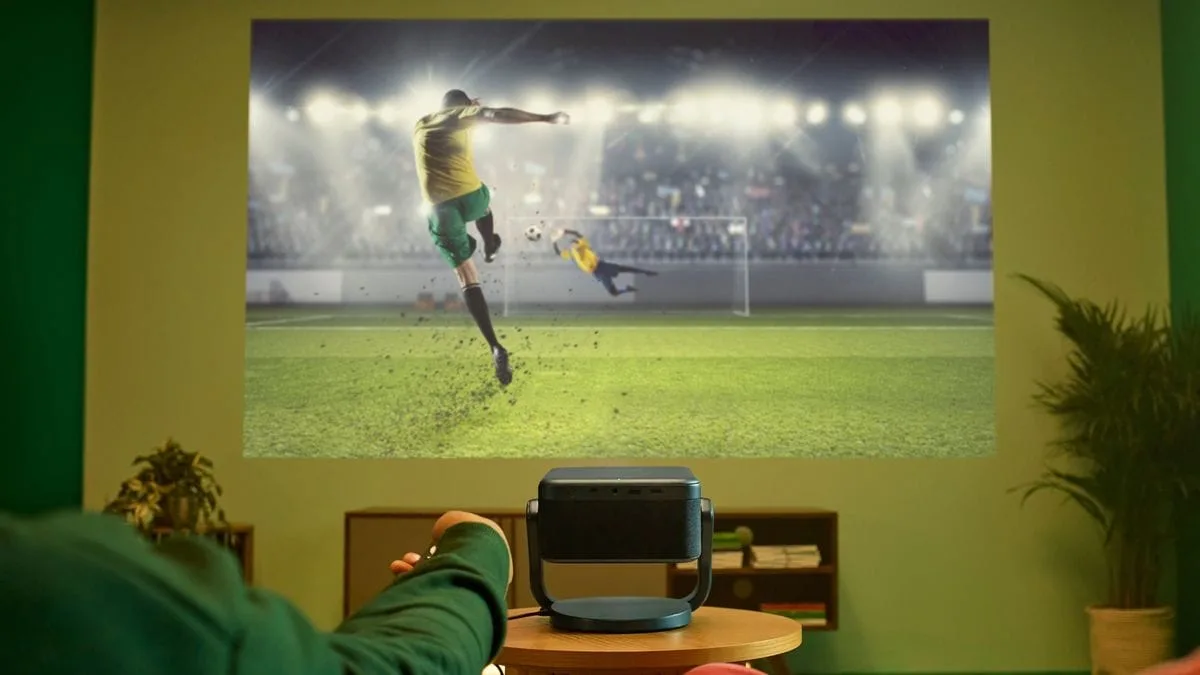
Posted on

How to make your home theater setup sing in 2024 with a few simple tweaks

You
can’t
beat
the
impact
of
a
proper
home
theater
set
up
on
your
movies
and
boxsets.
Not
only
will
it
help
you
to
feel
fully
immersed
in
whatever
you’re
watching,
it’ll
also
get
you
much
closer
to
the
director’s
original
intent.

Tech
Resolutions

A bedroom and lounge with smart lights plus a laptop running ChatGPT


(Image
credit:
Future)

This
is
part
of
a
series
of
articles
exploring
all
the
ways
we’re
using
tech
to
thrive
in
2024.

Read
them
all
here
.

Now
we’re
no
AV
snobs
here
at
TechRadar.
Sure,
we
love
a
high-end
set
up
as
much
as
the
next
home
theater
fan,
but
home
cinema
is
what
you
make
it

so
whether
that’s
a
full
surround
sound
set
up
and
flagship
telly
or
a
soundbar
and
something
more
mid-range,
there
will
be
things
you
can
do
to
make
sure
your
system
is
performing
at
its
best.

From
simple
settings
tweaks
to
ways
that’ll
help
your
products
work
better
in
your
room,
read
on
for
our
top
tips
on
getting
the
most
out
of
your
home
theater
set
up
in
2024.

Tip
1:
Perfect
your
settings

A TV screen on a stand showing the sound settings


(Image
credit:
Future)

3
TV
settings
to
turn
off
for
a
better
picture


1.
Energy-saving
or
eco
mode

While
eco
modes
are
there
for
good
reason,
the
fact
remains
that
they
do
absolutely
nothing
for
your
TV’s
picture
quality,
and
will
push
down
brightness
that
you
may
prefer
to
hang
on
to.
Look
out
for
Eco,
Energy
or
Power
saving
settings
in
the
menu,
occasionally
highlighted
by
a
leaf
icon,
and
switch
off
when
you
want
picture
performance
to
be
its
best.


2.
Edge
enhancement
or
sharpness
control

While
having
sharper
edges
to
your
images
might
sound
good,
added
processing
pretty
much
always
takes
away
 more
than
it
provides.
By
switching
this
on
or
upping
the
sharpness
in
the
settings,
outlines
will
be
unnaturally
accentuated,
and
true
fine
detail
will
be
masked.
You
might
even
notice
a
sort
of
halo
appearing
around
the
edge
of
objects.
Avoid
like
the
plague.


3.
Motion
smoothing
or
judder
reduction

Another
setting
that
sounds
helpful
that
usually
creates
more
issues
that
it
solves.
In
trying
to
reduce
the
stuttering
that
can
occur
in
movement
like
camera
pans

particularly
with
24Hz
film
content

this
technology
uses
frame
interpolation
to
insert
made-up
frames
to
smooth
it
all
out.
The
result
is
an
unnatural-looking
“soap
opera
effect”,
that
makes
movies
in
particular
look
plain
weird.

It’s
fair
to
say
that
TV
menus
can
be
pretty
daunting,
but
if
you
haven’t
delved
into
them
since
you
fished
your
TV
out
of
its
box,
we
would
really
encourage
you
to
do
so.

A
lot
of
manufacturers
have
tried
to
help
here,
by
simplifying
the
options
and
offering
more
visual
ways
of
understanding
what
changing
a
setting
might
do.
That’s
a
good
starting
point,
but
there
will
likely
be
other
settings
hiding
in
the
full
menu
that
are
well
worth
your
attention.

For
the
most
accurate
picture,
you
will
either
want
to
look
for
Filmmaker
Mode
on
more
recent
TVs,
or
Cinema/Movie
mode
elsewhere.
To
many
people,
who
are
used
to
poorly
set
up
TVs,
this
can
look
quite
warm
to
begin
with,
and
sometimes
lacking
in
‘punch’
too.

Stick
with
it
a
while,
and
allow
your
eyes
to
adjust
to
the
new
picture.
If
you
really
can’t
enjoy
it
as
it
is,
steer
well
clear
of
Vivid
or
Dynamic
settings
and
give
the
Standard
mode
a
whirl.
This
will
usually
add
the
punch
that
some
people
miss
without
being
overly
saturated
and
cartoonish.
Just
be
aware
that
pictures
will
be
cooler
in
tone
than
is
considered
accurate,
and
you
may
sacrifice
things
like
black
level
and
contrast
performance
for
that
brighter
overall
picture.

Once
you
get
past
the
picture
mode,
cast
your
eye
over
the
full
settings
to
ensure
everything
is
configured
well.
As
a
rule,
we
would
suggest
turning
off
(or
to
low/minimum)
all
additional
processing,
and
then
slowly
adding
it
back
in
if
you
spot
any
issues
you
think
it
could
fix.

In
particular,
switch
off
any
eco
modes
for
the
best
picture
performance,
and
pay
close
attention
to
motion
processing,
which
will
often
be
ramped
up
unnecessarily.
The
result
is
an
overly
smooth
picture
with
a
loss
of
detail

something
that
is
called
the
“soap
opera
effect”.
In
fact,
motion
processing
can
sometimes
do
more
harm
than
good,
so
don’t
be
afraid
to
turn
it
off
completely
if
you
spot
distracting
wiggly
lines
around
moving
objects.

Tip
2:
Consider
speaker
placement

Bowers & Wilkins home cinema setup


(Image
credit:
Bowers
&
Wilkins)

Whether
you’ve
got
a
proper
surround
sound
setup,
a
soundbar
and
sub,
or
even
wireless
satellite
speakers,
where
you
have
your
speakers
in
your
room
can
make
all
the
difference
to
how
they
sound.

While
it
can
be
tempting
to
tuck
speakers
away
to
keep
things
looking
neat,
they
generally
need
a
bit
of
space
to
sound
their
best.
Place
them
too
close
to
a
rear
wall
and
bass
can
be
overemphasized
to
a
point
of
boominess.
Look
up
the
manufacturer’s
recommendations
for
how
far
from
a
back
and
side
wall
they
should
be
placed

a
general
rule
of
thumb
is
2-3
feet.
Pull
them
out
of
the
corners
and
you’ll
hear
the
sound
open
up
immediately.

That’s
also
the
case
with
a
subwoofer.
Tucking
an
ugly
black
box
into
a
corner
may
be
preferable
from
an
aesthetics
perspective,
but
you
will
get
the
best
performance
if
it
is
in
line
with
your
front
speakers,
so
make
room
for
it.
Haven’t
got
a
sub?
Buy
one,
it’ll
throw
some
much-needed
welly
behind
those
all-important
movie
action
scenes.

A
lot
of
soundbars
don’t
deal
too
well
with
being
tucked
away
in
TV
cabinets
either

particularly
those
with
upwards-firing
drivers
for
Dolby
Atmos
sound.
For
this
reason,
Atmos-capable
bars
in
particular
should
be
placed
on
top
of
any
TV
rack
with
no
restriction,
so
you
can
hear
the
spatial
sound
effect
in
full.

Finally,
if
you
have
standmount
speakers
or
wireless
satellites
sitting
on
low
TV
racks
and
tables,
consider
investing
in
proper
speaker
stands.
These
will
lift
your
speakers
to
ear
level,
which
will
ensure
you
hear
them
at
their
very
best. 

Once
there,
it’s
also
worth
experimenting
with
“toeing
in”,
or
angling
your
speakers
inwards

just
slightly

towards
your
main
seated
position.
It
won’t
be
necessary
for
all
rooms
or
all
speakers,
but
it
can
help
to
improve
focus
and
imaging.
Check
your
speakers’
user
manual
for
any
manufacturer
recommendations
too.

Tip
3:
Rearrange
your
room 

Couple on the sofa with Philips Hue lights behind the TV


(Image
credit:
Philips)

How
much
you
can
lug
furniture
around
to
optimize
your
home
theater
setup
will
be
somewhat
down
to
the
size
and
shape
of
your
room.
But
there
are
a
few
things
you
could
consider
if
you
want
to
get
the
best
from
your
kit.

Firstly,
bringing
your
sofa
away
from
any
back
wall
will
help
with
surround
sound
setups.
If
you
can
imagine
drawing
a
line
between
your
speakers,
they
should
make
a
circle,
with
your
viewing
position
at
the
center

sitting
equidistant
from
each
one
if
at
all
possible.
If
not,
your
AV
receiver
will
help
to
account
for
this
in
its
calibration,
but
not
having
a
rear
speaking
blasting
directly
into
your
ear
at
close
range
is
the
aim
here.
 

The
sofa
should
ideally
be
directly
in
front
of
a
TV
too,
with
as
few
side-on
viewing
positions
as
possible.
Even
the
very
best
TVs
can
suffer
with
a
loss
of
picture
saturation
and
black
level
off-axis,
so
ensure
as
many
people
as
possible
can
view
it
from
front
on.

This
also
matters
when
it
comes
to
wall
mounting
your
TV,
which
should
be
done
at
eye
level.
The
trend
for
placing
TVs
above
fireplaces
has
done
nothing
for
neck
aches
or
picture
quality,
so
make
sure
you
mount
it
lower
if
you
want
your
TV
looking
its
best.
If
there
really
is
no
other
place
for
it,
consider
adding
a
tilt
to
your
mount,
to
improve
the
viewing
angle
from
your
sitting
position
and
relieving
that
front-row-at-the-cinema
feeling
somewhat.

These
things
matter
more
than
being
a
specific
distance
from
your
TV,
these
days.
As
long
as
your
TV
is
a

4K

set,
you
have
much
more
flexibility
with
how
far
you
sit
from
it
than
you
did
with
full
HD,
as
the
pixels
are
so
small
they’re
almost
unnoticeable.
Still,
a
good
rule
of
thumb
is
to
account
for
a
viewing
distance
of
1
to
1.5
times
the
size
of
your
screen
if
you
can.

Finally,
moving
a
lamp
or
lighting
source
behind
your
TV
will
create
something
called
bias
lighting.
This
helps
to
reduce
eye
fatigue
when
watching
TV
in
low
light,
without
it
being
too
distracting
or
creating
reflections

just
one
of
the
reasons
we
love
Ambilight
TVs
so
much.

Tip
4:
Run
your
calibration

Denon AVR on cabinet


(Image
credit:
Denon)

Now
that
you’ve
moved
things
around,
you
will
want
to
re-run
the
auto-calibration
process
built
into
your
AV
receiver
or
soundbar

something
you’ll
want
to
do
any
time
you
make
changes
in
your
room
or
speakers.
And
if
you
didn’t
do
this
in
the
first
place,
then
it’s
well
overdue.

This
process
will
usually
fire
a
series
of
strange-sounding
tones
into
the
room,
to
understand
its
size
and
shape,
and
how
sound
reacts
within
it.
More
thorough
setups
will
use
a
calibration
mic
as
well,
to
pinpoint
the
main
sitting
position,
and
how
this
relates
to
any
speakers
in
the
room.

This
is
usually
over
and
done
with
in
a
matter
of
minutes,
with
automatic
tweaks
being
made
to
your
kit
to
improve
the
sound
afterwards.
 

Now
your
home
cinema
setup
is
optimized,
it
will
be
ready
to
perform
to
the
very
best
of
its
abilities
at
your
next
movie
night.
What
a
way
to
kick
off
2024.


You
might
also
like

Posted on

Sony introduces two new high-end 4K projectors to add to its powerhouse 2024 AV range


Sony

has
announced
two
new
premium

4K

projectors,
the
Bravia
Projector
9
and
Bravia
Projector
8,
which
are
both
expected
to
ship
in
November
2024. 

The
Bravia
Projector
9
(VPL-XW8100ES)
and
Bravia
Projector
8
(VPL-XW6100ES)
are
native
4K

HDR

laser
projectors
that
sit
at
the
premium
end
of
the
market,
with
the
Braiva
Projector
9
priced
at
$31,999
/
£25,999
and
the
Bravia
Projector
8
at
$15,999
/
£15,999.
This
puts
the
Bravia
Projector
8
in
line
with
the

JVC
DLA-NZ800
,
one
of
the

best
4K
projectors

around. 

The
Bravia
Projector
9
is
set
to
replace
the
current
Sony
VPL-XW7000ES.
Below
you’ll
find
a
full
list
of
features
and
specs
for
both
projectors. 

Sony
Bravia
Projector
9
and
8:
features
and
specs

Sony Bravia Projector 9 product image


The
flagship
Sony
Bravia
Projector


(Image
credit:
Sony)

In
terms
of
brightness,
the
Bravia
Projector
9
is
said
to
offer
3,400
lumens,
and
the
Bravia
Projector
8
is
set
to
deliver
2,700
lumens,
which
is
more
than
sufficient
for
most
home
theater
setups. 

Both
projectors
will
also
benefit
from
the
inclusion
of
Sony’s
new
XR
Processor
for
Projector,
which
takes
many
of
the
same
HDR-related
picture
features
that
enhance
Sony’s
TVs,
including
the

Sony
Bravia
9
,
one
of
2024’s

best
TVs
.

Those
picture
features
include
XR
Dynamic
Tone
Mapping
for
optimized
tone
mapping;
XR
Deep
Black
for
improved
black
levels
and
contrast
in
darker
scenes;
XR
Triluminos
Pro
to
deliver
over
a
billion
colors;
and
XR
Clear
Image
to
improve
any
‘lost’
details
and
textures
in
images.
For
HDR,
both
the
Projector
9
and
8
will
support
the
HDR10
and
HLG
formats. 

The
Bravia
Projector
9
will
also
include
a
Live
Color
Enhancer
feature,
which
is
said
to
bring
vibrant
and
dynamic
colors
while
avoiding
over-saturation
for
a
more
natural
image. 

Corner
Keystone
Correction
is
also
featured
in
both
the
Projector
9
and
8
to
make
setup
easier
in
rooms
with
difficult
installation
conditions
such
as
high
ceilings. 

There’s
good
news
for
gamers
as
well,
as
both
projectors
come
equipped
with
two
HDMI
2.1
ports
that
support
4K
120Hz
and
ALLM
as
well
as
an
input
lag
time
of
12ms
 –
low
enough
to
compete
with
some
of
the

best
gaming
TVs

TechRadar
had
a
chance
to
see
the
new
Sony
Bravia
Projector
9
in
a

home
theater
demo

at
the
recent
CEDIA
Expo,
where
it
won
a

TechRadar
Best
of
CEDIA
2024
award
.
We
were
deeply
impressed
with
its
performance,
and
expect
it
to
be
a
top
high-end
projector
choice
along
with
new
models
from
JVC
and

Epson
.


You
might
also
like