Posted on

iQOO Neo 10R Review: Excellent Value for Money?

iQOO’s Neo 10R may not end up being the successor to last year’s iQOO Neo 9 Pro when comparing price tags. However, the two phones appear to cross paths because their hardware specifications and features overlap in several areas. The new iQOO Neo 10R lacks the “Pro” branding and, so we could expect a proper successor to the iQOO Neo 9 Pro, sooner than later. Interestingly, each of these two phones have their strong points. If you are looking to buy the iQOO Neo 10R, you should also take a look at the Neo 9 Pro and here’s why.

iQOO Neo 10R Design: Plain Jane

  • Dimensions – 163.7 x 75.8 x 7.9mm
  • Weight – 196g
  • Durability – IP65

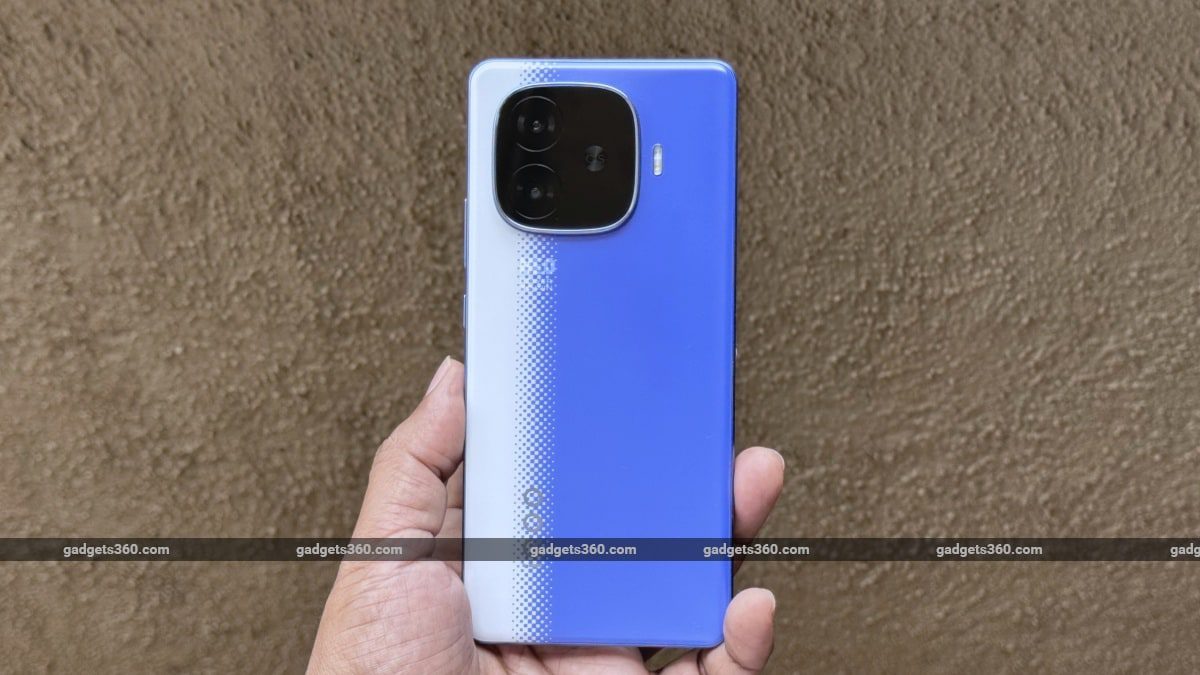
Compared to the iQOO Neo 9 Pro, the iQOO Neo 10R is as basic as possible. Yes, it has a slim overall appearance, but the materials used are quite basic. The confusing graphics aside, the Raging Blue finish uses a polycarbonate frame and a polycarbonate rear panel. I have no issues with its polycarbonate frame, as its overall quality is quite good and helps with the phone’s weight. But its polycarbonate rear panel is a proper smudge and dust magnet. These are easy to wipe off, but they just need some skin contact to get smudgy once again.

The use of polycarbonate does make sense because this phone packs a very high-capacity battery. And even after taking such weight-saving (or cost-cutting) measures, the phone still feels a bit heavy at 196 grams.

iqoo neo 10r design plain gadgets 360 iQOONeo10R iQOO

The iQOO Neo 10R’s Raging Blue finish is a very confusing colourway

An IP65 rating is good to have at this price point, but there are competing smartphones that offer a better IP68 rating for dust and water resistance. However, do keep in mind that most manufacturer warranties do not cover damage due to water ingress.

A design element that I really liked about the iQOO Neo 10R is to do with its display. It has very thin borders at the top, left and right. The border at the bottom, too, is quite thin, even though it’s a bit thicker than the others.

iQOO Neo 10R Display: Neat and tidy!

  • Display size – 6.78-inch, 1,260 x 2,800 pixels, 1.5K, 452 ppi
  • Display type – AMOLED, 60-90-120Hz
  • Display protection – Schott Xensation Up

The display shows mostly natural colours in the default screen colour mode. Sharpness is on point, and the display gets sufficiently bright (4,500 nits peak) outdoors. Despite packing the same peak brightness as the Nothing Phone 3a, I noticed that iQOO’s display sustained those brightness levels for a lot longer.

iqoo neo 10r display 120Hz gadgets 360 iQOONeo10R iQOO

iQOO uses Schott Xensation Up glass for display protection. It does a fine job of rejecting fingerprints, which contrasts with the rear panel.

The display also supports Widevine L1, meaning you can stream content in Full HD quality. To my surprise, the display is also HDR10 certified and supported content on supported apps appeared as expected.

The in-display fingerprint reader works as expected, and I had no trouble using it during the testing period.

iQOO Neo 10R Software: Something better

  • Android version – Android 15
  • Software – Funtouch OS 15
  • Software commitment – 3 years of software and 4 years of security updates

The iQOO Neo 10R runs Funtouch OS 15, which is powered by Android 15. Funtouch OS originally focussed on areas that other smartphone brands ignored (fingerprint unlock customisation, charging animations, etc). But with Funtouch OS 15, they have added new live wallpapers, new icon styles, new always-on display effects and plenty more. The OS, in general, also feels fluid and responsive.

I also like that you can run even the most demanding games in a pop-up window, which comes in handy when you have to wait for your turn. Or you simply need to get some other task done in full-screen while waiting for your game to log in/load.

iqoo neo 10r software funtouchos15 gadgets 360 iQOONeo10R iQOO

Funtouch OS 15 gets Android 15, some AI tools and plenty of customisation options

There is also the usual set of artificial intelligence (AI) tools. The AI Erase tool works surprisingly well but struggles when removing complicated objects in a scene. After selecting the object you want to erase, you can also see how the tool gradually erases it from the image as it’s getting processed. There’s also an AI-enabled Photo Enhance tool, which is built to enhance the resolution of Portrait photos. The content creation AI tools also worked as expected.

During the testing period, I don’t remember getting any spammy notifications, but the phone does come with a bunch of preinstalled third-party apps. However, they can be uninstalled if you have no use for them.

iQOO Neo 10R Performance: Great for its price

  • Processor – Qualcomm Snapdragon 8s Gen 3
  • RAM – 8/12GB (LPDDR5X)
  • Storage – 128/256GB (UFS 4.1, UFS 3.1 for 8+128GB)

Funtouch OS runs smoothly sans any hiccups. With indoor use, the phone rarely heats up except when playing demanding games like Genshin Impact. Outdoors, it’s business as usual until you fire up the camera and start shooting. This is when the phone starts to heat up. Funtouch OS still runs buttery-smooth in this condition, and the same can be said about the camera app. The heat generated when using the camera app can mainly be felt on the display and not so much on the rear panel or the frame. Despite getting very hot, the phone did not ask me to stop recording 4K 60 fps video, nor did it reduce the number of camera features available.

As for gaming, which is the highlight of this phone, it performed as expected. The Qualcomm Snapdragon 8s Gen 3 is not a high-end premium chipset; in fact, the slightly older Snapdragon 8 Gen 2 in the iQoo Neo 9 Pro performs better in some areas.

iqoo neo 10r cameras dual gadgets 360 iQOONeo10R iQOO

The iQOO Neo 10R has a dual rear camera setup

I could play Call of Duty: Mobile comfortably at Very High graphics and Max frame rate without any heating issues, with the phone managing a steady 59-61 fps during gameplay. So, I tried out something a bit more challenging (in terms of graphics) and installed Genshin Impact. The phone managed a steady 60 fps with all graphics settings maxed out to High. However, at Very High graphics settings, even 30 fps was a bit unstable. This is fine given that it’s only the top-end chipsets on premium devices that can handle this setting well.

In short, iQOO Neo 10R is a performer who can handle most games well without noticeable performance issues. For a smartphone priced from Rs. 26,999, it does deliver in terms of raw performance, as can be seen from the table below.

Benchmarks iQOO Neo 10R iQOO Neo 9 Pro Poco F6 Nothing Phone 3a
Chipset Snapdragon 8s Gen 3 (4nm) Snapdragon 8 Gen 2 (4nm) Snapdragon 8s Gen 3 (4nm) Snapdragon 7s Gen 3 (4nm)
Display resolution 1.5K 1.5K 1.5K FHD+
AnTuTu v10 14,91,562 15,85,868 14,57,491 8,04,179
PCMark Work 3.0 12,072 13,319 15,743 13,554
Geekbench 6 Single 1,927 2,050 1,835 1,158
Geekbench 6 Multi 5,047 5,741 4,693 3,255
GFXB T-rex 121 120 120 60
GFXB Manhattan 3.1 114 119 112 55
GFXB Car Chase 71 85 71 28
3DM Slingshot Extreme OpenGL Maxed Out Maxed Out 5,481 5,485
3DM Slingshot Maxed Out Maxed Out 4,655 6,954
3DM Wild Life Maxed Out Maxed Out Maxed Out 3,988
3DM Wild Life Unlimited 7,797 12,789 11,734 4,175


iQOO Neo 10R Cameras: Could have been better

  • Primary camera – 50-megapixel, f/1.79, OIS, AF
  • Ultrawide camera – 8-megapixel, f/2.2, FF
  • Selfie camera – 32-megapixel, f/2.4, FF

I have compared the iQOO Neo 10R to the Nothing Phone 3a I reviewed earlier to give our readers an idea about where the iQOO ranks at this price point.

The Nothing Phone 3a’s primary camera (below) performs better in a basic daylight photo comparison

Off the bat, there seems to be a colour consistency problem both between the two rear-facing cameras and even when using the primary camera itself. In the Natural colour mode, photos show slightly muted colours compared to the ultrawide camera, which showed the most true-to-life colours. At the same time, when shooting objects up close, I noticed that the primary camera randomly boosts saturation levels, so you may notice a strong red or green tone when using it, depending on what you capture.

The Nothing Phone 3a’s primary camera (below) shoots photos with better colour accuracy when shooting close-up photos

Colour accuracy aside, the photos from the primary camera do a bit of post processing, adding a bit of contrast. While I like that this processing adds some emotion to the images captured (despite cutting down on the overall dynamic range), the hardware somehow is unable to pull much detail from a scene even in daylight, leading to reduced detail and increased softness, especially near the edges of the frame.

In low light or street-lit scenes, the iQOO Neo 10R’s primary camera suffers from the same issues with softer images that are low on resolved detail. Nothing manages better. (Top: iQOO Neo 10R, bottom: Nothing Phone 3a)

As for the iQOO Neo 10R’s ultrawide camera, it produces poor images, which are a bit too soft, lacks any resolved detail whatsoever and also show a lot of purple fringing in the bright areas.

When shooting in low light, the photos from the iQOO Neo 10R (top) are primarily unusable versus what you get from the Nothing Phone 3a (below).

Portrait mode selfies captured in daylight have decent edge detection but are a bit low on detail, even though they appear a bit oversharpened. Low-light selfies also cut down on detail and, despite using the display flash, have an over-processed look.

Video recordings in daylight are surprisingly good. 1080p video recordings (30 and 60fps) showed accurate colours have a smooth framerate along with good stabilisation. 4K video recordings appear cropped and mimic the 1080p footage in terms of character but with slightly better quality. Shooting at 4K at 60fps offers the best quality but will limit you to the primary camera only. Sadly, in low light, noise creeps in, and the videos appear soft and blurry at best.

iQOO Neo 10R Battery: Fantastic

  • Battery capacity – 6,400mAh
  • Wired charging – 80W
  • Charger in the box – Yes

With a massive battery and good standby time, the iQOO Neo 10R easily lasts a whole day and a bit more with heavy usage. With casual use, expect this one to last more than 1.5 days on a single charge. Our video loop test, which runs an HD video in a loop at 50 percent brightness till the battery runs out, lasted an impressive 34 hours and 56 minutes. Running the PC Mark Work Battery test saw the phone last an equally impressive 24 hours and 38 minutes, far ahead of its rivals.

iqoo neo 10r battery charging gadgets 360 iQOONeo10R iQOO

The iQOO Neo 10R charges very fast, given the high capacity of its battery

Charging speeds are equally impressive, given that this phone packs a high-capacity 6,400mAh battery. The bundled charger managed a 26 percent charge in 15 minutes, 55 percent in half an hour and 100 percent charge in an hour, completing the charging process 3 minutes later (1 hour and 3 minutes).

iQOO Neo 10R Verdict

Indeed, the iQOO Neo 10R packs quite the punch given its attractively low price tag. The phone delivers when it comes to software performance, gaming, battery life, and charging, but it comes up short in the camera department.

It’s here that the recently launched Nothing Phone 3a (Review) shines, keeping in mind its lower price, coupled with its arsenal of cameras that are rare for this price segment. While its software experience is unmatched in this segment, the Nothing Phone 3a is not a performance-oriented device like the Neo 10R.

A direct competitor to the iQOO Neo 10R is the Poco F6 (Review), which retails at a lower price. Fortunately for the Poco, it also packs good camera performance (primary only). However, it also cannot match the Neo 10R when it comes to battery life or charging.

At an additional Rs. 5,000, is the elephant in the room, the iQOO Neo 9 Pro (Review), it packs a powerful, premium-grade Snapdragon 8 Gen 2 SoC, an excellent set of cameras and even offers a better finish with a vegan-leather option. Battery and charging are top-notch, though not as good as the Neo 10R. If you can stretch your budget a bit, I highly recommend skipping the iQOO Neo 10R and reaching for the Neo 9 Pro instead.

Posted on

This 4K portable laser projector goes twice as bright, twice as big as LG’s equivalent, for the same price

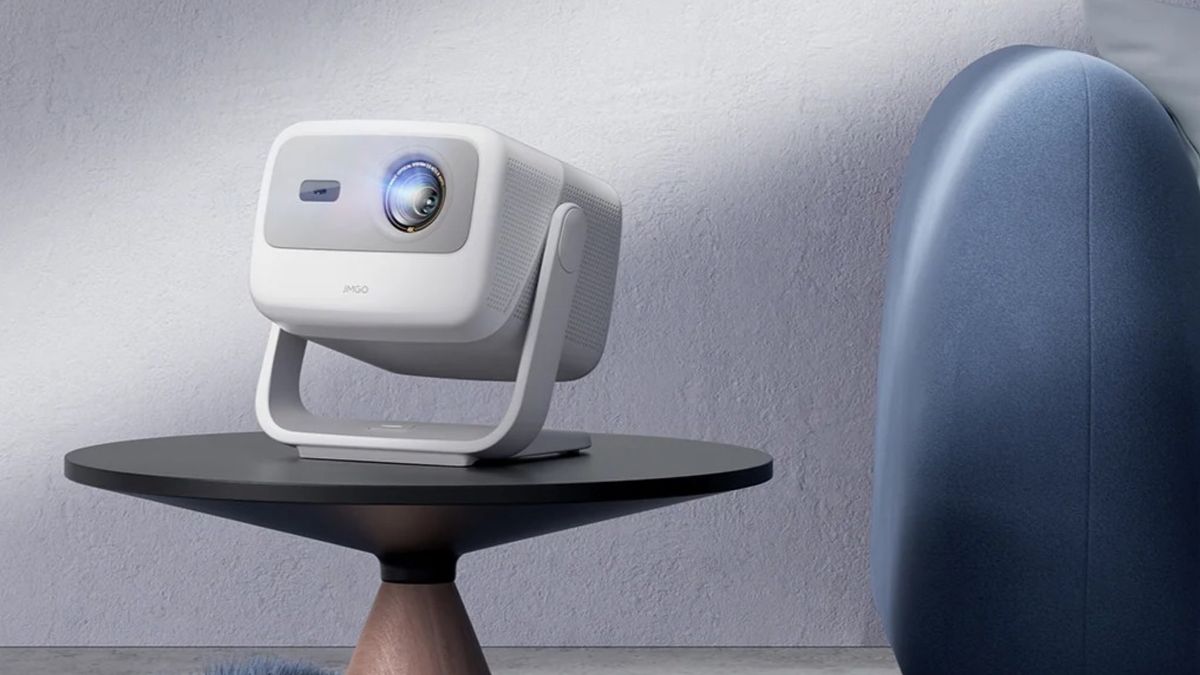
JMGO N1S 4K is a new portable 4K laser projector 1,100 lumens, and up to 200 inches at a 1.2:1 throw ratio $1,299 / about £1,005 / AU$2,155 If you’re in the market for one of the best portable projectors, one of the most tempting models is the LG Cinebeam Q with its 120-inch, 4K projection and $1,299 / £1,299 / AU$2,499 price tag at launch (now largely available under £1,000/$1,000). But it’s just got some serious competition in the form of the similarly priced JMGO N1S 4K. Like the LG, it produces big images from a small footprint. But it’s capable of projecting 4K at up to 200 inches compared to the LG’s 120 inches. Okay, that’s not quite the double we mentioned in the headline, but it’s close enough – it’s a lot of inches for a compact beamer. (Image credit: JMGO) JMGO N1S 4K: key features and price This is a portable player measuring just 7.3 x 6.5 x 7.5 inches (18.5 x 16.5 x 19.1 cm), but there’s no battery so you’ll need to find somewhere to plug it in. Because it doesn’t need to worry about battery life, it’s impressively bright, putting out a claimed 1,100 ISO lumens – the LG Cinebeam Q, for comparison, is 500 ANSI lumens. You might notice there’s a difference there – ISO lumens versus ANSI lumens. But a rating in ISO lumens is generally brighter than ANSI lumens, so actually the difference appears (on paper) to be even wider than it first looks. The sound system is decent given the small size of the devices, cramming in 10W speakers and a small bass unit, and the N1S is compatible with both Dolby Audio and DTS-HD. You can adjust the projection angle up to 127 degrees using the stand that doubles as a handle, and there’s promised 110% coverage of BT.2020 color, a 1,600:1 full on/full off contrast ratio, and HDR10. There’s MEMC motion smoothing, an HDMI 2.1 port with eARC, and it runs Google TV with support for both Google Assistant and Google Cast. For gamers there’s 1080p 60Hz support with a reasonable 17ms input lag. Sign up for breaking news, reviews, opinion, top tech deals, and more. Officially the N1S 4K will retail at $1,299 in the US and €1,399 in the EU (roughly £1,006 / AU$2,155). But at the moment it’s being discounted heavily for US users with a price of just $999. It’s unclear whether that’s a permanent price adjustment or just a limited-time offer. You might also like

Posted on

I just vacationed without Instagram and wish I’d done it sooner

Vacation without Instagram Examples (3)

C. Scott Brown / Android Authority

For about half of March, I was away from work on a family vacation. We took a cruise through Spain, Morocco, and Portugal. It was a lovely time, and I used my Google Pixel 9 Pro — easily one of the best camera phones you can currently buy — to document the whole trip. All the photos you see in this article come from the phone!

Typically, many of the photos and videos I shot on this trip would have ended up on my Instagram profile. However, for reasons I won’t bother going into (although I’m sure most Americans reading this will know), I shut down all my Meta-owned accounts earlier this year. That made this cruise vacation the first time in the past decade that I’ve gone on a huge trip and haven’t posted about my experience on Instagram or even social media in general.

But you know what? It surprisingly made the trip so much better.

Sending media to specific people is much more satisfying

Vacation without Instagram Examples (4)

C. Scott Brown / Android Authority

Because I didn’t have Instagram as a “dumping ground” for all the things I shot during the trip, I communicated directly with friends and family instead. This ended up being a lot more gratifying than posting things and getting a handful of likes.

For example, during an excursion off the cruise ship, we visited a winery in Madeira (now one of my favorite places I’ve ever visited). I have friends who are wine-makers in New York, so we sent them some shots related to the winery because they would be very interested in that. We also came across a lot of cats on our trip. In Cádiz, there’s actually a beachside stray cat colony, complete with little houses built by locals for the cats to live in. We took a lot of pics of these cats and sent them to friends and family we know love to see kitties, and they all greatly appreciated them.

Vacation without Instagram Examples (1)

C. Scott Brown / Android Authority

This habit completely changed the way I approached documenting our travels. Instead of thinking about getting likes or proving how great the Pixel 9 Pro’s camera is, I just shot things I knew specific people would enjoy and shared them directly. This allowed for multiple benefits, such as making me stay more in the moment of what was happening now rather than worrying about how to capture that moment for an audience later. It also reconnected me to people I haven’t communicated with in a while, which is always a good thing. Finally, it made those people I contacted feel appreciated since I was singling them out, rather than just posting a photo and hoping they would see it while doom-scrolling Insta. Who could argue that making those you’re close to feel good isn’t an awesome thing?

Taking a photo and posting it to the void isn’t nearly as gratifying as sending it to a specific person who you know will appreciate it.

There was one more benefit to this: not needing to spend the time to craft social content. When I send a photo of an amazing meal I’m eating to my foodie friends, I don’t need to think about hashtags, filters, or how to maximize engagement, nor do I need to decide, “Is this a Story or a grid post?” I just shoot the shot, append a nice message, and send it so I can quickly return to being on vacation. After a while, I couldn’t understand why I had ever spent so much time worrying about social media at all.

I do miss the loss of potential responses from others, though

Vacation without Instagram Examples (2)

C. Scott Brown / Android Authority

The one downside to this is that people in my life who I didn’t message didn’t get to see anything. While Instagram has its very notable and well-documented problems, there’s no denying that it does allow you to connect with people in ways that aren’t really possible without it (or without a similar social platform). For example, my kitty pictures may have also been appreciated by people I don’t know well enough to know that they are cat people. If I shared those photos on Instagram, that person could have engaged, and then I would know, “Oh, so-and-so is a cat person, too!” I did miss that.

Do you have an Instagram profile?

47 votes

Although I know most people wouldn’t want to admit it, I also missed the serotonin response of seeing something I posted to get a lot of likes. Yes, I know internet points are pretty hollow, but I’d be lying if I didn’t say it feels good to post something and see lots of people respond to it positively. Without Instagram, I was getting positive responses, sure, but not at the same scale, making it not have the same zing as before.

I hate to admit it, but I did miss getting lots of likes. Seeing people like my photos used to feel great.

Ultimately, I think what I really want is a hybrid of these two things. During the trip, I don’t want to worry about social media. I want to live in the moment and share what I experience with those folks with whom I am truly close. But I also want to be able to share those experiences more broadly with people who I’m not as close to, and that’s really what Instagram excels at.

This isn’t enough to make me want to bring back my Instagram account, but it does make me hope that Flashes — the Instagram clone coming soon to Bluesky — is a hit. I’d love a photo-sharing platform I can feel good about participating in. Until then, though, traveling without Instagram doesn’t seem so wild anymore. If you’re a frequent Instagram user, try to abandon it on the next trip you take. I think you’ll enjoy yourself a lot more.

Posted on

‘OLED and LCD will die out’: A microLED expert explains how the superior TV tech will finally become affordable

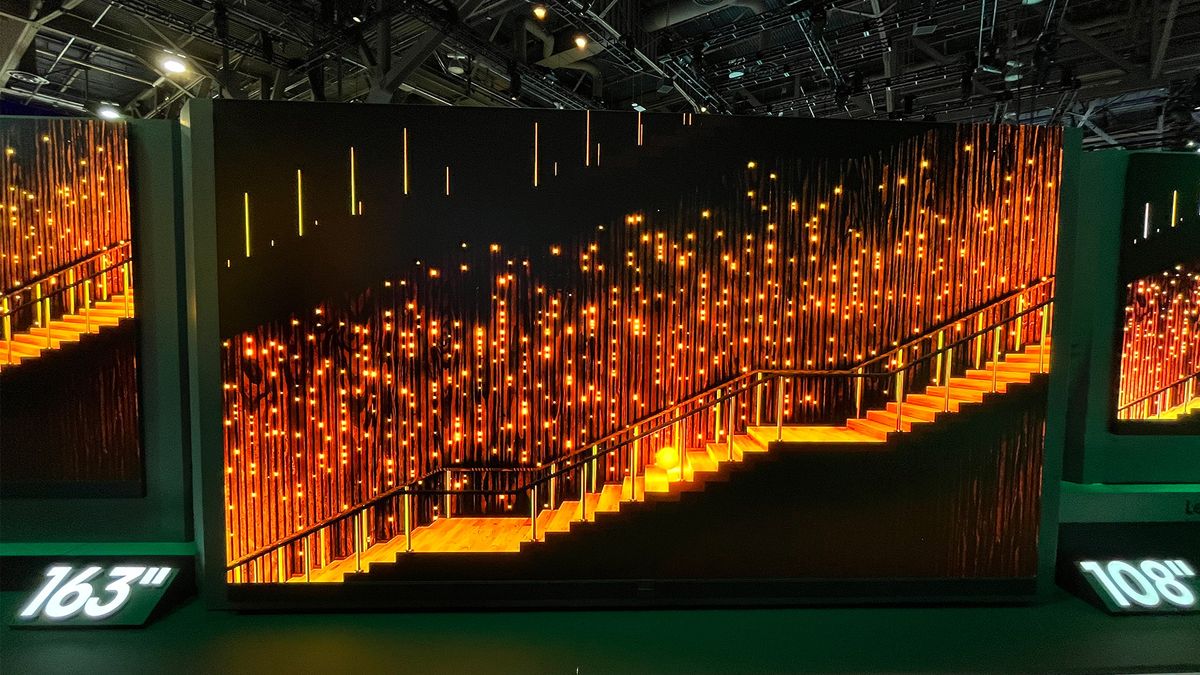
MicroLED has been heralded by manufacturers and premium brands as the ultimate display tech, combining OLED-equalling black levels with mini-LED-beating brightness. But, it’s not a tech that’s yet featured among the best TVs because micro-LED displays are still priced at $100,000 and above and are typically 100-plus inches in size, meaning there’s a very select audience. For years, we’ve waited for the arrival of more affordable microLED TVs, but it’s yet to happen. Then, Hisense, a brand known for its competitively priced, feature-packed TVs, surprised the TV world at CES 2025 by announcing microLED models. However, these were only in 136- and 163-inch sizes, with prices yet to be announced. Considering the Hisense 110UX, the brand’s top mini-LED TV, costs $15,000 / £19,999, we can expect these new microLED sets to once again be exceedingly expensive. But, what if there was a chance that the sought-after panel tech could become affordable and fit into smaller, standard-sized rooms? There may be a way, as I found out when talking to Dr. Reaz Chaji, Co-Founder and CEO of VueReal industries. Manufacturing breakthroughs VueReal believes its MicroSolid Printing could revolutionize microLED production, including for TVs (Image credit: VueReal) VueReal, based in Waterloo, Canada, is a manufacturing company focused on innovative micro technology solutions, including a MicroSolid Printing process that could revolutionize the way microLED is manufactured. Dr. Chaji got his start in OLED technology, creating a solution that would eventually be licensed to LG for use in its OLED TVs. But he felt OLED had limitations and was drawn to microLED technology. “That is why I was attracted to microLED, not just because of the microLED, but the potential it has beyond microLED”, he told me. Especially the idea of “multifunctional surfaces where microLED can be used” compared to OLED, which is “just for display”. However, microLED has a complicated, costly manufacturing process by default. Without getting too technical, microLED currently uses a process where microLEDs are fitted into tiles to create the large displays we’ve become accustomed to seeing. If these tiles were used for smaller displays, such as a 65-inch TV, the seams between the tiles would be visible, making for an unappealing display. At present, microLED is only used for very expensive and large premium TVs such as the C SEED N1 (pictured). (Image credit: Future) Dr. Chaji and his team have developed a new technique called MicroSolid Printing, where semiconductors, including microLEDs, can be put into cartridges and printed directly onto the corresponding display. Another advantage of these cartridges is that they’re built ahead of time, making inspection for defects easier. “Because we build the cartridge in advance, we can inspect for defects, uniformity, performance, and it can help us to improve the display performance significantly”, Dr. Chaji says. Sign up for breaking news, reviews, opinion, top tech deals, and more. In current LED, OLED and microLED production, if a defect is discovered, say on a piece of OLED glass, that entire surface will be disposed of, adding to the production costs. However, VueReal’s Quantum Vue display tech, which combines its MicroSolid Printing technique with Quantum patterning, provides a highly efficient, cost-effective way microLED displays can be created without as much waste, resulting in a greater yield of production-ready displays, according to Dr. Chaji. MicroLED: the death knell for OLED and LCD TVs? Could microLED be the end for OLED and LCD TVs? (Image credit: Future) The best OLED TVs are still among the most popular TVs on the market, thanks to the panel’s self-emitting pixels which deliver deeper black levels and more accurate color compared to standard LED TVs. The best mini-LED TVs offer higher brightness than OLED(although OLED is catching up), but Dr. Chaji believes that more affordable microLED will deliver deep blacks, accurate color, and high brightness. “OLED and LCD will die out. They won’t be able to do the functionality that the device needs”, Dr. Chaji says, calling microLED “a unique solution that is future proof”. Dr. Chaji admits there is still a challenge due to the wider ecosystem and production chain that adds to costs, but he believes that the challenges can be overcome and microLED production using VueReal’s MicroSolid Printing and Quantum Vue techniques will eventually be used for smaller displays. I asked if we could expect to see it on 65-inch TVs, and Dr. Chaji said, “Absolutely.” “With the process that we’ve developed, [our] MicroSolid Printing with our Quantum Vue technology, we can actually even not just [cater to] TV, but we can also go to monitors or tablets or laptop displays”, he said. When can we expect to see smaller microLED TVs? Admittedly, there’s no concrete time frame, but from my conversation with Dr. Chaji, it sounds like all the technology is there and the team at VueReal is sorting out the ecosystem challenge. If that happens, we can expect to see smaller, more affordable microLED TVs soon. You might also like

Posted on

ChatGPT Plus Free Access for Select Users Announced Until the End of May

ChatGPT Plus will be free to access for select users over the next few weeks, OpenAI announced on Friday. The AI firm’s ChatGPT Plus subscription tier typically costs $20 (roughly Rs. 1,700) per month, but eligible users won’t have to pay for access to OpenAI’s deep research and multiple reasoning models and limited access to Sora video generation. The lowest paid subscription plan lifts limits on messaging or file uploads, and image generation, while also offering limited access to Sora video generation.

ChatGPT Plus Free Access for Students to Remain Available Through May

In a post on X (formerly Twitter), CEO Sam Altman announced that the company will offer students in the US and Canada free access to ChatGPT Plus. This is part of a limited promotion that offers access to the paid subscription for free, until the end of May, and details of the promotion are available on the company’s support website.

In order to avail of the student promotion, students must be enrolled at a degree-granting school in the US or Canada. OpenAI requires users to verify their student status via SheerID’s secure verification system before claiming access to the complimentary ChatGPT Plus subscription. Students who are already paying for the service will get two months of access at no additional cost.

ChatGPT Plus Subscription Plan Benefits, Features

The free version of ChatGPT already offers access to ChatGPT-4o mini, along with limited access to GPT-4o and o3-mini models, while the Plus subscription offers access to deep research and multiple reasoning models. These include o1, o3-mini, and o3-mini-high. The paid subscription also offers access to a research preview of the GPT-4.5 model that was announced in February.

ChatGPT Plus also lets users upload more files, send more messages, and generate more images than users on the free tier. Subscribers also have access to the advanced voice mde with support for video and screensharing.

OpenAI also allows ChatGPT Plus subscribers to create custom GPTs and enables users to try out upcoming features on the platform. A subscription to ChatGPT Plus also grants limited access to Sora video generation, which isn’t available on the free tier.

Posted on

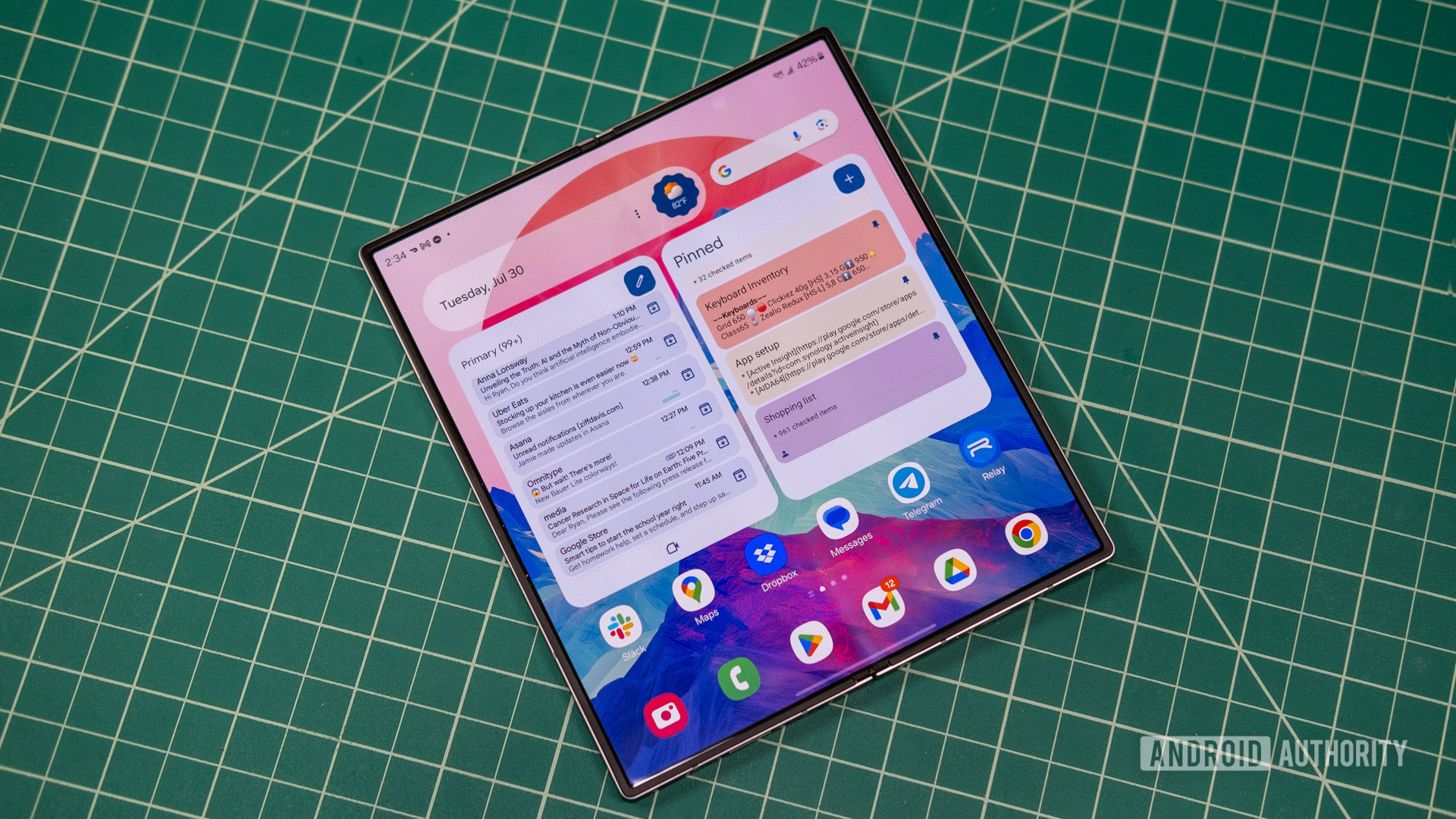
The Galaxy Z Fold 7 and Flip 7 could run One UI 8 out of the box

Samsung Galaxy Z Fold 6 main OLED

Ryan Whitwam / Android Authority

TL;DR

  • Recent rumors suggest that Samsung plans to release One UI 8 based on Android 16 much earlier than usual.
  • A new report claims that the company’s next-gen foldables could run the new software release at launch.

Rumor has it that Samsung may compensate for the slow rollout of One UI 7 by releasing One UI 8 based on Android 16 much earlier than usual. Last month, an early One UI 8 build was spotted online, suggesting that the company had already started testing the software release for the Galaxy S25 series. Now, a new report claims that it could offer the new software release on its next-gen foldables at launch.

Samsung is expected to lift the covers off the Galaxy Z Fold 7 and Galaxy Z Flip 7 this summer. We’ve already seen a few leaks about the foldable devices, suggesting that Samsung could offer some minor design and performance improvements on both models. The devices could also run One UI 8 based on Android 16 out of the box, according to insider info obtained by Sammobile.

This seems plausible as Google plans to release Android 16 for its Pixel devices sometime this June or July. Since Samsung typically launches its foldables around the same time, it could host its next major Unpacked event shortly after the stable Android 16 rollout and launch the Galaxy Z Fold 7 and Flip 7 with the new software build.

It’s safe to assume that One UI 8 will incorporate all the significant changes that Google introduces with Android 16. Whether or not Samsung packs additional features for its foldable phones remains to be seen.

Got a tip? Talk to us! Email our staff at news@androidauthority.com. You can stay anonymous or get credit for the info, it’s your choice.

You might like

Posted on

I reviewed the Samsung QN900F: good enough to sway 8K cynics, and it’s not even Samsung’s most expensive 8K TV

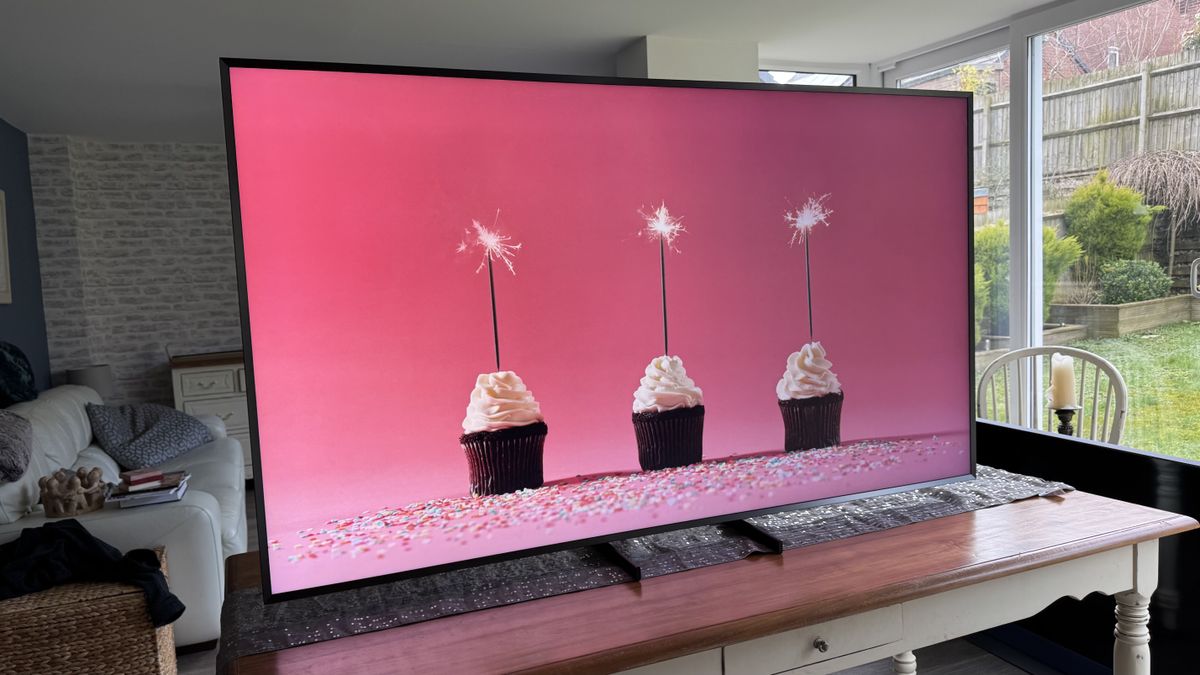
Why you can trust TechRadar We spend hours testing every product or service we review, so you can be sure you’re buying the best. Find out more about how we test. Samsung QN900F: Two-minute review With native 8K content still pretty elusive (though no longer flat out unfindable), buying an 8K TV might not sound like it makes much sense. The new Samsung QN900F, though, builds spectacularly on the successes of 2024’s mind-alteringly brilliant Samsung QN900D 8K range to keep the 8K TV flag flying high. For starters, at £4,899/$4,299 for the 75-inch version of the Samsung QN900F we’re focusing on here, it’s relatively affordable by Samsung’s premium 8K TV standards. It also uses the remarkably effective glare-free screen found in the Samsung S95D OLED, one of the best TVs of 2024; carries no less than 256 neural networks to apply AI enhancements to smart features, picture quality and audio quality; and supports a comprehensive array of gaming features, including support for frame rates up to 165Hz. The QN900F’s latest (gen 9) Tizen smart system supports a typically huge range of streaming services, as well as offering AI-enhanced systems for finding content tailored to the viewing habits of different members of your household. Its powerful, cinematic multi-channel sound system ups the big screen’s immersive potential substantially, too. The star of the show, though, is undoubtedly its eye-popping pictures, which combine phenomenal brightness and ultra-vibrant colour with, crucially, a new level of upscaling for converting non-8K sources to the screen’s native 8K resolution. It’s this, in particular, that builds on 2024’s QN900D efforts in making our previous cynicism about 8K TVs a thing of the past. Samsung QN900F review: Prices and release date The QN900F’s 8K resolution and clean upscaling make pictures look detailed and lifelike (Image credit: Future) Release date: March 2025 65-inch: £3,599 / $3,299 / around AU$5,240 75-inch: £4,899 / $4,299 / around AU$6,825 85-inch: £6,899 / $5,499 / around AU$8,730 The QN900F is at the vanguard of an expansive swathe of TVs Samsung is bringing to market in March 2025. All three screen sizes of the QN900F should be available in the UK and US this month, with launch pricing for each model shown above. Samsung QN900F review: Specs Swipe to scroll horizontally Screen type: QLED with mini-LED Refresh rate: 165Hz HDR support: HDR10+, HDR10, HLG Audio support: Dolby Atmos, Eclipsa Audio Smart TV: Tizen 9.0 HDMI ports: 4 x HDMI 2.1 Built-in tuner: ATSC 3.0 (US) Samsung QN900F review: Benchmark results Samsung QN900F review: Features The QN900F has four HDMI 2.1 ports with 4K 165Hz support (Image credit: Future) 8K FALD VA panel with mini-LED HDR10, HLG and HDR10+ HDR support Gaming support up to 4K 165Hz with VRR While sales of 8K TVs might not have set the world on fire so far (in fact, Samsung is currently the only brand consistently sticking with them), the QN900F’s 7680×4320 native resolution is undoubtedly its main feature. After all, while true 8K sources are still scarce, Samsung’s upscaling processors can turn any video that comes the TV’s way into 8K, so if that processing is good enough, there’s still scope for the TV’s 8K resolution to count. Fitting an 8K pixel count into the screen massively reduces the pixel pitch of any resulting images, of course, potentially making for a denser, smoother, more realistic image, especially when you get to screen sizes of 75 inches and up. The 75QN900F fits its 8K resolution into a VA-type panel, which usually bodes well for contrast, and it lights all those tiny pixels using a mini-LED backlight system driven by 52×28 (1,446) local dimming zones. That’s a very high zone count for what is essentially Samsung’s entry-level 8K TV for 2025, raising hopes of an extreme contrast performance with minimal backlight clouding and haloing interference. At the other end of the contrast scale, measurements taken using the Calman Ultimate image testing and calibration software and Portrait Displays’ G1 signal generator and C6 HDR5000 colorimeter reveals peak brightness levels as high as 2,350 nits on a 10% HDR test window. That much brightness will surely test the local dimming system, but Samsung has risen to similar challenges before with aplomb. Potentially further boosting the 75QN900F’s contrast is its glare-free screen filter – something its predecessor lacked. This does an almost uncanny job of suppressing and rejecting reflections from your room. Colours are delivered by a Quantum Dot system capable of covering a measured 89.28% of the DCI-P3 colour spectrum used in most HDR mastering, and all aspects of the pictures are controlled by Samsung’s latest NQ8 AI Gen 2 processor. This processor should have a particularly strong impact on upscaling sub-8K content to the TV’s native 8K resolution, but also feeds into features such as a Real Depth Enhancer Pro system for creating a more three dimensional effect, auto HDR remastering for converting SDR to HDR, and an AI Motion Enhancer system. The processor also plays a part in delivering what Samsung claims should be much wider effective viewing angles than you would normally get with LED technology. The AI features extend to an AI Mode option you can call in for any of the TV’s presets, which analyses the incoming content and ambient room conditions in a bid to constantly optimise the picture and sound quality. The more puritanical AV fans out there won’t like the sound of this at all, of course – but it is all strictly optional. I’ll be looking at how well it works in the next section. Features Score: 5/5 Samsung QN900F review: Picture quality High resolution and high brightness combine with powerful contrast in the QN900F’s picture (Image credit: Future) High brightness and contrast Vibrant colours Excellent backlight control The QN900F improves so much over its 2024 equivalent model that it’s hard to believe it isn’t actually Samsung’s flagship TV for 2025. The step-up QN990F series is really going to have to go some to be better than this. The first thing that hits you like a lightning bolt is how bright the QN900F’s pictures are. This is especially true in the rather OTT Dynamic mode, but also hits home hard in the extremely watchable Standard preset. Even the Filmmaker Mode, though, which is designed to track the UHD Alliance’s preference for accuracy to industry mastering standards and minimal processing, retains a satisfyingly punchy look, with strong HDR highlighting to go with its generally more balanced and nuanced approach. The extreme brightness is especially effective with aggressively mastered HDR footage, but the screen also adapts itself pretty much perfectly to milder HDR fare. Nothing looks forced or strained. Even SDR footage converted to HDR by the HDR Remaster option enjoys an uptick in light and colour range without looking weird or unbalanced. At least as important as the QN900F’s impressive brightness, though, is the fact that it’s delivered without the backlight system exhibiting either heavy backlight blooming or any general greyness in dark scenes or dark picture areas. In fact, black levels are nothing short of outstanding for LCD technology, hitting essentially OLED-level black depths during fades to black, and maintaining a surprisingly inky and consistent (as in, cloud- and halo-free) look even with shots that combine lots of very bright and dark elements. Samsung has managed to accomplish the QN900F’s exceptional LED contrast, too, without pursuing its old habit of dimming down stand-out brightness elements to stop light blooms appearing around them. The level of backlight control achieved by the NQ8 AI Gen 2 processing is so sophisticated and granular that such overt local dimming activity just isn’t needed any more. Suppressing backlight blooming and greyness as well as the QN900F does hasn’t come completely string-free; there’s some minor crushing of shadow details in the Standard and Movie modes. But this is seldom serious enough to be distracting, and in any case it can be improved by just nudging up the TV’s Shadow Detail setting one or two points. The QN900F’s high brightness contributes to a gorgeously rich, satisfying colour performance, too. This is most vividly obvious in the Standard preset – so much so that I’d say most QN900F buyers will find this mode irresistible for most day-to-day viewing conditions. Especially as Samsung has clearly worked hard with its latest Standard preset to try and make it deliver much more immersive and consistent pictures than the mode typically has in the past. If you switch to a more mild, accurate preset such as Movie or Filmmaker Mode, you won’t get to ogle the most vivid extremes of the QN900F’s colour capabilities, but the wider colour range still plays its part in unlocking both more subtlety and more expressive shading than last year’s equivalent Filmmaker Mode offered. In other words, no matter what picture preset you like the best, the much more thoughtful colour and light management of the new panel and attendant processing engine means it will look equally fantastic in its own specific way. The QN900F’s thick, chamfered frame lends itself well to displaying art from the Samsung Art Store (Image credit: Future) While it’s telling that I’ve focused so far on picture attributes that don’t directly relate to its native 8K resolution, this doesn’t mean that resolution doesn’t still matter. It is now possible to find and play native 8K videos on Youtube, and while the quality of these can be variable to say the least (you have to watch out for videos that say they’re 8K in their titles when they actually aren’t, too), the good ones reveal to a wider audience at last what some of us lucky TV reviewer types have known for years: that true 8K looks absolutely spectacular. That’s partly because 8K looks incredibly sharp and detailed, as you might expect. But more because something about the extra density of the image somehow breaks down the usual sense that you’re watching a picture on a TV, leaving you feeling more as if you’re literally looking at reality. And that’s especially true when an 8K clip features some decent HDR encoding. Crucially, though, the QN900F not only looks better than 4K TVs with native 8K content. Samsung’s latest 8K upscaling efforts are the best they’ve ever been, managing to make 4K sources look sharper, more textured and more dense than they would in their native resolution, while simultaneously making the upscaled results look more natural and refined than they have been on previous Samsung 8K TVs. This is chiefly because, I think, the upscaling system has got even cleverer about detecting the difference between noise and actual picture information in a sub-8K source as it goes about figuring out how the millions (and millions) of pixels it needs to add to the picture should look. Even fairly grubby, compressed HD sources make the journey up to 8K on the QN900F without becoming artificial looking, or suffering with exaggerated source artefacts. SD is a stretch, unsurprisingly – though even here the results only look a bit soft rather than becoming flat out ugly or messy. Playing around with Samsung’s AI Mode yields some interesting results. Initially I found its picture optimization features a little over the top, causing some distracting processing side effects. Most notably slightly peaky skin tones, slightly forced bright highlights, and some processed-looking motion. Tweaking one or two picture settings to help ‘train’ the AI Mode, though, can help it quickly deliver much smarter results. Ultimately, I wouldn’t say I felt particularly compelled to use the AI Mode picture setting, not least because the TV does such a fantastic job even without the extra AI help. But it’s certainly good enough to at least be worth trying out. There are a couple of other niggles to report. Default motion settings with 24fps films in the otherwise stunningly watchable Standard mode are a bit of a blunt instrument, generating a few distracting side effects. You can address this problem yourself, though, by choosing a custom setting for the Picture Clarity set of options, and turning noise reduction off while setting the power of the motion and judder reduction elements to somewhere below five each. The second issue is that while colour saturations and contrast hold up well when viewing the TV from down its sides, the otherwise miraculously well-controlled backlight blooming suddenly starts to become noticeable. Most of the initial niggles with the QN900F prove ultimately fixable within its menus, though, and anything left is so puny against the picture’s overwhelming strengths that it’s barely worth mentioning, honestly. Picture quality score: 5/5 Samsung QN900F review: Sound quality The QN900F’s 4.2.2-channel built-in speakers convey a soundstage with impressive scale (Image credit: Future) 4.2.2 channel speaker array 70W of total audio power Excellent detail placement and soundstaging Samsung has backed up the QN900F’s stellar pictures with an excellent audio system. Particularly impressive is the scale of the soundstage it produces. Sounds are cast beyond the TV’s physical boundaries to left, right and even, to a more limited degree, upwards, getting a decent multi-channel effect from Dolby Atmos soundtracks that’s taken to another level, too, by Samsung’s Object Tracking Sound system. This system manages to place sound effects and vocals so that they actually seem to be coming from the correct part of the image – or the correct place just beyond the image’s edges, where appropriate. The OTS system manages to track the motion of multiple noisy objects in an action scene frame, too, so that soundtracks always appear busy and precise – and, as a result, more engaging and clear. The QN900F’s speakers deliver a decent amount of dynamic range too. Trebles at one end of the spectrum sound crisp and clean but also well-rounded rather than harsh or over-exposed, while bass reaches reasonably low while projecting powerfully enough to stop action scenes from sounding thin or one-dimensional. Some of the film world’s most extreme and sustained bass rumbles push the QN900F’s speakers right to their limit, so that low frequencies started to sound a little ‘stuck’ inside the TV. But the speakers always just stop short of succumbing to really distracting amounts of bass-induced crackling or distortion. The sound is powerful enough overall, too, to be able to shift up a few gears as action or horror sequences build towards a climax, without falling away when the going gets really tough. Dialogue is always clear and well contextualised, meanwhile – especially as Samsung’s AI-driven dialogue enhancement system is always ready to lend a vocal-boosting hand if a particular source or ambient noise in your room is making dialogue hard to pick up. The AI Mode, if you choose it, does a pretty effective job of expanding the scale of the soundstage. This can cost the sound a little bass heft at high volumes, but you can improve this considerably by tweaking the low frequency elements of the TV’s graphic equaliser. If I had to find a fault, the sound overall doesn’t have quite as much forward impact as you get with the very best sounding rival TVs, but overall the QN900F’s sound is a healthy improvement over many of Samsung’s other recent TVs. It’s worth adding that the QN900F supports Samsung’s Q-Symphony feature, where its speakers can join forces with those in a Samsung soundbar to deliver a larger, more detailed soundstage. Sound quality score: 4.5/5 Samsung QN900F review: Design The QN900F’s support feet can be set narrow or wide, and there are two different height adjustments (Image credit: Future) Chamfered screen frame Glare-free screen can look like a painting Multi-position feet The QN900F’s design is quite a change from previous equivalent models, switching from the usual barely-there screen bezel approach to an unusually wide, dark grey chamfered frame that looks more like something you’d find holding a painting rather than a cutting-edge TV screen. Which, actually, is exactly the impression Samsung wants the QN900F to give, as its at the heart of a campaign to expand the sort of design thinking that’s served Samsung so well with its The Serif and, especially, The Frame lifestyle TVs. Personally, I’m torn over the QN900F’s new look. When you’re watching TV on it, the frame’s width feels a touch too much, and the dark finish lacks the glamour of the gleaming, ultra-slim frames of previous equivalent 8K models. If you’re using the TV’s Ambient Mode abilities, though, where you can play a still photo, gentle video or digitised artwork on the screen as a screensaver, the painting-style frame looks great. Especially with the new matte glare-free screen completing the painting-like impression. The QN900F ships with a pair of rather spindly looking feet. These feet can, though, be attached in multiple ways: either set quite wide apart or close together, depending on how wide the furniture you’re putting the TV on is, and at two different height levels to potentially provide more space under the screen for a soundbar to sit. You can also wall mount the QN900F, of course, and the reasonably slender, tiered rear panel lends itself well to this. I can’t help but wonder, though, whether the performance of the bank of eight mid-range speakers built into the TV’s rear might be compromised if the drivers are pressed up against your wall. One last design point to mention is Samsung’s Art Store. Originally designed for Samsung’s lifestyle TVs, this service allows people who subscribe to it to choose from a library of thousands of digital and digitised artworks to use as screen savers in the TV’s Ambient Mode. Design score: 4/5 Samsung QN900F review: Smart TV and menus The QN900F’s Tizen 9.0 smart interface (Image credit: Future) Tizen 9.0 smart system Extensive voice control support Dedicated Gaming Hub menu The QN900F uses Samsung’s own Tizen platform to deliver its smart interface and services, which is mostly very good news. What was once a rather over-complicated interface with some questionable content prioritisation decisions has gradually morphed into a sophisticated and helpful interface, bolstered by the introduction of handy new shortcut options, one of the most intuitive and in-depth voice recognition systems in the TV world (including a far-field mic), and some really impressive AI-driven talents when it comes to both recommending content based on the viewing habits of different members of your household, and advanced content searching. New AI-driven features added to Tizen for its latest generation include an AI To Search feature that identifies which actors are in what you’re watching and does in-depth searches across all its available sources to find other films or TV shows those actors are in; a Live Translate feature that translates foreign language dramas with real-time subtitles; and a new Generative Wallpaper feature that can conjure up screensaver images to suit your described mood. The Tizen menu system now features an attractive and usefully organised home menu that becomes more useful over time as the QN900F learns your viewing habits. The home screen also provides a link to a dedicated Gaming Hub page, which I’ll go into more in the next section, while the app support includes pretty much every streaming service anyone could ever want. The only significant absentees in the UK are Freeview Play and Freely – but you can access the individual catch up services for all of the main UK’s key terrestrial broadcasters. The QN900F also features an ATSC 3.0 tuner for receiving Next-Gen digital TV broadcasts in the US. Smart TV & menus score: 4.5/5 Samsung QN900F review: Gaming Samsung includes its Solar Cell rechargeable remote control with the QN900F (Image credit: Future) Gaming Hub menu Game Bar menu with multiple gaming aids 4K 165Hz gaming support The QN900F is a beast of a gaming display that ticks all the feature boxes you could want from the best gaming TVs. All four of its HDMI ports can support high frame rate 4K gaming feeds. Those high frame rates can stretch to 165Hz this year (up from 144Hz in 2024) for anyone with a PC powerful enough to take advantage of that, and variable refresh rates are supported right up to this eye-catching new frame rate peak. The VRR support is available in the AMD FreeSync Premium format as well as the basic HDMI format, too. Gaming HDR is supported in the HDR10+ and HGiG approaches as well as basic HDR10, and low lag gaming modes are available for all those HDR options. This lag reduces to a fantastically low (especially considering the QN900F has to upscale graphics to the screen’s 8K resolution) 10ms with 60Hz sources with the TV’s Game mode in play. There are also options, though, to increase this lag slightly in return for mild motion smoothing processing with low frame rate titles that aren’t particularly dependent on fast reaction times. There are also sophisticated options for magnifying and even repositioning a game’s mini map, brightening dark picture areas without affecting bright areas to make enemies lurking in the shadows easier to see, and calling up an onscreen target reticle to give you an aiming edge over your rivals. Finding game sources is a doddle, too, as the Tizen interface provides a clearly labelled dedicating Gaming Hub, which brings together all your HDMI inputs that have gaming sources attached alongside every gaming streaming service Samsung TVs now have access to. The QN900F’s OTS audio system proves very useful for gaming thanks to the accuracy with which it places sound effects around the TV’s frame, and finally, best of all, graphics look fantastic on the QN900F’s screen. The TV’s brightness and colour punch are beautifully to the fore, backed up by more inky black levels and a breathtaking level of sharpness and detail that constantly reminds you this is an 8K TV. The high and variable frame rate support delivers all these pixels of gaming beauty with outstanding fluidity and responsiveness, too. There’s a touch more backlight blooming in Game mode than you get with video content, perhaps. But I only really noticed this in menus, where there can be bright text appearing against a dark backdrop; it seldom bothered me during game play. I know pro-grade gamers will always want to play fast-response games, at least, on a small monitor. But the vast majority of more casual gamers will struggle to go back to a small screen if they get to experience the gaming joys of the QN900F. Gaming score: 5/5 Samsung QN900F review: Value The QN900F’s thick frame bucks the trend of Samsung’s previous ultra-slim Neo QLED TVs (Image credit: Future) More expensive than 4K equivalent Upscaling of 4K and lower-res content adds value Substantially cheaper than flagship QN990F series The QN900F series isn’t cheap compared with even Samsung’s most premium 4K TVs. So you certainly can’t say that 8K doesn’t still attract a substantial premium, especially now that Samsung has ditched its previous, more affordable QN800 and QN700 8K ranges. There is at least a small amount of native 8K content available on YouTube now with which to unlock the full 8K capabilities of 8K TVs, though, and Samsung’s upscaling is now so good that even 4K footage consistently benefits from being translated into 8K. It’s also worth saying that the QN900F is substantially more affordable than Samsung’s flagship 8K TV for 2025, the QN990F series. Those models – which ship with external wireless connectivity, support ground-breakingly high frame rates and carry even more powerful sound systems – go for £4,999 / $5,499 for the 65-inch, £6,499 / $6,499 for the 75-inch, and £9,499 / $8,499 for the 85-inch. Value score: 4/5 Should I buy the Samsung QN900F? Dual bass drivers on the TV’s rear convey the “.1” subwoofer channel in Atmos soundtracks. (Image credit: Future) Swipe to scroll horizontally Samsung QN900F Attributes Notes Rating Features Aside from not supporting Dolby Vision HDR, it’s hard to see what else you could reasonably expect the QN900F to offer. Its smart, picture and sound features are premium all the way. 5/5 Picture quality The extreme brightness, contrast, colour, and sharpness of the QN900F’s pictures add up to a mesmerising experience – especially as they’re now so well controlled by Samsung’s latest processor. 5/5 Sound quality The large, detailed sound staging delivered by Samsung’s OTS speaker and processing system joins with plenty of power and a solid bass performance to deliver sound that’s as detailed as the TV’s pictures. 4.5/5 Design The new relatively chunky styling for the QN900Fs isn’t as sleek or futuristic as the slender look of their predecessors, but it definitely helps sell the ‘art frame’ look Samsung wants to convey. 4/5 Smart TV and menus Tizen 9 is a sophisticated and clever smart system with advanced AI learning/searching capabilities and a comprehensive app selection. 4.5/5 Gaming The sharpness, dynamism, vibrancy and fantastic responsiveness and smoothness of the QN900F make gaming so much fun it should be illegal. 5/5 Value While the QN900F range’s pricing still means you have to pay a premium for 8K resolution, the TV is good enough to make that premium feel worth it. And they’re substantially cheaper than their step-up QN990F siblings 4/5 Buy it if… Don’t buy it if… Samsung QN900F review: Also consider… Swipe to scroll horizontally Header Cell – Column 0 Samsung 75QN900F TCL 98Q9BK LG 77OLEDG4 Samsung 75QN900D Price £4,899 / $1,999 £2,399 £3,699 / $3,499 £4,299 /  $6,299  Screen type QLED with mini-LED QLED with mini-LED OLED QLED with mini-LED Refresh rate 165Hz 144Hz 144Hz 144Hz HDR support HDR10+/HDR10/HLG HDR10+HDR10, HLG, Dolby Vision, Dolby Vision IQ HDR10, HLG, Dolby Vision, Dolby Vision IQ HDR10+/HDR10+ adaptive/HDR10/HLG Smart TV Tizen 9.0 Google TV webOS 24 Tizen 8.0 HDMI ports 4x HDMI 2.1 4x HDMI 2.1 4x HDMI 2.1 4x HDMI 2.1 How I tested the Samsung QN900F Tested over 16 days Tested with 4K Blu-rays, multiple streaming platforms and resolutions, Freeview HD broadcasts, and HD Blu-rays Reviewed in both dark and light dedicated test room conditions, on its feet in both corner and flat wall positions Not least because we needed to test it out with our collection of native 8K test material and the small collection of 8K YouTube videos that are now available on top of all our usual 4K test sources. Those 4K sources, which included 4K Blu-rays and streams, needed to be scrutinised with the TV’s 8K upscaling in mind, too. As did the collection of varying quality HD and SD sources we cruelly also decided to push the QN900F hard with! The TV was tested in a variety of locations, including 10 days in a regular living room environment in both corner and mid-wall placement positions, and in a wide range of ambient light conditions, from total black out to all the curtains open on a bright sunny day. The majority of the really critical testing was done in a darkened room with 4K and HD Blu-rays, to ensure source and environmental consistency with our other tests. Finally, as ever we put the QN900F through a barrage of objective tests using Portrait Displays’ Calman Ultimate analysis software, G1 signal generator, and newly released C6 HDR5000 light meter. You can read an in-depth overview of how we test TVs at TechRadar for more information.

Posted on

Massive Steam Plume Spotted at Alaska’s Mount Spurr as Volcano May Erupt Soon

A large steam plume has been seen emerging from Mount Spurr in Alaska, signalling increased volcanic activity. Images shared by the Alaska Volcano Observatory (AVO) on March 28 confirmed steam and gas emissions visible from the volcano’s summit and a northern vent. The volcano is located around 80 miles west of Anchorage and stands at 11,070 feet high. The experts have revealed that there could be a possible eruption in the coming weeks or months. However, nothing is certain yet.

Increased Signs of Unrest Reported

According to the latest update by the Alaska Volcano Observatory steam was observed rising from the summit on March 26. A smaller plume was also recorded from a fumarole on the volcano’s northern flank. No immediate changes in seismic activity or gas levels were detected during these observations as per the AVO statement.

The AVO had earlier mentioned in a March 11 update that a noticeable rise in gas emissions indicates fresh magma has moved into the crust beneath Mount Spurr. This has led scientists to assess the chance of an eruption in the near future. The observatory clarified that the exact timing of any eruption cannot be predicted yet.

Hazards and Possible Alerts

The observatory has cautioned that the volcano’s alert level might be raised if there are further signs of escalation. According to AVO, this may include persistent seismic tremors, increased gas emissions or visible surface changes. If an eruption occurs, possible hazards include ash clouds impacting flights, ashfall across nearby areas, pyroclastic flows and mudflows known as lahars.

The volcano last erupted in 1992. That eruption resulted in heavy ashfall and affected air travel in the region. AVO has advised residents and visitors to stay informed and follow safety instructions if alerts are raised.

Posted on

TikTok once again scores a last-minute reprieve, because of course it did

Tiktok stock photo on smartphone

Edgar Cervantes / Android Authority

TL;DR

  • TikTok will not be banned in the US as of tomorrow.
  • The White House has once again issued an order granting a 75-day extension on the ban.
  • It remains to be seen what company might be interested in buying the service, with Amazon and Walmart both recently mentioned as contenders.

Ostensibly, the United States government wants to ban TikTok. But you would not know this based upon the words and actions of many of the parties involved. For years, fears around nebulous China-based concerns had legislators talking about a possible ban, and back in 2024 they actually agreed on making this happen, setting a clock ticking down to a deadline by which TikTok would need to find a new owner or leave the US. And now, for the second time, that deadline is being extended.

We were originally looking at a January 19 deadline, and after courts failed to intervene in stopping the pending ban, the White House came through at the last minute with a 75-day reprieve, put into effect on January 20. If you were about to pick up your phone and ask Google Assistant “what’s 75 days after January 20,” we’ll save you the trouble — just look at your calendar. It’s tomorrow.

Over the past few days, there’s been lots of talk about possibly savior investors swooping in to purchase control over TikTok away from parent company ByteDance — most notably, Amazon. But with no deal confirmed, the administration has now announced another executive order that will extend the deadline for 75 more days.

While that buys TikTok’s legions of fans a little breathing room, it’s still unclear which investors might still be in the running to save the app. Earlier today, ABC News reported that Walmart could be considering the purchase, but that post has since been taken down.

With this week’s announcement of economy-trashing tariffs already sending the stock market into a nose dive, are companies going to be even more wary of spending the tens of billions of dollars TikTok would cost? The way things are going, it’s starting to feel like these 75-day extensions might as well just continue in perpetuity.

Got a tip? Talk to us! Email our staff at news@androidauthority.com. You can stay anonymous or get credit for the info, it’s your choice.

You might like

Posted on

The Hisense U7N is one of the best budget TVs I’ve ever tested, and it’s just dropped to a record-low price at Amazon

The Hisense U7N cemented itself as one of the top TVs of 2024, thanks to its packed feature set and affordable price. Now, that price has gotten even better. The 55-inch Hisense U7N has dropped to a record-low of £599 (was £799) at Amazon. For one of the best TVs on the market, that’s an excellent price. If you’re in the US, there’s a deal for you, too. The 65-inch Hisense U7N is available for $698 (it was $998) at Amazon.That’s not quite a record low, but it’s incredibly close! In my Hisense U7N review, I praised it for its good overall picture quality, with effective local dimming, vibrant colors and surprisingly good black levels. The U7N easily outperforms its price and sets itself as one of the best mini-LED TVs you can buy. It’s also no slouch when it comes to gaming, with 4K 144Hz, Dolby Vision, VRR and ALLM all supported. Plus, its low input lag will impress most gamers. This is one of the best gaming TVs if you’re on a budget.