Posted on

Huawei Nova 13, Nova 13 Pro Unveiled Globally Alongside Huawei FreeBuds Pro 4: Price, Specifications

Huawei Nova 13 series was unveiled in China in October and the handsets have now been introduced in global markets. The lineup includes the Huawei Nova 13 and Nova 13 Pro — both of these models are equipped with Kirin 8000 chipsets and 5,000mAh batteries that can be charged at 100W. The Huawei FreeBuds Pro 4 were launched in China in November and can now be purchased outside China along with the Nova 13 series of smartphones. The company also introduced the Huawei Mate X6 book-style foldable smartphone at the global launch event.

Huawei Nova 13 Series, FreeBuds Pro 4 Price

Huawei Nova 13 price is set at MXN 10,999 (roughly Rs. 46,100) for the 12GB + 256GB option, while the Nova 13 Pro is listed at MXN 15,999 (roughly Rs. 67,100) for the 12GB + 512GB option. The phones are offered in black, green and white colourways.

The Huawei FreeBuds Pro 4 earphones, will be sold for MXN 3,199 (roughly Rs. 13,400) and are offered in black, green and white shades. These products are currently available for purchase in Mexico and will go on sale in select global markets soon.

Huawei Nova 13, Nova 13 Pro Specifications

The base Huawei Nova 13 carries a 6.7-inch Full-HD+ OLED screen, while the Pro variant gets a  6.76-inch OLED quad-curved display. Both support a refresh rate of up to 120Hz. They run on Kirin 8000 SoCs and ship with Android 14-based HarmonyOS 4.2. Both smartphones house 5,000mAh batteries with 100W wired fast charging support via a USB Type-C port.

For optics, both handsets have 50-megapixel primary rear sensors. The Huawei Nova 13 has an accompanying 8-megapixel ultra-wide shooter, while the Pro option gets a 12-megapixel telephoto camera with 3x optical zoom and an 8-megapixel macro sensor. For selfies and video calls, the front cameras feature 60-megapixel sensors each, and the Pro variant has an additional 8-megapixel 5x zoom lens.

Huawei FreeBuds Pro 4 Specifications

The Huawei FreeBuds Pro 4 TWS earphones feature a 11mm four-magnet dynamic driver and a micro-flat tweeter. They come with a Hi-Res Audio certification and offer support for ANC and spatial audio features.

The earphones feature touch controls and have an IP54 rating for dust and splash resistance. Together with the charging case, they are claimed to provide up to 22 hours of music playback time on a single charge.

Posted on

Your Roku device is getting a free, high-definition upgrade for the holidays

Roku City is a colorful screensaver featured on Roku devices It’s had its resolution increased to HD Another free Roku upgrade Roku City, the animated screensaver featured on Roku devices, is getting several graphical upgrades and advancements, with the free update set to roll out this week. Roku City has first and foremost been upgraded to Full HD 1080p resolution, after spending 6 years since its release in 2018 at 720p resolution. Roku City will also show an expanded color palette for an even brighter display. There are also new Easter Eggs and visuals featured within the scene itself, including a new train station and interactive billboards where users can learn about Roku’s content and channels. More free updates Roku is one of the best streaming devices for offering free upgrades to its smart TV platform, with a 24/7 sports channel launched earlier this year, a free weekly trivia game and a visual upgrade in Backdrops which was introduced to the Roku Pro Series lineup, some of the best TVs on the market. Backdrops displays artwork and photos on the TV’s screen in a similar style to Samsung’s The Frame TVs. Even though 2024 has been a year where Roku has introduced or hinted at the arrival of ads to its platform, whether that’s Instagram-style ads or video ads, it’s nice to see the company trying to make up for that with constant free updates, something other smart TV platforms and brands don’t often provide. You might also like Sign up for breaking news, reviews, opinion, top tech deals, and more.

Posted on

Mars Dust Storms May Be Predictable Based on Surface Heating Patterns

New research has indicated a strong connection between warm, sunny days on Mars and the occurrence of dust storms, with nearly 78 percent of storms preceded by increased solar heating, according to a study presented at the annual meeting of the American Geophysical Union in Washington, D.C. The study, led by Heshani Pieris and Paul Hayne of the University of Colorado, Boulder, analysed data from NASA’s Mars Reconnaissance Orbiter, revealing patterns that could help predict these atmospheric phenomena.

Insights into Dust Storm Patterns

The researchers investigated data spanning eight Martian years—approximately 15 Earth years—collected by the Mars Climate Sounder instrument. Observations focused on two types of dust storms, categorised as “A” and “C” storms, which primarily originate in the planet’s northern hemisphere and travel through Acidalia Planitia and Utopia Planitia. The study found a direct correlation between prolonged surface heating and the emergence of these storms.

In a statement, Pieris highlighted the significant impact dust storms have on Mars missions, noting their tendency to coat solar panels with fine particles, which can disrupt operations. This was exemplified by NASA’s Opportunity rover, which was rendered inoperable during a global dust storm.

Potential for Forecasting Dust Storms

Pieris and Hayne’s research suggests the possibility of predicting Martian dust storms based on patterns of surface heating. An algorithm developed during the study has shown a 64% confidence level in forecasting “A” and “C” storms, offering a potential tool for managing the risks posed to future crewed missions.

While the study marks progress, as per reports, Hayne pointed out that fundamental questions about dust storm formation remain unanswered, including the factors that allow localised storms to grow into global events. Data from NASA’s deactivated Mars Global Surveyor supports the findings, showing that imbalances in solar energy absorption during warmer periods can fuel storm activity.

Posted on

NASA’s 2024 Solar Eclipse Studies Offer Key Insights on Sun-Earth Interactions

The total solar eclipse of April 8, 2024, which passed through North America from Mexico to Newfoundland, Canada, has yielded initial insights into the Sun’s interaction with Earth’s atmosphere. These observations were facilitated by NASA-backed projects and citizen scientists to examine phenomena such as solar impact on the atmosphere and radio signal disruptions. Updates were presented during the American Geophysical Union’s annual meeting on December 10 in Washington, D.C.

Observing Changes in the Corona

According to reports, the Citizen CATE 2024 project deployed 35 observation teams across North America to document the Sun’s corona during totality. Over 47,000 polarised images were collected to investigate structural shifts in the corona. Sarah Kovac, project manager at the Southwest Research Institute, unveiled a preliminary movie from these observations while emphasising the blend of scientific methods and community involvement.

NASA’s WB-57 aircraft, equipped with imaging and spectrometry tools, extended eclipse observations by flying within the Moon’s shadow. Instruments led by Shadia Habbal from the University of Hawaii successfully captured data, though some images were affected by unexpected vibrations. Future experiments are being planned using similar platforms.

Atmospheric Effects During the Eclipse

Reportedly, amateur radio operators contributed data to the HamSCI Festivals of Eclipse Ionospheric Science by exchanging signals during the eclipse. Over 52 million data points indicated altered radio communication efficiency, with improved performance at lower frequencies and decreased efficiency at higher frequencies. Professor Nathaniel Frissell from the University of Scranton credited the operators’ participation for enabling this research.

The Nationwide Eclipse Ballooning Project involved over 800 students in launching sensor-equipped balloons to measure atmospheric effects. The study confirmed atmospheric gravity waves and disturbances triggered during totality, aligning with findings from prior eclipses. Angela Des Jardins of Montana State University noted the critical role of student contributions in these findings.
These early observations continue to deepen understanding of solar impacts on Earth’s systems. Detailed analyses are expected in the coming months.

Posted on

6 Types of Network Address Translation: Which One to Use?

Network Address Translation (NAT) is one of the key technological concepts behind the performance of communication networks and the internet at large. NAT is a mechanism for converting private (local) IP addresses into public (global) IP addresses and vice versa.

There are six main NAT types: static, dynamic, port address translation, overlapping, and masquerade.

Understanding the functionality of each NAT type — as well as its purpose — is vital in helping you choose the right one to reap the most benefits.

Network Address Translation, IPv4, and IPv6

It’s helpful to understand a little bit about how IP addressing works in order to understand the different types of NAT and the problems they solve.

NAT enables efficient use of limited IPv4 addresses — there are only 4,294,967,296 possible 32-bit IPv4 addresses, which is not enough for every device worldwide — NAT allows organizations to maintain numerous private devices while requiring only a small number of public addresses for internet access.

IPv6 is the next generation of internet protocol, designed to solve the IPv4 address shortage. Instead of 32-bit addresses, IPv6 uses 128-bit addresses. This creates an almost unlimited number of addresses — enough for every device on Earth to have its own unique identifier.

IPv6 reduces the need for NAT, but it is still important in networks where IPv4 and IPv6 coexist. These mixed environments often rely on NAT to ensure smooth communication between devices using different protocols.

As organizations transition to IPv6, understanding when and how to use NAT remains essential for maintaining efficient and reliable connections.

The six types of Network Address Translation and what they do

Once again, NAT is a technology that allows the use of private and public TCP/IP addresses by facilitating the translation between internal and external IP addresses. It involves routing and remapping IP addresses via routing devices such as firewalls and routers.

Since you can’t use a private IP address to gain access to an external network like the internet, NAT ensures that a local host has internet access by translating local IP addresses into one or multiple global IP addresses.

Conveniently, NAT allows a unique IP address to represent a whole group of devices and computers. In other words, NAT is what enables you to connect multiple electronic devices to your home router while using the same public IP address to access the internet.

NAT is typically implemented by a router. In addition to facilitating address translation, NAT can serve a number of important additional purposes:

  • Network security: Obscures internal IP addresses, adding a layer of protection against external threats.
  • Firewall functionality: Filters traffic and blocks unauthorized access based on security rules.
  • Port forwarding: Enables external access to internal services by forwarding specific ports to the appropriate devices.
  • Load balancing: Distributes traffic across multiple servers for better resource utilization and traffic management.
  • Session tracking: Ensures proper routing of incoming data by tracking active connections.
  • Simplified network management: Reuses private IP addresses, reducing the need for public IP allocation.
  • VPN support: Allows secure communication between devices on different networks by translating IP addresses.

The following six types of Network Address Translation offer different means of improving network security, addressing connectivity issues, and solving performance problems.

1. Static NAT

Description: This is a straightforward translation that maps a single private IP address to a corresponding public IP address. A static NAT must match the number of IP addresses on the local area network (LAN) with an equal number on the outside network. For this reason, Static NAT is also called balanced NAT.

Purpose: Static networks are fixed because they provide one-to-one (or many-to-many) mapping, allowing the creation of a fixed translation to an actual address. As a result, their mappings provide a consecutive connection to the same address. Ultimately, Web and FTP servers favor using Network Address Translation because of its consistency and reliability.

Benefits: Static networks reduce the problem of overlapping addresses while also providing a degree of protection for your registered public addresses.

Static NAT can be more challenging to set up, but it is usually easier to manage and troubleshoot — leaving you with a low-maintenance network. Also, when you switch networks, you won’t face the hassle of having your IP addresses renumbered.

Limitations: Since static networks have fixed IP addresses that don’t change, they are more susceptible to spoofing and hacking, as malicious actors can easily target them. These security risks make it critical to protect your network with firewalls and encryption.

Additionally, a static NAT is bi-directional, meaning hosts can initiate connections both inside and outside the network. Of course, you need a policy to allow this, but it could still expose you to a significant security loophole.

Finally, static Network Address Translation is also more expensive than its dynamic counterpart because it requires more public IP addresses for its implementation. These increased costs extend to your internet service provider (ISP), which will typically charge you more for the privilege of a dedicated IP address. Meanwhile, the inflexible nature of static IPs also forces you to change them manually if you ever move to another location.

Best for: Static IP addresses are best for applications, processes, and protocols that require a consistent IP, such as web hosts, application servers, printers, routers, and gaming consoles.

Example: In addition to one-to-one mapping, static NAT is bi-directional, allowing connections between an inside and outside address. For instance, assume you have a web server in your LAN with a private inside address of 172.17.1.0.

Perhaps you want to make it accessible when a remote host makes a request to 209.165.200.10 (an example of a registered public IP address). To do so, you or your network administrator must configure at least one interface on the router (which typically has NAT inside and NAT outside), along with a set of rules it’ll use to translate IP addresses in traffic payloads and packet headers.

In this case, a configuration for the router to allow static NAT outside-to-inside translation will look something like this: ip nat inside source static 172.17.1.0 209.165.200.10.

2. Dynamic NAT

Description: Instead of single mapping, dynamic NAT maps a group of public IP addresses to internal addresses.

For this to work, network administrators must configure an organization’s router to handle a pool of IP addresses to facilitate dynamic NAT. This way, an internal IPv4 host that wants internet connectivity can make a request to the router, which dynamically assigns an available public IPv4 address from the pool.

Similarly, when a machine in a private network needs to access an external network such as the internet, a public IP address from the available pool is assigned to it.

The nature of Network Address Translation, which requires translating private IP addresses into public ones, creates a dichotomy of inside and outside IPs. As such, dynamic NAT requires associating an unregistered IP address on the LAN’s inside list — with the pool of registered IP addresses on the outside global list.

Keep in mind that “NAT inside” represents the inside addresses, which are unregistered IPs on the private LAN behind the NAT device (typically a router). Meanwhile, “NAT outside” represents everything else, such as external networks with registered, public IP addresses (like the internet).

Purpose: Internet Service Providers (ISPs) and remote access environments use dynamic NAT to supply and conserve IP addresses.

Benefits: The dynamic nature of this type of NAT provides many advantages. In terms of security, for example, there is no static IP address to trace and target, so the periodic changes frustrate hackers with nefarious intentions. Dynamic NAT therefore hides and protects your private network and its associated devices from the malicious dangers of the outside world.

Dynamic NAT is also cheaper and more adaptable than static networks, which is reflected in its ability to connect to different locations and networks without changing IP addresses. This means you aren’t burdened with having to update your settings and reconfigure your devices because the server automatically assigns the IP addresses.

The increased connection capability provides enterprise networks with greater flexibility. Large, distributed organizations, which typically require multiple public IP addresses, often choose dynamic NAT to efficiently manage their network traffic.

Limitations: Most of dynamic NAT’s limitations are due to the technicalities of mapping several local IPs to a pool of public IP addresses. Since dynamic IP addresses are likely to change and may expire without notice, dynamic networks end up introducing more overhead due to switching and associated path delays during translation.

As a result, the overall network performance is reduced because of unreliability, unpredictability, and a lack of end-to-end traceability. For example, a router or firewall will drop traffic if a local host attempts to make a connection when all the public IP addresses from the pool have already been assigned.

Best for: Dynamic networks are ideal for when an organization can anticipate the number of fixed users that will access the internet at a given time. They have low maintenance requirements, adaptability, and cost-effectiveness that make them suitable for managing environments with significant host devices.

In terms of privacy and protection, dynamic IP addresses are best-suited for devices and scenarios that demand increased security systems and flexibility. As such, they are ideal for smartphones, laptops, tablets, and smart TVs.

Example: Assume you have a computer on an internal network with a local address of 172.178.0.1/24. Dynamic NAT will assign a registered address to your internal host from a pool of public IP addresses, such as those from 192.168.1.1 to 192.168.1.150.

To a remote server, any traffic coming from this setup will appear to originate from a public IP address. However, the NAT system is actually masking the original machine’s address of 172.178.0.1/150 and hiding your entire internal network.

Once the request has been satisfied and the source machine is idle, the network returns the public IP address (192.168.1.1) to the free pool of NAT resources.

As a result, a configuration of the router to allow dynamic NAT translation would look like this: ip nat pool NAT-POOL 192.168.1.1 192.168.1.150 netmask 255.255.255.0.

This dynamic NAT configuration ensures that when an inside host makes a request to an outside host, any private addresses in the 172.178.0.1/24 are translated to public addresses in the 192.168.1.1 to 192.168.1.150 range.

3. Port Address Translation (PAT)

Description: Like NAT, PAT is a technique to translate private IP addresses into public ones, but it does so in combination with a port. As an extension of NAT, it allows multiple devices within a private network to use a single public address.

PAT is also known as NAT overload. It creates a fully extended translation with a translation table that contains entries for IP addresses and source/destination port information.

PAT uses port numbers to determine which traffic belongs to a particular IP address. It works by using many-to-one mapping, assigning each device a unique port number to identify it when routing incoming traffic.

Keep in mind that although Cisco uses the term PAT, other vendors use different names. For instance, Microsoft prefers Internet Connection Sharing.

Purpose: PAT was designed to conserve IPv4 addresses by using a single public IP address for a group of private hosts—despite how a more permanent solution emerged in the form of IPv6. PAT leverages unique source port numbers to distinguish communication interactions on each translation.

Benefits: PAT is more cost-effective than NAT. Thanks to its one-to-many mapping, one registered IP address with PAT can theoretically connect to thousands of internal devices, enabling simultaneous internet access for many devices.

This is because port numbers are based on 16-bit character encoding. Consequently, a router can potentially support up to 65,536 port numbers (since 16 bits can represent 65,536 addresses, which you get from calculating 2 to the 16th power).

Since the host on your private network doesn’t expose their IPs, NAT fortifies them against security threats launched from public networks.

Limitations: While PAT was developed to conserve IP addresses, it can easily result in port exhaustion. It also limits your network infrastructure from running multiple instances of the same service on the same address.

For instance, you can’t use two public web servers if they both have to listen to the default port 80 on the same address. Thus, since organizations using PAT must rely on a single IP address, it prevents them from easily running more than one of the same type of public service.

Best for: PAT is ideal for most home networks and small-time businesses or shops. Homeowners can leverage a single IP address from their ISPs and configure their router to assign internal IP addresses to devices on their network.

Example: Assume your LAN has private IP addresses in the range of 172.17.0.1, 172.17.0.2, and 172.17.0.3, and you want to access a remote server through your registered 155.4.12.1 public IP address.

Your router must maintain a Network Address Translation table because NAT’s execution — especially with PAT—requires mapping unique ports and IP addresses. This table not only keeps entry records for every distinct combination of private IP addresses and their corresponding ports, but it also keeps their global address translation and unique port numbers.

Therefore, if a host system on your local network with an IP address of 172.17.0.1 and port 1056 (172.17.0.1:1056) wanted to access Facebook, for instance, the router would translate this private address into 155.4.12.1:1056.

When Facebook receives this request and responds, the traffic will be sent to 155.4.12.1:1056. When the router gets this response, it’ll look up its NAT translation table (for the private IP address the message belongs to) and forward it to 172.17.0.1:1056.

4. Overlapping

Description: IP allocation is one of the central issues you’ll face when designing a network, whether that’s for the cloud or a traditional on-premises environment. However, network concepts like overlapping are suddenly heightened when migrating your infrastructure to the cloud.

The concept of overlapping denotes a conflict of IP addresses. This can occur because an IP address is assigned to multiple applications, devices, or logical units—especially when this is being done on the same network. Moreover, popular services like AWS and third-party products like Docker automatically reserve specific IP address ranges, which can result in conflicts when you try to use them.

In practical terms, overlapping occurs because several devices share common IP addresses. When this happens, if there are two or more networks with overlapping IP addresses, the configuration will only work if you use Network Address Translation.

Implementing this setup requires two routers/firewalls within the intermediate network to hide the identical networks and IP addresses. Inside the local private network, the router or firewall assigns a public address to one or more computers. Consequently, this creates an intermediary between the private and public networks.

Purpose: NAT overlapping eliminates the need to make manual changes to networking configurations (like the subnet environment) to avoid conflicts. It allows enterprises to connect and communicate across multiple environments, shared resources, and virtual machines. By overlapping NAT, it removes duplication, confusion, and loss of data packets.

Benefits: NAT overlapping enables you to handle IP address conflicts, letting computers communicate without the need to readdress all of those devices.

Limitations: Like most NAT scenarios, overlapping is limited to IPv4 networks. You will most likely be able to avoid this obstacle with IPv6-based networks due to the size of their address space.

Best for: Overlapping NAT is best used for preventing IP address conflicts, usually by mapping a unique IP address to a virtual private network (VPN) or virtual machine connected to the network.

Example: Although it can occur unintentionally, NAT overlapping is often triggered in two instances. The first of which happens when companies merge or are acquired and both continue to use the same private IP address ranges (like the RFC 1918 block of addresses, which isn’t routable over the internet). Secondly, when managed service providers with unique IP addresses add new clients, they must provide access to customers with the same IP address range—and this can trigger overlaps.

5. Masquerade NAT

Description: Masquerade follows the basic concepts of NAT, but as it translates private source IP addresses to public ones, outgoing connections use a single IP address. This allows a private network to hide behind the address bound to the public interface.

IP masquerading hinges on a Linux-based router performing smart, real-time IP address and port translation so that a private (reserved) IP address connected to the Linux box can reach the internet.

This NAT type uses a one-to-many form of Linux IP masquerading, with one computer acting as a gateway for the internal network to reach the internet. When computers on the network send requests through this gateway, it replaces the source IP address with its own before forwarding the packets to the internet.

In general, the masquerading computer keeps track of connections, along with their sources, and reroutes packets with Linux’s connection tracking feature. Essentially, the masquerading machine sort of tricks the remote server into thinking it made the request instead of an internal machine — hence the name.

Keep in mind that masquerading is only initiated by the internal network with a range of local IP addresses hidden and bound behind a public IP address.

Purpose: By hiding intranet clients, IP masquerading conceals individual devices and computers so their IP addresses are effectively invisible from the internet. Network administrators generally implement IP masquerading to deal with instances of two conflicting private network imperatives.

Remember, to be reachable on the LAN, every computer and computing device on the local intranet must have an IP address. At the same time, they also require a public IP address to access the internet — be it a fixed or dynamically assigned address. To bridge this duality, a masquerading machine acts as a router, serving as a gateway to separate the intranet from the internet.

Benefits: IP masquerading enables network administrators to implement a heavily secured network environment. With a fortified firewall, hackers find it considerably more challenging to break the security protection of a well-configured masquerade system.

Although it’s used to hide multiple addresses, it is also relatively cheap because you only have to purchase a single IP address to use with many internal systems.

Lastly, Masquerade Network Address Translation prevents external hosts from initiating traffic into your network, so it has some additional protection from outside attacks built in.

Limitations: Implementing IP masquerading comes with a performance impact, however it is not very noticeable in most instances. That said, if you have many computers creating active masquerading sessions, the processing power required is likely to affect the network’s throughput.

At the end of the day, hiding provides an extra layer of protection, but your entire network is only as secure as the masquerading machine — so it’s a weak link in the chain. Moreover, the hosts that hide behind masquerading cannot offer services like file transfer or mail delivery because their networks can’t establish inward connections.

Finally, IP masquerading requires specialized software/equipment like a Linux box or ISDN router, and it simply cannot work without a Linux machine. Likewise, some networks just won’t work through a masquerade without significant hacks or modifications.

Best for: NAT masquerading is best for concealing your internal network, allowing you to reap added security benefits. It is ideal for helping machines with non-routable IP addresses to access the internet. It is also economical, so it’s good for price-sensitive environments—because you only need to purchase one public IP address and it doesn’t necessarily require a firewall.

Additionally, masquerading networks only allow machines inside the network to initiate communication, so they are useful in work environments where employers don’t want external users initiating conversations with their employees (while still providing their staff access to the internet). However, you must enable the port forwarding feature on your router or TCP/IP connection to overcome this restriction and allow 2-way communication.

Example: Your internal network may have multiple computers, but each requires individual IP addresses within a range of private IP addresses. When a local computer requests an external service, the router will send packets to the remote host outside the LAN if you set up the system conventionally.

Meanwhile, the source address in the packet will indicate that it is from a private IP address. Since private, unregistered IP addresses aren’t officially part of the internet, they aren’t valid return addresses, meaning the receiving host can’t send a reply.

With IP masquerading, you can circumvent this problem by configuring one of the computers as a conventional router so it acts as a single gateway.

As a result, when one of the workstations on your intranet or small ethernet network wants to access a remote host (such as TechRepublic’s server), the masquerading system takes over. The computer then routes its packets to the host acting as the masquerade, which accepts the request and forwards it to the remote host.

The only host visible on the internet in this case will be the masquerade machine, which replaces the source IP address with its own before sending the packet to the destination outside the LAN.

6. Reverse NAT

Description: Reverse Network Address Translation (RNAT) is a sub-type of static NAT that translates a public IP address into a private one. While static NAT is bi-directional, RNAT’s translation only goes in one direction — and since it goes in the reverse direction of general NAT, it earned the name Reverse NAT.

Purpose: The primary purpose of RNAT is to allow servers with private, non-routable IP addresses to connect to the internet, meaning users can connect to themselves via the internet or other public networks. It also allows you to administer hosts in the LAN remotely behind a NAT firewall.

Benefits: The so-called reverse direction of RNAT makes it possible to publish a service or server from a private LAN to the internet. Since it allows you to administer network hosts remotely behind a firewall, it improves practicality and security. It is also helpful for capturing and redirecting domain name server (DNS) and network time protocol (NTP) requests.

Limitations: Since hosts hide behind NAT-enabled routers, RNAT lacks end-to-end connectivity.

Best for: Besides publishing a server or service from a LAN, reverse NAT is also ideal for scanning remote IP addresses.

Example: Depending on your router, there are several ways of implementing a reverse NAT configuration. If you have a feature-rich Cisco router, for example, you can simply follow the static NAT instructions for allowing external traffic to reach a specific host, perhaps by permitting traffic on TCP/IP port 80.

On the other hand, if you have a Netgear, D-Link, or Linksys router, you can explore how they allow port forwarding given their respective parameters. In any case, the general methods for implementing reverse NAT require providing the local IP address you want to be accessed from outside and identifying (or activating) the local server’s internal port that will be used to respond to external traffic and internet connections.

Is NAT really that important?

Yes, because NAT is immensely beneficial — and it serves as a fairly effective line of defense against malicious attacks.

Of course, NAT is not a panacea to network issues, so it’s a good idea to incorporate network monitoring tools in your cloud computing infrastructure to ensure applications and services run smoothly.

In any case, there are a number of higher-level benefits that come with NAT.

IP conservation

As previously mentioned, NAT is a powerful solution for mitigating the depletion of IPv4 addresses. It conserves the number of IPv4 addresses in use by allowing private, local networks using unregistered IP addresses to communicate with wide area networks (WAN) and the internet.

In many instances, this conservation delays the need for an organization to migrate to IPv6.

Enhanced security

NAT enhances security by directly preventing internet access to private IP addresses on internal networks. It essentially acts as a firewall, building a fortified moat around your private network to bolster security against malicious attacks.

Additionally, NAT improves privacy by hiding your network’s topology so hackers cannot get “a lay of the land” to equip them for launching successful attacks.

Network boundaries

NAT creates network boundaries by separating private and public networks. This boundary boosts the privacy of your local addresses and the systems attached to them. At the end of the day, the local address behind your NAT firewall/router is private — and therefore can’t be routed across the internet.

Cost-effectiveness

Without NAT, every device worldwide would need its own public IP address. This would mean registered IP addresses would be very scarce, making communication networks expensive to maintain.

NAT also boosts cost efficiency in other ways, such as by reducing the frequency of address overlapping. Likewise, NAT has reduced the price of maintaining a LAN by making IP routing commonplace, even in residential homes.

Speed and improved network performance

Although path delays can happen while switching, NAT still helps network performance by allowing many devices to share a common IP address.

Increased flexibility

NAT allows networks to connect to the internet through a bunch of configurations, which means it can be used for a wide range of purposes.

Four downsides to using Network Address Translation

While NAT’s benefits tend to outweigh its liabilities by a fair amount, you should still be aware of the downsides so you can prevent or circumvent them.

Increased performance problems

Due to the additional layer of processing and translation required for NAT, network performance problems like latency and packet loss are often induced.

Limited connectivity

While NAT provides an overall enhancement to network communications, it can also limit end-to-end connectivity in other ways. For instance, NAT limits the direct connection and communication of devices hosted on different private networks. This means that some strict NAT configurations will cause connectivity to lag and slow down internet surfing.

Bottlenecked traffic

Since all traffic must pass through the Network Address Translation router, it can lead to a more limited bandwidth that slows or impedes the free flow of packets.

Issues with tunneling protocols

To execute its processes, NAT frequently modifies the header values in a packet. This action can interfere with the integrity checks conducted by IPsec and other tunneling protocols, such as those used in VPNs (Virtual Private Networks). As a result, Network Address Translation can disrupt the proper functioning of tunneling protocols, complicating secure communication across networks.

Posted on

Why Router vs Firewall Really Only Matters at Work

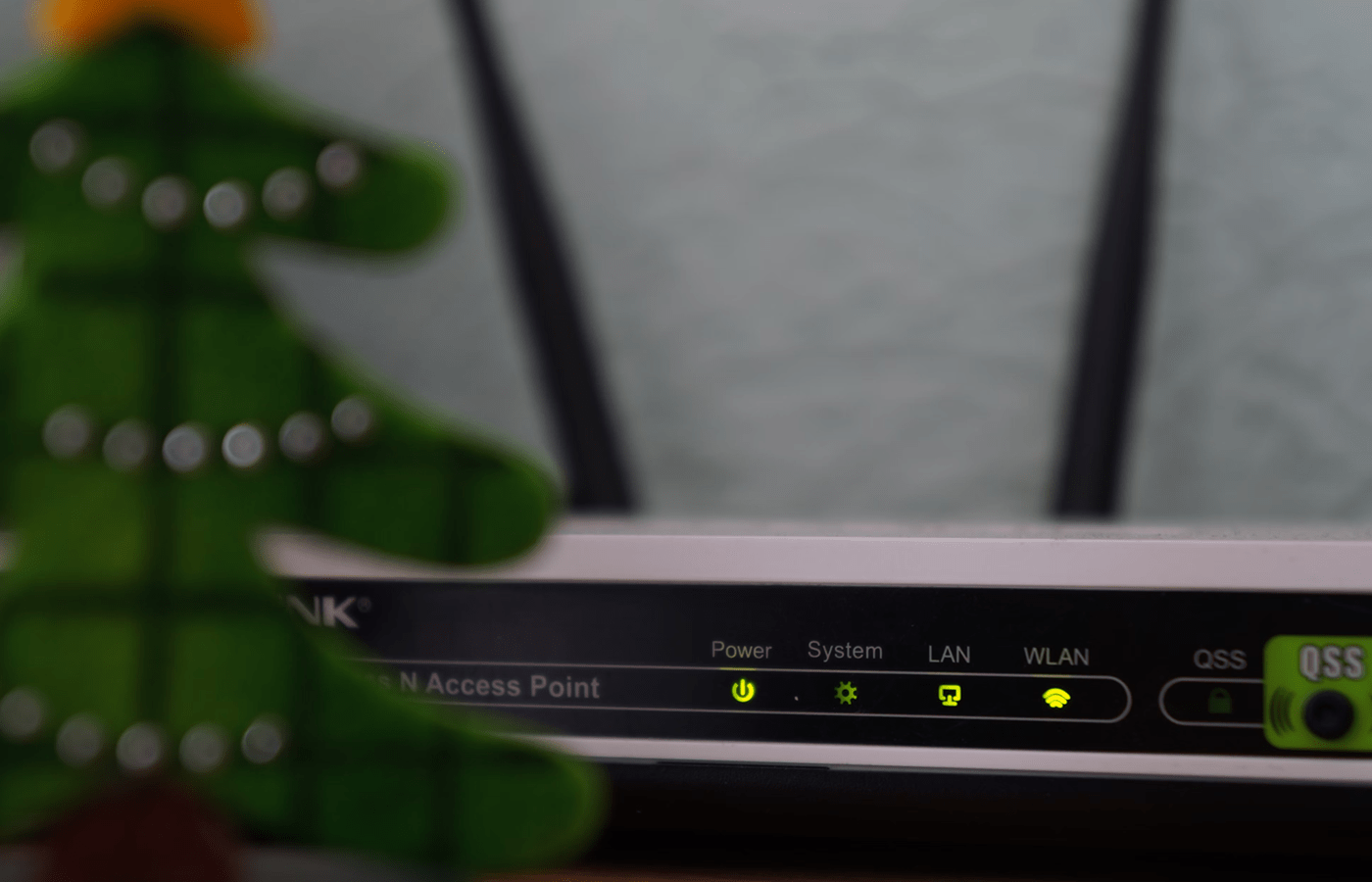
Routers and firewalls are network security devices, sometimes grouped into business and home network packages or sold separately as dedicated hardware.

Though the two are closely linked, routers and firewalls are very different devices.

  • Router: Exchanges data between networks or gateways.
  • Firewall: Blocks traffic from protected networks.

Put simply, routers connect networks and move data efficiently, while firewalls protect networks by controlling and securing the flow of data.

For home networks, most people already have a router with a built-in firewall. Under normal circumstances, they don’t need to get an extra firewall to keep their network safe.

Businesses, on the other hand, typically have more than one router and benefit from having a discrete firewall device or application. Thoughtful deployment of both elements is an important part of securing a business network.

Key differences between routers and firewalls

Here is a quick breakdown of the key differences between routers and firewalls:

Network Role: Routers and firewalls serve different purposes in a network. A router connects networks and ensures data travels efficiently between them, like a VoIP router for voice traffic. A firewall, on the other hand, is like a security checkpoint, inspecting and filtering data to block potential threats.

Traffic Management: Routers focus on directing traffic based on IP addresses, determining the best path for data to reach its destination. Firewalls control traffic by applying security rules, deciding what data is allowed to pass through or be blocked based on factors like source, destination, and content.

Default Behavior: By default, routers allow all data to pass unless specific restrictions are added. Firewalls take the opposite approach: they block most traffic unless explicitly allowed, prioritizing security over openness.

Placement: Routers are typically positioned at the edge of the network to connect it to the internet or other networks. Firewalls can be placed at the edge or internally within the network to control access between segments, adding extra layers of protection.

Customization and Control: Firewalls are built for granular control, letting you enforce security policies based on specific applications, users, or behaviors. Routers, while configurable, prioritize speed and efficiency over detailed filtering.

Why router vs firewall doesn’t matter on a home network

Most routers have a built-in firewall that offers basic protection for homes and very small offices. Typically it is a stateful firewall capable of inspecting traffic flows and performing basic perimeter security.

Because the router already has a firewall installed, the average home network does not need a separate or additional firewall. These simple networks tend to have a handful of devices connected to a single router, and the integrated firewall is enough to keep the network safe from unwanted traffic and prevent unauthorized users from gaining access to the network.

On top of this, modern devices have built-in firewalls of their own. Windows Defender and Android Firewall are two common examples.

From the moment your ISP turns on the internet at your house, every device connected to the router is already shielded from the public internet by multiple firewalls.

If you are doing something out of the ordinary at home — like running a business with sensitive information or hosting a game server — more advanced software or hardware firewall protections will be important to set up.

People with a lot of IoT (Internet of Things) devices on a home network might also consider additional firewall protections as one of the ways to reduce IoT attack surface.

But outside the edge-cases, you really don’t have to compare router versus firewall at all — you probably have both already.

Why router vs firewall matters a lot for business

On business networks, tons of devices are logging in and out constantly, using cloud applications and potentially connecting to offices at other locations over a Wide Area Network (WAN).

Unlike simple home networks, business networks have multiple routers (and a host of other elements) that connect physical and virtual resources to users. Routers play a key role in setting up an effective network security architecture, and while they may have built-in firewall functionality, businesses most often have dedicated hardware and/or software firewalls.

Organizations need to protect their connected devices from virus and malware threats, but also from sophisticated security concerns that would never impact a home network.

Business-grade firewalls offer granular control over the traffic, which means that managers can regulate access separately for different users and applications. This is important when you have protected resources on the network that you need to make available to the public, remote workers, or third-parties.

This access control is centralized in a business’s firewall security policy, which a network manager can view and control. Many businesses also deal with payment information flowing in and out of their networks, either for customer purchases or employee salaries, so their systems are required to be HIPAA and PCI-DSS-compliant — which isn’t always possible with consumer-grade firewall tech.

Businesses have other considerations as well, such as whether their routers or firewalls should be placed at the network edge. Edge routers are typically used to give access to remote workers so they can connect to the corporate network. In fact, the terms “edge routers” and “firewalls” are often used interchangeably to describe a network security device that protects the LAN from a point “between” networks.

Can a router and firewall be on the same device?

Certain software-defined networks and routers come equipped with software firewalls already installed. Some businesses prefer this because of the simplicity of having the two integrated. It just doesn’t make much sense to have multiple devices that need to be configured and managed separately, especially when each comes with its own potential setbacks.

Yet, for some businesses, the added labor is worth it to keep the devices separate. For instance, when all a router needs to do is route traffic to intended destinations, it will have a lot more resources to spare than if it were simultaneously doubling as the network’s firewall.

Likewise, if your network starts hiccupping, the single router-firewall device may not know how to share the limited network resources most efficiently. Depending on the unique network conditions, this can lead to dropped VoIP calls, laggy video conferences, or even security risks.

Finally, having a dedicated firewall allows you to be much more specific as to what you’d like that firewall to do — and how you’d like it to do it. Most businesses use both stateless and stateful firewalls and need a high degree of configurability over firewall rules.

Posted on

Dogs Demonstrate Intentional Communication Using Soundboards, Study Finds

A study conducted by the Comparative Cognition Lab at the University of California, San Diego, has shed light on dogs’ potential to communicate through soundboards. The research, published in Scientific Reports, evaluated data from 152 dogs over a span of 21 months. It found that dogs, trained to use these devices, were capable of forming purposeful two-word combinations, going beyond random behaviour or simple mimicry of human actions. Over 260,000 button presses were recorded during the study, with 195,000 attributed to the dogs themselves.

Intentional Button Use Observed

As reported, the study indicated that the most frequently used buttons were those associated with basic needs. Words such as “outside,” “treat,” “play,” and “potty” were prominent, with combinations like “outside” + “potty” being used in meaningful contexts. According to a statement by, Dr Federico Rossano, Associate Professor of Cognitive Science at UC San Diego, who led the research, dogs appeared to use these sequences to make specific requests, underscoring deliberate rather than random behaviour.

Enhanced Human-Canine Communication

The findings suggest that soundboards could provide pet owners with a clearer understanding of their dogs’ desires. Speaking to sources, Dr Rossano explained that this technology might offer dogs the means to communicate their needs more accurately. Instead of traditional cues like barking, dogs could combine buttons to convey concepts such as “outside” and “park.” This development, it was noted, has the potential to strengthen relationships between dogs and their owners.

Data Analysis and Future Research

Reportedly, data for the study was collected using the FluentPet mobile app, which allowed real-time logging of button presses. To determine whether the combinations were intentional, advanced statistical methods were employed. The patterns of multi-button presses were found to differ significantly from random chance. The study also highlighted that dogs pressed buttons like “I love you” far less often than their owners, reinforcing the claim that dogs were not simply imitating human behaviour.

Further research is planned to examine whether dogs can utilise soundboards to express complex ideas, including references to past or future events, as per reports. This could redefine perspectives on animal intelligence and communication.

Posted on

Google Updates Gemini AI Design on Web Interface and Android App

Google has made several minor adjustments to Gemini’s design on both the web interface and the Android app. While minor, these changes to the artificial intelligence (AI) chatbot will make it easier to use and display more relevant information. On the web, the text field has been redesigned, and certain icons have been repositioned. On the Android app, the model information is now shown and the Saved Info menu has been added. Saved Info was introduced to Gemini last month, and it allows the chatbot to remember information about the user.

Google Gemini App Now Displays AI Model Information

The website version of Gemini has now been more aligned with the app version of the AI chatbot. The design change is minor and only affects the text field of the interface. Earlier, the Upload Images (for free users) or the Plus icon (for Gemini Advanced subscribers) was placed on the right side of the text field.

gemini text redesign Gemini

Gemini web version’s new design

However, now this icon has been placed first on the left side. The “Ask Gemini” text is now placed next to the Plus or Upload Images icon. On the left side, only the microphone icon has been placed. While it might be a minor change, it makes the overall text field look neater while reduces the chances of accidental taps.

Coming to the Android app of Gemini, it has also received some design changes. First, users will now see the AI model information at the top of the screen. When on the homepage, users will see Gemini Advanced followed by the text 1.5 Pro, highlighting that the current model is Gemini 1.5 Pro. This is shown between the history and the account menu.

On Pixel devices, the information is replaced by Gemini 1.5 Flash. Once a user initiates a conversation with the chatbot, the Gemini Advanced text is replaced with just “1.5 Pro”. This was first spotted by 9to5Google.

Second, the Saved Info menu has now been added to the account menu. However, tapping on it takes users to the Saved info website in a browser window.

Posted on

New Study Confirms Nebra Sky Disc’s Ancient Origins and Advanced Craftsmanship

A recent study has provided crucial insights into the manufacturing techniques used to create the Nebra Sky Disc, an artefact thought to date back 3,800 years to the Early Bronze Age. The analysis challenges claims suggesting the disc could be a modern forgery. Researchers revealed that the disc was crafted through an elaborate “hot forging” process, involving at least ten heating and hammering cycles at temperatures exceeding 700°C, according to Christian-Heinrich Wunderlich, a metallurgist cited by Live Science.

Discovery and Ongoing Debate

The study was published in Scientific Reports on November 21. Unearthed in 1999 near Nebra, Germany, the 12-inch bronze disc, adorned with gold symbols thought to represent celestial bodies, has been the subject of considerable debate. Initial reports lauded it as the oldest known depiction of the sky. However, questions regarding its authenticity arose, including theories suggesting its discovery site might have been staged to enhance its market value.

Experts involved in the study recreated a replica using Early Bronze Age techniques, reportedly. The metallographic comparison between the replica and the original disc identified crystal structures in the bronze consistent with ancient hot forging methods. Wunderlich in a statement to LiveScience said that the copper used in the disc was traced to a specific Austrian mine active during the Early Bronze Age but no longer operational in subsequent eras. This finding undermines suggestions that the artefact might be significantly younger.

Symbolism and Craftsmanship

The disc combines bronze with gold elements using a technique known as damascening. Harald Meller, state archaeologist of Saxony-Anhalt, emphasised in his statement that the advanced metalworking skills evident in its construction. The gold inlays, possibly depicting the sun, moon, stars, and other celestial elements, have been interpreted as an early astronomical chart.

The artefact remains on display at the Saxony-Anhalt State Museum of Prehistory, celebrated for its historical significance. While disputes surrounding its origins continue, recent findings provide strong evidence supporting its Bronze Age provenance.

For the latest tech news and reviews, follow Gadgets 360 on X, Facebook, WhatsApp, Threads and Google News. For the latest videos on gadgets and tech, subscribe to our YouTube channel. If you want to know everything about top influencers, follow our in-house Who’sThat360 on Instagram and YouTube.

xAI Announces Aurora AI Image Generation Model for Grok, Days After Its Removal

Google Willow: All You Need to Know About the Quantum Processor That Outperforms World’s Best Supercomputer

Posted on

Redmi Note 14 Pro+ Review: The New Benchmark for Note Series

If Xiaomi is Stan Lee, then the Redmi Note series has to be Jack Kirby. Well, that’s how the company’s India journey has been. The Note series has been right in the centre, fueling Xiaomi’s growth in India over the years. In early 2024, the company introduced the Redmi Note 13 series, and before the year ended, we have the successor already – the Redmi Note 14 series. In the product briefing, Xiaomi executives stressed how Redmi Note 14 is a big leap even for the Note series. The company claims to have sold over 420 million Redmi Note devices globally. Again, this time, we get three units – a base Redmi Note 14, a mid Redmi Note 14 Pro and the top-of-the-line Redmi Note 14 Pro+. Well, I got my hands on the top trim – Redmi Note 14 Pro+. The spec sheet of the device reads as if it’s some flagship from a few years back, plus some much-needed additions.

At a starting price of Rs. 29,999, the Redmi Note 14 Pro+ looks like a great deal, albeit it packs just 8GB of RAM + 128GB of storage, which in these times feels on the lower side. Does the Note 14 Pro+ pack it all to be the best sub-Rs. 40,000 smartphone? I answer that in my review.

Redmi Note 14 Pro+ Design: Raising the bar

  • Corning Gorilla Glass Victus 2 at the front and Corning Gorilla Glass 7i at the back
  • Dimensions and weight – 162.53×74.67×8.75mm and 210.9 grams
  • IP68 rating

During the press briefings, the company talked about how the company’s flagships inspire the Redmi Note 14 Pro+. Well, at least on the design part, the Redmi Note 14 Pro+ initially looked like a smaller sibling of the Xiaomi 13 Pro (minus the camera housing). Compared to the Redmi Note 13 Pro+, there are multiple changes in design, so much so that they do not look like from the same series. The Redmi Note 14 Pro+ design has refined with time and now offers a premium look and feel. The hand feel is solid, and the curved edges sit comfortably in the palm.

redmi note 14 pro plus review2 Redmi-Note-14-Pro-plus

It comes in Titan Black, Phantom Purple, and Spectre Blue colours

Xiaomi has packed Corning Gorilla Glass Victus 2 on the front and Gorilla Glass 7i on the back of the Note 14 Pro+ for added protection. There’s also an IP68 rating for water and dust ingress protection. At 8.75mm, the Redmi Note 14 Pro+ isn’t sleek and weighs almost 211 grams. The back panel is slippery because of the glass at the rear. Xiaomi bundles a case in the box that can be used daily.

The camera module at the back has also evolved into a single housing packing all the sensors and LED flash. The company says that Xiaomi’s logo inspires the camera housing. Interestingly, the camera housing is surrounded by a metal ring, which may remind some people of Samsung’s Galaxy Watch with a rotating bezel. However, this one doesn’t rotate else; it would have been a design challenge for Xiaomi.

redmi note 14 pro plus review3 Redmi-Note-14-Pro-plus

The phone sports Corning Gorilla Glass Victus 2 at the front

It comes in three colours – Titan Black, Phantom Purple with a vegan leather back, and Spectre Blue. I got the Blue, and it has glass at the back, which has a mix of textured patterns in the centre – it somewhat looks unique.

The physical buttons are placed on the right, and there are no issues with using those at any point. I loved the tactile feel. The SIM tray, speakers, and charging port are placed on the bottom panel. The screen dominates the front panel and has slim bezels and a punch-hole selfie camera placement at the top.

redmi note 14 pro plus review6 Redmi-Note-14-Pro-plus

It packs a 20-megapixel punch-hole selfie camera

Overall, the Redmi Note 14 Pro+ design carries the strengths of the Note 13 Pro+, like a curved design with an IP68 rating.

Redmi Note 14 Pro+ Display: Better, brighter

  • Display – 6.67-inch 3D Curved AMOLED
  • Refresh rate – 120Hz
  • Other features – TÜV Rheinland certification, HDR10+, and Dolby Vision

The Note 14 Pro+ packs the same display as the Note 13 Pro+. However, this one now offers a peak brightness of 3000nits. The 6.67-inch display offers a 1220×2712 pixels screen resolution and a pixel density of 446PPI.

redmi note 14 pro plus review4 Redmi-Note-14-Pro-plus

Redmi Note 14 Pro+ sports peak brightness of 3000nits

The display is bright in real-world usage, with images and text appearing sharp. The colours pop and offer rich contrast. Thanks to up to 120Hz refresh rate, scrolling and animations are smooth. It is an excellent display for your multimedia consumption, be it Netflix or YouTube streaming. The phone comes with Widevine L1 certification, and sunlight legibility is not a problem. I was impressed with the responsiveness of the display on the Note 14 Pro+, which was more noticeable while gaming on the device.

Redmi Note 14 Pro+ Camera: Overall, decent

  • Triple camera rear array
  • 50-megapixel primary accompanied by 50-megapixel telephoto and 8-megapixel ultra-wide
  • 20-megapixel selfie camera

Redmi Note 14 Pro+ packs big upgrades when it comes to the camera department. There’s a 50-megapixel Light Fusion 800 sensor, which we saw in the Xiaomi 14 Civi launched earlier this year. It is accompanied by a 50-megapixel telephoto sensor. Yes, Xiaomi has finally brought a telephoto sensor to its Redmi Note series. Lastly, there’s an 8-megapixel ultra-wide sensor and at the front, there’s a 20-megapixel selfie camera.

redmi note 14 pro plus review5 Redmi-Note-14-Pro-plus

The phone sports an all-new camera housing, which the company says is inspired by the Mi logo

The primary camera on the Redmi Note 14 Pro+ is solid across lighting conditions. During daylight testing, the samples were consistent with ample details, dynamic range, sharpness and punchy colours, as you can see in the samples below.

Redmi Note 14 Pro+ primary camera samples (tap image to expand)

The 8-megapixel ultrawide camera does the job but isn’t as good as the primary sensor. In some of our samples, we could see some details missing; however, the dynamic range is fine. The colours are on point mostly.

Redmi Note 14 Pro+ primary ultrawide camera samples (tap image to expand)

This time, Xiaomi has introduced an additional multifocal camera setup of 2.5x apart from the regular 0.6x, 1x, 2x, and 5x. This is great for framing shots the way you want. On 2x zoom, the Redmi Note 14 Pro+ has decent zoom levels with no visible loss in image quality. The detail levels are amazing, and the images come out well overall.

Redmi Note 14 Pro+ sample with 0.6x lens (tap image to expand)

Redmi Note 14 Pro+ sample with 1x lens (tap image to expand)

Redmi Note 14 Pro+ sample with 2x lens (tap image to expand)

Redmi Note 14 Pro+ sample with 2.5x lens (tap image to expand)

IMG 20241206 164545 redmi-note-14-pro-plus

Redmi Note 14 Pro+ sample with 5x lens (tap image to expand)

Jumping to portraits, the Redmi Note 14 Pro+ can click some nice bokeh shots. It’s a good point-and-shoot camera for all your portrait shots.

Redmi Note 14 Pro+ portrait camera sample (tap image to expand)

Redmi Note 14 Pro+ close-up sample (tap image to expand)

Redmi Note 14 Pro+ close-up sample (tap image to expand)

Redmi Note 14 Pro+ slightly lacks in the selfie department, where I noticed skin softening despite turning off the beauty mode. This, however, may work for your social media uploads. After multiple shots, I also observed inaccurate skin tones in selfies, which is something Xiaomi can fix with an OTA update.

Selfie taken on Redmi Note 14 Pro+ (tap image to expand)

When it comes to low-light samples, the Redmi Note 14 Pro+ can click on some good night shots with decent colours and accurate details. The phone packs a night mode that’s suggested to users when clicking in low-light conditions. I could capture good low-light samples with challenging lighting around. The details take a hit in extremely low light while noise crops in. But this shows that Redmi Note 14 Pro+ can navigate through difficult low-light situations.

Redmi Note 14 Pro+ low-light samples (tap image to expand)

Videos are still something Xiaomi needs to work on. Redmi Note 14 Pro+ can click decent videos for your Instagram Story uploads, but quality-wise, there’s scope for improvement. It can record 4K videos at 30fps.

Overall, the Redmi Note 14 Pro+ packs a good set of cameras for most scenarios.

Redmi Note 14 Pro+ Performance: Solid package

  • SoC – Snapdragon 7s Gen 3 Mobile Platform
  • Variants – 8+128 | 8+256 | 12+512
  • Software update – 3+4 years

The Redmi Note 14 Pro+ offers incredible performance credentials for a phone in this price range. Whether browsing, gaming, streaming, using AI features or editing photos on the go, the Note 14 Pro+ handles these and more tasks smoothly. Opening multiple apps and switching between tasks is also snappy on the device.

redmi note 14 pro plus review10 Redmi-Note-14-Pro-plus

It runs on Android 14-based HyperOS

All thanks to Qualcomm’s Snapdragon 7s Gen 3, the 4nm chip, powering the device, day-to-day performance is handled smoothly. The Snapdragon 7s Gen 3 was launched in August this year and is a successor to the 7s Gen 2. It delivers 20 percent better CPU performance, 40 percent faster GPU, and 12 percent overall power saving than the 7s Gen 2. And can handle AI performance with ease. Thanks to dedicated NPU, the 7s Gen 3 can handle on-device generative AI capabilities.

The Redmi Note 14 Pro+ comes in three SKUs – 8+128, 8+256 and 12+512. I got the top trim variant for review and didn’t encounter any memory-related issues. But one thing definitely disappoints – UFS 2.2 on the 14 Pro+ vs UFS 3.1 on the 13 Pro+. It’s like a downgrade, as UFS 3.1 is way faster than UFS 2.2 for read and write speeds, making you future-proof. Well, this can be attributed to cost cuts.

redmi note 14 pro plus review11 Redmi-Note-14-Pro-plus

The sunlight legibility is good

During my review, the Redmi Note 14 Pro+ never got hot under stress but did get slightly warm. The Note 14 Pro+ could load BGMI at HDR graphics and High frame rate settings. I did not face frame drops or stutters during gaming sessions with COD Mobile, BGMI, and Genshin Impact—all thanks to the new Adaptive Performance Engine 3.0 and Adreno HDR Fast Blend on 7s Gen 3.

Benchmark Redmi Note 14 Pro+ Redmi Note 13 Pro+ OnePlus 12R
Chipset Snapdragon 7s Gen 3 Dimensity 7200 Ultra Snapdragon 8 Gen 2
AnTuTu v10 724,770 721,512 1,318,278
PCMark Work 3.0 14,198 12,910 13,210
Geekbench Single 1,168 1,122 1,987
Geekbench Multi 3,238 2,598 4,527
GFXB T-rex Couldn’t run 115 119
GFXB Manhattan 3.1 Couldn’t run 53 98
GFXB Car Chase Couldn’t run 31 88
3DM Slingshot Extreme OpenGL Maxed Out Maxed Out Maxed Out
3DM Slingshot Maxed Out Maxed Out Maxed Out
3DM Wild Life 4,599 4,255 Maxed Out
3DM Wild Life Unlimited Maxed Out Maxed Out 15,897

Jumping to UI and software. The Redmi Note Pro+ runs Android 14 with HyperOS 1.0.2, and Xiaomi promises 3 years of major OS updates and 4 years of security patches. Considering that the device runs Android 14, it should get 15 very soon and will get up to Android 17. Compared to the competition and benchmark set by some brands, this is on the lower side, and Xiaomi should have offered at least 4+5 years of support. The UI looks and feels familiar, and that’s fine unless it impacts the entire user experience.

HyperOS brings some new features and refreshes some existing ones. The list includes Control Centre, which gets a complete refresh, and the new AOD feature, which has new animations with lock screen customisation. HyperOS also allows you to work seamlessly across devices and pin apps across devices for easy access.

redmi note 14 pro plus review9 Redmi-Note-14-Pro-plus

The phone comes with an IP68 rating

Xiaomi has seen the transition from MIUI days to HyperOS now, but what has not changed is bloatware and app notifications from GetApps. Yes, the number of applications has slightly decreased, but I have received notifications without even touching GetApps. This has been a recurring issue on Xiaomi devices for years. The problem isn’t just with GetApps but also with other preinstalled apps like Themes. I hope that an OTA update fixes this for Redmi Note 14 Pro+.

redmi note 14 pro plus ads Redmi-Note-14-Pro-plus

A screenshot from preinstalled apps

The Redmi Note 14 Pro+ speaker is loud and can fill a medium-sized room. It is also excellent for your multimedia needs. The phone can latch onto mobile networks in patchy zones. I tested Airtel 5G and Jio 5G networks, and Redmi Note 14 Pro+ impressed me. The call quality was top-notch.

Overall, the Redmi Note 14 Pro+ is a leap forward in performance in its current price range.

Redmi Note 14 Pro+ AI Features

AI has been the biggest buzzword for smartphone manufacturers this year, and I don’t see this changing next year, either. The Redmi Note 14 Pro+ is touted to pack over 20 AI features, more than any competition offers. The list of AI features is more or less the same on the Redmi Note 14 Pro+ that I have seen on comparable devices. There’s an AI summary, AI layout, AI proofreading, and AI translation integrated into the inbuilt Notes app. It worked well most of the time during my review.

Next up, AI Image Expansion, AI Erase Pro and AI Film are packed within the Gallery app. The AI Image Expansion can make your image bigger with proportional scaling, free scaling, and automatic composition. The AI Erase Pro, as the name suggests, can help you remove unwanted objects, people or other elements from your pictures. Lastly, the AI Film converts your photos and videos into short videos or vlogs – something that Google’s Photos app has been doing for years.

redmi note 14 pro plus ai erase review Redmi-Note-14-Pro-plus

The AI tool Erase Pro is a hit and a miss

The Recorder app also has AI features like speaker recognition, AI translation, and AI summary. This one was more of a gimmicky feature, as it didn’t give me perfect results. It missed words and speaker recognition in multiple recordings I tested. The AI subtitles also need polish as it couldn’t offer the ideal real-time transcriptions. I couldn’t test the AI Interpreter, but it is meant to interpret face-to-face conversations and call audio. Lastly, there’s Circle to Search, which has finally landed on Xiaomi devices.

Overall, the addition of AI features is nice and good to have, but some of these feel gimmicky at the moment and may need more polish.

Redmi Note 14 Pro+ Battery: Indeed, big leap

If there’s one department where the Redmi Note 14 Pro+ has taken a giant leap, then it has to be the battery. From 5000mAh on the Redmi Note 13 Pro+ to a massive 6200mAh battery on the 14 Pro+ is just bonkers. And this doesn’t just look huge on paper but in real-world usage, too.

The Redmi Note 14 Pro+ easily lasts over a day with almost 25 percent charge left with intense use, which includes a couple of hours of gaming, camera use, full-movie streaming on Netflix, a few hours of music streaming on Spotify, and regular work-related apps like Outlook, Canva, Gmail, Slack, Chrome, and more open in the background for the full day alongside apps like WhatsApp, Instagram, X, and Telegram. The 14 Pro+ can last up to two full days with medium usage, which means without too much camera time.

redmi note 14 pro plus review8 Redmi-Note-14-Pro-plus

The Redmi Note 14 Pro+ packs a 6200mAh battery compared to 5000mAh seen on the Redmi Note 13 Pro+

In our HD video battery loop test, the Note 14 Pro+ ran for 33 hours and 51 minutes, which is impressive.

The Redmi Note 14 Pro+ comes with 90W HyperCharge support for fast charging, and the charger is included in the box. Compared to Note 13 Pro+, which came with 120W HyperCharge, it’s a downgrade but not a huge number difference in the real world.

Additionally, Xiaomi has packed other battery health-related features like Voltage Booster Chip, Low-Temperature Charging, Short-Term Multi-Charge Optimization, and Safe Charging Control – necessary additions in a market like India, where some areas still experience voltage fluctuations.

Redmi Note 14 Pro+ Verdict

Redmi Note 14 Pro+ price in India starts at under Rs. 30,000 (8GB + 128GB) – at least that’s what the company announced during the launch, while the 12GB + 512GB storage is set at Rs. 34,999. At this price, the Redmi Note 14 Pro+ is still an easy recommendation for anyone looking for a smartphone that is packed to the brim. However, I’m not too sure about the post-launch offers pricing for the smartphone as the company has yet to come back to me with a response to my query on pricing. It is the only phone in the market right now with durability credentials, including passing a 1.5-metre drop test onto marble and also packs an IP68 rating. It packs a fantastic display, can handle performance like a pro, and packs decent cameras. 

redmi note 14 pro plus review7 Redmi-Note-14-Pro-plus

Redmi Note 14 Pro+ goes up to Rs 34,999 (net effective price) for the top trim 12GB+512GB model

Yes, there are certain areas with scope for improvement, like the software support for the Redmi Note 14 Pro+, which feels on the lower side compared to the competition, especially considering this is still running on Android 14. Then, the UFS 2.2 for a phone priced around Rs. 30,000 is disappointing. Then, the bloatware problem still remains. Though it is now less distracting and throws fewer ad pop-ups, it is still part of the overall package. 

Talking about alternatives at this price, the OnePlus 12R (Review) is a decent device. Then, the Xiaomi 14 Civi (Review) is also available at under Rs. 40,000.