Posted on

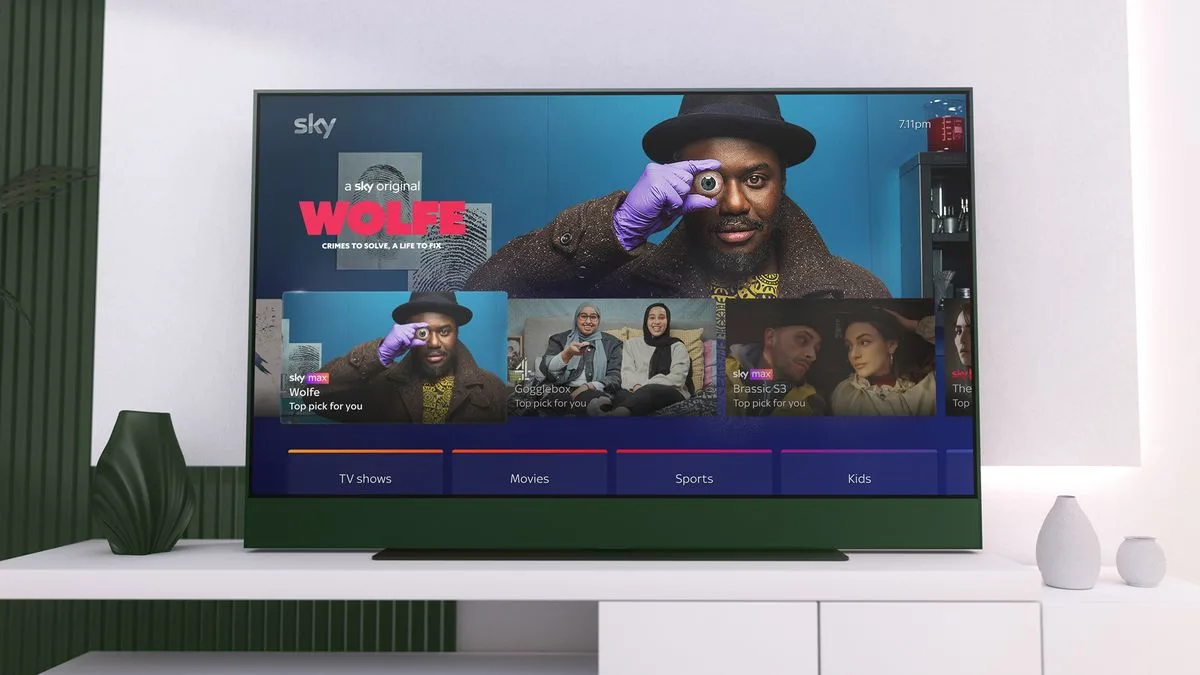
Sky Stream or Glass not working? You’re not alone – Sky’s streaming services are down again

It’s
not
been
a
great
month
for
some

Sky
Glass
and

Sky
Stream
subscribers,
and
presumably
not
for
Sky’s
techs
either:
the
broadcaster’s
streaming
services
have
suffered
a
second
bunch
of
technical
problems.
After
last
week’s
problems
where
some
users
couldn’t
turn
on
their
Sky
Glass
or
Sky
Stream
boxes,
for
which
the
recommended
fix
is
provided

here,
there’s
been
a
second
service
outage.
The
service
issues
only
affected
Sky’s
TV
streaming
services,
not
its
broadband,
mobile
or
satellite
TV
services. 

This
time
the
problem
was
a
message
telling
users
that
they
needed
to
upgrade
their
subscription
to
watch
anything.
Sky
has
responded

online,
saying
that
“We
are
aware
that
some
of
our
Sky
Glass
and
Sky
Stream
customers
have
experienced
issues
where
their
devices
wouldn’t
turn
on.
Our
engineers
have
resolved
this”.
However,
the
fault
is
still
showing
as
current
on
the

system
status
page
and
judging
by
the
Sky
Glass
forums,
it
seems
that
some
customers
are
far
from
happy.

What
are
Sky
Glass
customers
saying
about
the
outages?

“Our
TV
was
down
for
over
five
days,”
one
user
posted
to
the
Sky
forums
this
morning,
asking
whether
Sky
would
be
compensating
customers:
“they
should
in
all
honesty
take
that
period
off
the
bill
at
least
for
TV
services”.
While
many
users
found
that
the
issue
was
resolved
on
the
evening
of
25
Sept,
some
found
it
took
longer
and
several
users
are
still
encountering
issues. 

Outages
are
a
pain,
but
few
services
can
deliver
100%
perfection
100%
of
the
time.
However,
it
seems
that
some
customers
are
more
annoyed
by
Sky’s
communication.
As
one
disgruntled
poster
wrote
earlier
today,
“No
communication
from
Sky
as
to
the
cause.
Will
be
pulling
the
plug
on
Sky
services
unless
I
get
a
reasonable
explanation
as
to
the
cause
and
compensated
for
temporary
loss
of
services.”
Another
user
has
been
offered
£5
off
their
bill
after
being
without
service
for
six
days,
an
offer
that
wasn’t
received
with
great
enthusiasm.

We
rated
the
Sky
Stream
as
delivering
excellent
image
quality
in
our
full

Sky
Stream
review,
but
noted
that
it
had
some
technical
irritations

and
obviously
it
not
working
at
all
is

quite
the
irritation.

You
might
also
like

Sign
up
for
breaking
news,
reviews,
opinion,
top
tech
deals,
and
more.

Posted on

Your LG TV will now show screensaver ads, even on OLEDs – but here’s how to turn them off

LG’s
TVs,
including
its
premium
OLEDs,
will
now
display
screensaver
ads
as
the
ads-on-smart-TVs
bandwagon
gains
yet
more
speed.

As
reported
by

FlatpanelsHD,
during
its
testing
of
the
LG
G4,
before
entering
the
conventional
screensaver
image,
LG’s
TVs
will
often
now
display
an
ad.
During
its
testing,
FlatpanelsHD
experienced
an
ad
for
LG’s
own
LG
Channels
service.

We
asked
TechRadar’s

Max
Langridge
to
confirm
if
this
was
the
case
with
his

LG
G4,
one
of
the

best
TVs
of
the
year,
and
lo
and
behold,
the
same
ad
came
up.

Digging
deeper
into
where
these
ads
come
from,
FlatpanelsHD
also
reported
an
article
from
LG
Ad
Solutions
that
decrees

‘Screensaver
Ads
Are
In
Fact
Effective”
and
reading
further
into
the
article,
LG
Ads
found
a
“2.9
percentage
points
lift
in
brand
awareness”
and
found

This
full-screen
ad
format
has
effectively
utilized
idle
screen
time
to
boost
brand
visibility.”
It’s
also
suggested
that
it
won’t
just
be
LG-relevant
ads
either,
but
potentially
third-party
ones
too.

So,
it
sounds
like
these
ads
will
be
a
regular
part
of
LG’s
plans
in
the
future.
Thankfully,
there’s
a
way
to
turn
them
off.

You
can
remove
these
screensaver
ads
by
turning
off
the
above
setting.

(Image
credit:
Future)

Ads
be
gone

To
turn
off
the
screensaver
ads
on
your
LG
TV,
go
to
Settings
>
General
>
System
Settings
>
Additional
Settings
and
then
you
should
see
the
menu
in
the
image
above.
Go
down
to
the
‘Screen
Saver
Promotion’
option
(highlighted
in
image)
and
turn
it
off,
so
the
bar
next
to
it
is
no
longer
green.

It’s
great
that
these
ads
can
be
hidden
in
a
year
where
ads
on
TVs
and
smart
interfaces
seem
inescapable.
Whether
it’s

Roku
bringing
Instagram-style
shoppable
ads
to
its
smart
TVs
to
entice
customers
to
spend,

YouTube’s
intrusive
pause
screen
ads
to
get
users
to
subscribe
to
premium
or

Amazon
displaying
full
screen-ads
on
screensavers,
TV
and
smart
TV
platform
manufacturers
are
constantly
trying
to
find
ways
to
fill
empty
space
on
TVs.

Sign
up
for
breaking
news,
reviews,
opinion,
top
tech
deals,
and
more.

Ads
are
becoming
a
part
of
life,
with
streaming
services
even
offering
ad
supported
tiers
or
in

Prime
Video’s
case,
adding
ads
into
its
service
which
can
only
be
turned
off
by
paying
$2.99/£2.99
a
month
extra.
And
now,
not
even
letting
your
TV
sit
idly
can
escape
them.

You
might
also
like

Posted on

Roku’s new Ultra streamer is its fastest one yet, and the first to support all HDR formats

Roku
wants
to
make
its
Ultra
streaming
set-top
box
even
more
Ultra;
at
least,
that’s
the
aim
of
its
next-generation
device.
The
new

Roku
Ultra
keeps
a
very
familiar
look,
with
a
basically
identical
build
and

more
importantly

sticks
to
the
same
$99
(about
£75
/
AU$145)
price. 

The
Ultra
is
still
a
simple,
rounded
square
streaming
box
that
comes
in
one
color,
black

though
it
does
sport
a
flash
of
color
with
a
purple
tag
displaying
the
Roku
logo.
It’s
all
familiar
on
the
outside,
and
speaks
to
the
fact
that
unlike,
say,
the
new

Google
TV
Streamer,
the
Roku
Ultra
isn’t
necessarily
designed
to
be
seen.
It
can
sit
alongside
the
TV
on
a
home
entertainment
cabinet,
or
just
be
shoved
behind
it. 

All
the
changes
lie
under
the
hood

and
they’re
all
centered
around
speed.

The
fastest
Roku
yet

(Image
credit:
Roku)

The
new
Ultra
is
powered
by
a
quad-core
processor
that
Roku
says
was
built
from
the
ground
up
for
“cinematic
streaming,”
and
which
promises
to
be
30%
faster
than
other
players
in
the
Roku
lineup. 

It
should
make
the
Roku
OS
platform
run
smoothly
and
enable
faster,
more
instantaneous
application
openings,
but
it
also
lets
this
player
support
more
formats.
With
HDR10+
and

Dolby
Vision
on
board,
this
Ultra
is
the
first
to
support
all
the
major

HDR
formats

in
addition
to
its

4K
and

Dolby
Atmos
support.
This
means
that
if
you
pair
this
with
the
right
TV,
streamed
content
will
look
especially
nice.

Like
the

Roku
Ultra
(2020),
the
Ultra
still
features
an
HDMI
2.1
port.
It
also
supports
Quick
Media
Switching,
which
should
reduce
slowdowns
if
the
refresh
rate
changes.
Inside
is

Wi-Fi
6
for
faster
streaming,
assuming
you
have
the
right
Wi-Fi
access
points.
Roku
uses
machine
learning
and
AI
to
predict
what
you
might
want
to
watch
next,
and
queue
up
the
respective
app
or
show
for
a
faster
start
to
streaming.
It
keeps
an
Ethernet
port
for
a
wired
connection
as
well.

If
you
want
to
listen
privately,
you
can
now
connect
a
pair
of
the

best
Bluetooth
headphones
to
the
Roku
Ultra.
This
levels
the
playing
field
with
the

Apple
TV
4K
and
the

Google
TV
Streamer,
and
it’s
a
long-awaited
and
welcome
addition.

Sign
up
for
breaking
news,
reviews,
opinion,
top
tech
deals,
and
more.

Roku
adds
two
buttons
to
the
Voice
Remote
Pro
and
adopts
USB-C

(Image
credit:
Roku)

In
the
box,
you
get
Roku’s
second-edition
Voice
Remote
Pro,
which
keeps
an
ergonomic
design
and
buttons
for
easy
TV
control,
including
power
and
volume.
All
of
the
buttons
are
now
backlit,
and
there
are
two
new
ones.
The
Quick
Launch
button
is
shaped
like
a
rocket
ship
and
gives
you
easy
access
to
shortcuts,
such
as
engaging
closed
captions
or
opening
your
favorite
streaming
service.
The
other
addition
is
a
Live
TV
button,
which
gives
you
access
to
all
over
400
channels
that
are
available
for
free.

Perhaps
the
biggest
change
is
the
Voice
Remote
Pro
second-edition
gaining
a
USB-C
port
for
easy
re-charging.
It
still
has
a
speaker
built
in
for
easy
locating
it
should
get
lost
in
between
the
couch
cushions.
The
new
Roku
Ultra
features
a
dedicated
button
to
ping
the
remote,
as
on
the

Google
TV
streamer.
Lastly,
the
remote
again
has
a
microphone,
so
that
you
can
easily
control
your
Roku
Ultra
with
your
voice.

Roku
is
taking
orders
now
for
the
new
Roku
Ultra
at
$99
in
the
United
States
and
Canada.
It
will
be
available
from
additional
retailers
in
the
coming
weeks,
and
we’ve
contacted
Roku
for
comment
on
whether
it
will
launch
in
additional
territories. 

We’ll
be
back
soon
with
our
full
review
of
the
Roku
Ultra,
as
soon
as
we’re
done
testing
the
streaming
box
to
see
how
well
it
stands
up
against
our
current

best
streaming
devices. 

Roku
also
teased
some
software
enhancements
and
feature
drops
arriving
in
the
coming
weeks
as
part
of
Roku
OS
14.
Building
off
the
voice
control
functionality
enabled
by
the
Voice
Remote
Pro,
Roku
will
eventually
let
you
access
a
laundry
list
of
settings
with
your
voice.
Teased
was
the
ability
to
adjust
home
screen
tiles,
check
for
software
updates,
and
even
switch
to
a
guest
mode. 

Additionally,
Roku
is
focusing
more
on
content
for
families
and
children,
with
a
new
spot
on
the
home
screen
that
should
make
finding
family-friendly
content
easier,
including
adding
familiar
characters
including
the
Cat
in
the
Hat
and
Peppa
Pig
to
the
home
screen
tiles.

The
Roku
app
for
Android
and
iOS
is
also
getting
a
bit
more
powerful.
It
lets
you
keep
your
TV
controls
while
browsing
for
content
on
the
same
screen.
You
can
also
search
for
content
here,
then
make
the
call
and
have
it
start
playing
on
your
Roku
streaming
player
or
Roku-connected
TV. 

Roku
isn’t
giving
a
specific
timeframe
for
the
rollout
of
these
features,
but
says
the
software
improvements
will
arrive
in
the
coming
months.

You
Might
Also
Like…

Posted on

Google TV gets a big free update with cool new AI and smart home skills

The

Google
TV
Streamer
is
on
its
way
to
early
adopters,
and

Google
has
started
to
roll
out
a
big
Google
TV
update
for
it
and
for
other
Google
TV
devices,
including
many
of
the

best
TVs.
And
it’s
a
big
one,
with
a
host
of
new
features
and
smart
home
controls.
And
of
course,
there’s
AI
in
there
too.

The
most
obvious
new
feature
is
the
new
Home
panel,
which
enables
you
to
check
the
status
of,
and
to
control,
compatible
smart
home
devices
such
as
thermostats,
lights
and
cameras.
You
can
see
who’s
at
the
front
door
courtesy
of
your
video
doorbell,
and
you
can
use
your
voice
and
Google
Assistant
to
control
those
devices
without
having
to
mess
around
with
the
remote. 

Do
more
with
Google
TV

YouTube

Watch
On

What
else
is
new
in
the
Google
TV
update

The
Ambient
screensaver
has
been
given
an
upgrade,
enabling
you
to
use
prompts
to
create
your
own
screensaver
designs.
You
can
also
get
Google
Assistant
to
create
a
screensaver
based
on
your

Google
Photos.

There’s
a
new
Sports
page
in
the
For
You
tab,
making
it
easier
to
find
live
and
upcoming
games,
catch

YouTube
highlights
and
get
personalized
recommendations.
And
there’s
an
updated
channel
guide
for

Google
TV
Freeplay
to
make
it
easier
to
find
things

among
the
150
channels
of
Freeplay.

You
can
see
the
new
features
in
action
on
the

official
Google
blog,
which
also
notes
that
the
range
of
Google
TV
devices
is
expanding:
it
highlights
new
art
TVs
from

Hisense
and

TCL
as
well
as
smart
projectors
from
Vankyo,

Epson
and
XGIMI.
Google
TV
is
also
expanding
its
geographical
reach,
with
new
countries
supported
including
Thailand,
Indonesia,
Vietnam
and
the
Philippines. 

The
rollout
began
yesterday,
September
23,
and
will
be
coming
to
all
Google
TV
devices
imminently.

You
might
also
like

Sign
up
for
breaking
news,
reviews,
opinion,
top
tech
deals,
and
more.

Posted on

Bose Ultra Open Earbuds can work as rear speakers for its new Smart Soundbar

Last
week,

Bose
unveiled
a
new
version
of
its
Smart
Soundbar
– and
it
has
a
really
interesting
idea
about
surround
sound.
If
you
have
a
pair
of

Bose
Ultra
Open
Earbuds,
you
can
use
them
as
your
surround
speakers. 

If
you’re
thinking
“ach,

Apple
does
that
with
AirPods
already”
or
“don’t
those

Sonos
Ace
headphones
do
that
with
the
Arc?”
this
is
something
very
different.
With
Sonos
and
Apple’s
approach,
the
listening
apparatus
strapped
to
your
head
make
up

all
of
the
speakers:
they’re
the
entire
audio
system
and
there’s
no
sound
coming
from
the
connected
‘bar.
But
with
Bose,
your
earbuds
are
only
being
used
as
surround
sound
speakers;
the
rear
channel
speakers
in
a
traditional
setup.
The
soundbar
still
does
all
the
heavy
lifting
for
dialog,
low-end
thump
and
all
the
dynamic
stuff.
And
your
earbuds
take
care
of
the
placement
and
ambience.

That’s
why
this
feature
is
only
currently
available
for
the
Ultra
Open
buds.
Their
design
means
that
unlike
normal
over-
or
in-ears,
they
let
outside
audio
in
rather
than
blocking
or
muffling
it.
So
in
theory
at
least,
they
shouldn’t
interfere
with
the
audio
from
your
soundbar.
Instead,
they’ll
add
an
extra
dimension
to
it

think
bullets
flying
over
your
shoulder,
grazing
your
ears.

Bose’s
Smart
Soundbar
surround
really
is
a
smart
idea

(Image
credit:
Future)

The
proof
is
in
the
listening,
of
course.
But
we’ve
tested
the
Bose
Ultra
Open
Earbuds
so
we
know
they
sound
fantastic;
in
fact,
we
rate
them
as
the
best-sounding
open-ear
buds
yet.
We
haven’t
yet
tried
them
with
the
Smart
Soundbar
yet,
but
we
have
listened
to
their
Immersive
Audio,
which
is
what
Bose
calls
Spatial
Audio,
and
we
found
it
very
impressive.
Crucially,
we
found
that
they
blended
their
own
audio
with
the
outside
world
really
well:
we
didn’t
feel
any
disconnect
between
the
audio
in
our
ears
and
the
audio
around
us.

I
think
there
are
some
significant
benefits
to
this
system,
and
one
big
downside.
The
big
benefit
is
convenience:
I
recently
moved
house
and
setting
up
my
AV
system
was
a
real
pain,
especially
for
the
rear
surround
and
the
Atmos
speakers.
I
spent
many
hours,
ran
many
metres
of
cabling
and
uttered
many
swears
to
get
my
surround
speakers
in
the
right
place;
with
the
Bose
system
I
could
have
skipped
all
that
and
simply
stuck
the
buds
in
my
ears. 

You
can
adjust
the
balance
of
the
center
channel
and
your
personal
rear-channel
speakers
in
the
Bose
companion
app

(Image
credit:
Bose)

The
downside?
As
far
as
I
can
see,
this
is
a
strictly
one-pair
deal
– so
if
you
want
to
watch
with
a
partner,
friend
or
family
member
then
this
system
isn’t
going
to
support
that.
But
for
solo
viewing
it
could
be
a
really
impressive
alternative
to
traditional
surround
speakers. 

The
new
Bose
Smart
Soundbar
is
a
refresh
of
the
existing

Bose
Smart
Soundbar
600,
featuring
the
same
small,
sleek
design
and
boasting
the
“size-defying
immersive
audio
of
its
predecessor
while
introducing
something
new: A.I.
Dialogue
Mode”.
This
is
a
feature
that
arrived
in
the

Bose
Smart
Ultra
Soundbar
last
fall.
It
uses
a
machine
learning
algorithm
to
adjust
tonal
balance
for
clarity
in
real-time
when
it
detects
speech. 

Sign
up
for
breaking
news,
reviews,
opinion,
top
tech
deals,
and
more.

Want
to
try
it
all
out?
Us
too
– watch
this
space,
although
if
you’re
already
sold,
the
Bose
Smart
Soundbar
will
be
available
for
purchase
in
black  for
£499.95
from
October
10th
in
the
UK,
with
customers
able
to
pre-order
now.
We
don’t
currently
see
pre-orders
available
in
other
regions,
but
that
pricing
puts
it
at
roughly
$665
or
AU$975.
Tempting… 

You
may
also
like

Posted on

More Sonos Arc Ultra soundbar info possibly just leaked, this time on Amazon

The

Sonos
Arc
Ultra,
which
we
believe
is
the
next
flagship
Dolby
Atmos
soundbar
from
the
brand,
has
been
the
subject
of
multiple
rumors
and
purported
leaks
over
the
last
few
weeks.
And
now
there’s
another
possible
sighting
in
the
wild
to
add
to
the
collection,
this
time
from

Amazon
Germany.

The
leak,
posted
to
the
r/sonos
subreddit
(see
below),
appears
to
show
a
product
listing
page
for
the
new
Arc
Ultra.
However,
the
product
photo
is
of
the
existing
Arc
and
the
product
page
is
from
a
third
party
seller
who
appears
to
have
edited
their
page
for
the
existing
version.
We’re
not
saying
that
it’s
a
dodgy
listing,
but
we’re
not

not
saying
that
either… 

Has
anyone
else
noticed
this
on
Amazon?
from

r/sonos

That
said,
the
marketing
copy
is
either
from
Sonos
or
a
very
good
impression
of
it,
and
it
matches
some
of
the
details
we’ve
seen
in
previous
leaks
and
rumors.
So
it’s
possible
that
the
information
is
legit
and
that
the
third
party
seller
has
simply
jumped
the
gun.

Sonos
Arc
Ultra:
what
this
latest
supposed
leak
says

The
good
people
of
r/sonos
have
put
the
product
information
through

Google
Translate,
and
it
says:

“With
an
all-new
acoustic
architecture
based
on
14
Sonos-developed
drivers
and
advanced
technologies
like
Sound
Motion,
Arc
Ultra
fills
every
inch
of
the
room
and
precisely
places
sounds
around
you…
 Sound
Motion
is
one
of
the
most
significant
breakthroughs
in
audio
technology
in
nearly
100
years,
enabling
Arc
Ultra
to
pack
unprecedentedly
clear,
deep
and
balanced
sound
into
an
incredibly
sleek
design…
Dolby
Atmos
like
never
before.
Dolby
Atmos
takes
your
entertainment
to
another
dimension
and
wraps
you
in
a
spatial
9.1.4
audio
experience.”

That
does
fit
with
the
current
crop
of
rumors,
all
of
which
say
that
Sound
Motion
is
the
key
selling
point
of
the
new
soundbar
and
that
improved
Spatial
Audio
is
another
key
selling
point.
And
the
listing
also
details
Bluetooth,
another
key
rumored
feature. 

Whether
this
listing
is
real
or
just
optimistic,
it’s
clear
that
the
Sonos
Arc
Ultra’s
launch
is
imminent:
we’ve
seen
multiple
promotional
photos
and
what
appears
to
be
near-final
marketing
copy
from
multiple
sources
now,
so
retailers
are
clearly
preparing
for
the
official
unveiling. 

Sign
up
for
breaking
news,
reviews,
opinion,
top
tech
deals,
and
more.

As
to
when
that’s
going
to
happen,
we
don’t
yet
know
for
sure.
But
it
can’t
be
far
away
now.

You
may
also
like

Posted on

Samsung Q60D review: a solid QLED TV under pressure by entry-level mini-LED TVs

Samsung
Q60D:
Two
minute
review

The

Samsung
Q60D
is
a
budget
QLED
TV
that
delivers
good
picture
quality
and
gaming
performance
and
is
a
fine
entry-level
option
for
those
looking
to
save
money.
It’s
missing
some
key
features
and
faces
plenty
of
more
affordable
competition,
however,
so
it’s
not
going
to
beat
the

best
TVs
anytime
soon.

Picture
quality
on
the
Q60D
is
fairly
good
overall,
with
punchy
but
natural
colors
and
solid
contrast.
Detail
is
where
the
Q60D
shines,
with
crisp
textures
serving
as
the
Q60D’s
best
aspect.
With
a
QLED
panel
and
standard
LED
backlight,
black
levels
won’t
rival
those
of
the

best
OLED
TVs,
but
they
are
better
than
the

Amazon
Fire
TV
Omni
QLED,
another
affordable
QLED
TV.
There’s
some
motion
blur
when
watching
sport
and
shadow
detail
is
lacking
compared
to
sets
that
benefit
from
better
backlights,
but
the
picture
is
good
overall
for
a
TV
at
this
price.

The
Q60D
has
a
basic
2.0-channel,
20W
speaker
array.
Speech
is
clear
and
there’s
good
sound
placement
thanks
to
Samsung’s
OTS
Lite
feature,
but
the
sound
lacks
the
bass
heft
and
virtual
surround
you’ll
get
from
the

best
TVs
for
sound.
For
those
looking
to
use
it
for
more
than
casual
viewing,
I’d
recommend
one
of
the

best
soundbars. 

Gaming
on
the
Q60D
is
fun
enough,
with
the
TV’s
decent
gaming
performance
helped
by
a
low
9.6ms
input
lag
time
and
a
clean
picture.
However,
with
no
support
for
120Hz
or
VRR,
it
lacks
key
features
of
the

best
gaming
TVs,
though
it
does
support
ALLM
and
has
Samsung’s
useful
Gaming
Hub. 

The
Q60D
is
fairly
priced
for
what
it
offers
and
is
available
in
43-85-inch
screen
sizes
(a
32-inch
model
is
also
available
in
the
US).
However,
it
faces
competition
from
cheap
mini-LED
TVs
such
as
the

Hisense
U6N
and

Hisense
U7N,
and
the

TCL
C805
(in
the
UK),
all
of
which
benefit
from
more
gaming
features,
Dolby
Vision

HDR
support
and
mini-LED
backlights. 

The
Samsung
Q60D
delivers
surprisingly
crisp
details. 

(Image
credit:
Future)

Samsung
Q60D
review:
Prices
&
release
date

Released
April
2024 

32-inch:
$479.99 

43-inch:
$529.99
/
£479 

50-inch:
$599.99
/
£549 

55-inch:
$749.99
/
£599
/
AU$1,195 

65-inch
$799.99
/
£899
/
AU$1,495 

75-inch:
$999.99
/
£1,299
/
AU$1,995 

85-inch:
$1,699.99
/
£1,699
/
AU$2,995 

The
Samsung
Q60D
is
the
entry-level
QLED
series
in
Samsung’s
2024
TV
range,
sitting
below
the
Q70D
and

Q80D. 

Since
release,
Q60D
prices
have
fallen
across
every
screen
size
in
every
region
and
it’s
regularly
on
sale
both
through
Samsung
and
other
retailers.
We’ve
seen
the
50-inch
model
we
tested
for
as
low
as
£479
in
the
UK

more
than
£200
off
from
its
initial
£699.
In
the
US,
prices
have
dropped
roughly
$200
across
the
range. 

Samsung
Q60D
review:
Specs

Swipe
to
scroll
horizontally

Screen
type:

QLED

Refresh
rate:

60Hz

HDR
support:

HDR10+,
HDR10,
HLG

Audio
support:

N/A

Smart
TV:

Samsung
Tizen

HDMI
ports:

3x
HDMI
2.0

Built-in
tuner:

ATSC
1.0

Samsung
Q60D
review:
Benchmark
results

The
Samsung
Q60D
includes
three
HDMI
ports,
but
none
support
4K
120Hz
or
VRR. 

(Image
credit:
Future)

Samsung
Q60D
review:
Features

4K
QLED
‘Dual
LED’
panel
 

Tizen
smart
TV
platform 

HDR10+
high
dynamic
range
support
 

The
Q60D
features
a
QLED
panel
that
uses
quantum
dot
tech
to
improve
brightness
and
color
detail
over
standard
LED
TVs.
It
also
features
what
Samsung
calls
‘Dual
LED’
tech,
which
aims
to
boost
contrast.
It
comes
with
Samsung’s
Quantum
Processor
Lite

4K
processor,
with
the
more
premium
NQ4
AI
Gen2
Processor
available
starting
in
the
step-up
Q80D
series. 

As
with
all
Samsung
TVs,
the
Q60D
supports
the
HDR10+,
HDR10
and
HLG
high
dynamic
range
formats,
but
not
Dolby
Vision.
For
Dolby
Vision
support
in
a
similar
price
range,
look
to
the

Amazon
Omni
QLED. 

For
sound,
the
Q60D
has
a
basic
2.0-channel
speaker
array
totaling
20W
of
power
and
features
a
‘Lite’
version
of
the
Object
Tracking
System
(OTS)
that
can
be
found
in
Samsung’s
more
premium
sets.
It
also
supports
Adaptive
Sound
and
the
Q
Symphony
feature
that
can
combine
the
TV’s
speakers
with
those
in
a
compatible
Samsung
soundbar. 

For
gaming,
the
Q60D
comes
with
Samsung’s
Gaming
Hub,
with
support
for
Cloud
gaming
apps
from
Xbox,

Nvidia
GeForce
Now
and
more.
It
also
features
ALLM
but
does
not
support
4K
120Hz
or
VRR.

The
Q60D
uses
Samsung’s
Tizen
platform
for
its
smart
TV
interface.
Tizen
provides
access
to
popular
streaming
apps
such
as
Netflix,
Prime
Video
and
Disney
Plus.
In
the
UK,
it
also
supports
BBC
iPlayer,
ITVX,
Channel
4
and
Freeview
apps,
although
live
TV
services
are
handled
by
Samsung’s
own
TV
Plus
system
rather
than
Freeview. 

Features
score:
4/5

The
Samsung
Q60D’s
contrast
is
richer
than
anticipated,
with
a
good
balance
between
light
and
dark
tones. 

(Image
credit:
Future)

Samsung
Q60D
review:
Picture
quality

Punchy
colors
 

Refined
detail
 

Middling
black
levels
and
contrast 

When
measuring
peak
brightness,
the
50-inch
Q60D
yielded
results
of
417
nits
and
384
nits
in
Standard
and
Filmmaker
Modes
respectively
on
a
10%
HDR
white
window.
This
is
lower
than
the
rival
Amazon
Omni
QLED,
which
hit
531
nits
and
402
nits
in
its
same
picture
modes
on
the
same
tests,
though
it’s
worth
noting
the
Amazon
TV
was
a
65-inch
model.

Measuring
the
Q60D’s
HDR
color
gamut
coverage,
it
yielded
results
of
71%
and
92.9%
for
BT.2020
and
UHDA-P3
color
spaces
respectively
in
Filmmaker
Mode.
While
those
are
not
the
best
results,
they
are
still
decent
for
a
budget
TV
and
actually
put
it
in
line
with
mini-LED
sets
such
as
the

Samsung
QN85D
and

Hisense
U6N. 

The
Q60D
did
a
decent
job
displaying
standard-definition
images
on
its
50-inch
screen,
though
it’s
likely
that
textures
would
be
fuzzier
on
larger
screen
sizes.
High-definition
content
fared
better,
showing
clearer-looking
textures.

Moving
onto
4K
HDR
sources,
I
first
viewed
a
stream
of

Star
Wars:
The
Last
Jedi
on
Disney
Plus
to
test
the
Q60D’s
colors.
In
the
throne
room
fight
scene,
which
is
filled
with
bright
reds,
the
Q60D
displayed
plenty
of
punch
while
also
maintaining
a
natural
look.
And
in
the
opening
race
sequence
of

Ready
Player
One,
colors
were
vivid,
even
though
they
lacked
some
of
the
same
brightness
I’ve
seen
on
more
premium
TVs.

The
Samsung
Q60D
thrives
with
bright
images. 

(Image
credit:
Future)

The
Batman
is
a
challenging
movie
for
many
TVs
due
to
its
numerous
dark
scenes.
Viewed
with
regular
room
lighting,
the
Q60D
demonstrated
good
contrast
throughout
and
decent
enough
black
levels,
especially
for
a
QLED
set.
In
the
opening
crime
scene,
there
was
good
shadow
detail
with
no
black
crush.
Light
sources,
such
as
lamps,
were
balanced
well
within
the
scene’s
dimly
lit
surroundings. 

Viewing
this
same
scene
in
darker
lighting
conditions,
blacks
took
on
more
of
a
gray
look
with
a
cloudy
wash
over
the
whole
screen.
However,
black
levels
were
still
better
than
expected
and
better
than
those
of
the
Amazon
Omni
QLED. 

Viewing
black-and-white
scenes
in

Oppenheimer,
the
Q60D
did
a
better
job
displaying
the
film’s
wide
range
of
brighter
whites
and
grays
over
the
black
tones. 

The
Q60D
demonstrated
refined-looking
textures
and
details.
In
scenes
from

The
Batman
and

Top
Gun:
Maverick,
facial
features
were
clearly
defined,
and
details
in
clothing
also
had
a
more
realistic
look
than
I
anticipated
for
a
budget
QLED
TV.
Watching
demo
footage
from
the

Spears
&
Munsil
UHD
Benchmark
Blu-ray,
details
in
landscapes,
cityscapes
and
close-up
shots
of
animals
looked
authentic
throughout. 

When
I
watched
an
HD
stream
of
a
Soccer
game
on
Prime
Video,
the
Q60D
delivered
acceptable
motion
handling.
I
found
that
setting
judder
reduction
in
the
motion
section
of
the
picture
settings
to
a
lower
amount,
say
2
or
3,
was
better
than
having
it
set
to
full,
though
some
may
prefer
the
smoother
processing.
Regardless,
there
was
still
some
judder
and
blur
present
due
to
the
TV’s
60Hz
panel.
If
you’re
a
sports
fan,
you’ll
be
better
off
looking
at
the

best
TVs
for
sport,
such
as
the
Samsung
QN90D. 

The
Q60D’s
motion
handling
with
movies
was
much
better.
Watching

Top
Gun:
Maverick,
it
did
a
solid
job
with
the
quick
panning
shots
and
tumbling
cameras
during
the
training
missions
and
Darkstar
opening
scene.
There
was
still
occasional
judder,
but
it
didn’t
detract
from
the
viewing
experience. 

Picture
quality
score:
4/5

The
Samsung
Q60D
suffers
from
limited
built-in
sound,
as
heard
when
watching

La
La
Land. 

(Image
credit:
Future)

Samsung
Q60D
review:
Sound
quality

Clear
speech

Good
directional
sound
 

Limited
bass
and
soundstage
 

The
Q60D
has
a
2.0-channel
speaker
array
with
20W
of
power.
It
supports
Object
Tracking
Sound
Lite
(OTS
Lite)
and
Adaptive
Sound,
a
feature
that
changes
volume
based
on
an
analysis
of
the
content
being
displayed.
It
also
has
Q
Symphony,
a
feature
that
combines
the
Q60D’s
built-in
speakers
with
those
in
compatible
Samsung
soundbars
for
an
enhanced
audio
presentation.
There
are
two
sound
presets,
Standard
and
Amplify,
with
Amplify
being
the
best
overall
and
the
one
I
used
during
testing. 

The
Q60D
delivered
clear
dialogue
during
the
chaotic
Batmobile
chase
in

The
Batman.
It
also
delivered
good
sound
placement,
with
effects
such
as
tyres,
crashes
and
bullets
in
the
Batmobile
chase
scene
well-placed
on
the
screen
and
connected
to
the
action.

Other
elements
of
the
Q60D’s
built-in
sound
were
lacking.
Its
limited
bass
meant
there
was
no
real
impact
from
the
rumbling
engines
of
cars
in
both

The
Batman
and

Ready
Player
One.
And
with
a
limited
soundstage,
the
full,
sometimes
brash
jazz
score
of

La
La
Land
was
restrained,
with
some
instruments
lost
in
the
mix.

For
those
looking
to
use
the
Q60D
as
a
main
TV,
a
soundbar
is
recommended. 

Sound
quality
score:
3/5 

The
50-inch
Q60D
I
tested
came
with
support
feet
that
could
be
height-adjusted
to
fit
a
soundbar
underneath. 

(Image
credit:
Future)

Samsung
Q60D
review:
Design

Sleek,
slim
design
 

Premium
looks
for
price 

SolarCell
remote 

The
Q60D
has
a
more
premium
design
than
you’d
expect
at
this
price
level,
with
a
sleek,
thin
profile
that’s
similar
to
pricey
sets
such
as
the

Samsung
S95D
OLED.
The
rear
panel
also
has
a
burnished,
navy
finish
that
again
gives
the
Q60D
a
premium
look. 

A
near
bezel-less
front
allows
nearly
all
of
the
picture
to
take
up
the
screen.
The
50-inch
model
I
tested
came
with
height-adjustable
support
feet
to
fit
a
soundbar
underneath.
These
felt
a
little
cheap
but
were
very
easy
to
install
and
provided
sturdy
enough
support. 

The
Q60D
is
supplied
with
Samsung’s
SolarCell
remote,
which
has
a
solar
panel
on
the
rear
and
a
USB-C
port
at
the
bottom
for
charging.
It’s
good
to
see
this
remote,
which
doesn’t
use
disposable
batteries,
supplied
with
more
budget
sets
in
Samsung’s
TV
range. 

Design
score:
4/5

Tizen
is
divided
into
various
hubs,
including
the
useful
Gaming
Hub
(pictured). 

(Image
credit:
Future)

Samsung
Q60D
review:
Smart
TV
&
menus

Tizen
smart
TV
platform 

Good
range
of
picture
settings 

The
Q60D
uses
Samsung’s
Tizen
smart
TV
platform.
This
is
divided
into
multiple
hubs
that
allow
for
easy
navigation
and
organization
and
includes
Home,
where
apps
plus
TV
show
and
movie
recommendations
are
displayed;
Ambient,
which
lets
you
select dynamic
and
static
artworks;
Game,
a
hub
that
houses
everything
gaming-related
including
cloud-based
apps;
and
Daily+,
which
has
office,
health
and
home-based
apps
for
daily
tasks.

There
are
a
good
number
of
settings
available
for
those
who
like
to
adjust
picture
quality,
with
preset
modes
including
Standard,
Movie,
Filmmaker
and
more.
The
same
can’t
be
said
for
audio,
which
has
only
two
preset
modes,
Standard
and
Amplify,
and
very
few
settings
to
adjust. 

Smart
TV
&
Menus
score:
4/5 

The
Samsung
Q60D
has
limited
gaming
features,
but
still
performs
well
at
4K
60Hz. 

(Image
credit:
Future)

Samsung
Q60D
review:
Gaming

Samsung
Gaming
Hub
and
ALLM 

No
120Hz
or
VRR
support 

9.6ms
input
lag
time
  

The
Q60D
doesn’t
have
as
many
features
as
the
best
gaming
TVs,
with
no
HDMI
2.1
ports
for
120Hz
refresh
rate
and
VRR
support.
It
does
support
4K
60Hz
and
ALLM,
however,
and
has
Samsung’s
Gaming
Hub
for
cloud-based
gaming
from
the
likes
of
Xbox,
Luna,
and
Nvidia
GeForce
Now. 

Despite
its
lack
of
next-gen
gaming
features,
the
Q60D’s
gaming
performance
is
perfectly
fine.
Playing

Battlefield
V,
shootouts
and
battles
still
felt
suitably
intense
and
switching
between
targets
was
smooth
and
judder-free.
There
are
Off,
Level
1
and
Level
2
Game
Motion
modes
to
choose
from,
though
I
did
not
notice
a
significant
difference
between
the
three
options. 

Graphically,
the
Q60D
did
a
solid
job.
Textures
were
well-defined
and
colors
had
a
dynamic
look.
Contrast
was
decent,
giving
objects
a
sharper
appearance,
though
I
did
find
that
HDR
tone
mapping
was
a
little
aggressive
in
some
sequences.

Gaming
score:
4/5 

The
Q60D
comes
with
Samsung’s
SolarCell
remote control.

(Image
credit:
Future)

Samsung
Q60D
review:
Value

Fairly
priced
for
picture
and
performance 

Budget
mini-LEDs
available
from
TCL
and
Hisense
 

Good
range
of
sizes
and
frequently
on
sale 

The
Q60D
delivers
good
overall
performance
at
a
budget
price
that
will
suit
many
people.
However,
it
faces
stiff
competition
from
cheap
mini-LED
TVs
that
provide
more
gaming
features
and
better
picture
quality
such
as
the
Hisense
U6N
and
Hisense
U7N
in
the
US
and
UK,
and
the

TCL
C805
(UK-only). 

The
55-inch
Q60D
is
priced
at
$749.99
/
£599
/
AU$1,195
(prices
have
dipped
below
this
level
before).
Hisense’s
U6N
is
priced
at
$499
/
£749
/
AU$995,
and
while
it
shares
similar
gaming
features,
it
benefits
from
a
mini-LED
backlight
and
Dolby
Vision
HDR
support.
The
TCL
C805
(available
in
the
UK
and
Australia)
costs
 £649
/
AU$1,395,
and
although
pricier,
it
benefits
from
4K
120Hz
and
VRR
gaming
support
and
also
features
a
mini-LED
backlight
and
Dolby
Vision
HDR.

For
US
and
UK
customers,
there
is
also
the
Amazon
Omni
QLED,
which
retails
for
roughly
$349
/
£399
and
benefits
from
Dolby
Vision
HDR
support,
though
the
Q60D
provides
a
better
overall
picture. 

Despite
tough
competition,
the
Q60D
is
likely
to
see
major
discounts
throughout
the
year,
which
will
bring
its
value
more
in
line
with
the
models
listed
above. 

Value
score:
3.5/5 

(Image
credit:
Future)

Should
I
buy
the
Samsung
Q60D?

Swipe
to
scroll
horizontally

Samsung
Q60D
TV

Attributes

Notes

Rating

Features

Good
number
of
smart
features,
but
missing
4K
120Hz
and
VRR.

4/5

Picture
quality

Surprisingly
strong
contrast
and
details
plus
bold
colors,
but
not
quite
as
good
as
budget
mini-LED
rivals

4/5

Sound
quality

Clear
speech
and
good
sound
placement,
but
lacks
bass
and
suffers
from
thin
soundstage

3/5

Design

Sleek,
modern
design
gives
it
a
more
premium
look
than
its
price

4/5

Smart
TV
and
menus

Samsung’s
Tizen
is
easy
to
navigate
and
allows
plenty
of
organization
and
customization
options

4/5

Gaming

Despite
lacking
some
features
such
as
120Hz
and
VRR,
performance
and
graphics
are
still
very
good

4/5

Value

Fairly
priced,
but
competes
with
budget
mini-LED
TVs
with
more
features
and
better
pictures

3.5/5

Buy
it
if…

Don’t
buy
it
if…

Also
consider

Swipe
to
scroll
horizontally

Header
Cell

Column
0

Samsung
Q60D

Amazon
Omni
QLED

Samsung
Q80D

Hisense
U6N

Price
(50-inch)

$599.99
/
£549

$529
/
£649

$999
/
£1,099

N/A
/
£899

Screen
type

QLED

QLED

QLED

QLED
with
mini-LED

Refresh
rate

60Hz

60Hz

120Hz

60Hz

HDR
support

HDR10+/HDR10/HLG

Dolby
Vision/HDR10/HLG

HDR10+/HDR10/HLG

Dolby
Vision/HDR10+/HDR10/HLG

Smart
TV

Tizen

Fire
TV

Tizen

Google
TV
(US)
/
VIDAA
(UK)

HDMI
ports

3
x
HDMI
2.0

4
x
HDMI
2.0

4
x
HDMI
2.1

4
x
HDMI
2.0

(Image
credit:
Future)

How
I
tested
the
Samsung
Q60D

Tested
in
lab
with
varying
lighting
conditions

Tested
using
both
SDR
and
HDR
sources 

Measurements
recording
using
Portrait
Displays’
Calman
color
calibration
software 

When
testing
the
Samsung
Q60D,
I
first
used
it
for
casual
viewing
to
determine
the
most
accurate
picture
preset
modes
(Movie,
Filmmaker
Mode
and
in
some
cases
Standard)
before
moving
on
to
critical
viewing. 

I
then
used
a
variety
of
SDR
(broadcast
TV,
DVD,
Blu-ray)
and
HDR
(4K
streaming
and
4K
Blu-ray)
sources
to
test
the
out-of-the-box
picture,
analyzing
color,
contrast,
motion,
black
levels,
detail
and
upscaling
(for
lower
resolution
sources),
using
reference
scenes.
For
4K
Blu-ray
playback,
I
used
a

Panasonic
DP-UB820 4K
Blu-ray
player. 

After
critical
viewing,
I
made
measurements
of
brightness
(both
SDR
and
HDR),
color
and
grayscale
accuracy,
and
HDR
color
gamut
coverage.
To
do
this,
I
used
a
test
pattern
generator
and
colorimeter
and
recorded
results
using
Portrait
Displays’ Calman
color
calibration
software. 

Brightness
measurements
were
recorded
for
both
HDR
and
SDR
in
nits
using
10%
and
100%
white
window
patterns.
For
the
color
gamut,
I
recorded
the
Q60D’s
BT.2020
and
UHDA-P3
coverage.
For
color
and
grayscale
accuracy,
I
recorded
the
Q60D’s
Delta
E
values
(the
margin
for
error
between
the
test
pattern
source
and
what’s
displayed
on
the
TV)
and
averaged
them. 

I
also
tested
the
QN90D’s
gaming
performance
using
an Xbox
Series
X and
recorded
its
input
lag
time
with
a
Leo
Bodnar
4K
HDMI
Input
Lag
Tester. 

For
more
information
on

how
we
test
TVs
at
TechRadar,
check
out
our
guide
in
the
link. 

Posted on

What is Dolby Atmos? The 3D sound tech for TV and headphones explained

Anyone
searching
for
the

best
TVs
and

best
soundbars
has
likely
come
across
rave
comments
on
Dolby
Atmos,
a
technology
that
has
the
potential
to
make
movies,
TV,
and
music
more
immersive
than
conventional
surround
sound.

Created
in
2012
by
Dolby
Labs,
Dolby
Atmos
takes
audio
beyond
the
standard
of
positioning
speakers
in
front
of
and
behind
the
viewer

the
core
concept
behind
a
5.1-
or
7.1-channel
surround
sound
setup

by
also
rendering
sound
above.
The
first
movie
to
use
the
technology
was
Disney-Pixar’s

Brave,
to
much
acclaim. 

To
achieve
this
effect,
Dolby
Atmos
breaks
down
sound
into
individual
elements,
known
as
“objects”,
as
opposed
to
channels,
as
would
happen
with
stereo
(two
channels)
and
5.1
surround
(five
channels)
mixes.
This
enables
an
unlimited
3D
soundscape,
into
which
sound
mixers
and
engineers
can
then
build
their
movies.

It’s
sort
of
hard
to
describe
the
effect
of
Dolby
Atmos
without
experiencing
it,
and
there
are
an
increasing
number
of
theaters
screening
movies
in
the
format,
and
even
venues
that
provide

live
Atmos
sound
mixes
for
music
performances.

After
its
initial
success
in
cinemas,
Dolby
Atmos
has
exploded
as
an
audio
technology
and
is
now
regularly
available
in
everything
from
TVs
to
soundbars
and
the
best
wireless
speakers,
along
with

Apple
earbuds
and
headphones
like
the

AirPods
Pro
2
and

AirPods
Max. 

The
Sonos
Arc
Dolby
Atmos
soundbar
and
wireless
Sonos
Sub

(Image
credit:
Sonos)

Where
is
Dolby
Atmos
available
at
home? 

We’ve
just
talked
a
lot
about
the
technology
that
makes
Dolby
Atmos
possible,
but
how
can
you
experience
it
in
your
own
home? 

The
answer,
in
2024
at
least,
is
a
lot
of
ways,
most
notably
via
Blu-ray
discs,
which
have
been
one
of
the
fastest
adopters
of
the
technology
as
they
seek
to
blend
incredible
visuals
with
equally
incredible
sound.
The

best
4K
Blu-ray
players
support
Dolby
Atmos
out
of
the
box. 

Sign
up
for
breaking
news,
reviews,
opinion,
top
tech
deals,
and
more.

On
top
of
Blu-rays,
the

best
streaming
services
have
rushed
to
build
Dolby
Atmos
into
their
offers,
although
it
is
usually
only
available
on
the
more
expensive
plans.
Netflix,
for
example,
offers

Dolby
Atmos
support
on
its
Ultra
HD
plans,
while
Disney+
supports
it
on
its

Disney+
Premium
plan. 

Music
streaming
services
have
also
got
in
on
Dolby
Atmos.

Apple
Music
is
the
most
notable
example,
having
built
Dolby
Atmos
into
the
core
of
the
experience
for
content
that
supports
it.

Tidal
and

Amazon
Music
also
support
the
tech.
Sadly,
Spotify,
the
biggest
service,
is
yet
to
add
Dolby
Atmos
support,
but
there
are
rumours
of
a
Premium+
tier
that
might. 

Some
gaming
consoles,
like
the

Xbox
Series
X,
have
added
Dolby
Atmos
support
for
games,
which
brings
a
new
dimension
to
the
audio
experience
for
some
AAA
titles. 

One
of
several
Dolby
Atmos
soundtrack
mixing
rooms
at
Sony
Pictures
Studios
in
Los
Angeles

(Image
credit:
Sony
Pictures
Studios)

Lossy
Dolby
Atmos
vs
lossless
Dolby
Atmos

Things
are
about
to
get
a
bit
technical,
so
hold
on
to
your
hat. 

Dolby
Atmos
comes
in
two
varieties:
lossy
and
lossless.
The
former
is
used
by
streaming
platforms
to
compress
the
audio
for
lower
bandwidth
transmission
over
home
networks
and
offers
the
same
spatial
setup
but
at
a
reduced
audio
quality
overall.
For
an
average
home
cinema
system,
this
probably
won’t
make
too
much
difference. 

Lossless,
as
the
name
sort
of
implies,
is
the
high-def
version
of
Dolby
Atmos
found
in
Blu-ray
discs
and
systems
such
as
the

Kaleidescape
Movie
Player
that
are
not
constrained
by
bandwidth
or
storage
capacity.
Higher
audio
fidelity
takes
up
more
space. 

The
flip
side
is
that
getting
the
most
out
of
a
lossless
setup
requires
a

top-end
AV
receiver
and
a
speaker
system
capable
of
reproducing
the
height
effects
in
Atmos
soundtracks,
all
of
which
can
be
quite
pricey
when
added
together. 

There
are
pros
and
cons
to
each,
of
course,
and
even
the
more
low-end
lossy
version
still
sounds
incredible
in
most
home
theatres,
given
that
the
alternative
is
either
stereo
or
5.1
(or
7.1)
surround
sound,
which
doesn’t
carry
the
Atmos
height
effects
for
enhanced
immersion. 

An
AV
receiver-based
Atmos
sound
system

(Image
credit:
Klipsch)

How
to
experience
Dolby
Atmos
at
home

If
you’ve
got
your
streaming
service
of
choice
loaded,
the
next
step
for
getting
to
a
basic
Dolby
Atmos
setup
is
to
choose
a

compatible
soundbar. 

In
our
extensive
testing,
we’ve
found
that
the

Samsung
HW-Q800C
is
the
best
option
for
most,
featuring
phenomenal
power
and
projection,
the
ability
to
upgrade
to
full
surround,
and
aggressive
pricing
for
what
it
offers. 

For
anyone
looking
to
not
break
the
bank,
the

Sony
HT-S2000
does
the
job
well,
including
extremely
effective
dialogue
clarity
and
many
other
features.
There’s
also
the

Bose
Smart
Soundbar
600,
which
has
up-firing
speakers
for
height
effects
and
adds
Wi-Fi
and
AirPlay
support. 

On
top
of
soundbars,
there
are
other
audio
options,
namely
regular

speakers
and
AV
receiver
systems
that
support
the
standard. 

Something
like
the

Sony
STR-AN1000
supports
Dolby
Atmos
and,
as
an
AV
receiver,
can
bring
it
to
your
satellite
speaker
setup.
Meanwhile,
the
Definitive
Technology
BP9080x
stereo
speakers,
while
expensive,
support
Dolby
Atmos,
and
the
results
in
our
testing
were
superb.

Finally,
headphones.
We
recently
reviewed
the
new

Sonos
Ace
headphones
and
found
them
to
be
amazing
for
watching
movies
with
Dolby
Atmos,
alongside
the
ability
to
sync
with
your

Sonos
Arc
or

Sonos
Beam
soundbar,
and
other
products. 

For
anyone
who
prefers
earbuds,
Apple’s

AirPods
Pro
2
supports
the
audio
standard,
and
as
we
mentioned
above,
there
is
a
lot
of
Dolby
Atmos-capable
music
on
Apple
Music,
alongside
the
usual
TV
shows
and
movies. 

You
might
also
like…

Posted on

Hisense PX3-Pro: a perfect ultra short throw projector for gaming and movies

Hisense
PX3-Pro:
two-minute
review

Hisense
has
been
has
been
responsible
for
some
of
the

best
ultra
short
throw
projectors,
and
the
Hisense
PX3-Pro
is
among
its
latest.
The
PX3-Pro
has
a
daunting
task
following
up
on
the

Hisense
PX2-Pro,
but
Hisense
has
pulled
it
off
with
some
key
upgrades. 

The
new
Hisense
PX3-Pro
differs
in
design
from
the
PX2-Pro,
but
under
the
hood,
it
gets
an
upgraded
projection
system
that’s
much
brighter
at
3,000
lumens
and
also
boasts
a
1080p/240Hz
mode.
This
feature
turns
it
from
an
exceptional
ultra
short
throw
(UST)
projector
into
a
speed
demon
of
a
gaming
projector

Hisense
even
bills
it
as
the
“world’s
first
designed
for
Xbox
UST
projector.”
And
with
rich
color,
strong
contrast,
and
Dolby
Vision
HDR
support,
the
PX3-Pro
ranks
up
there
with
the
best
4K
projectors
when
it
comes
to
picture
performance. 

While
the
PX3-Pro’s
built-in
sound
isn’t
quite
as
impressive
as
its
picture,
it
at
least
has
the
volume
level
to
match
the
visuals,
and
Hisense
offers
plenty
of
ways
to
connect
to
better
speaker
systems.
All
of
this
comes
at
a
higher
price
than
its
predecessor,
but
it
seems
well
worth
the
extra
expense. 

Hisense
PX3-Pro
review:
price
and
release
date

First
available:
October
2024

Price:
$3,499
/
£2,499

Availability
of
the
Hisense
PX3-Pro
is
set
to
begin
in
mid-October
2024.
It
is
priced
at
$3,499
/
£2,499,
a
marked
increase
over
the
lower
brightness
PX2-Pro,
which
launched
at
$2,999
in
June
2023.
Like
the
rest
of
the
Hisense
PX
series,
the
PX3-Pro
doesn’t
come
with
a
projection
screen. 

The
Hisense
PX3-Pro
comes
with
a
full-size
remote
control
and
features
the
Google
TV
smart
TV
platform
for
streaming

(Image
credit:
Future)

Hisense
PX3-Pro
review:
Specs

Swipe
to
scroll
horizontally

Screen
sizes
supported:

80-150
inches

Brightness
(specified):

3,000
Lumens

HDR
support:

Dolby
Vision,
HDR10+,
HDR10,
HLG

Optical
technology:

3-laser
DLP

Smart
TV:

Google
TV

Connections:

2x
HDMI
2.1,
1x
HDMI
2.0
with
eARC,
optical
digital
audio
out,
3.5mm
audio
out,
2x
USB-A,
Ethernet

Dimensions:

21.7
x
11.7
x
4.8
inches
(55
x
30
x
12.2cm)

Weight:

19.8
pounds
(9
kg)

The
PX3-Pro
features
dual
HDMI
2.1
ports
and
supports
gaming
at
1080p/240Hz

(Image
credit:
Future)

Hisense
PX3-Pro
review:
design
and
features

Futuristic-looking
design

All-in-one
capability
plus
flexibility
for
different
setups

Streaming
and
gaming
benefit
from
hardware
and
software
upgrades

Where
the
Hisense
PX2-Pro
was
a
simple
under-the-hood
refresh
of
its
predecessor,
The
PX1-Pro,
the
new
PX3-Pro
sees
some
bigger
changes
both
to
its
internal
components
and
its
outward
appearance.
The
design
has
a
stylistic
resemblance
to
its
predecessors,
but
it
gives
off
more
of
a
proper
futuristic
vibe
than
the
prior
models
with
their
retro-futuristic
looks. 

The
whole
unit
is
done
up
in
gray
and
silver
surfaces
of
all
types:
matte,
shiny,
smooth,
and
coarse.
It
features
large
grilles
on
either
side
for
air
intake
and
exhaust

generating
3,000
lumens
creates
some
heat
even
when
using
lasers.
The
front
also
gets
a
perforated
grille
for
the
built-in
speakers.
At
either
side
of
the
grille
are
vertical
slots
in
shiny
housing
that
have
standby
lighting
built
in,
so
when
the
projector
is
turned
off,
these
illuminate
the
mirrored
finish
inside.
This
may
appeal
to
some,
but
I
found
it
a
little
tacky
compared
to
the
PX2-Pro’s
subtler
design.

Style
aside,
perhaps
the
most
critical
design
change
is
the
projector’s
size.
It’s
a
little
wider
and
taller
than
its
predecessors,
but
not
as
deep
front-to-back.
That
combined
with
a
shift
from
a
0.25:1
throw
ratio
to
a
0:22
throw
ratio
means
the
PX3-Pro
can
sit
closer
to
a
wall,
protruding
into
the
room
less,
and
still
provide
a
massive
picture.

The
PX3-Pro
sits
on
four
height-adjustable
feet,
which
helps
get
the
picture
aligned
with
a
screen.
It
also
offers
digital
image
correction
and
adjustable
focus,
letting
you
dial
in
everything
perfectly.

Around
the
back,
you’ll
find
three
HDMI
ports,
including
one
with
eARC.
There’s
also
a
high-speed
USB
type-A
port
(and
another
on
the
right
side),
and
both
and
optical
digital
and
3.5mm
audio
output.
With
Google
TV
onboard,
the
PX3-Pro
can
tap
into
plenty
of
streaming
services,
including
Netflix,
and
has
both
Wi-Fi
6E
and
Ethernet
network
connections. 

The
Hisense
PX3-Pro
has
comprehensive
high
dynamic
range
support,
including
Dolby
Vision
and
HDR10+.
Its
built-in
speakers
support
Dolby
Atmos
and
IMAX
Enhanced
for
DTS,
though
audio
is
best
passed
on
to
an
outboard
sound
system.
Unlike
its
predecessors,
the
PX3-Pro
offers
Active
3D
support
(requires
optional
3D
eyewear). 

There
are
still
a
few
features
the
PX3-Pro
could
have
benefitted
from.
Optical
image
adjustments
beyond
focus
would
be
a
welcome
addition,
especially
zoom,
though
I’ve
never
seen
that
feature
in
a
UST
projector.
A
cover
would
be
a
more
reasonable
one,
as
dust
can
gather
quickly
on
top
of
UST
projectors.

Design
and
features
score:
4.5/5

The
PX3-Pro
has
exceptional
color,
along
with
powerful
contrast
in
dim
lighting
conditions

(Image
credit:
Future)

Hisense
PX3-Pro
review:
picture
and
sound
quality

Exceptional
color
and
brightness

Crisp
4K
picture
with
comprehensive
HDR
support

240Hz
mode
is
a
perk
for
gamers

The
Hisense
PX3-Pro
builds
on
a
strong
picture
quality
foundation.
The
PX2-Pro
offered
stunning
color
from
its
tri-chroma
projection
system
and
the
PX3-Pro
takes
that
up
a
notch
with
a
notably
brighter
picture,
rated
to
reach
3,000
lumens.
For
some
content,
like
cartoons
and
sports,
that’ll
make
a
very
presentable
picture
even
with
high
ambient
room
lighting.
It
also
gives
the
PX3-Pro
plenty
of
latitude
in
dim
lighting
conditions,
with
a
bright
enough
picture
that
it
can
call
for
some
dimming
of
the
laser
in
a
dark
room.

While
the
projector
has
powerful
contrast
as
is,
a
High
Dynamic
setting
for
Laser
Luminance
can
further
enhance
its
picture.
I’m
normally
wary
of
settings
like
this
that
adjust
the
picture
based
on
the
content
being
displayed
as
they
tend
to
have
noticeable
artifacts,
but
the
PX3-Pro
managed
it
admirably,
with
imperceptible
transitions.
The
only
odd
behavior
I
noted
was
a
sudden
brightening
when
white
subtitles
appeared
onscreen
during
dark
scenes.
Otherwise,
this
played
out
well
for
Guy
Ritchie’s

Sherlock
Holmes,
helping
to
punch
up
the
bright
scenes
while
avoiding
pumping
up
black
levels
in
dark
ones.

The
PX3-Pro’s
comprehensive
HDR
support
made
the
latest
seasons
of

The
Rings
of
Power
in
HDR10+
and

The
Avengers:
Endgame
in
Dolby
Vision
both
look
fantastic.
The
wide
color
gamut
of
the
triple-laser
projection
system
played
a
big
part
in
this,
giving
the
PX3-Pro
simply
astounding
color.
One
downside
of
this
is
that
rainbows,
a
regular
artifact
of
DLP
technology,
can
seem
a
little
more
pronounced.

The
PX3-Pro
serves
up
a
big,
bright
4K
picture
ranging
from
80
to
150
inches.
While
it’s
possible
to
project
images
beyond
these
sizes,
the
focus
range
is
limited
and
you
may
end
up
with
a
softer
image. 

For
gamers,
the
Hisense
PX3-Pro
has
something
extra
special
in
store.
In
addition
to
simply
switching
to
a
game
mode
with
lower
input
lag,
the
projector
can
swap
over
to
a
1080p/240Hz
mode.
This
sacrifices
some
picture
detail
but
provides
buttery
smooth
visuals,
and
the
DLP
system
has
minimal
ghosting.
The
gameplay
is
highly
responsive
and
a
big
perk.
Though
the
projector
will
also
display
4K
120Hz
signals,
it
doesn’t
appear
to
display
every
frame
but
rather
skips
every
other
one
as
checked
with

Blur
Busters’
frame
skipping
tool. 

Audio
on
the
PX3-Pro
isn’t
half-bad
either.
Its
50W
Harman
Kardon-designed
speakers
can
get
loud
enough
to
match
the
size
of
the
pictures
the
PX3-Pro
projects,
and
the
sound
has
an
impressive
range
with
booming
bass,
though
it
doesn’t
get
deep
into
sub-bass
territory.
What
it
really
lacks
is
the
spatial
aspect.
The
stereo
separation
isn’t
very
wide,
and
there
are
no
side,
rear,
or
height
channels.
This
means
that
even
though
the
projector
supports
Dolby
Atmos
and
Imax
Enhanced
for
DTS,
it’s
best
used
with
external
speakers.

Picture
and
sound
quality
score:
4.5/5

The
PX3-Pro’s
Google
TV
smart
interface

(Image
credit:
Future)

Hisense
PX3-Pro
review:
value

High
price
but
a
compelling
picture

Versatility
adds
to
its
value

The
Hisense
PX3-Pro
doesn’t
come
cheap
at
$3,499.
Its
price
puts
it
a
ways
above
its
predecessor
and
sets
it
up
against
others
like
the

Epson
Home
Cinema
LS800.
It
also
raises
the
question
of
whether
you
should
instead
opt
for
a
big
TV
since
you
can
get
an
83-inch
OLED
like
the

LG
C4
for
not
too
much
more.

But
the
PX3-Pro
brings
a
lot
to
the
table.
It
has
enough
brightness
and
detail
to
comfortably
stretch
its
4K
picture
to
massive
proportions.
The
PX3-Pro
also
supports
3D
content
and
a
wide
range
of
HDR
formats,
has
a
240Hz
refresh
rate
mode,
and
has
Google
TV
built-in
(with
a
fast
enough
processor
to
run
it
smoothly).
There’s
little
question
that
the
PX3-Pro
UST
offers
a
lot,
and
it’s
a
worthy
rival
to
TVs
and
other
projector
types. 

Value
score:
4.5/5

(Image
credit:
Future)

Swipe
to
scroll
horizontally

Hisense
PX3-Pro

Row
0

Cell
0

Notes

Rating

Design
and
features

An
impressively
compact
all-in-one
package
that’s
versatile
enough
to
work
with
all
sorts
of
external
home
theater
hardware

4.5/5

Picture
&
sound
quality

Color
gamut
stands
out,
and
the
extra
brightness
alongside
wide
HDR
support
makes
for
visually
stunning
images.
It’s
no
match
for
a
sun-drenched
room,
but
excels
in
dim
and
dark
ones.

4.5/5

Value

It’s
not
cheap
but
offers
great
picture
quality,
features,
and
a
high
level
of
versatility
for
the
money.

4.5/5

Should
I
buy
the
Hisense
PX3-Pro?

(Image
credit:
Future)

Buy
it
if…

Don’t
buy
it
if… 

Also
consider…

Swipe
to
scroll
horizontally

Comparison:
4K
UST
projectors

Hisense
PX3-Pro

Hisense
PX2-Pro

Epson
LS800

Hisense
L9G

Price:

$3,499

$2,999

$3,499

$5,499

Screen
sizes
supported:

80
to
150
inches

90
to
130
inches

Up
to
150
inches

100
inches

Brightness
(specified):

3,000
lumens

2,400
lumens

4,000
lumens

3,000
lumens

HDR
support

HDR10+,
HDR10,
HLG,
Dolby
Vision

Dolby
Vision,
HDR10,
HLG

HDR10,
HLG

HDR10,
HLG,
Dolby
Vision

Optical
technology:

3
laser
DLP

3
laser
DLP

Laser
3LCD

3
laser
DLP

Smart
TV:

Google
TV

Google
TV
/
VIDAA

Android
TV

Android
TV

Connections:

2x
HDMI
2.1,
1x
HDMI
2.0
(1
with
eARC),
optical,
3.5mm

2x
HDMI
2.0
(1
with
ARC),
HDMI
2.0

3x
HDMI
2.0
(1
with
ARC)

2x
HDMI
2.1,
1x
HDMI
2.0
(with
eARC),
1x
RF,
optical

(Image
credit:
Future)

How
I
tested
the
Hisense
PX3-Pro

Tested
at
home
in
multiple,
real-world
viewing
conditions

Presented
the
display
with
a
variety
of
media
and
formats

I
have
tested
numerous
projectors
and
displays
over
the
last
half-decade

I
tested
the
Hisense
PX2
Pro
at
home,
in
real-world
conditions.
This
saw
it
faced
with
ambient
light
coming
in
from
numerous
windows,
in-room
lighting,
as
well
as
ambient
noise
that
both
the
projector
and
speaker
systems
had
to
overcome.
The
projector
was
tested
both
against
a
bare,
white
wall
and
an

Akia
Screens
CineWhite
screen.
It
was
presented
with
standard
definition
and
4K
HDR
streamed
content,
and
PC
gameplay. 

My
testing
evaluates
the
projector’s
performance
with
respect
to
its
price
and
competition
from
other
models
I
and
colleagues
at
TechRadar
have
tested.

I
have
been
testing
projectors
since
2021
and
displays
for
even
longer. 

I
measured
the
Premiere
9’s
input
lag
in
milliseconds
using
a
Leo
Bodnar
tester
with
the
low
latency
mode
switch
on.

First
reviewed:
September,
2024

Posted on

Google TV Freeplay gets more free channels and a redesign – but it’s still exclusive to the US

As
streaming
app
interfaces
go,

Google
TV
is
one
of
the
best
around,
and
its
free
channel
offerings
continue
to
get
better
as
the
launch
of
the

Google
TV
Streamer
approaches:
there
are
apparently
a
handful
of
new
channels
to
enjoy,
as
well
a
revamped
Freeplay
interface
for
accessing
them.

Some
images
of
the
new
interface
have
been
posted
online
by

9to5Google,
and
it
looks
to
be
a
significant
improvement
over
the
Live
tab,
where
all
of
these
free,
ad-supported
(or
FAST)
channels
can
currently
be
found.

The
new-look
interface
makes
it
easier
to
get
at
your
full
list
of
channels,
as
well
as
giving
you
the
option
to
browse
by
category:
Recents,
Popular,
Drama,
News,
and
so
on.
There’s
also
a
Favorites
category
where
you
can
save
the
channels
you
like
the
most.

The
Live
tab
isn’t
going
away

you
can
still
find
FAST
channels
here,
alongside
live
channels
from

YouTube
TV.
It’s
also
worth
noting
that
the
Freeplay
branding
is
still
rolling
out,
so
you
might
not
see
it
right
away

it
should
be
showing
up
for
everyone
in
the
US
across
the
next
few
days.

Hundreds
of
channels

The
new
Google
TV
Streamer
is
on
the
way

(Image
credit:
Google)

While
9to5Google
mentions
new
channels,
it
doesn’t
specify
exactly
what
they
are

and
Google
hasn’t
said
anything
officially
either.
New
channels
are
now
being
added
on
such
a
regular
basis,
it’s
hard
to
keep
up:
we
got

14
more
free
channels
last
week,
together
with
a
hint
about
this
Freeplay
rebranding.

All
of
these
new
channels
and
various
other
changes

like

shifting
all
purchasing
options
to
YouTube

seem
to
be
in
preparation
for
the
launch
of
the
new
Google
TV
Streamer,
on
sale
from
September
24.
The
new
box
will

take
over
from
Chromecast
devices.

There
are
now
more
than
800
FAST
channels
available
on
Google
TV,
with
over
150
available
in
the
curated
list
offered
by
Freeplay.
This
comeback
for
ad-supported
viewing
matches
the
recent
trend
in
streaming
services

offering
ad-supported
tiers.

Sign
up
for
breaking
news,
reviews,
opinion,
top
tech
deals,
and
more.

For
now
though,
you
can’t
get
free
channels
or
Freeplay
on
Google
TV
if
you
live
outside
the
US

no
doubt
due
to
complications
around
licensing
issues.
If
you’re
not
in
the
United
States
and
want
to
watch
movies
and
shows
for
free
(in
return
for
a
few
ads),
your
options
potentially
include

Amazon
Freevee,
Tubi,
and
Plex.

You
might
also
like