Posted on

Samsung promises to repair soundbars bricked by its disastrous software update for free – but it’ll probably involve shipping

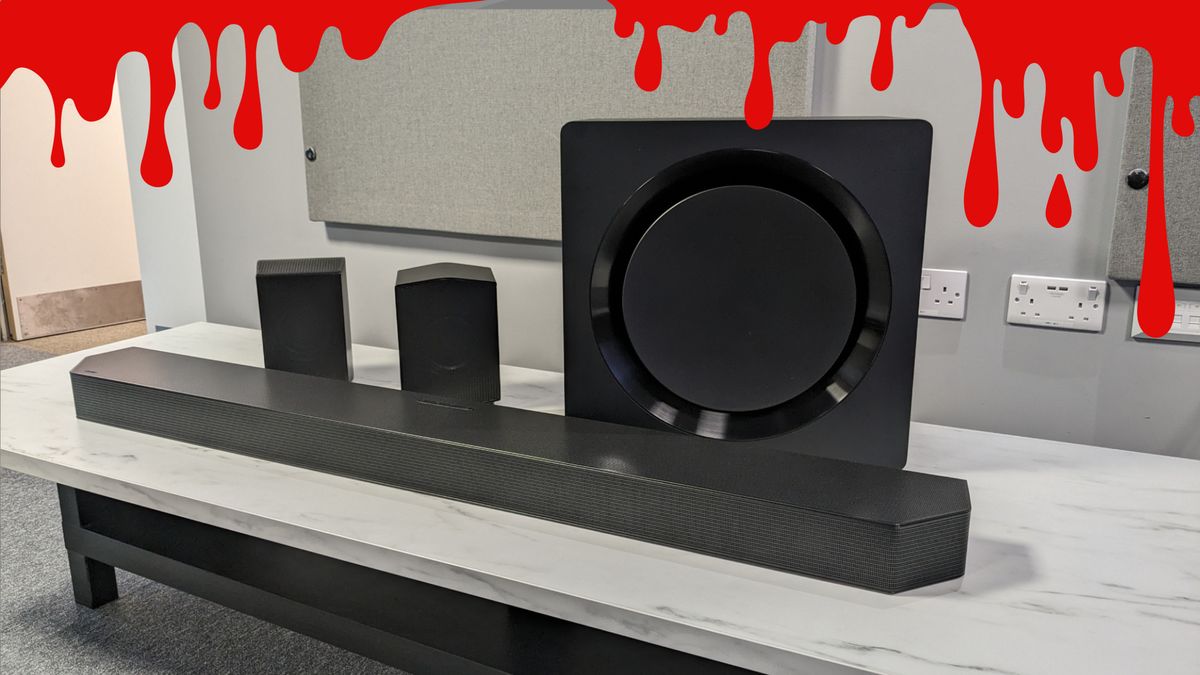
Samsung promises free repairs for everybody You’re probably going to have to send your unit away for a while Some support techs don’t seem to have been informed As we reported last week, several Samsung soundbars including the flagship Samsung HW-Q990D have been rendered inoperable by a faulty firmware update. The firm promised to investigate, and now there’s a free fix – although it’s not ideal. In a statement sent to Digital Trends, Samsung said: “Samsung Electronics has identified a software update error as the cause of the operational issue affecting certain 2024 soundbar devices. We are taking immediate action to resolve the situation. Samsung is offering free repairs for all affected units—regardless of warranty status.” You may like Unfortunately that’s likely to require you to send your soundbar away for a while – hardly convenient for a hefty soundbar at the best of times, and maybe doubly so if you didn’t keep the box. And that’s not to mention that your TV audio will suffer during that time… It also seems that Samsung hasn’t told all its support techs yet, based on reports online. Samsung HW-Q990D: affected users have been promised free repair irrespective of warranty status. (Image credit: Future) What are Samsung support techs saying? Some Samsung owners have turned to Reddit to discuss the “debacle”, with some saying that support techs have been problematic: TigerHawk7 was “offered free parts but [told to] pay shipping and labor and that was after arguing after quite some time.” Over on the Samsung community forums, UK user ApocalypseRogue7122 – whose experience with support so far has been very frustrating, with Samsung initially refusing to take the soundbar back – reports getting a call from Samsung’s authorized UK repairer: “The affected soundbars require a ‘new part’ (motherboard) and due to the number of failures Samsung is out of stock of said part. He told me that they (Mint Group FX) have ordered the part and if they are unable to get it by next Wednesday 25th March, then I will either receive a refund or replacement unit.” Sign up for breaking news, reviews, opinion, top tech deals, and more. Hopefully Samsung is on top of this, because it’s bad enough having to send back a soundbar without then having to wait an uncertain amount of time for a repair or replacement. We’ve asked Samsung what customers should do if they encounter problems getting a free repair, and we’ll update you when the company responds. We rate Samsung’s options highly among the best soundbars, and while it sounds like the update danger has now passed, Samsung’s response to the problem might strongly affect how well people trust the company in the future. You only need to look at Sonos’ nearly year-long problems to know that trust can be broken quickly and slow to regain. You might also like

Posted on

Owning a soundbar has been a game-changer for me – here are 5 cheap options I’d recommend

Are you growing tired of your TV’s sub-par audio? Well I promise you this, you’re not alone. A lot of TVs – yes, even some more expensive models – are guilty of plating up unclear dialogue, tinny treble and thin bass. But since I added a soundbar to my setup, I’ve freed myself of such issues and watching my favorite movies or TV shows never felt better. But a lot of you may be thinking that a good soundbar will set you back quite some way. And OK, if you want the crème de la crème, you’re right; some of the best Dolby Atmos soundbars, for instance, won’t come cheap. Having said that, I’ve tested some of the absolute best cheap soundbars on the market and now I’m convinced – there’s an option for everyone, whether your budget is around $300 or under $100. So, I’ve collected a list of five budget bars that will take your viewing experiences to the next level. Let’s take a look… Sony HT-SF150 (Image credit: Future) I’d like to begin with a real favorite of mine, the Sony HT-SF150, or HT-S100F for those of you in the States. This isn’t the newest soundbar on the market – there’s nothing flashy like Dolby Atmos or DTS:X support, but it just nails the basics. You may like Firstly, it’s ultra-cheap, often appearing on sale for less than $100 / £90 / AU$180 – that’s a phenomenally low price. But don’t be deceived: that low price is not indicative of the bar’s quality. The HT-SF150 also offers up clear dialogue, meaning you can keep those pesky subtitles turned off. And you can adjust audio to suit whatever content you’re viewing by switching between the soundbar’s Standard, Cinema, Music, Night, and crisp-sounding Voice modes. On top of all of that, the HT-SF150 harnesses the power of Sony’s S-Force Front Surround virtual processing, which aims to emulate “cinema-style surround sound”. Now that might be a bit out of reach for this bar, but still, I was impressed by the width of audio and felt on-screen action was mapped pretty effectively to boot. Pair that with the soundbar’s surprisingly sleek looks and you’re staring at a value champion. Read our full Sony HT-SF150 review. Hisense HS214 (Image credit: Future) But hold on: let’s say you’re working with a bit less space. Well, the Hisense HS214 could be the perfect option for you. This is another sub-$100 option, coming in at $99 / £79, but unlike the Sony HT-SF150, this is a mini soundbar. The HS214’s diminutive build makes it is ideal if you live in a dorm room or small-sized apartment and want a soundbar that seamlessly slots into your TV setup. But despite its truncated size, this thing is able to pack quite the punch. It boasts a maximum power output of 108W and has a built-in subwoofer for some added weight in the low-end. Does it dish out truly booming bass? Not quite. But if will be a significant step-up on a lot of TVs – especially smaller models that often serve up disappointing sound. Yep, that even includes some of the best small TVs. What’s more, this soundbar comes with EQ options of its own, is simple to setup and has every connection type under the sun – including HDMI ARC. It can’t create quite as broad a spatial impression as the HT-SF150, though. That’s partially inherent to its more restricted width, but its included Surround Mode also sounds a bit tinny – so if you want truly expansive audio, the Sony alternative may be a better fit. But all in all, this surprisingly powerful soundbar is a super solid option if you’re looking for a quick and cheap upgrade on plain TV audio. Read our full Hisense HS214 review. Panasonic SC-HTB100 (Image credit: Future) And for my next trick: a UK exclusive. Sorry, US folk. I’d like to shed some light on the Panasonic SC-HTB100, which sees us return to full-sized soundbars once again. This model is ultra-cheap, often retailing for less than £80, but I was surprised to find that out myself. Why? Well, above all, I was impressed by how clear and well-positioned vocals sounded with this soundbar. Both higher and lower-pitched voices are pretty neatly separated, rarely sounding muffled or disrupted in the overall mix. Sure, this isn’t the most powerful bar and bass isn’t going to blow you away – but if you listen to a lot of radio or documentaries, for instance, the crisp reproduction of vocals makes this bar worth it alone. Another reason to choose the Panasonic SC-HTB100 is its Bluetooth connectivity. This bar uses Bluetooth 5.0 – more up-to-date than the previous two’s Bluetooth 4.2. And of course the big win there is you can seamlessly connect your phone up to the soundbar and play your favorite tunes from Spotify, Apple Music and the like. I found music quality to be pretty decent on the SC-HTB100 – not as good as the best Bluetooth speakers or anything – but still clear and tonally accurate, especially in Music mode. Read our full Panasonic SC-HTB100 review. Bose Solo Soundbar 2 (Image credit: Future) Another small-sized option I enjoyed using was the Bose Solo Soundbar 2. I’ll come clean from the get-go… there’s no HDMI connectivity option here, so you’ll have to use the included-remote to adjust volume output. But picture this: you have a Playstation 5, a Nintendo Switch and a Blu-ray player. Oh no! You have no more HDMI ports remaining. But the optical connection will render that insignificant. So, if you don’t want to keep swapping out one of your consoles or accessories, the optical route may be a better fit for you anyway. Regardless, let’s talk about the soundbar itself. Again, it’s surprisingly powerful for such a tiny model, with a maximum power output of 100W. It also has adjustable bass levels, so you can get fairly meaty low-end audio – a big plus when watching movies with dark, imposing soundtracks. On top of that, there’s Dialogue Mode, which is effective at lifting speech out in busier scenes, or just giving crisp clarity when streaming podcasts, for example. Like the Hisense HS214, you can’t expect particularly striking expansiveness from this soundbar, in part down to its small size. But a more positive similarity is that this is again, a pretty attractive-looking model, with a responsive remote and straightforward setup process. It’s not too expensive for a Bose product either, carrying a list price of $199 / £179.95 / AU$359.95 – and it’s sometimes available at a cut-price too. Read our full Bose Solo Soundbar 2 review. Sony HT-S2000 (Image credit: Future) Maybe I’m being a bit cheeky here, but I just have to circle back to Sony and shout out the HT-S2000 model. In honesty, this bar isn’t quite as cheap as the previously mentioned soundbars, but still, it’s by no means super-expensive. We’ve even seen it drop to less than $300 in the US and that’s unbeatable value as far as I’m concerned. That’s because this soundbar packs almost everything you need into one comprehensive package. And I mean that literally: this is a standalone 3.1 soundbar that can play Dolby Atmos and DTS:X soundtracks to a high standard and deeply immerse you in the action, courtesy of Sony’s proprietary processing tech. It’s quite rare, in my experience, to find a more budget-friendly soundbar that can do Atmos justice. But when I tested this bar myself, I was really impressed by the verticality on offer – sounds can easily exceed the height of your TV screen, making for significantly more engaging viewing. Again, you can expect the HT-S200 to handle the fundamentals – be it crisp dialogue, neat aesthetics and a straightforward setup. But it even gets trickier things right too, be that deep bass output, adept music replication or accurate mapping of on-screen activity. It’s worth noting that this is a chunkier bar than some of the alternatives I’ve listed above, so make sure you have plenty of space on your TV unit – that is if you don’t fancy setting it up on a rack. Read our full Sony HT-S2000 review. So, there you have it. My picks for the best soundbars if you’re on a budget. As you may have noticed, a lot of these models sit closer to the $100 side of the spectrum, which really goes to prove that stepping up from TV audio doesn’t have to be a crazy expensive endeavour. Of course, some of these options won’t rock your world with booming bass or the delights of Dolby Atmos – but I can still vouch for their impressive sound quality. If you’re looking for a real top-tier performer, check out our guide to the best soundbars, where we’ve curated a list of the most elite options available today. You might also like

Posted on

Setting up the Sonos Arc Ultra soundbar was one of the worst tech experiences of my life, but damn it sounds incredible

I. Loathe. The. Sonos. App. Sorry for that appalling punctuation, but since the firm retooled and relaunched its application last year, thousands of Sonos fans have been forced to endure audio anguish. Up until recently, it was about as dependable as a starving fox guarding a hen house. Not long ago, we labelled 2024 as the year Sonos slipped. Why? Largely because of the redesigned Sonos app’s refusal to play ball with many of the company’s soundbars and smart speakers, like the wonderful Sonos Era 300. I was first introduced to how annoying the app was a few months ago when I installed the updated software on my iPad Pro 13-inch (2024). All of a sudden, I could no longer tweak my EQ settings due to a maddening failed login loop that kept telling me to “Sign in as the System Owner to see this content” on both my tablet and iPhone 14 Pro. You may like It was only recently when I bought the Sonos Arc Ultra that I dared go near the app again. For the first two weeks of owning what we consider to be “the best one-box Dolby Atmos soundbar”, the System Owner loop was still stuck in full Groundhog Day mode for me… minus the Bill Murray-provided chuckles. I would also say that this, perhaps, is not the most efficient use of space… (Image credit: Future) The sweet sound of success Finally, I was presented with a glimmer of hope when I installed the app on my Asus Zephyrus G14 laptop. As soon as it allowed me to sign in as the owner of my system – a gobsmacking privilege, I know – the app suddenly started playing nice on my Apple devices. This meant I could at long last tweak the EQ of the best soundbar Sonos has ever made. Sadly though, more software sadness soon presented itself. The app forced me to resync every one of my Sonos devices – a setup that spans the Arc Ultra, two Sonos Subs and a pair of Sonos Era 300 speakers. Cue an hour-long experiment in twisted torture that involved scanning the pairing buttons of all my Sonos kit with my iPhone’s camera. The process proved to be incredibly finicky, and it took me around seven attempts on both of my Sonos Subs before the app finally recognized them. My poor, utterly ruined knees. After obliterating all of my cartilage, my Sonos surround sound setup mercifully at least sounds glorious. And during that fortnight when I couldn’t sync my Era 300 speakers and subwoofers, it made me appreciate how much of an audio upgrade the Arc Ultra provides over the OG Sonos Arc. Kai hard With my subs out of action during the App Incident, I could instantly appreciate just how much weightier the bass of the Ultra was compared to the original Arc. Another significant improvement? The way the Arc Ultra handles Dolby Atmos effects. While watching the exhilarating final few episodes of Cobra Kai season 6, it was easy to hear the added height the Ultra pumped out sound during all that kickass karate action. Patience was necessary to achieve (sound) balance. (Image credit: Future) I also really appreciate how much clearer dialogue sounds on the Arc Ultra. While I never had many problems while watching the best Disney+ movies on my old soundbar, it was definitely an issue when playing some of the best PS5 games. On the Arc Ultra, though, playing through Cyberpunk 2077 again is proving to be a delight. That’s in part because the voices of V, Johnny Silverhand and friends feel so much more enhanced; no longer being drowned out by the background buzz of Night City’s streets that blare from my Sonos Era 300 rear speakers. Though I’ve only owned it for less than a month, I already consider the Arc Ultra the best piece of audio equipment Sonos has ever released. There’s no question that it’s one of the best soundbars you can buy today. I just wish I hadn’t gone through all that app agony to appreciate its full glory. You might also like…

Posted on

It’s no dud, but this cheap Bose soundbar I reviewed felt a little outdated for this one reason

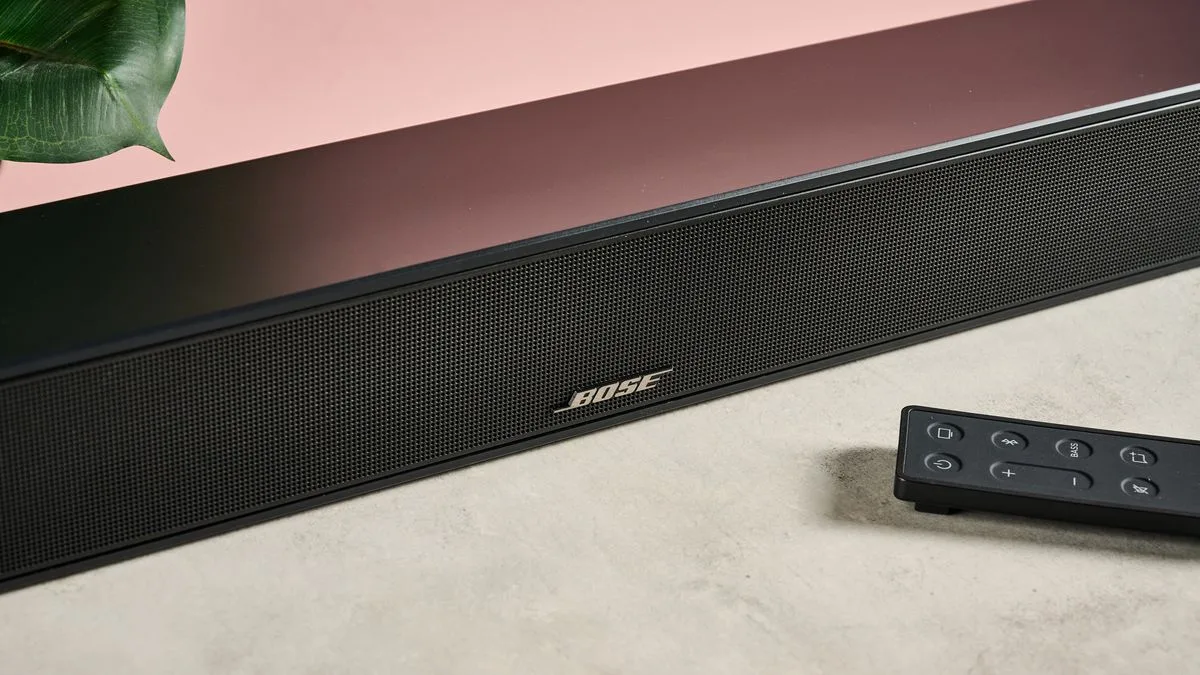
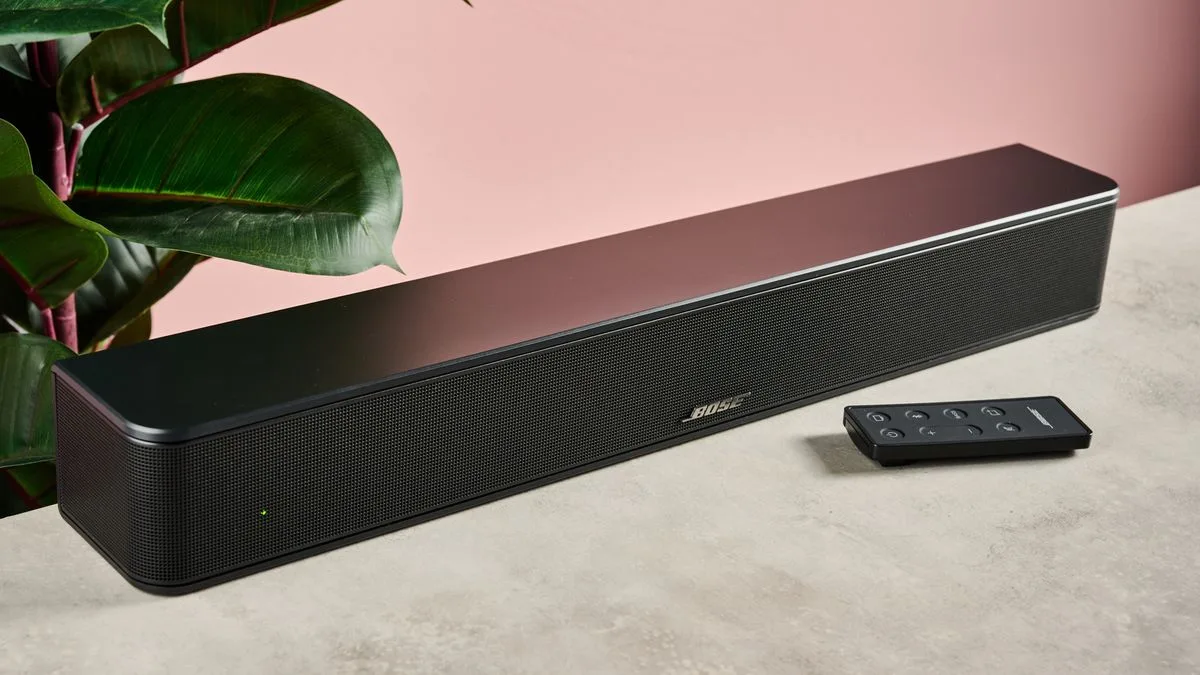
Why you can trust TechRadar We spend hours testing every product or service we review, so you can be sure you’re buying the best. Find out more about how we test. Bose Solo Soundbar 2 review The Bose Solo Soundbar 2 is a diminutive yet powerful 2.0 channel soundbar that sets out to take your viewing experiences to the next level. With a list price of $199 / £179.95 / AU$359.95, it’s certainly on the affordable side for Bose – but there are a lot of budget soundbar competitors doing their thing for even less. So, is the Bose Solo Soundbar 2 hot enough to compete in a fiery market? Well, before we jump to any conclusions, let’s talk about setup. Getting the Bose Solo Soundbar 2 hooked up to your TV is easy enough. It comes with a digital optical cable and an AC adapter that you can plug in for instant access to Bose soundbar goodness. Alternatively, you can use coaxial or AUX connections, but as is often the case, the cables for this aren’t included in the box. But although setup is straightforward, you’ve probably picked up on a standout omission. That’s right: there’s no HDMI here. Now don’t get me wrong, I understand this isn’t the newest model on the market – specifically, the Bose Solo Soundbar 2 was released in 2021. But still, by then, I’d expect a soundbar at this price point to have HDMI ARC as a connectivity option. It’s an absolute must to qualify as one of the best cheap soundbars. You may like (Image credit: Future) The lack of HDMI means you won’t be able to adjust the soundbar’s volume with your usual TV remote – instead you’ll have to use the included separate remote. I also typically find digital optical cables to be more fiddly and awkward than larger, easier-to-handle HDMI cables. One final note on HDMI: without it, you’re going to be locked out of fancy audio features like Dolby Atmos and DTS:X – something that doesn’t always work out with small, cheap soundbars – but that’s worth noting if you’re expecting truly immersive three-dimensional audio. So, look, the Bose Solo Soundbar 2 and I didn’t get off on the best foot. But I wasn’t going to write it off without a good listen and test session first. And I’m glad to report that the sound quality on offer is a major redeeming factor. I tried watching the movie Smile on Netflix and found that the dialogue was clear and natural-sounding when two women conversed in an isolated room. At one point during this exchange, tensions flare as one woman falls to the floor – and imposing bass ripples through the scene. I felt that the low-end power on offer was substantial for a small soundbar like this. It grabbed me instantly and filled our medium-sized TV testing room effectively. Some of the lowest notes sounded a touch thin, however. (Image credit: Future) I threw on The Matrix and during the famous rooftop showdown scene, deeper bass didn’t have that rumble you’d get from more premium models, especially those with a standalone subwoofer. But given a lot of cheap, standalone soundbars struggle with bass, this can be forgiven – low-end output remains steady. I would say, however, that there was pretty limited width to the soundstage, perhaps accentuated by this soundbar’s small size. So when watching epic movies such as this, don’t expect that room-filling, immersive surround sound that more talented standalone soundbars, like the Sony HT-S2000 can imitate pretty effectively. It’s also worth noting that you can raise (or lower) bass levels to your liking using the Solo Soundbar 2’s remote. That’s something that even some fantastic budget rivals, like the Sony HT-SF150, skip on. And although this model will still struggle to hit those super-low depth notes, the bass controls still work nicely and provide some much-needed weight to blockbuster movie soundtracks and gaming scores. (Image credit: Future) Enough about bass, though. I’d like to loop back around to dialogue. This is generally quite crisp, but you can improve things further by activating Dialogue Mode. The most noticeable effect here is that volume is given a substantial boost. But I tried watching a scene in Smile where four characters were chatting in a busy outdoor seating area and the difference was considerable. With Dialogue Mode on, the characters of interest had their speech lifted a layer above, relegating background chatter to… well, the background. When listening to the Kermode & Mayo’s Take podcast in Dialogue Mode, I certainly felt satisfied with the crispness and forwardness of the hosts’ vocals. So, if you’re fed up of turning subtitles on to understand what’s being said in your favorite movies or TV shows, the Bose Solo Soundbar 2 will certainly supply a way out of that life. Even some of the best small TVs, for example, tend to have limited audio capabilities, so if you own one of those, the mini, solid-sounding Solo Soundbar 2 could be right for you. Especially if you’ve used up all of your HDMI ports. Sound rarely gets harsh or abrasive, even at higher volumes. And this thing can get pretty loud, thanks to its maximum power output of 100W. Not bad for a small lil’ fella. The only time I felt sound quality took a significant dive was when I played some music over Bluetooth. For instance, I blasted Electric Tooth Brush by Toronto and was met with an almost ‘boxed-in’ sound and bass didn’t have the thump I’d usually look for. Similarly when tuning into Black Eye by Allie X, the soundbar lacked the dynamism required to faithfully replicate the track – especially as the bouncing bass running throughout the track sounded a touch flat. (Image credit: Future) Having said that, music didn’t sound tinny or horrible and vocals in Black Eye were certainly clear enough. I just wouldn’t recommend using this as your main way to stream music at home, especially when there are some excellent options to pick from in our guide to the best Bluetooth speakers. Something I did like about the Solo Soundbar 2, though, is its design. It’s a fairly attractive mini bar with a classy black speaker grille and famous Bose logo imprinted front and centre. OK, it’s a little plasticky – but that’s to be expected at this price point. And the included remote is pleasingly slim and sleek, which adds a few more style points anyway. Of course, the soundbar’s compact size can limit the expansiveness of audio, but in terms of practicality, it doesn’t get a whole lot better. All in all, the Bose Solo Soundbar 2 is a decent, small-sized option if you’re looking to upgrade your TV’s underwhelming audio. It sounds surprisingly powerful and looks pretty sweet too. And if you’re all out of HDMI slots, then it might be worth a look. But in my view, it’s not the best value for money option, let alone the best quality one in its class. You can get the Hisense HS214 – a cheaper, more modern, HDMI-ready mini bar if you’re short on space. You could even grab the Panasonic SC-HTB100 if you want clear audio with a bit more width. And both of these alternatives are considerably cheaper than the Solo Soundbar 2, so make sure to weigh up your options before pulling the trigger on a purchase. Speaking of options, you can check out our list of the best soundbars if you want a best-in-class soundbar for truly cinematic sound. (Image credit: Future) Bose Solo Soundbar 2 review: Price and release date $199 / £179.95 / AU$359.95 Launched in 2021 The Bose Solo Soundbar 2 (sometimes stylised ‘Bose Solo Soundbar Series II’) released in 2021 with a list price of $199 / £179.95 / AU$359.95. Now, a few years later, you can often find it at a discounted price. For instance, I spotted this model for less than £150 directly through the Bose UK website, so keep your eyes peeled for a tasty price drop. Bose Solo Soundbar 2 review: Specs Swipe to scroll horizontally Dimensions 2.8 x 21.6 x 3.4 inches / 71 x 549 x 86mm Speaker channels 2.0 Connections Digital optical, coaxial, AUX, Bluetooth 4.0 Dolby Atmos / DTS:X No / No Sub included No Rear speakers included No (Image credit: Future) Should I buy the Bose Solo Soundbar 2? Swipe to scroll horizontally Attributes Notes Rating Features Bass controls, dialogue mode, Bluetooth, lacks surround sound features. 4/5 Audio performance Clear but not expansive audio, decently powerful, low bass not perfect. 3.5/5 Design Diminutive, decently attractive design, neat remote. 4/5 Setup and usability No HDMI is a real blow, but still easy enough to set up, responsive. 3.5/5 Value Not too expensive but there are too many strong, significantly cheaper rivals. 3/5 Buy it if… Don’t buy it if… Bose Solo Soundbar 2 review: Also consider Swipe to scroll horizontally Header Cell – Column 0 Bose Solo Soundbar 2 Sony HT-SF150 Hisense HS214 Price $199 / £179.95 / AU$359.95 $129 / £99 / AU$194 $99 / £79 (about AU$160) Dimensions 2.8 x 21.6 x 3.4 inches / 71 x 549 x 86mm 35.4 x 2.5 x 3.5 inches / 900 x 64 x 88mm 25.6 x 3.7 x 2.3 inches / 650 x 95 x 58mm Speaker channels 2.0 2.0 2.1 Connections Digital optical, coaxial, AUX, Bluetooth 4.0 HDMI, digital optical, USB, Bluetooth 4.2 HDMI ARC, digital optical, AUX, USB, coaxial, Bluetooth 4.2 Dolby Atmos / DTS:X No / No No / No No (but includes built-in woofer) Sub included No No No Rear speakers included No No No Bose Solo Soundbar 2 review: How I tested Tested across one week Used in our TV testing space at Future Labs Connected up using the soundbar’s digital optical port I spent hours testing the Bose Solo Soundbar 2 at our TV testing space at Future Labs. During this time, I used the digital optical connectivity option and hooked the Solo Soundbar 2 up to the excellent Panasonic MZ1500 TV. For my tests, I viewed a variety of TV shows, videos and movies – mainly using streaming services like Netflix and YouTube. In addition, I connected the Samsung Galaxy S24 FE to the soundbar to assess audio quality over Bluetooth. I made sure to play tracks from the TechRadar testing playlist as well as my own personal library to judge the capabilities of the soundbar’s Bluetooth mode. First reviewed: February 2025 Read more about how we test

Posted on

I tested an ultra-cheap Dolby Atmos soundbar against a premium alternative, here’s why it’s worth spending the extra cash

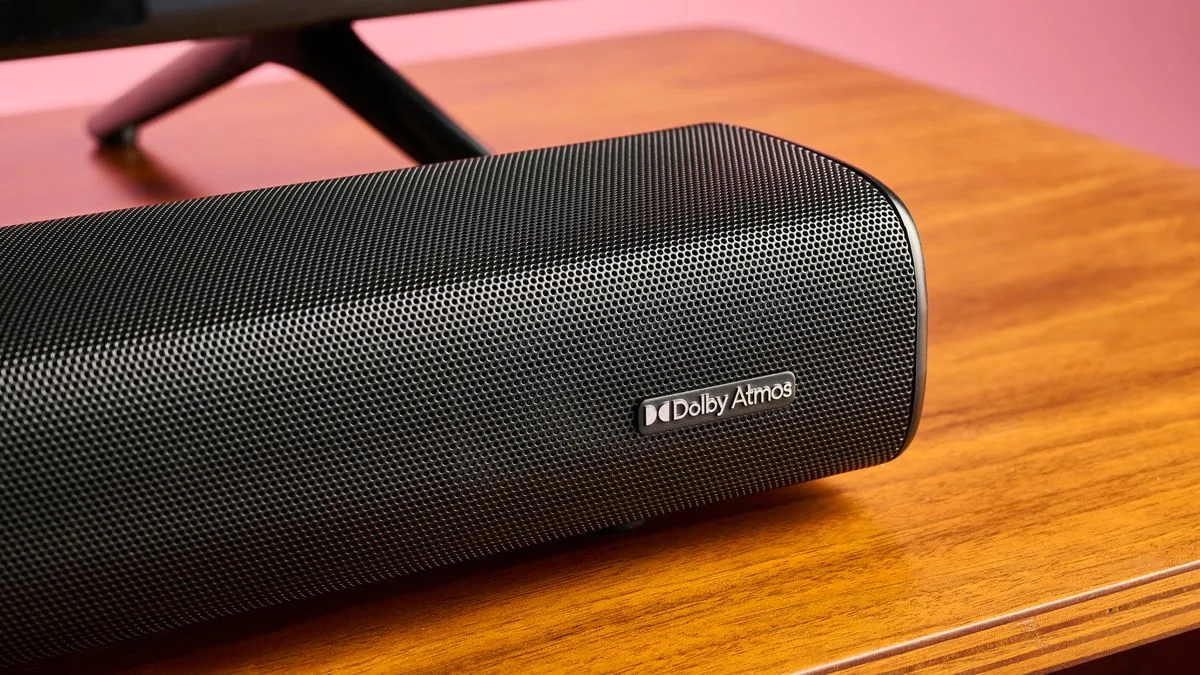
If you’re looking to grab one of the best soundbars around, there’s something that you’ll almost certainly be seeking – Dolby Atmos support. And I wouldn’t blame you. This immersive audio tech can provide a three-dimensional, natural sound profile to your viewing experiences that will really take movie nights to the next level. Luckily, I’ve been able to test a number of the best Dolby Atmos soundbars here at TechRadar – everything from ultra-cheap models around the $100 / £100 mark to more premium options in the $1,500 / £1,500 range. So, you might be wondering, if you can access Atmos at such a low price-point, is it really worth spending extra on a more elite option? Let’s find out. A few months ago, I checked out the Majority Elias, a soundbar that’s available in the UK for £99.95 (about $130 / AU$190). This budget standalone soundbar packs in Dolby Atmos support alongside upfiring speakers – something you need if you’re looking to reap the benefits of Atmos’ verticality. I tried watching a few movies with this soundbar, such as Top Gun: Maverick – a hit that gives Atmos plenty of space to showcase its strengths, with soaring jets and all-action onslaughts. During one scene where Tom Cruise’s character flies his aircraft up at a rapid pace, the Elias offered a more expansive impression than my standalone TV audio, but it couldn’t map his trajectory to a precise, true-to-life degree. (Image credit: Future) The Elias is a 2.0.2 soundbar – it lacks a standalone sub and rear speakers, merely offering two forward facing and two upward firing speakers. Now, a lot of the more expensive models out there come with their own sub, maybe even individual rear speakers, meaning you get true surround sound. This really takes the effects of Atmos up a level, enveloping you in a layer of sound for high-calibre immersion. Its worth commending the Majority Elias for casting a decent spatial impression – but also noticing that despite having Atmos capabilities, they’re fairly limited. Ultimately, the Elias also suffers from an issue that many cheap soundbars – including models like the Ultimea Nova S50 – struggle with. Namely, disappointing overall audio quality. I found that dialogue could sound fairly muddy when watching movies and TV shows and that it struggled with busier scenes where details could get hidden away in the mix. And what that unfortunately means is you’re not going to be able to fully indulge in the joys of Dolby Atmos. With average or sub-par audio, more subtle artefacts can seem hidden – something you don’t have to worry about with the Samsung HW-Q800D – a model I tested at the tail-end of 2024. (Image credit: Future) Atmos, in all its glory The HW-Q800D has a list price of $999 / £749 / AU$1,099, so it’s by no means cheap, but oh my do you still get your money’s worth. First off, you don’t have to face up to middling audio quality here – the HW-Q800D can do it all, from ultra-defined dialogue through to rhythmic music replication. But on Atmos specifically, the HW-Q800D can plate up phenomenal three-dimensional audio that fills your room effortlessly. When testing, I threw on The Boy and the Heron and the soundbar mapped the titular bird’s flight expertly, tracing his every flutter. In an area consumed by fire, both the width from the soundbar’s side speakers and verticality from its upfiring ones captured the frightening, heart-racing atmosphere of the opening scene to perfection, really involving me in the action. This model also comes with a dedicated sub, which adds incredible low-end power for those tense moments in movies and video games – or bass-heavy bangers in your music library. You’re getting a total power output of 360W from the HW-Q800D, more than double that of the Majority Elias – so you can attain the kind of power needed for an authentic home cinema experience. (Image credit: Future) Of course, if you have a bit more money to play with (lucky you), you can heighten performance by adding rear speakers with a model like the Samsung HW-Q990D. But there are cheaper options available that offer amazing Atmos. For instance, we still love the Sony HT-S2000 – a standalone soundbar that can often be found for less than $400 / £300. This bar harnesses virtual processing to make height effects in Dolby Atmos soundtracks like Top Gun exceed the verticality of your TV screen – pretty neat at this price-point! All in all, I’d argue that if you have the budget, spending extra on a higher-end Dolby Atmos soundbar is well-worth it. You can access more accurate mapping, impressive verticality and truly expansive sound, even with mid-range options like the Sony HT-S2000. Ultimately, a lot of budget soundbars lack the ability to plate up nuanced, fully three-dimensional audio – especially without surround channels. But if you are on a tighter budget, fear not – there are some excellent cheap options out there – albeit without Atmos. One of the best cheap soundbars is the diminutive Hisense HS214, which offers clear dialogue and impressive power for less than $100 / £80. (Image credit: Future) You might also like

Posted on

I’m amazed by the Bose Smart Soundbar’s features for the money, and am also impressed with its Dolby Atmos sound

Bose Smart Soundbar: Two minute review The Bose Smart Soundbar is a great way to elevate your TV experience in the bedroom or other small room. It’s not up to the task of a home theater setup, especially without a subwoofer, but that’s not its purpose. if you’re looking to bring Dolby Atmos sound to a smaller setup, it’s one of the best soundbars you can buy. The Bose Smart Soundbar’s lack of low-end will frustrate action and superhero movie fans and its narrow soundstage keeps it from truly elevating the audio experience, especially when listening to music. However, it still is one of the best Dolby Atmos soundbars, with two upward-firing speakers that provide a sense of space and immersion that somewhat offsets that narrow soundstage. In a smaller setup, it almost completely masks it. Just as important, this soundbar is stacked with features. There’s an A.I. dialogue mode, Alexa and Chromecast support, plus a whole lot more. My favorite feature lets you use specific Bose earbuds as the rear speakers in a surround sound setup for a unique experience. Unfortunately, those are sold separately. And, of course, the Smart Soundbar has the typical Bose markup, so this is not necessarily a great deal, though I wouldn’t call it overpriced either. If you’re looking to upgrade your TV experience in a smaller space like a bedroom or small apartment, the Bose Smart Soundbar is an ideal option, especially with all the features on hand. Just be willing to shell out some extra cash and be aware of its shortcomings. The Bose Smart Soundbar comes with everything you need to quickly get up and running (earbuds cost extra) (Image credit: Future) Bose Smart Soundbar review: Price & release date Price: $499.00 / £499.95 / AU$799.95 First available: September 2024 Available in the US, UK, and Australia Having been released in September of 2024, the Bose Smart Soundbar is the newest addition to the company’s soundbar lineup. And at $499.00 / £499.95 / AU$799.95, its price tag is about what one would expect from Bose since you’re paying a little bit for the name. You might get more in terms of features or even a subwoofer and surround speakers for that price if you go with models from other companies, but you might be trading off some quality for those extras. We reported around the time of release that the Bose Ultra Open Earbuds can work as rear speakers for this soundbar. And while that is certifiably a very appreciated feature, you won’t get a pair for free when purchasing the soundbar but will have to pay an extra $299 / £299 / AU$449.95 for the earbuds. The Bose Smart Soundbar and Bose Ultra Open Earbuds are available in the US, UK, and Australia. Bose Smart Soundbar review: Specs Swipe to scroll horizontally Dimensions (W x H x D) 27.34 x 2.21 x 4.01 inches (694 x 56 x 102mm) Speaker channels 3.0.2 (plays back at 5.1.4) Ports: HDMI, Optical, Bluetooth, USB, sub out, IR Dolby Atmos/DTS:X Yes Sub included No Rear speakers included No Features Airplay 2, Spotify Connect, Chromecast built-in, A.I. Dialog Mode, Personal Surround Sound via Bose Ultra Open Earbuds, Bose TrueSpace, app support Power and mic control buttons are located on the soundbar’s top surface (Image credit: Future) Bose Smart Soundbar review: Features Personal Surround Sound (requires optional Bose earbuds) App is easy to navigate and use Wi-Fi and Voice assistant support My favorite feature of the feature-filled Bose Smart Soundbar is Personal Surround Sound, which uses Bose’s Ultra Open Earbuds as rear speakers so you can get an actual surround sound experience without needing to use rear speakers. Plus, you can adjust how subtle or strong the effect is in the app as well as boost different settings like center channel level for those with issues hearing dialogue. This feature requires you to purchase Bose Ultra Open Earbuds, however, and they’re not exactly cheap. I particularly liked this feature for gaming. I used Personal Surround Sound while playing Star Wars: Jedi Survivor and found it created a fairly integrated soundscape for the main character to run around in – half the time I couldn’t tell if what I was hearing was coming from the soundbar or the earbuds. In a way, Personal Surround Sound is even better than a traditional surround sound system since you don’t have to be locked into a specific seat to hear all the audio elements in the soundtrack at the proper distance. On the other hand, this feature only works for anyone wearing the earbuds – not exactly great for group viewing. The app, which is easy to navigate and use, has plenty of other features on tap. Of course, there are some basic EQ settings. While there’s no parametric EQ, you can adjust the treble, bass, center channel, and height effect, aka spatial audio. You can even toggle on a Wall EQ setting to adjust for when the soundbar is installed against a wall. Speaking of spatial audio, this soundbar does support Dolby Atmos, and physically reproduces it via those upward-firing speakers. Some soundbars support Dolby Atmos but don’t have any upward-firing speakers, instead using virtual trickery to give a sense of spaciousness. The difference is noticeable. Bose TrueSpace also takes advantage of those upward-firing speakers, upscaling sound so that you’re getting a spatial audio experience even when the source isn’t Dolby Atmos encoded. (It’s like listening to mono audio on a stereo set of speakers.) As far as I could hear, it’s the same audio going upwards as out whereas Dolby Atmos audio has specific elements that are designated height effects. If you’re hard of hearing or just find the modern mixes of movies to be hard to understand, the AI dialogue mode might be the feature for you. It’s supposed to automatically adjust dialogue for clarity’s sake. When testing – I watched the beginning of The Dark Knight for this feature – I found that dialogue was clearer since there was a subtle boost to the midrange where voices typically sit. It wasn’t obnoxious the way some dialog boosting modes are, but it still boosted sounds that sit in a similar frequency range that weren’t voices. It’s not perfectly executed, but still is done well. Lastly, the Bose Smart Soundbar has Alexa support as well as both Chromecast built-in and AirPlay. With Alexa, you can talk to the soundbar the way you would an Amazon Echo, even asking what the weather is or setting a timer. I did find that I had to articulate the wake word a little more for the soundbar to hear me, but that’s not all that big of a deal. During testing, I found the built-in Chromecast and AirPlay to work seamlessly, which is something I always worry about as in the past I’ve had connectivity issues with Wi-Fi streaming on some devices. Features score: 4.5 / 5 The Bose Smart soundbar features two upward-firing speakers for Dolby Atmos height effects (Image credit: Future) Bose Smart Soundbar review: Performance Light on bass Balanced mids and crisp highs Somewhat narrow soundstage The Bose Smart Soundbar sounds about as good as a soundbar can. You have to remember that these types of audio devices exist mostly for convenience’s sake. With that in mind, let’s discuss its audio limitations. First up is the bass. While I could turn up the bass level in the app, the low-range boost affects the mid-range frequencies. Since there are just some bass ports on the back and no actual subwoofer-specific drivers, not to mention that the drivers are necessarily compact, the lack of a strong bass response is unsurprising. There was no rumble on hand when I tested it with The Batman, The Dark Knight, and Deadpool & Wolverine (400 Blows doesn’t lend itself to testing soundbars). Whenever there are big fights in these kinds of movies, there’s always a lot of very punchy low-end information. But here, all that information is very muted if not gone. At least, there’s a subwoofer output to correct that by adding an external subwoofer, and Bose also offers wireless subs (and surround speakers) that can be paired with the Smart Soundbar. The other parts of the frequency range fare better. The mid-range is not quite rich and full, but it is well-balanced. I generally didn’t need the A.I. dialogue mode, for instance, as the dialogue was consistently intelligible. It also helped that I could boost the center channel level in the app to help with that. The high-end is nice and crisp on the Smart Soundbar. Whether it was the string arrangement in movie scores or even dialogue when I tested it, everything had a nice clarity as opposed to being overly pronounced or even painful to listen to. This soundbar’s soundstage is inherently limited by its form factor. That said, the sound did feel like it has more width than other similarly sized soundbars I’ve tested and used. This was helped quite a bit by the spatial audio capabilities, as everything sounded a little bigger and wider, even though I didn’t hear as much left-to-right movement as I expected. Performance score: 4 / 5 The Bose Smart Soundbar’s main connections are HDMI eARC and optical digital audio, along with a line output for a subwoofer (Image credit: Future) Bose Smart Soundbar review: Design Upward-firing speakers On-unit controls just for voice assistant No alphanumeric LED display Bose is not breaking the mold design-wise with the look or color of the Bose Smart Soundbar. This is a long rectangular, matte black soundbar with a grill that covers the front and wraps around the side to cover the center tweeter and the racetrack transducers on each end. There’s a grill on the top of the unit as well where the two upward-firing transducers are. Speaking of all those speakers, despite it being technically a 3.0.2 system (the left, right and center speakers along with the two upward-firing ones), the audio decodes at 5.1.4. There are some ports on the back to help with bass but there aren’t any drivers dedicated to the low end. The on-unit controls are fairly limited as just two buttons are sitting on top of the left side for voice assistant support. There’s a microphone button to turn the internal mic on or off and an Alexa action button to interact with Alexa in a few different ways including stopping the feature. Most of the physical controls are available through the remote. You have the usual ones like power, mute, and volume controls as well as three source buttons (TV, Bluetooth, App) and a play/pause button. Nothing too crazy. The remote itself is fairly small and light, which is nice, though its small size makes it the kind of remote that’s very easy to lose. As far as ports go, it has the necessary optical and HDMI ports as well as a subwoofer out, an IR port, and a USB There’s no front panel alphanumeric LED display – something I always wish I had when it’s missing – just an LED light when the soundbar turns on or is listening when listening to a voice assistant command. While I did miss it, I didn’t miss it all that much. Design score: 4 / 5 The Smart Soundbar’s control app gives you access to a wide range of EQ settings (Image credit: Future) Bose Smart Soundbar review: Setup & usability HDMI eARC connection to TV Easy, app-based setup One-remote use with Roku TVs Setup of the Bose Smart Soundbar is very straightforward, even if it takes just a little longer from beginning to end. If you just want to get to it and don’t care about all the features, connecting the soundbar to either your TV’s optical or HDMI eARC port is most of the work. Put some AAA batteries into the remote (unfortunately not included) and you’re good to go. There are a few more steps if you want to get the full experience. After downloading the Bose app, you pair it to the soundbar (and the Ultra Open earbuds if you have them) and then set up Wi-Fi on the soundbar for AirPlay, Chromecast Built-in and Alexa. The Bose Smart Soundbar is made to pair seamlessly with Roku TVs. Luckily, I have one so I was able to go through the process – just follow the onscreen instructions – which allowed me to use my TV remote for basic functionality. On that note, once Alexa was set up, I was able to manipulate the soundbar just by using the wake word and speaking to it. Setup & usability score: 5 / 5 Using the Smart Soundbar’s Personal Surround Sound feature requires the Bose Ultra Open Earbuds (not included) (Image credit: Future) Bose Smart Soundbar review: Value Features boost value Can get more advanced systems for same price Cheaper standalone soundbars available If you’re looking at features, the Bose Smart Soundbar has a lot going for it with the Personal Surround Sound feature (which, again, requires a separate purchase), A.I. dialogue mode, and app support. For a similar price, however, you can get a 5.1-channel system like the maxed-out version of the Amazon Fire TV Soundbar Plus, which also gives you a subwoofer and rear speakers for true surround sound. As nice as Bose’s personalized surround sound feature is, only one person can use the earbuds at a time. Amazon’s system is lacking features and doesn’t have voice assistant support – not even Alexa. Its audio quality is not quite as crisp, nor does it have the upward-firing speakers of the Bose soundbar. Of course, if you’re on a budget, you can skip the subwoofer and rear speakers and just get the standalone Amazon Soundbar Plus soundbar for $249.99 / £249.99 (about AU$400). Another option is to spend $349 / £299 (originally $499 / £449 / AU$695) to get the Sony HT-S2000, a 3.1-channel standalone soundbar that includes virtual spatial audio and good bass response. It costs a little less for something that gets you 80% of the way there. But again, you’re giving up a lot as it doesn’t have voice assistant support, the personalized surround sound that’s unique to this Bose soundbar, or one of the many other features on hand. Value score: 4 / 5 The Bose Smart Soundbar and Ultra Open Earbuds (Image credit: Future) Should I buy the Bose Smart Soundbar? Swipe to scroll horizontally Bose Smart Soundbar Section Notes Score Features From the earbuds’ assisted surround sound to the Alexa support, this soundbar has about all the features you could ask for 4.5 / 5 Performance The bass is a bit on the weak side and the soundstage is lacking, but the mids and highs are very good. Plus, it has real spatial audio 4 / 5 Design Limited onboard controls and no LED display, but this soundbar does come with physical upward-firing speakers 4 / 5 Setup & usability Setting up the Bose Smart Soundbar is about as straightforward as it can be 5 / 5 Value You can get more for your money if you want a subwoofer or surround sound, but there are plenty of features on tap in this all-in-one bar 4 / 5 Buy it if… Don’t buy it if… Bose Smart Soundbar: Also consider How I tested the Bose Smart Soundbar The Nakamichi Dragon with its two subs in my home. (Image credit: Future) I used the Bose Smart Soundbar for a couple of weeks Tested with TV, movies, games, and music I used the Bose Smart Soundbar regularly for a couple of weeks. I watched movies, shows, gamed and listened to music with it. I tested all the various features, especially the Personal Surround Sound feature to see what it could do. After having tested the Bose Smart Soundbar, it still surprises me all that this soundbar has to offer. It’s that feature-packed. This is an ideal soundbar for someone with a smaller, not-quite home theater setup, but who still wants a premium experience, and not just because of the name. I’ve tested a lot of tech gear over the years from laptops to keyboards and speakers, and so have been able to use my expertise towards giving an honest and fair opinion, not to mention a critical eye, to any product I test.

Posted on

This super-cheap Sony soundbar is one of the best budget options I’ve ever tested

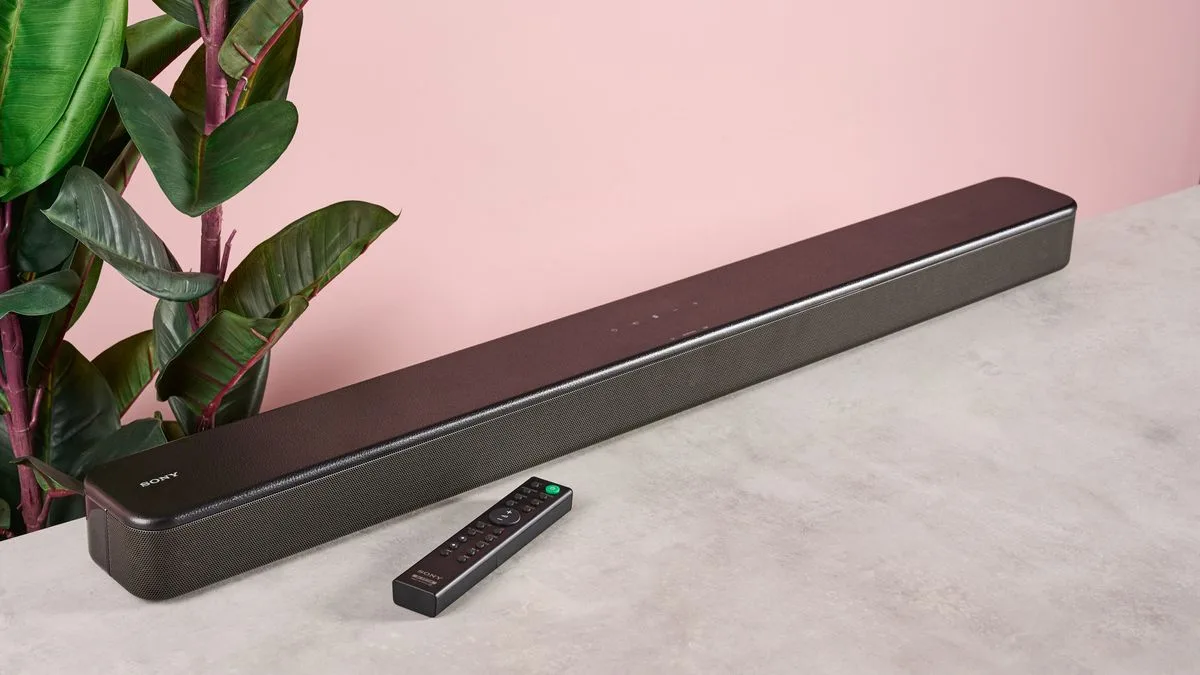
Sony HT-SF150 review If you’ve decided it’s time to upgrade your sub-par TV audio, but don’t want to lose your life savings, the Sony HT-SF150 could be your ideal low-budget solution. This super-slim 2.0 channel soundbar aims to supply “punchy bass without compromising detail and clarity”, simple connectivity and cinematic virtual surround sound – but does it get the job done? Well, let’s kick things off by talking about setup. It really doesn’t get much easier than this: simply connect your soundbar via HDMI ARC or digital optical, plug it into a power outlet and you’re away. I selected HDMI ARC mainly because it allows you to adjust the soundbar’s volume with a standard TV remote – pretty handy. After getting the Sony HT-SF150 all set up, I got straight into testing its audio capabilities. I’m happy to report that it fared very well for a soundbar that’s often available for less than its already cheap $129 / £99 / AU$194 list price. I didn’t encounter much tinniness or distortion, even at medium to high volumes – something I’ve experienced with a lot of cheap soundbars. Speaking of volume, this thing can get surprisingly loud, in part thanks to its 120W power output, which is considerably higher than what some of the best cheap soundbars offer. (Image credit: Future) Staying with sound, I was impressed by dialogue clarity when using the Sony HT-SF150. For instance, I watched the movie Smile on Netflix and, when two women were speaking in an isolated room, the vocals were super clear and each character’s tone sounded natural. When listening to a podcast, I could switch to Voice mode using the included remote, which really brings speech to the forefront and presents it in a crisp, clear-cut manner. In addition to Voice, there are Standard, Cinema, Music, Night and Auto Sound modes. That last mode tunes EQ depending on what content you’re consuming, though sometimes I still needed to do this manually. Another glowing aspect of this soundbar’s performance is the effectiveness of Sony’s S-Force Front Surround virtual processing, which endeavors to emulate “cinema-style surround sound.” That may be a bit of a stretch for a soundbar with no Dolby Atmos or DTS:X, let alone any sub or rear speakers, but, while watching The Boy and the Heron, I was struck by the soundbar’s ability to accurately map the heron’s flight as he soared across my screen and then towards me. You won’t get incredible verticality or room-filling expansiveness here, but the HT-SF150 certainly outclassed my TV’s efforts. (Image credit: Future) One area where a lot of standalone soundbars fall flat is bass output – it can be hard to muster a meaty boom without a dedicated subwoofer – especially in a budget model like this. And although the HT-SF150 won’t rock your world with mesmerizing low-end output, it still plates up decent bass. This model includes a built-in bass reflex speaker, which gives a leg up to deep tones and makes it ideal for movies or video games with dark or ambient scores. When playing Final Fantasy VII: Rebirth, I was met with impressive depth as the protagonist Cloud faced oversized mechanical monstrosities with thumping footsteps and ground-shaking attacks. I would’ve liked an option to raise bass levels manually to really enhance low-end output, but you won’t get that, unfortunately. In some places, this game includes speech from the main cast, chatter from background characters or enemies and music from its grandiose soundtrack. This exposed a slight weakness in the Sony HT-SF150 – it sometimes leans into a slightly muddied presentation. When there are several layers to balance out, you may experience some business in the mid-range. There’s no abrasiveness or harshness to endure, just a bit of bloating that can leave some details under wraps. (Image credit: Future) You’re probably not expecting perfectly separated, ultra-detailed audio, so for the most part, the HT-SF150 performs well in this department. But sound isn’t the only positive part of this model, I also loved its design. Really, this soundbar looks a lot more premium than many of its budget counterparts. It has a beautiful leather-like finish on top, classy onboard buttons, and an attractive wraparound speaker grille. The included remote is slim with well-sized button controls and a premium feel. Unfortunately, some features can only be triggered by repeatedly pressing certain buttons on the remote, which can be a bit confusing unless you consult the user manual. The only frustrating aspect of this soundbar’s design is its LED display. As with competitors like the Panasonic SC-HTB100, this thing just uses small lights to indicate volume and sound mode alterations or when it’s in Bluetooth mode. This works fine, but I do prefer a more visual display with letters and numbers – something you get with the Majority Elias, for instance. (Image credit: Future) Back to the positives, though. I found this soundbar to be pretty feature-rich given its price-point. For example, you can toggle Dolby Dynamic Range Control, which makes Dolby Digital audio easier to hear at lower volumes. There’s also multiplex broadcast sound and USB connectivity available. One key feature is the inclusion of Bluetooth 4.2, which enables you to connect your phone to the soundbar and play music. Musical performance wasn’t amazing over Bluetooth – breathy vocal details in I Want You by Moloko weren’t very audible and could sound a bit lost in the overall mix, even when listening in Music mode. However, the low-end kick in the bass-heavy Splash Mountain by Yung Gravy was commendable and the depth and rapid decay of the drum machine in Black Eye by Allie X also stuck out to me. This soundbar is up to the task if you just want to listen to some tunes in the background, but it won’t impress audiophiles or compete with some of the best soundbars. Overall, the Sony HT-SF150 is a very solid budget soundbar with a broad feature set, generally clear-cut dialogue, considerable power, and an elegant design. For the price, it’s fantastic value and while it’s not without its flaws sonically, it can be trusted to offer a leg up to some of the best small TVs and even some more premium models. So, this soundbar is definitely worth bearing in mind for those on a budget, but if you’re a little short on space, the mini Hisense HS214 is an awesome alternative. Those with a bit more cash may also want to consider one of the best Dolby Atmos soundbars for mind-blowingly good spatial sound. (Image credit: Future) Sony HT-SF150 review: Price and release date $129 / £99 / AU$194 Launched in 2018 The Sony HT-SF150 is available in the UK and has an RRP of £99. In the US and Australia, the model has a slightly different name – the Sony HT-S100F – and a list price of $129 / AU$194. But I bring great news…this soundbar is often available for a fair amount less. I’ve often seen it sell for less than $100 / £90 / AU$180, which makes it an incredibly low-priced option. It may not be the newest soundbar on the market, but it’s compatible with all modern TVs thanks to its use of HDMI and digital optical connectivity. Sony HT-SF150 review: Specs Swipe to scroll horizontally Dimensions 35.4 x 2.5 x 3.5 inches / 900 x 64 x 88mm Speaker channels 2.0 Connections HDMI, digital optical, USB, Bluetooth 4.2 Dolby Atmos / DTS:X No / No Sub included No Rear speakers included No (Image credit: Future) Should I buy the Sony HT-SF150? Swipe to scroll horizontally Attributes Notes Rating Features S-Force, great sound modes, no bass/treble adjustment or Atmos. 4/5 Audio performance Can get a little bloated but usually clear dialogue and decent bass, powerful too. 4/5 Design Premium-looking given its price, neat remote, small LED display can confuse. 4.5/5 Setup and usability Easy to set up with HDMI, plenty of ways to connect, some unorthodox controls. 4/5 Value Great price for the sound upgrade and build quality on offer. 4.5/5 Buy it if… Don’t buy it if… Sony HT-SF150 review: Also consider Swipe to scroll horizontally Row 0 – Cell 0 Sony HT-SF150 Hisense HS214 Amazon Fire TV Soundbar Price $129 / £99 / AU$194 $99 / £79 (about AU$160) $119.99 / £119.99 (about AU$180) Dimensions 35.4 x 2.5 x 3.5 inches / 900 x 64 x 88mm 25.6 x 3.7 x 2.3 inches / 650 x 95 x 58mm 24 x 3.5 x 2.6 inches / 610 x 90 x 65mm Speaker channels 2.0 2.1 2.0 Connections HDMI, digital optical, USB, Bluetooth 4.2 HDMI ARC, digital optical, AUX, USB, coaxial, Bluetooth 4.2 HDMI ARC, digital optical, Bluetooth Dolby Atmos / DTS:X No / No No / No No / No Sub included No No (but includes built-in woofer) No Rear speakers included No No No Sony HT-SF150 review: How I tested (Image credit: Future) Tested for one week Connected the soundbar to the Hisense U7K TV at home Used the HDMI ARC connectivity option For one week, I had the not-so-arduous task of testing the Sony HT-SF150. During this time, I used HDMI ARC to connect the soundbar to my Hisense U7K TV – which already has solid built-in audio. While testing, I viewed a variety of TV shows, videos and movies – mainly using streaming services like Amazon Prime Video, Netflix and YouTube. I also played Final Fantasy VII: Rebirth on the PS5 to assess the soundbar’s gaming capabilities. In addition, I connected the Samsung Galaxy S24 FE to the SF150 and trialed Bluetooth connectivity for playing music. I made sure to play tracks from the TechRadar testing playlist to judge the quality of the soundbar’s Music mode. First reviewed: February 2025 Read more about how we test

Posted on

I spent a month testing the 11.4.6-channel Nakamichi Dragon, and it’s a Dolby Atmos soundbar on steroids

Nakamichi Dragon: Two minute review The Nakamichi Dragon is an 11.4.6-channel soundbar system that pushes the outer limits of what a soundbar is capable of. It’s more akin to an AV receiver in its design, features, and execution. Using it, I was frequently reminded of AV receivers by everything from the system’s heavily buttoned remote control to its extensive, detailed setup menu. The Dragon is not aimed at someone interested in simple plug-and-play sound (though it does provide basic setup options and is easy to get up and running) but rather users who like to dig in and painstakingly tweak settings. At $2,999.99 (around £2,400 / AU$4,750), the Nakamichi Dragon costs double what you’ll pay even for the best Dolby Atmos soundbars on the market such as the Samsung HW-Q990D. That’s quite a lot to pay for a soundbar system, and it takes you into an AV receiver and separate speakers package price territory. But an important Dragon advantage is that it’s a wireless system, though one with the high channel count you’d get from a receiver-based home theater audio rig. The Dragon isn’t as feature-packed as expected given its relatively lofty price. There’s processing onboard for Dolby Atmos and the Pro version of DTS:X, and there are four HDMI 2.1 ports (one with eARC) that support 4K 120Hz and Dolby Vision pass-through. The system comes with a full-scale remote control that provides quick access to a wide array of audio adjustments and it has Bluetooth aptX HD for wireless music streaming. There’s no AirPlay or Chromecast support for streaming over Wi-Fi, and the system’s control app is primarily used for system setup. Automatic setup and room EQ features, either the more basic ones you get in premium soundbars like the Sonos Arc Ultra, or advanced ones such as Audyssey or Dirac Live in AV receivers, are also nowhere to be found. Basic setup of the Dragon soundbar system is surprisingly easy, however. The Dragon system’s sound does its name justice. It can go incredibly loud and the dual subwoofers, each with two 8-inch opposing drivers, provide deep-reaching and very full-sounding bass. Having two subwoofers also helps to even out bass performance, which compensates to a degree for the lack of room EQ processing. (Two subs are provided with the system configuration I tested, but it supports up to four subs.) With six up-firing Atmos height drivers between the soundbar and the surround speakers, which also provide both side and rear surround channel driver arrays, the level of immersion provided by the Dragon system surpasses any other soundbar system I’ve heard. Not all is perfect with the Dragon’s sound, however: it can come across as aggressive and treble-forward with some content, favoring clarity and presence over subtlety. But if your main thing is action movies or gaming, there’s not too much here to complain about. At 58.1 x 7.7 x 4.4 inches, the Dragon system’s soundbar is fairly huge – it just about fit my TV stand, which is designed to support TVs up to 75 inches. The soundbar’s stainless steel enclosure is superior to the plastic ones you get on budget models, and the system’s design strikes a nice balance between function and style. A large front panel LED display can be customized to show the names of sources (Blu-ray, Xbox, etc.) and it can also provide visual feedback beyond basic source and volume settings when you hit the Info button on the remote control. Paying $3,000 for a soundbar system might sound a bit outrageous, but the Nakamichi Dragon is no ordinary soundbar system. It delivers a level of performance that’s more like what you get from a traditional AV receiver-based home theater system from a big honkin’ soundbar with wireless subwoofers and surround speakers. If that all sounds appealing to you, you’ll find the Dragon to be a good value. At 58.1 inches wide, the Dragon requires a substantial TV stand for support (Image credit: Future) Nakamichi Dragon review: Price & release date Released in October 2023 $2,999.99 (around £2,400 / AU$4,750) The Nakamichi Dragon soundbar system with two dual-opposing eight-inch subwoofers is listed at $3,999.99, but sells for $2,999.99. It is available in the US on Amazon, and can be purchased and shipped internationally through B&H Photo Video. Along with the base configuration reviewed here, the Dragon can also be purchased in configurations with two 12-inch subwoofers ($4,199) or four 12-inch subwoofers ($7,199). Dragon pricing is high compared to other premium soundbar systems such as the Samsung HW-Q990D and LG S95TR, both of which have a lower overall channel count and lower rated power. Nakamichi Dragon review: Specs Swipe to scroll horizontally Dimensions (W x H x D) Soundbar: 58.1 x 4.4 x 7.7 inches (1476 x 112 x 196mm) Speaker channels 11.4.6 Connections: 4x HDMI 2.1 (1 w/eARC), optical digital audio input and output, 3.5mm Aux input and output, Bluetooth aptX HD Dolby Atmos/DTS:X Yes/Yes Sub included Yes (2) Rear speakers included Yes Features 4K 120Hz and Dolby Vision HDMI pass-through The Dragon soundbar and surround speakers use matching 1.5-inch Air Motion tweeters. (Image credit: Future) Nakamichi Dragon review: Features 11.4.6-channel Dolby Atmos and DTS:X Four HDMI 2.1 ports with 4K 120Hz and Dolby Vision pass-through Bluetooth aptX HD wireless streaming The Nakamichi Dragon combines a sizeable 58.1 x 7.7 x 4.4-inch main soundbar unit (1476 x 112 x 196mm) featuring a stainless steel enclosure with two wireless subwoofers and wireless rear surround speakers. The soundbar provides processing for Dolby Atmos and DTS:X Pro and features four HDMI 2.1 ports with 4K 120Hz and Dolby Vision pass-through along with optical digital audio and 3.5mm aux inputs and outputs. There’s no onboard Wi-Fi for streaming, but the Dragon soundbar does support Bluetooth aptX HD for streaming music. The soundbar’s speaker array consists of three 1.5-inch “Air Motion” folded ribbon-type tweeters, each flanked by a pair of 3-inch mid-range drivers for the left, center, and right channels. Two pairs of 3-inch height speakers are arrayed on the soundbar’s top surface, with the pairs angled at 10 and 20 degrees, respectively, to evenly distribute Atmos height effects from the front toward the back of the room. Along with these, 3-inch drivers are located on the soundbar’s side panels for an enhanced surround sound effect. Nakamichi’s tall, tower-like dual-opposing wireless subwoofers each house a pair of eight-inch drivers inside a ported cabinet. The system’s Omni-Motion Reference wireless surround speakers each contain side and rear surround speaker arrays consisting of a 1.5-inch Air Motion tweeter and three-inch mid-bass driver, with a three-inch height speaker mounted on top. A PerfectHeight adjustment on the Omni-Motion Reference’s top surface lets you rotate the height speaker up 180 degrees to optimize height effects for your specific room layout and installation. Unlike other premium soundbars on the market from brands like Samsung, LG, and Sonos, the Dragon has no automated setup or room EQ features. The system’s dual subwoofer configuration does help to evenly distribute bass in your room and compensate for room modes, however, and the extensive sound level and delay adjustments allow for a precise manual setup. Features score: 3.5 / 5 The Dragon’s dual subwoofers are fairly tall, but can be tucked unobtrusively into the corners of a room. (Image credit: Future) Nakamichi Dragon review: Performance Powerful, immersive sound Deep, impactful bass Overly aggressive sound with some content The Dragon system sounded good out of the box but strongly benefitted from a manual calibration in the Advanced Sound Setup menu. Once that was done, I cracked open a new 4K Blu-ray disc of the recent Twisters remake that I had bought specifically for this test. On the Dragon system, the sound of violent tornadoes ripping through space in the Twisters soundtrack was potently rendered, providing an almost unnerving sense of being directly inside the path of destruction. Vehicles propelled through the air and crashing to earth had a powerful impact, so much so that I found myself dialing back the bass adjustment – conveniently located right next to the volume button on the system’s remote control. On Top Gun: Maverick, another movie that I regularly use to test soundbars, the sounds of jets in the first training scene early in the movie had a strong trajectory as they swooped from the front to the back of the room, and there was impressive verticality to the sound as they crisscrossed overhead. The drums and bass in The Who’s Won’t Get Fooled Again that plays in this scene came through with equal power, with Roger Daltrey’s yawps soaring along with the jets on the soundtrack. Dolby Atmos music streamed from Apple Music on my Apple TV 4K sounded equally vivid and exciting on the system, especially tracks like Kraftwerk’s Nummern / Computerwelt. This track sounded almost endlessly wide and immersive, showcasing the benefits of six separate height speakers for delivering Atmos mixes. The low-end on this track was powerful and deep but also well-integrated with the rest of the mix, the system’s dual subwoofers working together to energize my room with bass. With more subtle-sounding fare – Severance season 2 on Apple TV Plus, for instance – dialogue was very clear, and that was the case with most shows and movies I watched. As part of my initial setup, I selected the system’s Movie (Movie 1) sound preset (Music, Game, and Night modes are also available) and also dialed back the treble to the minimum setting. That’s because the Dragon system, while it has a considerable roar, can sound aggressive and even a bit harsh with some content. I’ve listened with multiple speakers that use the same Air Motion-type tweeter that’s found in Nakamichi’s system and those generally had a much more laid-back quality to the treble. This tells me that the Dragon was voiced to have a bold, even in-your-face sound that befits its name. Performance score: 4 / 5 The Dragon soundbar’s rear input ports include 4 HDMI 2.1 ports (1 w/ eARC) (Image credit: Future) Nakamichi Dragon review: Design Large soundbar and subwoofers Soundbar height may block the TV image Solid overall build quality At 58.1 x 7.7 x 4.4 inches, the Dragon’s design is anything but subtle. This is a big soundbar, and its 4.4-inch height means the top edge will definitely obscure the screen bottom of some TVs. At 32 pounds (14.5kg), it’s also a heavy one – not surprising given its stainless steel enclosure. Nakamichi sells optional floor stands for the Dragon, which will allow it to be used with wall-mounted TVs and projectors. Aside from being massive, the Dragon soundbar has an appealing design, with top panel controls that light up when touched, angled front corners, and exposed Air Motion tweeters poking through the metal mesh front. The same design chops carry over to the Omni-Motion Reference wireless surround speakers, which also get optional stands. Nakamichi’s wireless subwoofers have a plainer, more utilitarian look, but their tall form factor lets them tuck fairly unobtrusively into the corners of a room. The Dragon soundbar’s front-panel alphanumeric LED display is a feature I fully expect to see in a soundbar at this price. While it’s welcome, I would have liked an option to dim the display or to shut it off entirely with the remote when viewing, which is a feature you get on some AV receivers. Design score: 4.5 / 5 The Dragon surround speakers have matching tweeter-woofer arrays on either side to deliver rear and side surround channel, and there’s an upward-firing driver on top for Atmos height channels. (Image credit: Future) Nakamichi Dragon review: Setup & usability Easy wireless speaker setup Extensive manual sound adjustments Alphanumeric front panel LED display The basic setup of the Dragon system was incredibly easy. After positioning the soundbar on my TV stand, where it occupied nearly the stand’s full width with an inch to spare on each side, I located the subwoofers in the front corners of my room and the surround speakers at either side of my sofa. After plugging all speakers in, they made an automatic wireless connection to the soundbar, with a blue LED indicating that the system was up and running. After connecting my sources to the soundbar’s HDMI inputs, and my TV to the HDMI eARC port, I renamed the inputs in the setup menu so they would show up on the front panel display as “Blu-ray disc player, Xbox One X console, and Apple TV 4K.” I next made a Bluetooth link to my phone for music streaming by pressing the Bluetooth button on the remote control, which put the Dragon into wireless pairing mode. So much for the easy part – the next part of the setup was much more laborious. Nakamichi gives you an easy out by providing Small, Medium, and Large room options. (Guidance on which option is best for your particular room is provided in the detailed and well-organized PDF owner’s manual.) Sound with the Small option selected – the closest match for my room – was good out of the box, but for my test, I wanted to go through the full manual setup to see what difference it would make. Pulling out my tape measure and trusty old Radio Shack SPL meter, I manually entered the listening distance for each channel and also ran the pink noise output to adjust the sound level. With 11.2.6 total channels for the Dragon system I tested, we’re talking a lot of speakers to adjust! The effort was completely worth it, though, since sound clarity and bass evenness received an immediate boost. Nakamichi’s remote control is large, has an aluminum faceplate, and is packed with buttons to access a wide range of fine adjustments for things like individual speaker channel levels, including height and subwoofer channels. There’s also a Dragon control app that gives you many of the same adjustments. The only thing I didn’t like about the remote is that the keypad doesn’t have the same backlighting feature typically found in AV receiver remote controls offering the same level of granular adjustments. Another gripe I had with the Dragon was the setup menu, which requires you to jump out of any program you’re watching to make adjustments other than the ones with dedicated keypad controls on the remote. My annoyance with this was mainly during my initial setup and early use, however. Once I had dialed in my preferred settings for movies/TV and music, those adjustments could be stored in the two available Favorite Settings buttons on the remote for easy recall. Setup & usability score: 3.5 / 5 The Dragon’s full featured remote provides instant access to many adjustments for tweaking the system’s sound on the fly. (Image credit: Future) Nakamichi Dragon review: Value Unique value proposition Other premium soundbars available for much less Approaching AV receiver-based system price range The Nakamichi Dragon occupies a unique space in the home theater audio world, combining many of the functions of an AV receiver in a high channel-count soundbar plus wireless surround speakers and subwoofers package. At $3,000, you’re getting a lot for your money here, and there’s really nothing out there that parallels it. While not as elaborate or high-impact as the Dragon, other premium soundbar systems can provide a similarly satisfying and immersive home theater audio experience. For around $1,500, you can get the Samsung HW-Q990D, an 11.1.4-channel system that also has multiple HDMI inputs with 4K 120Hz passthrough. And for under $1,000, there’s the LG S95TR, a 9.1.5-channel system. Both of these soundbars support Dolby Atmos and DTS:X, and they offer unique audio processing features designed to work with Samsung and LG TVs. Another option is the Sony Bravia Theater Quad (around $2,200). This 4.1.4-channel wireless speaker system offers audio processing features designed specifically to work with Sony TVs, but it can also be used with any TV or projector setup. It’s a more compact and elegant alternative to soundbar-based systems, and with Sony’s 360 Spatial Sound Mapping at work, it doesn’t skimp out on audio immersion. Finally, the Dragon’s $3,000 price is a threshold where you should also consider an AV receiver-based system. You can buy a 9.2-channel receiver such as the Onkyo TX-RZ50 for as little as $999, and then the sky is the limit when it comes to which speakers you add to your setup. The advantage to this option is that receivers offer extensive switching and control options, and they also provide automatic setup and room correction processing solutions such as Audyssey and Dirac Live. But going the AV receiver route means running wires – lots of them – plus a more complicated setup. Value score: 3.5 / 5 The Dragon soundbar’s top-panel control buttons (Image credit: Future) Should I buy the Nakamichi Dragon? Swipe to scroll horizontally Section Notes Score Features Wireless Dolby Atmos and DTS:X and 4K 120Hz pass-through but no auto-setup or Wi-Fi for music streaming 3.5 / 5 Performance Powerful and dynamic with vivid height effects on Atmos soundtracks, though sound can be too aggressive with some content 4 / 5 Design Solid, substantial build quality for a soundbar system and above-average looks 4.5 / 5 Setup & usability As long as you don’t mind making adjustments to an 11.4.6-channel system manually, everything you need is supplied 3.5 / 5 Value A unique value proposition occupying a middle ground between premium soundbars and AV receiver-plus-speakers-based systems 3.5 / 5 Buy it if… Don’t buy it if… Nakamichi Dragon review: Also consider How I tested the Nakamichi Dragon The Nakamichi Dragon with its two subs in my home. (Image credit: Future) Tested for over a month Served as my main system at home 4K Blu-ray discs, TV streaming apps, and Apple Music used as sources The Nakamichi Dragon arrives in a shipping container about the size of a coffin, so expect to enlist help when lifting it into your home. Once unboxed, I set it up in my near-3,000 cubic foot home theater room and connected TV, Apple TV 4K, Xbox Series X, and 4K Blu-ray sources via HDMI. For music testing, I listened to Dolby Atmos music streamed on the Apple Music app by the Apple TV 4K. I listened with the system for over a month, using it as my main system for casual TV watching, movies, and music. I performed an in-depth audio calibration, measuring the distance between all speaker channels and my listening seat, and then inputting that data in the Dragon’s setup menus. This also involved adjusting the sound level for each channel with pink noise generated by the soundbar that was measured with a sound pressure level (SPL) meter. I have 20-plus years of experience reviewing home theater speaker systems and components, including soundbar systems. Prior to testing the Dragon, I used Sony Bravia Theater Quad wireless speakers as my main home theater audio system, and before that an AV receiver-based 5.1.4-channel speaker system, so I have a good understanding of where the Nakamichi Dragon sits among its wireless and wired speaker competition.

Posted on

I test soundbars for a living, and these 4 affordable models are a great audio upgrade for your Super Bowl Sunday

Super Bowl LIX is set to air on Sunday, February 9, 2025, and while you may have your TV ready for your viewing party, is your audio also covered? The audio quality on many TVs is limited by a lack of power and inefficient positioning of the built-in speakers. That lacking sound quality could affect your Super Bowl experience, but there’s a solution: a soundbar. Don’t get me wrong; even the best TVs could benefit from a soundbar. The LG C4, one of the best OLED TVs we’ve tested here at TechRadar, excelled in every area, but we still found its sound lacking. One of the best soundbars can easily fix that issue. While the very best soundbars, such as the Samsung HW-Q990D, have a premium price, there are plenty of affordable models that will significantly upgrade your TV’s audio. This is because soundbars bring the sound from the rear of the TV (where most built-in TV speakers are positioned) to the front, which will let you more directly hear the sounds of the stadium and the commentary during the big game. Below, I’ve picked four of the most affordable soundbars we’ve tested. While they won’t beat the very best Dolby Atmos soundbars, they will give your TV an audio upgrade without breaking the bank. 1. Amazon Fire TV soundbar (Image credit: Future) Amazon’s first soundbar, the Amazon Fire TV Soundbar, is a cheap, no-frills model that delivers “surprisingly good sound for the cost” as we noted in our Amazon Fire TV Soundbar review. It’s light on features but does offer Bluetooth streaming and an HDMI ARC connection to your TV. We found in our testing that its main plus point is clear speech, which will be perfect for hearing commentary during the game. We also found that it delivers decent spatial processing for a compact soundbar, providing a greater sense of immersion than the built-in speakers on most TVs. At $119 / £119, it is one of the cheaper soundbars you can buy without making too many compromises. Sign up for breaking news, reviews, opinion, top tech deals, and more. 2. Sony HT-S2000 (Image credit: Future) The Sony HT-S2000 has impressive sound quality for a compact, all-in-one soundbar and is incredibly affordable for what it delivers. Plus, it’s packed with features such as Dolby Atmos and DTS:X support and a virtual surround engine for improved spatial processing of both movies and music. We found in our testing that the HT-S2000’s dedicated center channel produces clean dialogue and commentary. Pushed to higher volumes, it doesn’t falter, meaning even in a crowded Super Bowl party, the sounds of the game will be clear. Also, as we noted in our Sony HT-S2000 review, the soundbar’s great virtual processing creates a “satisfying level of immersion.” At $399 / £299, the HT-S2000 is a step up in price over cheaper models like the Amazon Fire TV Soundbar, but you’re getting a more powerful, dynamic and immersive experience. 3. Hisense AX5125H (Image credit: Future) If you’re looking for a cheaper soundbar that delivers even better immersion, you may want to expand to one with multiple units (soundbar, subwoofer and satellite surround speakers). With the Hisense AX5125H, which delivers 5.1.2 channels of ‘real’ surround sound, you don’t have to spend a fortune to do this. As I noted in my Hisense AX5125H review, the AX5125H is “impressive, providing plenty of punch, clarity and immersion” for both movies and music. It’s easily one of the best budget Dolby Atmos soundbar systems and is sure to take your Super Bowl party to another level. At its normal price of $349 / £499, the Hisense AX5125H is good value, but you’ll regularly find it for as low as $299 / £249, which is exceptional value for a 5.1.2-channel system. Once you’re done with the Super Bowl, the AX5125H will more than satisfy for movie viewing, too. 4. Sonos Beam (Gen 2) (Image credit: Future) Another all-in-one soundbar, the Sonos Beam (Gen 2) is a great all-rounder for both movies and music. As a bonus, it can be expanded with the best Sonos speakers, including the Sonos Era 100 or Sonos Era 300 and a Sonos Sub (Gen 3 or the latest Gen 4). But how does it perform on its own? In our Sonos Beam (Gen 2) review, we noted that for a compact all-in-one soundbar, it had a wide soundstage, convincing bass and clear dialogue. It’s also excellent for music playback, meaning you’re covered for both the Super Bowl and the party that follows. At $459 / £449, the Beam is the most premium of these affordable soundbars, but for what it delivers, it’s great value.

Posted on

This cheap Dolby Atmos soundbar splits into 3 speakers, and has its own Philips Hue-style LED lights too

The Ultimea Apollo S80 splits into three front speakers and a sub Available in Canada now, coming to US and UK in February $209 / £171 / about AU$336 It’s fair to say that most soundbars aren’t very exciting to look at, and don’t tend to go beyond the familiar lozenge shape. But the Ultimea Apollo S80 soundbar is like no soundbar I’ve ever seen. It isn’t just a soundbar. It’s a TV transformer that thinks it’s a Philips Hue system too. If you look at the main image you’d think there’s nothing particularly unusual going on: it’s a soundbar with a separate sub unit, like so many others. But that main soundbar isn’t one unit. It’s three, and you can pull them apart to turn them into completely separate speakers for left, center and right channels – adding the kind of real separation that hardcore home theater enthusiasts espouse. Once you’ve pulled your soundbar apart, you can then leave the speakers standing horizontally or vertically, or you can wall mount some or all of them. However, if you’re thinking of wall mounting, it’s worth noting that although the soundbar has Bluetooth, the speaker units need to be wired to each other. On the plus side, not only do they separate, but the left and right speakers also have LED lighting that you can adjust with the companion app. There are six dynamic scene modes and a color wheel to get the lights just-so. (Image credit: Ultimea) Is a splittable soundbar a good idea? The specification is decent: as Notebookcheck reports, the drivers are 2 inches, the sub is 5.25 inches and it’s a 5.1 system (though that’s five forward channels, not real surround) with Dolby Atmos, optical audio, HDMI eARC, USB and Bluetooth 5.3. We’ve been quite impressed with Ultimea’s affordable soundbars, such as the Ultimea Poseidon D50: while they’re not up there with their more expensive rivals from the likes of Samsung or Sonos, they’re relatively cheap ways to significantly upgrade the sound of your TV, and we rate the Poseidon as being among the best soundbars today if you’re on a budget. You can’t fault the thinking here: it’s not so much thinking outside of the box as thinking in a completely different zip code to the box. But I do wonder who the target market is for this particular unit’s transforming talents, because once you’ve got your soundbar or speakers just-so you’re probably just going to leave them where they are. Sign up for breaking news, reviews, opinion, top tech deals, and more. Having said that, we do like the similarly transformable JBL Bar 1300X with its rear speakers that attach to the soundbar or can be placed behind you when you want them… but those are totally wireless with built-in batteries, and rear speakers are more of an inconvenience to have permanently than front speakers, so the whole step makes more sense. And also costs many times what the Ultimea costs. The big draw here is price: good luck putting together a similar system of separates without having to hit eBay or Aliexpress and seriously lower your standards. The Ultimea Apollo S80 has an list price of $209 / £171 / about AU$336, but it’s currently cheaper with 10% off if you buy direct from the Ultimea website. You might also like