Posted on

Forget 4K Blu-ray for Alien: Romulus – get it on VHS instead, physical media fans

One
of
the
things
I
really
love
about

Alien
and
its
sequels
is
their
distinctly
low-tech
take
on
high
technology:
this
was
a
universe
of
interstellar
travel,
cryogenic
freezing
and
other
wonders
run
on
1970s
computer
tech
with
big
clacky
buttons
and
green-hued
CRT
displays,
a
design
decision
that
was
also
carried
across
to
the

Alien
Isolation
video
game.

So
it’s
nice
to
see
that

Alien:
Romulus
is
committed
to
the
retro-futurist
vibe
too

so
much
so
that
it’ll
be
released
on
“fully
functioning
VHS
tape”
in
December
with
a
4:3
aspect
ratio
and
a
vintage-style
sleeve.

The
news
comes
via

The
Verge,
which
hasn’t
been
able
to
confirm
how
many
copies
of
the
tape
there
will
be
or
how
much
it’s
going
to
cost.
It’s
clearly
intended
to
be
a
collector’s
item
rather
than
something
you’ll
watch
more
than
once,
if
at
all.

(Image
credit:
20th
Century
Studios
/
Disney)

How
to
watch
Alien:
Romulus
if
you
don’t
buy
the
VHS

The
age
of
the
VHS
officially
ended
in
2008
when
JVC
stopped
making
VHS
players,
but
it
went
into
steep
decline
in
the
1990s
when
DVD
and
later,
Blu-Ray
came
along.
It’s
the
format
I
watched
the
original

Alien
on,
and

Aliens
too,
so
it’s
really
nice
to
see

Romulus
going
onto
the
format
too.

If
you’d
prefer
to
watch
the
latest
Alien
movie
with
more
current
home
theater
tech,
it’s
obviously
going
to
look
much
better
in
its

4K
UHD
steelbook
physical
release
on
one
of
the

best
4K
Blu-ray
players

this
is
due
for
released
on
3
December
2024,
along
with
the
VHS
version
(and
DVD
and
regular
Blu-ray).

It’ll
also
obviously
look
better
on
streaming

the
date
hasn’t
yet
been
announced
for
it
to
arrive
on
Hulu/Disney
Plus,
but
late
November
or
early
December
seems
likely,
possibly
alongside
the
physical
releases.

But
it’s
not
about
what
it
looks

best
on,
it’s
about
what
it
looks

most
atmospheric
on.
What
could
be
more
atmospheric
than
starting
this
movie
with
the
clunk
of
the
video
cassette
player
taking
this
movie
in.

Sign
up
for
breaking
news,
reviews,
opinion,
top
tech
deals,
and
more.

You
might
also
like…

Posted on

I tested two 32-inch TVs side-by-side, and you can get a budget bargain if you know where to look

When
you
find
yourself
looking
for
a
new
TV,
it
can
be
quite
daunting
when
starting
the
search.
There’s
a
lot
of
similarly
priced
sets
with
similar
specs
that
all
promise
the
same
things
as
their
rivals,
but
better.

It’s
fair
to
say
that
when
you’re
looking
at
the

best
TVs,
the
more
money
you’re
spending,
the
more
research
you’re
likely
to
do.
If
you’re
looking
at
two
of
the

best
OLED
TVs

say
the

LG
G4
and

Samsung
S95D

both
of
which
cost
over
$2,000/£2,000
for
the
65-inch
model,
you’re
going
to
really
take
your
time
(as
you
should).
When
it
comes
to
cheaper
TVs,
especially
smaller
ones,
it’s
common
for
people
to
opt
for
whatever
fits
the
budget
and
looks
the
best
on
paper.
Sometimes
this
goes
well,
but
I’ve
found
this
often
isn’t
the
case.

32-inch
TVs
may
seem
small
when
you
can
get
one
of
the

best
85-inch
TVs
for
amazingly
affordable
prices
now,
but
for
many
people
smaller
TVs
still
serve
a
purpose,
whether
that
be
for
the
bedroom
or
kitchen,
or
just
because
you
don’t
want
something
big.

In
my
time
testing
and
using
some
of
the

best
32-inch
TVs,
I’ve
come
to
realise
that
despite
very
similar
prices

a
solid
32-inch
TV
will
cost
you
between
$130/£130
and
$500/£400
for
the
more
premium
end

I’ve
seen
first-hand
just
how
different
smaller
TVs
can
be
from
one
another,
much
like
larger
sets.
I
obviously
expected
that
this
would
be
the
case
with
the
two
ends
of
the
spectrum,
but
not
when
they’re
almost
identical
in
price.

I
recently
put
the
32-inch

TCL
S5400
and
Toshiba
LF2F53DB
(which
I’ll
refer
to
as
the
LF2
from
now
on,
for
both
your
sake
and
my
own)
side-by-side.
With
only
a
£10
price
gap

with
the
TCL
costing
£139
and
the
Toshiba
costing
£149

I
didn’t
expect
a
great
deal
of
difference
between
the
two,
especially
for
such
a
cheap
price.
I
discovered
however,
that
this
was
not
the
case.

It’s
worth
noting
that
neither
of
these
sets
are
available
outside
the
UK

the
closest
alternative
for
US
readers
is
the
TCL
S3
and
the
Toshiba
V35
but
there
are
a
number
of
other
32-inch
sets
from

Vizio,

Samsung,

LG,
Insignia,

Amazon
and
more.
I
particularly
recommend
the

LG
32LQ6300
as
a
great
option
in
both
the
UK
and
US,
and
I
recently
gave
the

Samsung
Q60D
a
good
review,
and
that
comes
in
a
32-inch
option
too.

A
tale
of
two
TVs

Image
1
of
2

(Image
credit:
Future)

In
the
first
image,
the
Toshiba
LF2F53DB
(right)
shows
better
detail
and
color
handling
than
the
TCL
5400
(left)
when
both
are
in
Movie
mode,
but
the
second
image
shows
both
TVs
in
Standard
mode
and
the
TCL
5400
delivers
a
better
image
overall.

(Image
credit:
Future)

I
connected
both
TVs
to
an
HDMI
splitter
to
show
the
same
image,
which
was
being
delivered
by
various
Blu-ray
discs
played
through
the

Panasonic
DP-UB820,
one
of
the

best
4K
Blu-ray
players
available.

Sign
up
for
breaking
news,
reviews,
opinion,
top
tech
deals,
and
more.

I
started
with

La
La
Land,
an
excellent
movie
for
testing
key
elements
of
a
TV’s
performance:
color,
motion,
contrast,
and
even
sound.
With
both
TVs
set
to
their
Movie
picture
presets

the
one
we
generally
find
to
be
the
most
accurate
for
movie
viewing
in
cheaper
TVs

the
Toshiba
demonstrated
brighter,
more
vivid
and
more
natural
colors.
Mia’s
yellow
dress
in
the
‘A
Lovely
Night’
scene
had
more
of
a
dynamic
sheen
to
it
on
the
Toshiba.
In
the
same
scene,
the
darker
blue
and
purple
tones
representing
the
night
looked
more
natural
on
the
Toshiba
as
well.

Change
picture
modes
however,
and
it
was
a
different
story.
Viewing
the
same
scenes
but
with
both
sets
in
Standard
and
the
Toshiba’s
contrast
was
aggressive,
focusing
on
darker
tones,
with
colors
appearing
more
muted

whereas
the
TCL
demonstrated
seriously
vibrant,
glossy
colors
in
comparison.

Moving
onto
something
more
challenging,
I
next
viewed

The
Batman,
a
dimly
lit
movie,
(mastered
at
400
nits
compared
to
the
standard
1,000
nits)
which
is
useful
for
testing
black
levels,
shadow
and
contrast.
I
didn’t
expect
great
things
from
either
set
due
to
their
basic
LED
backlight
and
as
expected
there
was
a
gray
wash
present
with
black
tones
taking
on
a
lighter
hue.

The
Batman
looked
significantly
better
on
the
two
TVs
when
they
were
in
Movie
mode,
which
means
the
Toshiba
is
the
winner,
right?
Not
entirely.
While
the
Toshiba
showcased
better
shadow
detail

maintaining
textures
and
details
in
clothing
in
dimly
lit
scenes
such
as
the
opening
crime
section

and
had
better
and
more
natural
brightness
in
Movie
mode
to
elevate
details,
the
TCL
also
showcased
solid
contrast
and
black
levels,
and
with
some
exploration
in
the
settings,
I
found
it
had
some
hidden
tricks.

Trust
the
process(ing)

Image
1
of
2

(Image
credit:
Future)

In
the
first
image,
both
TVs
are
in
Movie
mode
showing
The
Batman,
but
in
the
second
image,
the
TCL
S5400
(left)
has
its
Dynamic
Contrast
setting
on,
which
adds
a
surprising
amount
of
depth
and
better
balance
to
the
light
and
dark
tones
in
the
scene.

(Image
credit:
Future)

Delving
into
the
TCL’s
picture
settings,
I
found
the
option
named
‘Dynamic
Contrast’
and
I
was
surprised
at
just
how
effective
this
was
for

The
Batman.
Admittedly,
the
movie
became
even
dimmer
than
before,
but
darker
tones
were
brought
more
to
the
surface,
giving
the
overall
picture
more
depth
and
a
better
balance
between
dark
and
light
tones.
It
also
seemed
to
do
a
great
job
limiting
the
graying
effect
of
darker
tones,
giving
the
impression
of
a
higher-quality
backlight.

There
was
a
‘Local
Dimming’
feature,
something
we’ve
found
can
be
a
real
ally
to
some
of
the
cheaper

best
mini-LED
TVs
such
as
the

Hisense
U7N,
and
this
further
improved
the
contrast
and
balance
of
lighter
tones
in
the
dimmer
scenes.

Looking
further
into
both
TVs,
I
was
surprised
at
the
amount
of
processing
and
picture
features
on
offer
at
such
a
budget
price

some
for
better,
some
for
worse.
‘Dynamic
Color’
on
the
TCL
added
more
vibrancy
and
sharpness
to
colors
which
worked
well
in
movies
like

Ready
Player
One,
but
ended
up
a
bit
oversaturated
in

La
La
Land

though
some
may
prefer
this
sharp
look.

While
the
same
can’t
be
said
for
sound

both
TVs
were
pretty
limited
in
their
options

the
TCL
stood
head
and
shoulders
above
the
Toshiba,
providing
a
good
sense
of
movement,
bass
and
placement
for
a
smaller
screen
in
its
Movie
sound
mode,
especially
when
compared
with
the
narrow,
tinny
nature
of
the
Toshiba.

Conclusion

Image
1
of
2

(Image
credit:
Future)

In
the
first
image,
with
the
TVs
in
Standard
mode,
the
TCL
S5400
delivers
a
bolder,
more
balanced
image
but
in
the
second
image
with
both
TVs
in
Movie
mode,
the
Toshiba
has
the
more
vibrant,
sharper
image.

(Image
credit:
Future)

But
it
was
the
amount
of
processing
options
in
these
very
cheap,
small
TVs
that
jumped
out
to
me.
With
a
bit
of
exploring
and
a
bit
of
tweaking,
a
genuinely
good
TV
can
be
found
in
these
smaller
sets.
It
also
showed
that
while
on
paper
these
two
sets
were
very
similar
and
their
prices
were
near
identical,
these
were
two
very
different
TVs.

Of
course
these
TVs
are
on
the
cheaper
end
of
the
32-inch
market
and
will
have
their
shortcomings

a
section
of
the

Spears
&
Munsil
demo
footage
we
use
to
test
TVs
showed
the
Toshiba’s
colors
could
be
inconsistent
and
that
the
TCL’s
motion
was
imperfect

but
it
proves
that
not
all
cheap
TVs
are
created
equally,
and
how
you
spend
your
money
will
make
a
difference,
just
like
in
the
expensive
models.
Sacrifices
are
made
in
budget
TVs,
but
don’t
assume
you’ll
need
to
settle
for
bargain-bin
levels
of
quality.

You
might
also
like

Posted on

Sonos confirms some missing details about Arc Ultra – and says its app now has 90% of its missing features back

When

Sonos
unveiled
the

Sonos
Arc
Ultra
soundbar

earlier
this
week,
we
had
a
few
questions.
And
now
we
have
the
answers.

In
particular,
we’ve
confirmation
about
the
Arc
Ultra’s
Dolby
Atmos
channels,
its
current
stance
on
DTS,
and
its
HDMI
ports

and
we’ve
had
an
update
on
the
status
of
the
app.

The
first
questions
was
around
its
channel
count,
which
is
officially
given
as
9.1.4.
The
last
number
there
is
the
relevant
part

it
means
four
height
channels
for
Dolby
Atmos.
However,
the
Arc
Ultra’s
specs
say
it
has
two
upfiring
drivers,
so
we
wanted
to
get
Sonos’
official
line
on
how
two
turns
into
four.

Sonos
confirmed
that
are
indeed
two
up-firing
drivers,
but
the
way
they
work
with
the
rest
of
the
soundbar
makes
them
act
like
there
are
actually
four
upwards
firing
speakers

at
least
in
theory.
“The
rear
height
arrays
utilize
a
very
strategic
combination
of
the
upfiring,
outward
firing
and
forward
firing
transducers
to
position
it
deeper
in
the
room
than
the
front
height
channels,”
the
company
said

so
basically,
it’ll
offer
virtual
rear
height
channels.
However
effective
this
is
remains
to
be
seen.

Checking
the
disappointments

There
were
two
potential
disappointments
about
the
Sonos
Arc
Ultra,
but
that
weren’t
explicit
from
Sonos’
information
and
specs,
so
we
also
asked
to
confirm
that
a)
it
only
has
one
HDMI
eARC
port,
and
no
passthrough,
and
b)
that
there
is
still
no
DTS
support.

In
both
cases,
what
we
expect
was
confirmed.
Sonos’
long-standing
line
on
DTS
hasn’t
changed

it
will
consider
adding
new
formats
in
the
future,
but
nothing
is
planned

and
there
is
just
a
single
HDMI
port.

That’s

very
unusual
among
the

best
soundbars
now:
all
the
major
premium
competition
considers
at
least
one
HDMI
passthrough
as
the
bare
minimum.
A
lot
of
people
today
need
more
flexibility
in
their
connection,
because
they
have
a
high
number
of
boxes
to
connect
to
their
TV.
The

Samsung
HW-Q990D
soundbar
actually

adds
to
the
number
of
ports
you
have
available.
The
Sonos
Arc
Ultra
leaves
you
with
one
fewer.

Sign
up
for
breaking
news,
reviews,
opinion,
top
tech
deals,
and
more.

How’s
the
app
going?

According
to
CEO
Patrick
Spence,
the
app
is
90%
back
to
normal
since
its
troubled
update.
“We’ve
worked
tirelessly
to
address
the
most
critical
app
issues
and
reintroduce
the
most
requested
legacy
features.
We’ve
now
reached
a
level
of
quality
that
gives
us
the
confidence
to
release
our
exciting
new
products,”
he
said
in
a
statement.
“As
outlined
in
our
commitments,
we
will
continue
to
improve
the
software
regularly
and
are
determined
to
make
the
Sonos
experience
better
than
ever.”

Sonos
continues
to
provide
app
update
timescales
on
its

support
page;
the
to-do
list
for
late
October
includes:

Improving
system
setup
and
reliability
of
adding
new
products

Improved
volume
control
&
responsiveness
(iOS)

Music
library
performance
improvements
(iOS)

Improving
overall
system
stability
and
error
handling

Support
for
Arc
Ultra
and
Sub
4

And
the
mid-November
update
will
deliver:

Playlist
editing

Support
for
Android
users
with
multiple
homes

User
Interface
improvements
(based
on
your
feedback)

Improved
music
playback
error
handling

Those
plans
are
for
both
the
iOS
and
Android
versions
of
the
Sonos
app.
The
Android
app
will
also
get
“improved
volume
control
&
responsiveness”
in
a
December
update.

You
might
also
like

Posted on

Amazon just dropped the Fire TV Stick HD, and it comes with a nice surprise in the box

As
if
four
new
Kindles
weren’t
enough
for
the

Amazon
devices
team
to
unveil
this
week,
a
new
Fire
TV
Stick
has
landed.
It’s
twofold
in
that
we
have
a
new
streaming
stick
from
Amazon,
but
it
also
streamlines
the
lineup
a
bit.

The

all-new
Fire
TV
Stick
HD
is
replacing
both
the
Fire
TV
Stick
and
Fire
TV
Stick
Lite
as
the
entry
point
priced
at
$34.99
/
£39.99
/
AU$69,
and
it’s
up
for
order
right
now.
We’ve
asked
Amazon
for
availability
and
pricing
for
the
United
Kingdom
and
Australia,
and
we’ll
update
you
once
we
hear
back.

Just
like
the
two
streaming
sticks
it’s
replacing,
the
Fire
TV
Stick
HD
is
still
a
rectangular,
black
stick
that
will
plug
right
into
the
HDMI
port
on
the
back
of
your
TV.
Out
of
sight
and
out
of
mind,
though,
it
will
need
power,
and
Amazon
is
still
opting
for
a
micro
USB
port.
That’s
kind
of
wild
in
2024,
but
Amazon
includes
a
cable
and
power
plug
in
the
box.

(Image
credit:
Amazon)

Charging
ports
aside,
the
Fire
TV
Stick
HD
will
deliver
the
classic
experience
Amazon’s
streaming
sticks—and
boxes,
err
cubes—have
become
known
for.
It
will
stream
content
at
up
to
1080p
HD
and
supports

HDR,
HDR
10,
HDR10+,
and
HLG.
Support
for
Dolby
Vision
and
Dolby
Atmos
is
missing
from
that
list,
but
this
HDMI
port
does
support
Dolby-encoded
audio.

It
does
not
have
all
the
bells
and
whistles
for
visual
or
audio
standards
that
you’ll
find
on
the

Fire
TV
Stick
4K
or
the

Fire
TV
Stick
Max,
but
this
should
definitely
be
considered
if
you
have
an
HD
TV.
Of
course,
stick
around
until
we
get
the
chance
to
review
it
as
well.

Arguably,
the
more
exciting
part
here
is
that
entry-level
Fire
TV
Stick
now
comes
with
an
Alexa
Voice
Remote.
That
not
only
includes
TV
controls
for
power
and
volume,
but
by
pressing
and
holding
the
blue
Alexa
button,
you
can
control
the
Fire
TV
experience
with
just
your
voice
and
even
ask
for
the
content
you
want
to
watch.
Amazon
even
includes
two
AA
batteries
in
the
box
to
power
the
remote.

Amazon’s
platform
supports
all
the
major
streaming
services,
including
Prime
Video,
Netflix,
Hulu,

Apple
TV+,
Max,
Paramount+,
and
Disney+.
Of
course,
you’ll
need
an
account
to
use
them.

Sign
up
for
breaking
news,
reviews,
opinion,
top
tech
deals,
and
more.

The
Fire
TV
Stick
HD
supports
Wi-Fi
5,
Bluetooth
LE,
and
Bluetooth
5.0
for
easy
connectivity.
Powering
the
whole
experience
is
a
1.7Ghz
Quad-Core
processor
paired
with
1GB
of
RAM,
and
considering
most
of
these
applications
are
for
streaming,
the
onboard
8GB
of
storage
should
be
plenty.

It’s
worth
noting
that
beyond
just
watching
movies
or
TV
shows,
you
can
also
stream
games
through
Amazon
Luna
on
the
Fire
TV
Stick
HD,
though
we’re
eager
to
see
how
this
performs.
Additionally,
with
Alexa
on
board,
you
can
ask
the
assistant
to
control
smart
home
devices
and
provide
answers
to
other
topical
questions.

At
just
$34.99
/
£39.99
/
AU$69,
the
value
that
Amazon
is
aiming
to
bring
here
cannot
be
debated.
It
also
cleans
up
the
lineup,
so
you
no
longer
need
to
debate
between
the
Fire
TV
Stick
Lite
and
Fire
TV
Stick—though
if
you
really
want
one,
these
are
both
available
until
supply
runs
out.

If
you’re
in
the
market
for
the
best
streaming
sticks
available
now,
though,

check
out
our
full
guide
here

there
are
plenty
of
options
from
Amazon,

Roku,
Apple,
and

Google.

You
Might
Also
Like…

Posted on

The new Xbox Series X offers a cheaper version without the 4K Blu-ray player disc drive – could we be seeing the loss of another Trojan horse for cinephiles?

The
release
of
a
cheaper,
discless
Xbox
Series
X
model
is
another
small
blow
to

4K
Blu-ray
and
its
future
accessibility
to
a
wider
audience.
With
the
new
digital
edition
serving
as
the
cheapest
entry
into
the
lineup,
there’s
a
good
chance
it’ll
become
the
most
popular
model,
meaning
that’s
fewer
people
who
will
stumble
upon
the
discovery
that
physical
media
offers
far
higher
quality
than
streaming
and
become
converts.

The
latest
version
of
the
Xbox
Series
X

the
1TB
Digital
Edition

has
been
released
and
is
priced
at
$450/£430

roughly
$50/£50
cheaper
than
the
standard
model.
The
Digital
Edition
comes
without
a
disc
drive
whereas
the
‘standard’
model

which
may
not
be
one
of
the

best
4K
Blu-ray
players
for
pure
quality,
but
does
a
good
job

has
one
built-in.

With
this
new
Xbox
Series
X
Digital
Edition
being
released
at
a
cheaper
price,
and
it
will
most
likely
see
discounts
and
price
drops
over
Black
Friday,
this
could
lean
people
towards
opting
for
it
over
the
disc
model

and
this
would
be
bad
news
for
4K
Blu-ray.

During
its

release
announcement
in
June,

Microsoft
said
the
three
new
models

which
include
the
Xbox
Series
X
Digital,
Xbox
Series
S
with
1TB
storage
and
the
Xbox
Series
X
Galaxy
Edition
2TB

would
“join
its
current
lineup”,
suggesting
that
Xbox
Series
X
disc
model
will
remain
an
option,
but
with
a
cheaper,
discless
model
available,
will
the
disc
version
suffer?

The
PS5
already
took
the
approach
of
having
a
cheaper
discless
model,
and
then
dropped
the
built-in
disc
drive
totally
on
the
PS5
Slim
and
new
PS5
Pro.
Now
that
Microsoft
is
seemingly
moving
towards
going
discless

though
we’ve
no
idea
what
the
future
holds
for
the
next
console
generation
yet

it’s
another
avenue
where
4K
Blu-ray
has
taken
a
hit,
because
these
consoles
provide
a
chance
to
test
the
format
without
splashing
out
on
expensive
player.

It’s
worth
noting
there
are
optional
disc
drives
for
an
extra
$99/£99
for
the
PS5,
but
this
obviously
only
will
be
bought
by
more
hardcore
physical
media
believers
anyway,
so
doesn’t
help
with
the
casual
buyer.

More
4K
Blu-ray
woes

While
the
Panasonic
DP-UB820
(pictured)
is
a
better
standalone
4K
Blu-ray
player,
the
Xbox
Series
X
and
PS5
offer
4K
Blu-ray
playback
to
a
wider
audience.

(Image
credit:
Future)

Both
the

PS5
and

Xbox
Series
X
are
an
excellent
alternative
to
a
standalone
4K
Blu-ray
player
and
although
they
don’t
offer
the
same
level
of
features
as
said
regular
4K
Blu-ray
players,
such
as
the

Panasonic
DP-UB820
which
offers
Dolby
Vision
playback
on
4K
Blu-ray
discs
(the
consoles
don’t),
they
do
provide
access
to
4K
Blu-ray
playback
for
a
wider
ranging
and
more
casual
audience
than
just
the
dedicated
home
theater
fan.

Sign
up
for
breaking
news,
reviews,
opinion,
top
tech
deals,
and
more.

People
buying
elite
consoles
will
often
have
a
good-quality
TV
because
they
want
the
latest
features

the

best
gaming
TVs
tend
to
look
great
as
well
as
supporting
4K
120Hz

and
a
good
sound
option
to
immerse
themselves
in
games.

One
day,
they
might
try
a
4K
Blu-ray
since
they
already
have
the
tech
built
into
their
consoles,
and
discover
the
better
picture
quality,
and
the
even
more
clearly
better
sound.
Maybe
that
leads
them
pick
up
more
4K
Blu-rays,
helping
to
keep
the
industry
in
good
health.

But
if
they
don’t
have
the
disc
drive
because
they
wanted,
very
reasonably,
to
save
a
bit
more
cash,
then
they’ll
never
make
this
discovery.

The
world
of
4K
Blu-ray
has
been
tumultuous
in
the
last
12
months,
with
signs
pointing
towards
its
death.
Disney
and
Best
Buy
made
the
move
to
stop
selling
4K
Blu-ray,
although

Sony
has
since
come
in
and
taken
over
4K
Blu-ray
distribution
on
Disney’s
behalf,
and
many
retailers
signalled
a
decrease
in
physical
media
sales,
with
customers
moving
towards
the

best
streaming
services
such
as
Netflix
instead.
But,
things
have
taken
a
turn.

The
efforts
of
companies
such
as
Arrow
Video,
Criterion
Collection
and
more
have
aimed
to
stop

4K
Blu-ray
from
dying
despite
Disney
and
Best
Buy’s
efforts
and
there’s
been
more
positive
news
in
recent
months
with

2
major
stores
in
the
US
agreeing
to
stock
more
4K
Blu-ray
and
a

major
UK
retailer
saying
4K
Blu-ray
sales
are
on
the
rise
as
the
price
of
streaming
sites
across
the
board
continue
to
rise.

After
lots
of
good
news
and
hard
work
by
4K
Blu-ray
publishers,
this
move
away
from
disc
drives
in
its
consoles
as
standard
by

Sony
Microsoft
could
not
have
come
at
a
worse
time.
Not
everyone
has
the
money,
space
or
even
a
need
for
a
dedicated
4K
Blu-ray
player,
and
games
consoles
provided
an
avenue
for
casual
4K
Blu-ray
collectors
to
own
and
play
their
favorite
movies.

Fingers
crossed
that
this
isn’t
the
death
knell
for
4K
Blu-ray
in
consoles,
because
that
really
would
be
a
blow
to
the
future
of
people
getting
into
discs.

You
might
also
like

Posted on

Samsung’s Frame TVs now offer art from MoMA, and it looks fantastic

Samsung’s
The
Frame
TV
is
based
on
a
simple
and
brilliant
idea:
what
if
your
TV
could
also
be
a
picture
frame
for
some
of
the
world’s
greatest
artworks?
And
now
its
catalog
has
been
joined
by
nearly
30
new
artworks
courtesy
of
the
Museum
of
Modern
Art,
or
MoMA
for
short.

The
new
Art
Store
arrivals
were
selected
by
curator
Daria
Greene,
who
wanted
to
honor
the
museum’s
history
and
vision.
The
artworks
include
Frida
Kahlo’s
“Fulang
Chang
and
I”
(1937),
the
first
time
Kahlo’s
work
has
been
available
for
display
on
the
platform,
Vincent
van
Gogh’s
“The
Starry
Night”
(1889),
Henri
Rousseau’s
“The
Dream”
(1910)
and
Georgia
O’Keeffe’s
“Evening
Star
III”
(1917).

Can’t
make
it
to
the
museum?
Let
the
museum
come
to
you

When
we
reviewed
the

2022
version
of
the
Samsung
The
Frame,
we
said
that
its
new
anti-reflective
screen
made
it
particularly
good
for
viewing
works
of
art.
While
even
the

best
TVs
can’t
quite
match
the
experience
of
seeing
an
original
artwork
in
place

Van
Gogh’s
The
Starry
Night
is
available
with
massive
zoom
levels

on
the
MoMA
website,
btu
I’m
told
that
it’s
still
not
as
breathtaking
as
being
up
close
with
the
original

the
combination
of
a
QLED
display,

4K
resolution
and
anti-reflective
display
is
as
good
as
you
can
get
if
New
York
isn’t
convenient
to
you.

The
arrival
of
the
artworks
from
MoMA
is
significant
for
another
reason:
until
now
the
majority
of
artworks
available
for
The
Frame
were
public
domain,
either
because
they
were
so
old
their
copyright
had
expired
or
in
rarer
cases,
because
the
artist
had
given
away
their
copyright.

That
inevitably
meant
the
catalog
was
skewed
towards
older
works
of
art,
and
while
they’re
of
course
valuable
too
it
did
mean
that
the
choice
of
modern
art
was
a
little
limited.
So
it’ll
be
nice
to
see
the
MoMA
collection
take
its
place
alongside
other
modern
works
by
artists
such
as

Keith
Haring,

Jen
Stark
and

Shinique
Smith.

You
might
also
like

Sign
up
for
breaking
news,
reviews,
opinion,
top
tech
deals,
and
more.

Posted on

Sonos’ Arc Ultra soundbar is official, with revolutionary new speaker tech that offers ‘double the bass’

The

Sonos
Arc
Ultra
is
official,
and
it’s
launching
on
October
29,
2024,
at
a
price
of
$999
/
£999
/
AU$1,799.
It’s
a
massive
upgrade
over
the
existing

Sonos
Arc,
and
introduces
a
brand-new
speaker
technology
that
promises
to
deliver
incredible
immersion
which
looks
set
to
rival
the

best
soundbars.Here’s
what
you
need
to
know…

Sonos
Arc
Ultra:
key
features
and
specifications

The
original
Sonos
Arc
was
a
5.1.2
surround
system,
but
the
Arc
Ultra
is
9.1.4.
And
it
has
what
Sonos
calls
Sound
Motion,
the
technology
it
acquired
when
it
bought
speaker
firm
Mayht
a
few
years
ago.
The
technology,
previously
known
as
HeartMotion,
enables
speakers
to
be
made
much
smaller
than
those
with
traditional
speaker
drivers

without
compromising
on
power
or
sound
quality.

Sonos
says:
“A
significant
breakthrough
in
audio
engineering,
Sound
Motion
drastically
reduces
the
size
of
the
transducer
while
supercharging
the
bass,
opening
a
new
chapter
in
sound
innovation
where
bigger,
better
sound
can
be
delivered
from
smaller
products.”

That
means
Sonos
has
been
able
to
cram
more
bass
power
into
what’s
still
a
relatively
slim
soundbar

in
fact,
Sonos
says
it’s
18%
smaller
by
volume
than
the
original
Arc.
The
Arc
Ultra
has
dimensions
of
2.95
x
46.38
x
4.35
inches
(75
x
1178
x
110.6mm),
and
weighs
5.9kg.
It
comes
in
black
and
white
finishes,
as
usual
for
the

best
Sonos
speakers.

There
are
14
drivers
here,
three
more
than
in
the
Arc:
seven
silk-dome
tweeters
“with
waveguides
on
both
ends”,
six
mid-range
drivers,
and
a
a
built-in
Sound
Motion
woofer.

Sonos
adds
that
“a
proprietary
four-motor,
dual-membrane
woofer
delivers
exceptional
bass
in
a
revolutionary
flat,
compact
design”.

There
are
15
channels
of
Class
D
amplification
behind
all
of
this

I
presume
two
channels
are
going
to
the
Sound
Motion
woofer,
otherwise
there’s
a
spare.

Sign
up
for
breaking
news,
reviews,
opinion,
top
tech
deals,
and
more.

Of
note
in
the
speaker
configuration
is
that
only
two
of
the
tweeters
are
upfiring,
which
raises
questions
about
the
9.1.4
configuration

is
Sonos
just
using
processing
to
suggest
more
upfiring
channels,
or
has
it
arrived
at
this
figure
some
other
way?
I’ll
aim
to
find
out.

As
ever
there’s
built-in
support
for
wireless
streaming
services
and
easy
integration
with
other
Sonos
devices.
There’s
also
a
redesigned
touch
control
panel,
and
the
addition
of
Bluetooth
to
bring
the
Arc
Ultra
in
line
with
Sonos’s
other
products.

Image
1
of
11

Sonos
Arc
Ultra:
clever
customization

The
Sonos
Arc
Ultra
can
listen
to
the
sound
of
your
room
and
adjust
its
configuration
accordingly
thanks
to
the
combination
of
integrated
microphones
and
Sonos’s
Trueplay
software,
which
is
available
for
Android
as
well
as
for
iOS
for
the
first
time,
and
there’s
also
a
more
advanced
Speech
Enhancement
tool
that
“lets
you
choose
your
preferred
level
of
dialogue
clarity
in
the
Sonos
app.”

Sonos
says
the
Arc
Ultra
is
also
designed
for
“improved
serviceability”
compared
to
the
Sonos
Arc,
using
“more
screws
and
fewer
adhesives,
halogen-free
PCB
materials,
less
silicon
material,
and
a
reduced
idle
power
consumption
by
as
much
as
20%
as
a
standalone
player
compared
to
Arc.”

The
Arc
Ultra
is
also
designed
to
work
with
the
new
Sonos
Sub
4
subwoofer
($799
/
£799
/
AU$1,299)
for
even
more
low-end
power.

The
Sub
4
has
also
been
“rebuilt,
inside
and
out”,
even
though
Sonos
also
says
it
has
the
“same
iconic
design”.
It
includes
“increased
processing
power
and
memory,
as
well
as
new
Wi-Fi
radios
for
better
connectivity”
and
can
be
used
in
a
pair
with
either
another
Sub
4,
or
with
previous
Sub
models.

Sonos
Arc
Ultra:
what
we
still
need
to
know

I’ve
approached
Sonos
for
information
about
whether
it
will
have
only
one
HDMI
eARC
port,
though
I
strongly
suspect
so
based
on
the
available
information

this
will
be
a
huge
disappointment
if
so.

I’m
also
waiting
to
hear
whether
any
DTS
decoding
is
supported
(I
doubt
it)
and
whether
the

Sonos
Ace
headphones’
switching
feature
is
supported
(I’m
99.99%
certain
it
will
be,
but
Sonos
didn’t
explicitly
say,
though
one
of
the
press
images
shows
them
being
used
together).

You
might
also
like…

Posted on

Samsung TVs’ free update to One UI is already happening – here are the changes coming to TVs

Samsung
has
begun
the
rollout
of
its
One
UI
software
update
to
select
Samsung
TVs
earlier
than
anticipated,
as
reported
by

SamMobile.

Following
a
recent
announcement
that

Samsung
would
incorporate
its
One
UI
software
design
to
its
TVs

bringing
them
more
in-line
with
how
its
phones,
such
as
the

Samsung
Galaxy
S24,
look

the
rollout
of
this
software
has
begun,
well
ahead
of
the
expected
2025
release
date
before.

In
the
report,
SamMobile
reports
that
the
One
UI
update
appeared
on
its

Samsung
S90C,
one
of
the

best
TVs
available,
and
it
appears
that
other
2023
models
are
also
receiving
the
update.

The
One
UI
software
update
is
said
to
run
on
Tizen
8.0

Samsung’s
2023
TVs
currently
run
on
Tizen
7.0

and
while
the
One
UI
update
will
make
cosmetic
and
design
changes
to
Samsung’s
TVs,
the
actual
smart
TV
platform
itself
will
remain
as
Tizen
under
the
surface.

The
other
headline
news
about
this
update
is
that
Samsung’s
TVs
will
now
get
seven
years
worth
of
updates,
meaning
Samsung
TVs
from
2024
such
as
the

Samsung
S95D
for
example
will
receive
software
updates
until
2031.

For
some
of
the
major
changes
and
updates
based
on
the
One
UI
rollout,
see
below.
It’s
worth
noting
that
these
updates
may
vary
by
model,
region
and
more.

One
UI
updates

SamMobile
shows
that
the
One
UI
update
is
being
implemented
on
Samsung’s
TVs

including
its
own
2023
S90C.

(Image
credit:
Sammobile)

As
for
the
changes
the
One
UI
software
update
has
made
on
the
2023
TVs,
some
key
features
include
For
You,
Live
and
Apps
tabs
on
the
home
screen

something
2024
Samsung
TVs
already
have

that
tailor
recommendations
based
on
recent
viewing,
as
well
as
the
inclusion
of
the
Daily+
Hub
for
lifestyle
management
and
health
apps,
similar
to
Samsung’s
super
useful
Game
Hub.

Sign
up
for
breaking
news,
reviews,
opinion,
top
tech
deals,
and
more.

There’s
also
a
new
‘Watch
Later’
tab
where
users
can
save
TV
shows
and
movies
to
a
list
to
watch
at
a
later
time.
There’s
a
design
change
to
the
Game
Bar
to
the
latest
version,
too.

There’s
also
fitness
improvements,
as
real-time
data
such
as
heart
rate
and
calorie
consumption
can
be
tracked
when
you
connect
a
Samsung
Galaxy
Smart
Watch,
such
as
the

Samsung
Galaxy
Smart
Watch
Ultra,
which
we
rate
as
one
of
the

best
smartwatches.

There
are
also
app
widgets
and
animation
changes
made
to
look
and
act
like
the
One
UI
software
in
terms
of
design.

Samsung’s
aim
with
bringing
the
One
UI
software
to
its
TVs
is
said
to
be
an
attempt
to
unite
all
its
products
into
one
family,
further
expanding
on
its
current
SmartThings
technology.
But
is
this
good
news
for
Samsung
TV
owners?

One
UI
reservations

In
our
recent
reviews
of
One
UI
on
Samsung’s
phones,
we
have
been
critical
of
its
less
than
user-friendly
approach.

(Image
credit:
Philip
Berne
/
Future)

We’ve
previously
mentioned
our
reservations
about
the
introduction
of
One
UI
to
TVs
as
a
regular
criticism
we’ve
had
of
the
One
UI
software
in
the
past
in
our
reviews
of
its
phones
is
that
its
too
overcomplicated,
often
hiding
features
that
should
be
easily
accessible.

While
we
have
no
qualms
with
Tizen
as
a
smart
TV
platform,
and
have
in
fact
praised
its
improvements
over
the
years
with
the
most
notable
being
the
‘hub
menu’
system,
we’ve
never
found
it
to
quite
beat
the
likes
of
webOS,

Roku
TV
and
even

Google
TV
in
this
year’s
sets,
finding
Tizen
isn’t
as
user-friendly.

So
if
One
UI
is
something
we’ve
been
critical
of
for
not
being
user-friendly,
is
adding
it
to
a
smart
TV
platform
that
we’ve
not
found
as
user-friendly
as
rival
smart
TV
platforms
a
step
forwards
or
backwards?

We’re
still
in
the
very
early
stages
of
this
rollout
so
we’ll
have
to
see
how
One
UI
fares
on
the

best
Samsung
TVs

here’s
hoping
it’s
a
long-term
improvement.

You
might
also
like

Posted on

Your recent LG OLED TV is about to get a great free upgrade – earlier than expected

The

LG
C3
and

LG
G3
TVs
are
getting
an
upgrade
to
their
smart
TV

operating
system,
which
is
rolling
out
now

earlier
than
the
2025
window
it
was
originally
scheduled
for.
The
‘webOS
24’
update
brings
several
new
features
that
first
appeared
on

LG’s
2024
TVs
(picture
above).

The
new
software
is
appearing
on
some
C3
and
G3
TVs
now,
but
as

FlatpanelsHD
notes,
you
don’t
need
to
panic
if
it
hasn’t
appeared
on
your
TV
yet

it
can
take
a
few
days
to
appear
on
all
TVs.
If
you
have
a
different
LG
TV
from
2023,
including
the

LG
B3,
you
should
still
expect
to
get
this
update,
but
it
seems
as
though
the
more
premium

OLED
TVs
are
the
lucky
first
few.

LG
has
committed
to
offering
5
years
of
upgrades
to
its
webOS
TVs,
with
the
upgrades
arriving
one
year
behind
the
next
version.
The
stated
plan
was
for
2023
TVs
to
be
given
the
upgrades
that
first
appeared
in
2024’s
TVs
(including
the

LG
C4)
during
2025.
LG’s
jumped
the
gun
on
that
one,
but
I’m
not
complaining
to
any
improvement
to
the

best
OLED
TVs.

2022’s
TVs,
including
the

LG
C2,
will
receive
an
upgrade
to
2023’s
software
during
2025,
following
this
same
rule.
It’s
always
one
step
back.

Here
are
the
four
key
new
features
of
this
update,
according
to
LG:

Chromecast
built-in:
Now
you
can
enjoy
your
mobile
content
on
the
big
screen
without
additional
devices.

Voice
ID:
Recognize
your
voice
to
automatically
sign
in
and
deliver
personalized
services.

Sports
Portal:
View
your
favorite
sports
team’s
game
schedule,
scores,
and
odds
all
at
once.

Chatbot:
Easily
resolve
issues
through
dialogue.

When

we
first
tested
this
new
version
of
webOS,
we
called
out
the
Sports
Portal
and
accessibility
features
(including
the

chatbot)
as
being
among
its
best
changes,
so
it’s
nice
to
see
them
coming
to
more
sets.

The
chatbot
has
felt
like
a
work-in-progress,
but
the
general
principle
of
being
able
to
just
ask
the
TV
why
your
picture
doesn’t
look
right
and
have
it
point
you
to
the
options
that
could
fix
it.
That’s
instead
of
you
being
expected
to
know
what
menu
to
hunt
through,
which
is
clearly
a
good
idea.

Sign
up
for
breaking
news,
reviews,
opinion,
top
tech
deals,
and
more.

This
is
the
first
time
we’re
seeing
the
fruits
of
LG’s
plans
to
consistently
upgrades
its
sets,
and
it
could
definitely
be
something
that
helps
put
its
models
in
our
list
of
the

best
TVs,
because
it
adds
to
their
long-term
value.

Samsung
has
recently
announced
that
its
TVs
will
get
seven
years
of
updates
(beating
the
five
of
LG),
so
LG’s
push
to
be
first
with
this
kind
of
promise
has
already
helped
improve
things
for
buyers
of
other
brands
too.

You
might
also
like

Posted on

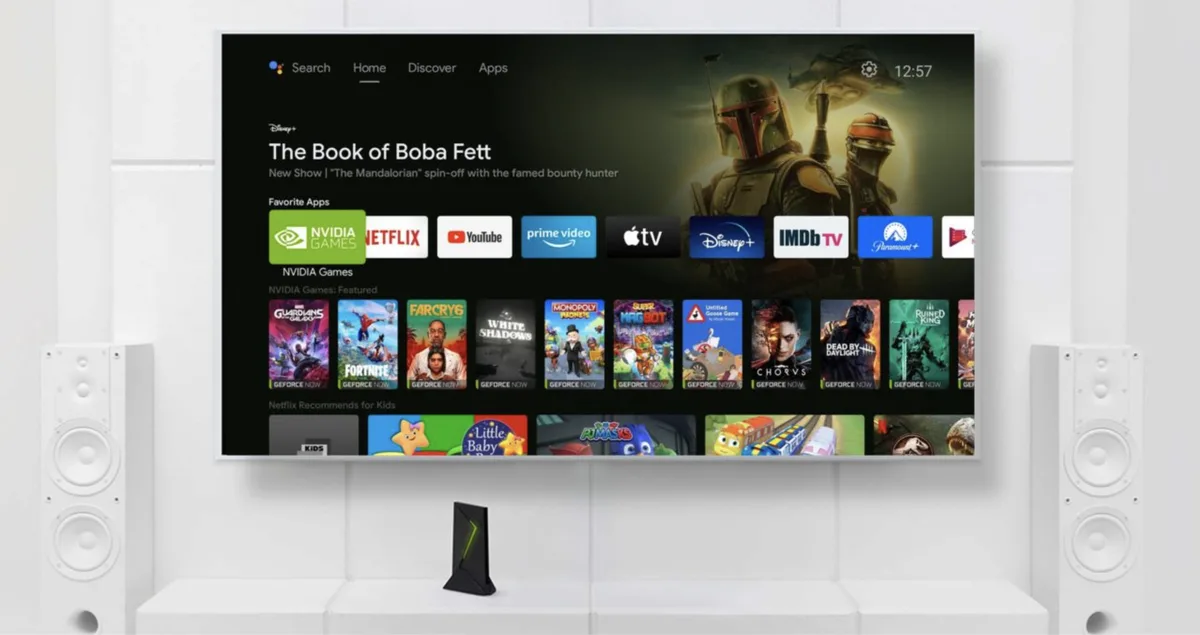
The Nvidia Shield TV is still a great streaming box, and it just got its first update in a year

When
we
reviewed
the

Nvidia
Shield
TV
Pro
back
in
2021,
we
said
that
it
was
the

best
streaming
box
on
the
market
at
the
time.
It’s
still
a
great
streamer
thanks
to
its
flexibility
and
power,
but
it’s
been
a
little
neglected.
However,

Nvidia
has
issued
an
update
at
last

the
first
such
update
since
2023.
If
you’re
encountering
bugs
or
glitches
that
are
taking
the
shine
off
your
Shield,
this
new
update
should
hopefully
address
them.

The
new
updates
are
detailed
in
a

post
on
the
Nvidia
website,
but
the
short
version
is
that
it
enhances
the
Match
Frame
Rate,
fixes
a
GeForce
Now
crash
bug
and
addresses
some
irritating
video
and
audio
issues.

What’s
new
in
the
Nvidia
Shield
TV
update

As
before,
the
system
is
based
on
Android
11

and
this
update
is
a
hotfix
rather
than
a
new
version,
so
don’t
expect
any
new
features.

Here’s
the
list
of
the
changes
in
this
new
update,
the
9.1.1+
Hotfix:

Match
Frame
Rate
(beta)
enhancement

Resolves
issue
with
SHIELD
drive
filling
up

Fixes
the
issue
of
No
audio
heard
when
headset
is
connected
to
controller
and
DAP
is
on

Resolves
issue
of
Geforce
now
crash
after
launch

Ability
to
clear
HDMI
1.4
flag
via
factory
reset

Fixed
video
distortion
on
“RGB
8-bit
Rec.709”
display
mode

Resolved
USB
HDD/Flash
drive
showing
corrupted
after
hotplug

NAS
folder
info
shows
0
B
and
not
the
actual
capacity

Mounted
storages
aren’t
listed
after
upgrade

Fixes
occasional
crashes
in
DRM
apps

The
support
document
also
notes
some
important
caveats.
If
you
want
to
install
Disney
Plus
from
the

Play
store
you’ll
need
to
do
it
before
applying
this
update,
as
once
installed
you
won’t
be
able
to
add
or
update
the
Play
store
version
of
the
app;
the
Hotfix
isn’t

Google
certified;
and
there’s
no
way
to
reverse
installation.

You
might
also
like

Sign
up
for
breaking
news,
reviews,
opinion,
top
tech
deals,
and
more.