Posted on

Panasonic Z95A review: a stunning, bright OLED TV with best-in-class Dolby Atmos sound

Panasonic
Z95A:
Two-minute
review

The

Panasonic
Z95A
is
the
company’s
flagship

OLED
TV,
sitting
above
the
company’s
mid-range
Z90A
and
entry-level
Z85A
in
the
company’s
2024
OLED
lineup.
There
are
two
big
changes
for
Panasonic
TVs
this
year.
The
first
is
that
the
company
has
switched
from
its
own
My
Home
Screen
smart
TV
interface
to

Amazon
Fire
TV.
The
second
is
that
Panasonic
has
re-entered
the
US
TV
market,
though
the
selection
of
models
and
screen
sizes
is
more
limited
in
the
US
than
in
the
UK
and
Europe.

The
Panasonic
Z95A
arrives
stateside
exclusively
in
a
65-inch
screen
size,
though
a
55-inch
model
is
also
available
in
the
UK.
Pricing
is
set
at
$3,100
/
£3,899,
putting
the
Z95A
very
much
in
the
premium
TV
camp,
but
if
you
have
the
cash,
its
performance
and
features
rank
it
among
the

best
OLED
TVs.

The
Z95A’s
‘Master
OLED
Ultimate’
display
panel
uses
the
same
micro
lens
array
(MLA)
tech
found
in
the
flagship

LG
G4
OLED
TV
and
features
a
new
HCX
Pro
AI
Processor
MK
II
to
enhance

HDR
tone
mapping,
color
accuracy,
detail,
and
motion
handling.
Images
on
the
Z95A
are
bright,
with
strong
contrast
and
rich
color

it
looks
every
part
the
premium
TV.

Sound
is
also
a
standout
Z95A
feature.
It
has
a
5.1.2-channel
160W
speaker
system
with
front
and
side-firing
speakers,
along
with
up-firing
ones
to
deliver
Dolby
Atmos
height
effects.
The
Z95A’s
sound
is
powerful
and
immersive
enough
that
you
could
easily
get
away
without
using
one
of
the

best
soundbars,
and
there’s
also
a
clever
and
effective
Sound
Focus
mode
to
ensure
people
sitting
off-center
still
get
great
sound.
It’s
probably
the

best
TV
for
sound
if
money
is
no
object.
Packing
in
so
many
speakers
adds
to
the
TV’s
bulk,
but
its
design
is
otherwise
appealing
and
it
sits
on
a
sturdy
circular
stand
that
can
swivel
in
either
direction.

The
Z95A’s
Fire
TV
interface
isn’t
the
best
smart
TV
platform,
because
it’s
edged
out
by
more
sophisticated
systems
like

LG’s
webOS
and
more
streamlined
ones
like

Roku,
but
it
gets
the
job
done
for
streaming
and
features
a
new
Ambient
Experience
that
displays
a
wide
range
of
pre-installed
images
when
the
TV
is
in
sleep
mode
and
also
lets
you
upload
your
own
images
as
well
as
create
new
ones
using
AI.
There
are
plentiful
settings
to
dial
in
the
TV’s
picture
and
sound

perhaps
too
many
depending
on
your
level
of
patience
for
tweaking.

Gaming
is
well
represented
on
the
Z95A,
which
has
two
HDMI
2.1
ports
with

4K
144Hz,
VRR
(including

Nvidia
G-Sync
and

AMD
Freesync
Premium),
and
Dolby
Vision
Gaming
(up
to
144Hz).
A
Game
Control
Board
menu
overlay
lets
you
make
quick
gaming-related
settings,
and
it
can
be
assigned
to
the
remote
control’s
My
App
button
for
easy
pop-up
access.

The
Panasonic
Z95A
earns
its
high
price
compared
to
even
the

best
TVs,
and
if
you
want
a
single
unit
that
delivers
elite
sound
as
well
as
pictures,
it’s
hard
to
beat.
But
the
magnificent

Samsung
S95D
is
available
for
a

lot
less,
so
you
need
to
want
its
particular
mix
of
sound
and
visuals.

Panasonic
Z95A
review:
Price
and
release
date

(Image
credit:
Future)

Release
date:
4
September
2024 

65-inch:
$3,100
/
£3,899

55-inch:
NA
/
£2,999

Panasonic’s
Z95A
is
the
company’s
flagship
OLED
TV
for
2024.
It
is
available
in
55-
and
65-inch
screen
sizes
in
the
UK
and
65
inches
in
the
US.
Panasonic
TVs
are
not
sold
in
Australia.

The
Z95A
series
sits
above
the
company’s
Z85A
series,
which
is
available
in
55-
and
65-inch
screen
sizes
in
both
the
US
and
the
UK,
with
the
65-inch
model
priced
at
$1,799
/
£2,499. 

As
a
flagship
OLED
TV
sold
in
both
the
US
and
the
UK,
the
Z95A’s
key
competitors
are
the

Samsung
S95D
($3,399
/
£3,399)
and
LG
G4
 ($3,399
/
£3,299)

however,
both
those
TVs
are
available
for
much
less
than
their
asking
price
now.
You
can
find
them
both
for
around
$2,600
/
£2,600,
so
they
offer
a
big
saving
compared
to
the
Z95A.

Panasonic
Z95A
review:
Specs

Swipe
to
scroll
horizontally

Screen
type:

OLED

Refresh
rate:

144Hz

HDR
support:

Dolby
Vision,
HDR10+,
HDR10,
HLG

Audio
support:

Dolby
Atmos

Smart
TV:

Fire
TV

HDMI
ports:

4
(2x
HDMI
2.1)

Built-in
tuner:

ATSC
3.0
(US)

Panasonic
Z95A
review:
Benchmark
results

Panasonic
Z95A
review:
Features

The
Z95A
has
two
HDMI
2.1
ports
with
4K
144Hz
support.

(Image
credit:
Future)

MLA
OLED
panel
and
HCX
Pro
AI
Processor
MK
II

Dolby
Vision
IQ
and
HDR10+
adaptive
HDR

Two
HDMI
2.1
inputs
with
4K
144Hz
support

The
Panasonic
Z95A
features
a
‘Master
OLED
Ultimate’
display
panel
equipped
with
the
same
brightness
boosting

micro
lens
array
(MLA)
tech
used
in
LG’s
G4
OLED
TV,
along
with
a
heat-management
configuration
developed
in-house
by
Panasonic
engineers.
It
also
has
Panasonic’s
new
HCX
Pro
AI
Processor
MK
II,
which
uses
dynamic
3D
LUTs
(Look-Up
Tables)
to
display
accurate
colors
in
bright
and
dark
images
and
a
4K
Fine
Remaster
and
Smooth
Motion
Drive
Pro
feature
to
enhance
detail
and
motion
clarity.

The
Z95A
has
comprehensive
HDR
support,
with
Dolby
Vision
IQ,
HDR10+
Adaptive,
and
HLG
all
accounted
for.
In
the
US,
this
is
the
only
OLED
TV
range
to
offer
both
advanced
HDR
formats
(in
the
UK,
Philips
does
as
well).
A
Filmmaker
Mode
with
intelligent
sensing
optimizes
that
picture
mode
for
a
range
of
room
lighting
conditions
using
the
TV’s
built-in
sensors,
and
there’s
also
a
Netflix
Adaptive
Calibrated
Mode
that’s
meant
to
accurate
display
programs
streamed
from
Netflix.

Sound
quality
is
given
special
attention
on
the
Z95A,
which
features
‘360
Soundscape
Pro
tuned
by
Technics.’
This
basically
is
a
built-in
5.1.2-channel
160W
speaker
system
with
a
dedicated
center
speaker
and
up-firing
drivers
for
Dolby
Atmos
height
effects.
There
are
extensive
settings
for
tuning
the
Z95A’s
sound,
and
it
has
a
beam-forming
feature
that
lets
you
direct
the
TV’s
sound
output
with
Pinpoint,
Area,
Spot,
and
Ambient
modes.

For
its
new
TVs,
the
Z95A
included,
Panasonic
has
swapped
its
unloved
My
Home
Screen
smart
TV
platform
for
Amazon’s
Fire
TV.
This
uses
a
Voice
Remote
with
Alexa
for
control,
and
it
now
features
the
Fire
TV
Ambient
Experience,
which
lets
you
add
various
information
widgets
to
the
TV’s
ambient
mode
screensaver,
and
even
create
your
own
custom
images
using
generative
AI.

Gaming
is
also
a
highlight
of
the
Z95A,
which
supports
4K
144Hz,
VRR
(including
Nvidia
G-Sync
and
AMD
Freesync
Premium),
and
Dolby
Vision
Gaming
(up
to
144Hz)
and
also
has
a
Game
Control
Board
pop-up
menu
for
making
quick
gaming-related
settings.
The
Z95A
only
has
two
HDMI
2.1
inputs,
however,
which
is
less
than
the
four
HDMI
2.1
ports
we
look
for
on
the

best
gaming
TVs.

Features
Score:
4.5/5

Panasonic
Z95A
review:
Picture
quality

The
Z95A’s
picture
is
bright
enough
for
viewing
in
well-lit
rooms
and
it
has
an
anti-reflection
screen.

(Image
credit:
Future)

High
brightness
for
an
OLED
TV

Excellent
overall
picture
quality

Anti-reflection
screen

With
an
OLED
MLA
panel
similar
to
the
one
used
in
the
LG
G4
OLED
TV,
I
expected
the
Panasonic
Z95A
to
have
similarly
high
brightness
and
my
measurements
proved
that.
Brightness
on
a
10%
HDR
white
window
pattern
in
Filmmaker
Mode
was
1,495
nits
and
a
full-screen
pattern
measured
221.8
nits.
Those
numbers
match
what
we
measured
on
the
G4,
though
they
fall
a
bit
short
of
the

Samsung
S95D’s
1,688
nits
and
318
nits
in
the
same
picture
mode.

In
other
measurements,
the
Z95A’s
UHDA-P3
color
gamut
coverage
in
Filmmaker
Mode
was
97.0
and
its
BT.2022
coverage
was
72.5%.
Again,
those
results
match
what
we
measured
on
the
LG
G4,
though
the
Samsung
S95D
with
its
QD-OLED
display
panel
managed
full
P3
coverage
and
an
impressive
87.9%
BT.2020
coverage.
Grayscale
and
color
accuracy
 (see
“How
I
tested”
section
for
details)
in
the
same
mode
were
3.3
and
1.7,
respectively

again
matching
the
G4’s
performance.

The
Z95A
did
a
good
job
upconverting
standard-definition
broadcast
TV
channels,
and
high-definition
ones
looked
super-clean
and
finely
detailed.
The
TV’s
anti-reflection
screen
also
effectively
reduced
glare
from
overhead
lights
in
my
room
when
I
had
them
switched
on.
With
sports
such
as
football,
the
Z95A
displayed
punchy
colors
and
crisp-looking
highlights,
though
I
preferred
the
TV’s
Normal
picture
preset
here
rather
than
Filmmaker
Mode,
which
looked
comparatively
muted
with
non-HDR
content
including
broadcast
TV.

One
note
about
Filmmaker
Mode
on
the
Z95A:
The
intelligent
sensing
feature
it
uses
automatically
turns
on
the
TV’s
ambient
light
sensor
for
adjusting
picture
brightness
based
on
room
lighting.
For
this
reason,
I
preferred
to
use
the
True
Cinema
preset
when
available,
which
has
similar
settings
to
Filmmaker
Mode
minus
the
intelligent
sensing.

Another
picture
mode
worth
discussing
is
Netflix
Adaptive
Calibrated
Mode,
which
needs
to
be
enabled
in
the
TV’s
picture
setup
menu.
When
streaming

Ripley
from
Netflix,
I
strongly
preferred
the
TV’s
Netflix
Adaptive
Calibrated
Mode
to
its
Dolby
Vision
Dark
mode,
which
compressed
highlight
and
shadow
detail
to
a
degree.
Otherwise,
I
used
Dolby
Vision
Dark
for
viewing
most
programs
with
Dolby
Vision
HDR,
making
tweaks
to
the
Black
Level
and
Black
Expansion
adjustments
in
the
Brightness
menu
to
optimize
pictures.

The
Z95A’s
bold,
detailed
color
reproduction
is
beautiful
for
movies
such
as

I
Saw
the
TV
Glow,
which
regularly
uses
a
neon-like
color
palette
in
dark,
nighttime
scenes.
Watching
one
such
scene
where
smoke
billows
out
from
an
ice
cream
truck,
the
bright
green
of
the
truck
and
the
lurid
purple
smoke
looked
vivid
and
intense.

Motion
handling
is
also
impressive
on
Panasonic’s
top
OLED
TV.
When
I
watched
a
scene
from

No
Time
to
Die
where
James
Bond
traverses
a
rocky
hilltop
cemetery,
there
was
only
a
faint
level
of
judder
visible
as
the
camera
tracked
his
motion,
and
details
in
the
landscape
remained
intact.
And
the
same
thing
held
for
sports,
with
a
Bills
vs
Ravens
football
game
looking
completely
solid
and
blur-free.

As
you’d
expect
from
a
flagship
OLED
TV,
blacks
looked
deep
and
there
was
a
high
level
of
shadow
detail
visible
in
dark
images
from
shows
like

The
Penguin
on
Max.
As
mentioned
above,
I
found
myself
regularly
making
adjustments
to
the
TV’s
advanced
brightness
settings
to
dial
this
in
just
right,
but
even
without
making
black-level
tweaks,
shadows
generally
were
well-defined. 

Picture
quality
score:
5/5

Panasonic
Z95A
review:
Sound
quality

The
Z95A’s
Sound
Focus
interface.

(Image
credit:
Future)

5.1.2-channel
160W
speaker
system

Effective
Dolby
Atmos
presentation 

Sound
Focus
mode

Panasonic
calls
the
Z95A’s
built-in
speaker
system
‘360
Soundscape
Pro
tuned
by
Technics.’
This
is
a
5.1.2-channel
160W
array
that
uses
dedicated
left,
center,
right
and
side-firing
speakers,
along
with
a
pair
of
up-firing
drivers
for
Dolby
Atmos
height
effects
and
a
built-in
subwoofer
plus
two
passive
bass
radiators.
A
subwoofer
output
jack
is
also
provided
on
the
TV
if
you
want
make
a
hard-wired
connection
to
an
external
sub.

Packing
that
many
speakers
into
the
TV’s
frame
adds
to
its
depth
and
height,
with
a
thick
grille
running
beneath
the
full
width
of
the
screen
where
the
front
speaker
array
is
located.
And
while
it
increases
the
TV’s
bulk,
the
benefit
to
the
Z95A’s
audio
hardware
is
that
it
can
play
loud
and
clear
enough
that
you
can
easily
do
without
a
soundbar. 

Dialogue
is
consistently
clear,
and
Atmos
soundtracks
have
a
true
sense
of
spaciousness,
with
sound
effects
such
as
rain
falling
in
a
scene
from

I
Saw
the
TV
Glow
literally
sounding
like
they
were
falling
from
the
ceiling.
Bass
depth
and
impact
is
very
good
for
a
TV,
and
it
noticeably
improved
after
running
Space
Tune,
a
feature
that
uses
the
mic
built
into
the
remote
control
to
analyze
your
room’s
acoustics
and
adjust
the
sound
accordingly.

Along
with
Space
Tune,
another
key
audio
feature
is
Sound
Focus,
which
lets
you
adjust
the
direction
of
the
sound
for
off-center
seating.
There
are
four
settings,
Pinpoint,
Area,
Spot
and
Ambient,
which
each
one
providing
a
different
range
of
soundfield
width.
To
test
it
out,
I
selected
Pinpoint
and
adjusted
it
to
align
with
a
seating
position
at
the
far
end
of
my
sofa,
and
the
TV’s
sound
clearly
shifted
30
degrees
over
from
the
center.
Impressive!

Sound
quality
score:
5/5

Panasonic
Z95A
review:
Design

The
Z95A’s
circular
swiveling
stand.

(Image
credit:
Future)

Sturdy,
swiveling
stand

Wide
array
of
input
and
control
ports

Flimsy
remote
control

OLED
TVs
typically
have
a
thin
form
factor,
but
at
2.7
inches
(69mm),
 the
Z95A’s
frame
is
necessarily
deep
owing
to
its
built-in
5.1.2-channel
speaker
array,
and
there
is
a
wide
grille
running
along
the
bottom
of
the
screen
where
the
TV’s
front-firing
speakers
are
located.
It’s
balanced
on
a
sturdy,
swiveling
stand,
which
is
a
great
feature
if
you
want
to
position
the
TV’s
screen
to
accommodate
different
seating
situations.

The
Z95A
has
an
impressive
array
of
input
and
control
ports.
There
are
four
HDMI
ports
(including
two
HDMI
2.1),
optical
digital
and
3.5mm
headphone/subwoofer
audio
outputs,
two
powered
USB,
and
an
antenna
input
for
the
TV’s

ATSC
3.0
digital
TV
tuner
(US-only).
On
the
control
side,
it
has
an
Ethernet
port
and
IR
blaster
output.

Panasonic’s
remote
control
is
disappointing
given
the
Z95A’s
otherwise
premium
build
quality
(and
price!).
It’s
the
same
type
you’d
get
with
any
cheap
Amazon
Fire
TV
set,
with
a
thin
plastic
case,
limited
button
array,
and
no
backlighting.
Its
main
feature
is
a
blue
button
at
the
top
to
summon
Alexa
for
voice
commands,
which,
to
be
fair,
is
a
key
feature
of
the
Fire
TV
smart
TV
platform.

Design
score:
4/5

Panasonic
Z95A
review:
Smart
TV
and
menus

Panasonic
has
switched
to
the
Amazon
Fire
TV
smart
interface
for
its
2024
TVs.

(Image
credit:
Future)

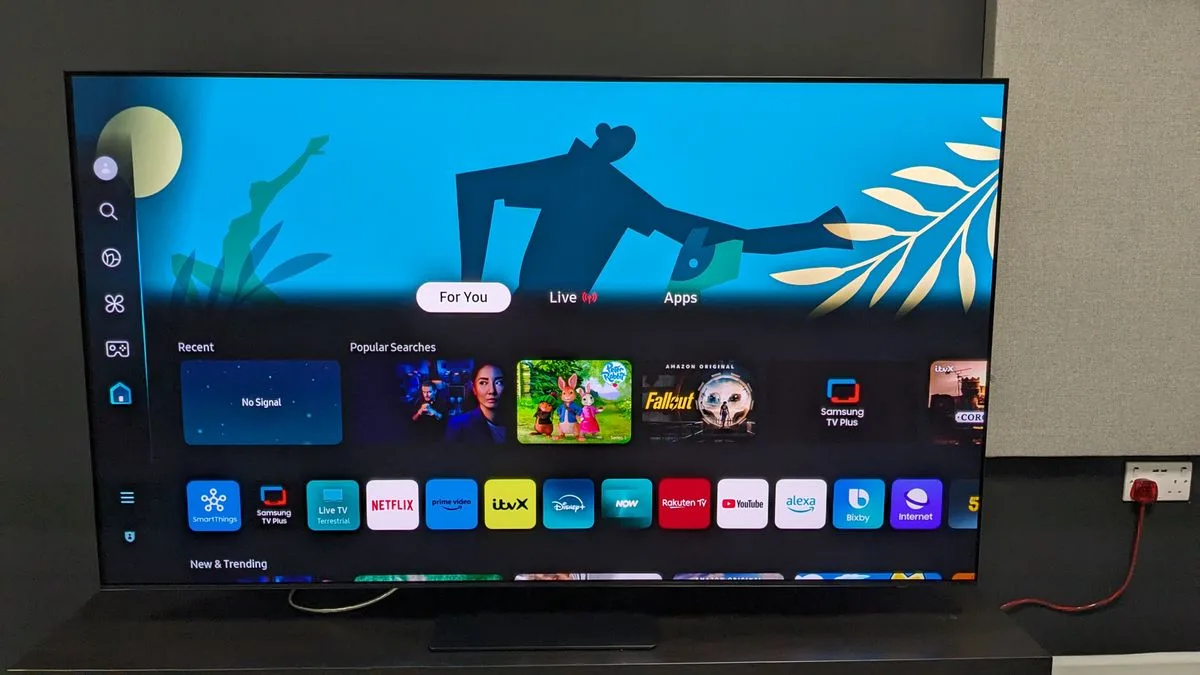
Amazon
Fire
TV
is
great
for
streaming
service
support

Fire
TV
Ambient
Experience
with
AI
image
generation

Extensive
picture
and
sound
adjustments

Amazon’s
Fire
TV
smart
TV
interface
hasn’t
changed
much
since
we
reviewed
the

Amazon
Fire
TV
Omni
QLED.
The
home
screen
is
divided
up
into
a
top
panel
with
ads,
mostly
for
shows
on
Amazon’s
Prime
Video
and
Freevee
free
TV
platforms
and
other
streaming
services,
while
a
grid
of
recommended
movies
and
TV
shows
takes
up
the
bottom
half.
In
between
is
a
horizontal
bar
with
a
row
of
apps
that
you
can
customize,
along
with
Inputs,
My
Stuff,
Search,
and
Live
tabs.

When
on
the
Live
screen,
you’ll
find
a
wealth
of
options,
including
news
channels
and
other
live
TV
programs
that
are
free
to
stream.
You
can
also
select
a
grid
format
that
displays
a
cable
TV-style
time-based
guide
that
can
be
populated
with
programs
available
on
local
broadcast
TV
channels
when
using
an
antenna.

The
Fire
TV
Ambient
Experience
is
a
recent
addition,
and
it’s
one
of
the
platform’s
most
appealing
features.
When
the
TV
hasn’t
been
in
use
for
a
certain
period
of
time
(you
can
specify
how
long
in
the
setup
menu)
it
will
display
a
curated
range
of
images
and
artworks,
or
your
personal
photos
(via
the
Fire
TV
Photos
app
after
uploading
using
the
Amazon
Photos
app
on
your
phone).
You
can
add
weather,
news,
sticky
notes,
and
other
widgets
to
the
Ambient
screen,
and
even
create
your
own
images
using
AI.
Be
careful
with
this,
however:
I
prompted
Amazon’s
AI
with
“clowns
juggling
pineapples
on
a
soccer
field,”
and
the
terrifying
image
it
generated
cannot
be
unseen.

One
area
where
Fire
TV
on
the
Panasonic
goes
well
beyond
Amazon’s
own
TVs
is
the
picture
and
sound
settings,
which
can
be
accessed
by
pressing
a
gear
icon
button
on
the
remote
control.
There
are
extensive
picture
presets,
including
numerous
ones
to
adjust
HDR
tone
mapping
and
black
detail
in
dark
images.
The
same
goes
for
sound
settings,
which
include
a
range
of
Sound
Field
Creation
options,
Space
Tune
room
EQ,
and
the
Sound
Focus
mode
described
above
in
the
Sound
Quality
section.
If
anything,
there
may
be
too
many
options
provided
for
tweaking
the
TV’s
picture
and
sound.

Smart
TV
&
menus
score:
4/5

Panasonic
Z95A
review:
Gaming

The
Z95A’s
Game
Control
Board
pop-up
menu.

(Image
credit:
Future)

Two
HDMI
2.1
ports

Game
Control
Board
menu

12.6ms
input
lag

The
Panasonic
Z95A
provides
two
HDMI
2.1
ports
that
support
4K
144Hz,
VRR
(including
Nvidia
G-Sync
and
AMD
Freesync
Premium),
and
Dolby
Vision
gaming
(up
to
144Hz).
While
we
generally
look
for
four
HDMI
2.1
ports
on
high-end
TVs
to
accommodate
multiple
gaming
consoles
plus
a
soundbar
connection,
the
Z9A’s
excellent
built-in
sound
makes
its
limited
HDMI
2.1
port
count
less
of
an
issue.

A
nice
gaming
feature
on
the
Z95A
is
its
Game
Control
Board
pop-up
menu.
This
can
be
activated
via
the
setup
menu
when
in
Game
mode
(it
can
also
be
assigned
to
the
remote
control’s
My
App
button),
allowing
you
to
make
gaming-related
picture
adjustments
such
as
Dark
Visibility.

The
Z95A’s
input
lag
as
measured
with
a
Leo
Bodnar
4K
Input
Lag
meter
was
12.6ms.
That’s
a
perfectly
good
result,
although
the
best
TVs
for
gaming
typically
yield
a
result
under
10ms.

Gaming
score:
4/5

Panasonic
Z95A
review:
Value

Panasonic’s
remote
control
is
notably
flimsy
for
a
premium-priced
TV.

(Image
credit:
Future)

Priced
higher
than
premium
OLED
competition
in
practice

Good
mid-range
OLEDs
available
for
much
less

Great
performance
and
features
enhance
the
value

At
$3,100
/
£3,899
for
the
65-inch
model,
the
Panasonic
Z95A
sits
at
the
premium
end
of
the
TV
price
spectrum,
beyond
even
the
LG
G4
and
Samsung
S95D
due
to
their
price
cuts.

You
can
now
buy
a
mid-range
65-inch
OLED
TV
such
as
the
LG
C4
for
around
$1,699,
and
it
will
also
have
great
picture
quality
plus
a
better
overall
set
of
gaming
features.
Paying
more
for
a
flagship
OLED
TV
such
as
the
Z95A
will
get
you
better
picture
brightness,
however,
and
that’s
going
to
make
a
difference
when
viewing
in
rooms
with
a
high
level
of
ambient
lighting,
and
it
also
gives
4K
movies
with
HDR
a
more
dynamic
look.

Ultimately,
the
Z95A
ranks
the
same
for
value
as
its
flagship
OLED
competitors.
Like
them,
it
has
powerful
built-in
audio
for
a
TV

but
here
it’s
further
cut
above
the
rest

and
when
you
combine
that
with
its
top-notch
picture
quality
and
features,
it’s
a
sound
investment
if
you
can
afford
it.

Value
score:
4/5 

Should
I
buy
the
Panasonic
Z95A?

The
Z95A’s
Live
TV
grid
guide.

(Image
credit:
Future)

Swipe
to
scroll
horizontally

Panasonic
Z95A

Attributes

Notes

Rating

Features

Master
OLED
Ultimate
display
panel
with
comprehensive
HDR
support.

4.5/5

Picture
quality

High
brightness
and
excellent
overall
picture
quality.

5/5

Sound
quality

Powerful
sound
with
impressive
spaciousness
but
limited
bass.

5/5

Design

Somewhat
bulky
but
with
sturdy
swiveling
stand.
Remote
control
is
flimsy.

4/5

Smart
TV
and
menus

Fire
TV
smart
interface
is
serviceable
and
has
appealing
Ambient
Experience.
Extensive
picture
and
sound
settings.

4/5

Gaming

Great
overall
gaming
support
but
only
two
HDMI
2.1
ports.

4/5

Value

Pricey,
but
an
overall
good
value
given
the
performance
and
features.

4/5

Buy
it
if…

Don’t
buy
it
if…

Panasonic
Z95A
review:
Also
consider…

Swipe
to
scroll
horizontally

Header
Cell

Column
0

Panasonic
Z95A

LG
G4

Samsung
S95D

LG
C4

Price
(65-inch)

$3,100
/
£3,899

$3,399
/
£3,299

$3,399
/
£3,399

$2,699.99
/
£2,699

Screen
type

OLED

OLED

OLED

OLED

Refresh
rate

144Hz

144Hz

144Hz

144Hz

HDR
support

Dolby
Vision/HDR10+/HDR10/HLG

Dolby
Vision/HDR10+/HDR10/HLG

HDR10+/HDR10/HLG

Dolby
Vision/HDR10+/HDR10/HLG

Smart
TV

Fire
TV

webOS
24

Tizen

webOS
24

HDMI
ports

4
(2x
HDMI
2.1)

4
x
HDMI
2.1

4
x
HDMI
2.1

4
x
HDMI
2.1

How
I
tested
the
Panasonic
Z95A

(Image
credit:
Future)

Tested
over
the
course
of
two
weeks

Measurements
were
made
using
Calman
color
calibration
software

A
full
calibration
was
made
before
proceeding
with
subjective
tests

When
I
test
TVs,
I
first
first
spend
a
few
days
or
even
weeks
using
it
for
casual
viewing
to
assess
the
out-of-box
picture
presets
and
get
familiar
with
its
smart
TV
menu
and
picture
adjustments.
I
next
select
the
most
accurate
preset
(usually
Filmmaker
Mode,
Movie
or
Cinema)
and
measure
grayscale
and
color
accuracy
using
Portrait
Displays’

Calman
color
calibration
software.
The
resulting
measurements
provide
Delta-E
values
(the
margin
of
error
between
the
test
pattern
source
and
what’s
shown
on-screen)
for
each
category,
and
allow
for
an
assessment
of
the
TV’s
overall
accuracy.

Along
with
those
tests,
I
make
measurements
of
peak
light
output
(recorded
in
nits)
for
both
standard
high
definition
and
4K
high
dynamic
range
using
10%
and
100%
white
window
patterns.
Coverage
of
DCI-P3
and
BT.2020
color
space
is
also
measured,
with
the
results
providing
a
sense
of
how
faithfully
the
TV
can
render
the
extended
color
range
in
ultra
high-definition
sources.

I
used
the
Calman
ISF
workflow,
along
with
the
TV’s
advanced
picture
menu
settings,
to
calibrate
the
image
for
best
accuracy
after
I’d
assessed
its
out-of-the-box
performance.
I
also
watched
a
range
of
reference
scenes
on
4K
Blu-ray
discs
to
assess
the
TV’s
performance,
and
4K
HDR
shows
streamed
from
Max,
Netflix,
and
other
services.

You
can
read
an
in-depth
overview
of

how
we
test
TVs
at
TechRadar
for
more
information.

Posted on

Sonos Arc Ultra pre-order leaks give us a release date that’s real soon – and our best pictures of it yet

The

Sonos
Arc
Ultra
is
truly
the
worst-kept
secret
in
tech
right
now,
with
the
new
soundbar
leaking
everything
like
water
from
a
paper
bucket.
Only
a
few
days
ago,

Best
Buy
seemed
to
reveal
that
it
would
have
a
price
of
$999,
and
now
more
retailers
may
have
given
us
the
release
date.

Spotted
by
Redditors,
Belgian
retailers
Fnac,
Vandenborre,
and
MediaMarkt
apparently
had
pre-order
pages
visible
for
the

Sonos
Arc
Ultra
and
the
Sonos
Sub
4,
promising
a
release
date
of
29
October
2024
for
both.

The
pre-orders
offer
a
price
of
€999
for
the
soundbar,
and
€899
for
the
Sonos
Sub
4

all
of
which
are
in
line
with
expectations.

(Image
credit:
Reddit
/
Fabulous-Rise1057)

October
29
is
coming
up
fast,
so
we
may
get
official
information
about
the
new
soundbar
imminently

early
next
week
will
be
two
weeks
from
that
launch
date,
so
I
wouldn’t
be
surprised
to
see
something
arrive
then.

On
top
of
this
release
date
revelation,
a
load
more
images
that
are
claimed
to
be
of
the
Arc
Ultra
have
leaked
on
Reddit,
too.
There’s
a
combination
of
product
shots
and
lifestyle
images,
and
they
appear
to
confirm
that
the
soundbar
will
work
with
the

Sonos
Ace
headphones
(not
that
anyone
had
any
doubt
about
that,
especially

since
they
were
updated
to
work
with
the
Beam
and
Ray
soundbars).

Sonos
Arc
Ultra
leak
(again)
from

r/sonos

The
Sonos
Arc
Ultra
is
exciting
because
it’s
claimed
to
be
the
first
product
with
a
new
kind
of
speaker
tech,
which

Sonos
appears
to
be
calling
‘Sound
Motion’
based
on
previous
leaks,
but
was
previously
known
as
Mayht
Heart
Motion
before
Sonos
bought
the
company.

These
drivers
are
much
smaller
than
traditional
speaker
designs,
but
can
apparently
deliver
the
same
power
and
depth.
They’re
said
to
be
used
here,
though
we
don’t
know
in
exactly
what
form
yet

the
likelihood
is
that
they’ll
provide
much
more
bass
and
mid-range
power
from
the
bar.

Sign
up
for
breaking
news,
reviews,
opinion,
top
tech
deals,
and
more.

The
original

Sonos
Arc
still
rates
among
the

best
soundbars
you
can
buy
today,
and
I’ve
written
before

why
I
think
the
Arc’s
successor
could
be
one
of
the
best
tech
releases
of
the
year.
And
if
Sonos
can

keep
its
improved
app
on
its
positive
track
by
adding
features
and
fixing
the
reliability,
we
could
be
onto
a
real
winner
here.
Looks
like
we’ll
find
out
one
way
or
the
other
soon.

You
might
also
like…

Posted on

Google TV rolls out fancy new AI-generated wallpapers – here’s how to find them

When

Google
launched
the

Google
TV
Streamer
back
in
August,
some
of
its
features
were
promised
for
other
Google
TV
devices
too

and
one
of
the
best
such
features
has
now
arrived.
Google’s
AI
screensaver
generator
is
now
rolling
out
worldwide.

As
always
with
Google
feature
updates,
the
rollout
isn’t
arriving
on
every
device
simultaneously.
Here’s
how
to
see
if
the
feature
has
landed
on
your
streamer
or
TV,
and
where
you
can
find
the
AI-generated
screensavers.

How
to
find
the
AI
screensavers
on
your
Google
TV

(Image
credit:
Google)

Google
has
posted

a
new
support
document
explaining
how
to
access
the
feature:

From
the
Google
TV
home
screen,
select

Settings
>
System
>
Ambient
mode.

Choose
what
you
want
to
show:

Google
Photos,
Art
Gallery
or

Custom
AI
Art.

If
you
don’t
see
the
Custom
AI
Art
option,
that
means
the
new
AI
feature
hasn’t
arrived
on
your
device
just
yet.
But
if
Custom
AI
Art
is
there,
you
can
then
choose
from
a
gallery
of
pre-made,
AI-generated
images
or
add
your
own.

You
can
add
new
wallpapers
in
three
ways:
by
providing
a
descriptive
prompt
telling
Google
TV
what
you
want
it
to
create,
either
by
typing
it
in
or
by
using
the
microphone
in
your
remote;
by
using
‘Inspire
Me’
to
generate
something
randomly;
or
by
selecting
a
particular
art
style
and
letting
Google
TV
take
you
step
by
step
through
the
rest.

Early
results
look
very
impressive,
and
if
you
don’t
like
what
Google
TV
has
created
you
can
either
click
on
Edit
to
tweak
it
or
on
Generate
Again
to
create
a
whole
new
image.
Naturally,
there’s
also
a
Save
option
you
can
use
to
store
wallpapers
in
your
gallery,
too.

You
might
also
like…

Sign
up
for
breaking
news,
reviews,
opinion,
top
tech
deals,
and
more.

Posted on

The LG CineBeam Q is our favorite portable 4K projector, and it’s back to its lowest-ever price for Prime Day

The
benefit
to

Amazon
Prime
Day
is
that
some
products
that
seem

a
little
too
expensive
at
full
price
get
a
two-day
vacation
from
that
status.
In
other
words,
they
get
a
Prime
Day

discount,
and
one
of
the
top
projector
discounts
we’ve
seen
in
this
year’s
sale
is
on
LG’s
CineBeam
Q
4K
portable
projector.

Right
now,
the

LG
CineBeam
Q
is
$896.99
at
Amazon.
That’s
a
$400
discount
from
the
normal
$1,296.99,
bringing
LG’s
cool,
retro-looking
projector
back
to
its
lowest-ever
price.
A
Prime
Day
discount
is
also
available
in
the
UK,
knocking
£136
off
the
projector’s
price.
Sure,
there
are
plenty
of
other
portable
projectors
you
can
find
for
cheaper,
such
as

Samsung’s
The
Freestyle
2nd
Gen,
but
none
of
those
provide
the
LG’s
4K
resolution

something
that
makes
a
difference
when
you
blow
images
up
on
a
big
screen.•

Shop
more
Prime
Day
deals

The
LG
CineBeam
Q
is
the
top
portable
option
in
our
list
of
the

best
4K
projectors.
Much
of
that
has
to
do
with
its
style

the
CineBeam
Q
is
wonderfully
compact
and
clad
in
an
all-metal
chassis
with
a
revolving
stand
that
does
double
duty
as
a
carrying
handle.
However,
with
a
specified
500
ANSI
lumens
brightness
and
an
RGB
laser
DLP
light
engine,
the
CineBeam
Q
not
only
looks
good,
but
can
beam
sufficiently
bright
and
strikingly
colorful
images.

Not
in
the
US
or
UK?
Scroll
down
for
more

LG
CineBeam
Q
Prime
Day
deals
in
your
region.

Today’s
best
LG
CineBeam
Q
deal

In
our

LG
CineBeam
Q
review,
we
remarked
that
its
picture
was
“surprisingly
good
for
such
a
tiny
projector,
and
it
can
beam
images
large
enough
to
light
up
the
side
of
a
garage.”
With
no
built-in
battery
power
option,
you
may
want
to
use
the
CineBeam
Q
mostly
inside,
though
its
rugged
build
quality
makes
it
well-suited
for
travel.

The
CineBeam
Q
uses
the
same
webOS
system
found
on
LG’s
TVs
for
streaming,
and
it’s
one
of
the
best
smart
TV
platforms
going.
Many
of
the

best
streaming
services
can
be
accessed
from
here,
including
Disney
Plus,
Prime
Video,
Netflix,

Apple
TV
Plus,
and

YouTube.
With
a
3W
speaker,
the
projector’s
built-in
sound
is
on
the
anemic
side,
but
a
Bluetooth
dual
audio
output
lets
you
easily
pair
it
with
multiple
headphones,
a
wireless
speaker,
or
a
soundbar.

In
a
world
of
ugly
plastic
portable
projectors,
the
LG
CineBeam
Q
stands
out
with
its
striking
design
and
excellent
overall
picture
quality.
You
can
easily
find
a
portable
projector
for
less,
but
this
Prime
Day
discount
puts
our
favorite

4K
portable
within
reach.

Today’s
best
LG
CineBeam
Q
deals

Want
the
latest
US
deals
straight
to
your
phone?
Follow
the

TechRadar
WhatsApp
deals
channel!

More
Amazon
Prime
Day
deals
in
the
US

More
Amazon
Prime
Day
deals
in
the
UK

Posted on

I test gaming TVs for a living, and these are the best cheap gaming OLED TV deals during Prime Day

It’s
the
second
day
of
the

Amazon
Prime
Day
event
and
the
deals
keep
on
coming.
As
someone
who
reviews
gaming
TVs,
I’ve
spotted
a
couple
of
deals
that
are
sure
to
please
any
gamer
who
want
to
add
an
OLED
TV
into
their
setup

and
one
of
these
deals
isn’t
even
at
Amazon.

In
the
US,
the

48-inch
LG
B4
is
available
for
$699.99
(was
$1,499.99)
at
Best
Buy

that’s
a
record-low
price
and
a

seriously
good
deal
for
a
TV
of
this
caliber.
In
the
UK,
the

48-inch
LG
C4
is
available
for
£921.80
(was
£999)
at
Amazon

that’s
another
record-low
price.

Shop
more
Prime
Day
deals

Both
the

LG
B4
and
LG
C4
are
among
the
best
gaming
TVs
of
2024,
with

4K
at
144Hz,
Dolby
Vision
gaming,
variable
refresh
rate
and
a
host
of
other
gaming
features
included,
and
they’re
supported
on
all
four
HDMI
ports,
so
they’re
totally
future-proof.
The
C4
provides
a
step-up
in
brightness
and
performance
over
the
B4,
but
the
B4
provides
just
excellent
value
for
an

OLED
in
this
deal.

Why
have
I
chosen
the
B4
for
the
US
and
C4
for
the
UK?
Well,
the
best
price
I
could
find
for
the
B4
in
the
UK
was
£899
(its
regular
price)
so
for
only
an
extra
£30,
you
get
all
the
upgrades
of
the
C4.
The
smaller

42-inch
LG
C4
size
is
available
for
£869
at
Amazon
UK,
but
again
for
the
extra
£60,
I
think
it’s
worth
getting
the
larger
screen
if
you
can.

Today’s
best
cheaper
gaming
OLED
TV
deal
in
the
US

Today’s
best
cheaper
gaming
OLED
TV
deal
in
the
UK

In
our

LG
B4
review,
we
described
the
B4
as
an
“excellent
TV
for
gaming
at
this
price”,
praising
its
stack
of
features,
including
the
full
stock
of
four
HMDI
2.1
ports
for
the
first
time
in
the
LG
B
series’
history.
It
supports
4K,
144Hz,
VRR
(AMD
FreeSync
Premium
and

Nvidia
GSync)
and
more.
Combining
that
with
the
B4’s
picture
quality,
which
we
found
to
have
strong
shadow
detail,
accurate
colors
and
excellent
contrast,
mean
you
get
an
OLED
that
outperforms
its
entry-level
price.

In
our

LG
C4
review,
we
were
suitably
impressed
by
its
impressive
list
of
gaming
features

4K,
144Hz,
VRR
(AMD
FreeSync
Premium
and
Nvidia
Gsync
included),
Dolby
Vision
gamin,
HGiG

and
its
performance,
earning
a
full
five
stars
in
the
gaming
section.
But,
it
also
delivers
beautiful
pitcures,
with
vibrant
colors
showcased
by
its
alpha
9
AI
Processor
adding
a
superb
vibrancy
to

HDR
highlights.
It’s
a
clear
step
up
in
brightness
compared
to
the
B4,
and
compared
to
last
year’s
LG
C3
TV
equivalent.
Plus,
it
has
the
superb
contrast
and
rich
black
levels
we’ve
come
to
expect
from
an
OLED.

These
are
easily
two
of
2024’s

best
OLED
TVs
and
they
more
than
justify
their
full
price,
covering
nearly
every
base
you
can
think
of,
so
any
discount
(especially
ones
like
these)
are
more
than
welcome.

If
you’re
looking
for
something
a
bit
different
from
these
OLED
TVs,
check
out
some
of
the
other

Prime
Day
TV
deals
we’ve
found.

Want
the
latest
US
deals
straight
to
your
phone?
Follow
the

TechRadar
WhatsApp
deals
channel!

More
Amazon
Prime
Day
deals
in
the
US

More
Amazon
Prime
Day
deals
in
the
UK

Posted on

Samsung TVs will get new One UI software to match its phones, and we have mixed feelings about it

Samsung
has
big
news
for
TV
buyers.
From
2025,
it
will
be
unifying
all
of
its
product
lines,
including
its

best
TVs,
under
the
banner
of
One
UI.
If
you’re
not
familiar
with
Samsung’s
Android
phones,
One
UI
is
its
flavor
of
Android:
this
design
sits
on
top
of
the
operating
system
to
give
every
phone
a
distinctive
Samsung
personality.

If
you
are
familiar
with
Samsung’s
Android
phones,
though,
you
may
understand
why
we
have
distinctly
mixed
feelings
about
this
announcement.

One
UI
on
Samsung
TVs:
the
good

We
have
reviewed
endless
models
of
Samsung
TVs
over
the
years,
and
while
Samsung
makes
really
good
televisions
we’re
less
enthusiastic
about
its
TV

operating
system.
Tizen.

We’ve
put
together
an

in-depth
comparison
of
the
various
TV
operating
systems
here,
but
the
short
version
is
that
Tizen
is
the
weakest
link
in
Samsung’s
televisions:
it’s
fine
in
terms
of
what
it
does,
but
what
it
does
isn’t
done
as
quite
as
nicely
or
in
as
user-friendly
a
way
as
some
of
its
rival
operating
systems,
especially
webOS
or

Roku.

According
to
Samsung
(via

FlatpanelsHD),
with
the
move
to
One
UI
you’ll
get
a
“cohesive
product
experience”
across
your
various
Samsung
devices
as
well
as
“software
upgrades
for
seven
years”.

It’s
important
to
note
that
One
UI
isn’t
an
operating
system
but
an
overlay,
so
it’s
entirely
likely
that
it’ll
sit
atop
Tizen
rather
than
Samsung
switching
to
Android
TV.
But
whatever’s
underneath,
One
UI
should
deliver
a
very
different
and
hopefully
better
TV
experience.
And
it
could
be

very
different:
Samsung
says
One
UI
7.0
will
have
a
“brand
new
UX
[User
Experience]
design”.

One
UI
on
Samsung
TVs:
the
not
so
good

We
like
One
UI.
We
really
do.
But
we
don’t
always
like
what
Samsung
does
with
it.
In
our
reviews
of
the

Samsung
Galaxy
S24
and

Samsung
Galaxy
S24
FE,
we
noted
that
Samsung
has
a
tendency
to
hide
important
features
and
to
be
a
little
over-complicated:
system
settings
in
particular
could
be
“tough
to
track
down”.
In
our
Galaxy
S24
review
we
scored
its
software
just
two
out
of
a
possible
five
due
to
problems
that
“were
starting
to
feel
like
laziness”
in
an
operating
system
that
was
“pushing
me
to
do
more,
to
buy
more,
and
use
more”
when
we
just
wanted
simplicity.

Sign
up
for
breaking
news,
reviews,
opinion,
top
tech
deals,
and
more.

Hence
the
mixed
feelings.
One
UI
can
be
great,
but
Samsung
can
also
make
it
not-so-great

so
while
we’re
absolutely
on
board
with
the
idea
of
an
improved
interface
on
Samsung
TVs,
we’ll
reserve
final
judgement
until
we
see
what
Samsung
actually
delivers.

You
might
also
like…

Posted on

‘Unprecedented capabilities for surveillance and manipulation’: New report calls smart TVs and streaming services a ‘Trojan Horse’, and urges government action

Your
smart
TV
is
a
“privacy
nightmare”,
a
new
report
claims,
suggesting
that
the
streaming
industry
has
created
a
sinister
surveillance
system
that’s
undermining
our
privacy
and
our
consumer
protection
too.
That’s
according
to
a
damning
48-page
report
by
the
Center
For
Digital
Democracy
(CDD),
which
has
been
passed
to
the
Federal
Trade
Commission
(FTC).

According
to
the
report,
the
price
of
streaming
isn’t
just
in
its
ever-increasing
subscription
fees.
It’s
in
its
“connected
television
media
and
marketing
system
with
unprecendented
capabilities
for
surveillance
and
manipulation.”
And
thanks
to
AI,
it’s
about
to
get
even
worse.

What’s
so
sinister
about
streaming?

You
can
read
the
full
PDF
report

here,
but
here
are
some
of
the
key
points.
What
the
report
calls
“connected
TV”
is
now
the
dominant
way
for
US
consumers
to
watch
TV,
and
it
says
that
the
manufacturers
and
streamers
have
collectively
turned
connected
TVs
into
“a
sophisticated
monitoring,
tracking
and
targeting
device.”

In
the
report’s
introduction
it
uses
Tubi
as
an
example.
“Tubi’s
fundamental
business
model
is
based
on
harvesting
rich
and
detailed
information
from
its
viewers”
using
advertising
tech,
and
that
tech
can
then
be
used
to
change
what
content
is
recommended
to
you
and
even
what
products
are
featured
in
your
shows.
And
Tubi
is
far
from
alone
in
this:
the
report
goes
into
a
lot
of
detail
about
technologies
it
says
are
used
by
Disney+,

Amazon,
Netflix
and
many
more
of
the

best
streaming
services.

The
CDD
report
says
that
the
streaming
industry
“has
deliberately
incorporated
many
of
the
data-surveillance
marketing
practices
that
have
long
undermined
privacy
and
consumer
protection
in
the
‘older’
world
of
social
media,
search
engines,
mobile
phones
and
video
services…
millions
of
Americans
are
being
forced
to
accept
unfair
terms
in
order
to
access
video
programming,
which
threatens
their
privacy
and
may
also
narrow
what
information
they
access

including
the
quality
of
the
content
itself.”

The
report
paints
a
bleak
picture,
and
the
CDD
wants
the
US
Government
to
take
action.
In
particular
it
wants:

Robust
privacy
protection

Digital
marketing
safeguards
covering
politics,
health
and
children

Regulation
of
anti-competitive
and
monopolistic
behaviors

The
CDD
has
written
to
the
FTC,
FCC,
the
California
attorney
general,
and
the
CPPA
demanding
an
investigation
into
the
US
connected
TV
industry.
If
you’re
feeling
cynical,
the
size
of
the
companies
involved
and
the
size
of
their
political
donations
may
make
such
an
investigation
unlikely

and
the
result
of
the
Presidential
election
may
make
the
likelihood
of
an
investigation
is
even
slimmer.
However,
it’s
clear
that
to
have
such
a
massive
and
influential
industry
effectively
self-regulating
may
not
be
the
best
way
to
protect
our
privacy
or
save
us
from
corporate
misbehavior.
You
need
only
look
at
the
many
lawsuits
facing
the
likes
of

Google
to
see
that.

Sign
up
for
breaking
news,
reviews,
opinion,
top
tech
deals,
and
more.

Should
this
put
you
off
buying
the

best
TVs
today,
which
are
all
smart
and
connected?
Well,
you
don’t
have
a
ton
of
options

unless
you
want
to
use
a
basic
PC
monitor
to
watch
TV,
everything
is
setup
for
the
new
world
of
data
collection.
You
could
switch
to
one
of
the

best
projectors
and

best
4K
Blu-ray
players
to
keep
things
more
offline,
though
they
won’t
be
for
everyone
due
to
their
size

and
you
can’t
get
them
for
the
same
cheap
price
as
today’s
TVs.

As
is
often
the
case,
we
don’t
have
quite
the
range
of
choice
in
the
market
that
you
might
think,
considering
just
how
many
TVs
are
available.

You
might
also
like

Posted on

Best Buy just gave us our best look at Sonos’ rumored Arc Ultra soundbar

It’s
been
a
tumultuous
few
months
for

Sonos,
all
dating
back
to

the
redesigned
Sonos
app,
which
wasn’t
ready
for
primetime.
Ultimately,
it
overshadowed
the
launch
of
the
anticipated

Ace
headphones,
and
the
company
has
spent
plenty
of
time
apologizing,
reorganizing
priorities,
and
regaining
customers’
trust.

While
the
result
was
that
hardware
was
going
to
be
delayed
and
some
launches
pushed
back,
it
seems
that
Sonos
might
still
be
readying
at
least
one
new
product.

Sonos’
Arc
has
been
around
for
four
years
and
is
the
brand’s
flagship
soundbar,
complete
with
11
speakers
inside.

Four
years
is
a
long
time
for
any
piece
of
kit,
and

we’ve
heard
rumors
of
the
Sonos
Arc
Ultra,
which
would
succeed
the
Arc.
And
now,
thanks
to
a
few
quick
screengrabs
from
Matthew
Bolton,
TechRadar’s
Managing
Editor,
Entertainment,
it
seems
that
Best
Buy
might
have
created
an
Arc
Ultra
landing
page
a
bit
too
early.

(Image
credit:
Future/Matthew
Bolton)

As
shown
above,
we
found
the
listing
and
corresponding
descriptions
from
a
seemingly
crawled
webpage
for
the
Sonos
Arc
Ultra
in
Black
and
White
via
Best
Buy.
It
reads,
“Premium
design
worthy
of
your
home.
With
its
distinctive
curved
shape,
low-profile
design,
and
matte
finish,
Arc
Ultra
is
thoughtfully
crafted
to
look
great
in
…”.
The
linked
web
pages
have
since
been
pulled,
though.

Maybe
more
importantly,
though,
Best
Buy
also
might
have
revealed
the
price
at
$999.00
USD,
putting
it
$100
above
the
cost
of
the
current
Arc.
Of
course,
we’ll
need
final
confirmation
from
Sonos
on
the
cost,
but
this
squarely
matches
previous
rumors,
also
pointing
to
just
shy
of
a
$1,000
USD
price
tag.

(Image
credit:
Future/Matthew
Bolton)

Further,
via
results
on
the
desktop,
we
can
also
see
some
of
the
promised
features,
including
Bluetooth
connectivity
alongside
Wi-Fi
and,
like
the
original,
a
voice
assistant
built-in.
The
addition
of
Bluetooth
has
been
rumored
and
lines
up
as
the
connectivity
is
found
on
the
Sonos
Ace,

Move
2,
and

Roam
2.
We
even
saw
a
preview
image
depicting
two
colors
and
a
similar
build.
The
Arc
Ultra
is
expected
to
keep
controls
up-top
and
physical
ports
on
the
back
as
well.

(Image
credit:
Future/Matthew
Bolton)

The
Dolby
Atmos-capable
soundbar
is
also
expected
to
use
a
new
speaker
technology.
Sonos
acquired
Mayht
in
2022,
and

the
technology
brand
created
a
speaker
that
can
be
smaller
than
most
competitors
but
still
deliver
strong
sound
as
it
pushes
sound
out
from
both
sides.
Pulling
and
pushing
at
the
same
time
could
reduce
vibrations,
similar
to

Apple’s
force-canceling
speaker
design
in
laptops,
but
also
greatly
increase
the
sound
quality
and
overall
loudness
thanks
to
a
reduction
in
size.
The
Arc
was
no
slouch
with
11
speakers
inside,
but
the
Arc
Ultra
could
add
plenty
more.

Sign
up
for
breaking
news,
reviews,
opinion,
top
tech
deals,
and
more.

Considering
Best
Buy
already
had
these
listings
up
and
has
since
pulled
them,
it
could
be
a
sign
that
Sonos
is
getting
ready
to
drop
the
successor
to
the
Arc
soundbar
soon.
Of
course,
this
could
also
be
a
mistake
on
BestBuy’s
part,
but
considering
the
previous
looks,
there’s
a
pretty
good
chance
it
shows
that
retail
availability
is
incoming.

We’ve
reached
out
to
Sonos
to
ask
about
the
apparent
listings
and
we’ll
update
this
post
if
and
when
the
audio
brand
responds.
In
the
meantime,
check
out

everything
we
know
about
the
rumored
Sonos
Arc
Ultra
here.

You
Might
Also
Like…

Posted on

Early Prime Day deal: Amazon’s Fire TV Soundbar is down to its cheapest price ever

Amazon
devices
are
currently
58%
off
as
part
of
its
early

Prime
Day
deals
for
its
Prime
subscribers.
Out
of
those
deals,
movie
buffs
on
a
budget
might
want
to
consider
the

Amazon
Fire
TV
Soundbar
for
a
record-low
price
of
$94.99
(was
$119.99).
In
the
UK?
You
can
get
the

Amazon
Fire
TV
Soundbar
for
£99.99
(was
£119.99).

Many
of
our

best
soundbars
cost
over
$300.
The
Amazon
Fire
TV
Soundbar
costs
nearly
a
third
of
that
price,
which
is
around
the
same
as
other
budget
soundbars
within
the
same
category.
However,
its
value
goes
up
with
the
latest
sale.
It
might
not
be
a
feature-laden
audio
powerhouse,
but
it

is
an
affordable
upgrade
over
built-in
TV
speakers.

Early
Prime
Day
deal:
Amazon
Fire
TV
Soundbar

In
our

Amazon
Fire
TV
Soundbar
review,
we
highlighted
its
value
as
a
cheap
basic
soundbar
with
good
overall
sound.
It
features
DTS
Virtual:X
and
Dolby
Audio
for
immersive
surround
sound
and
richer
bass
than
regular
TV
speakers.
According
to
our
reviewer,
its
sound
quality
extends
beyond
movies
and
television
to
music.

The

Amazon
Fire
TV
Soundbar
also
has
a
simple
setup.
It’s
24
inches
long
and
2.5
inches
tall–compact
enough
to
fit
into
most
entertainment
systems.
It
also
comes
with
a
mounting
kit
for
anyone
who
wants
to
pin
it
to
the
wall
underneath
their
TV.
For
the
most
part,
you’ll
need
to
plug
it
into
a
power
source
and
connect
it
to
a
TV
using
HDMI
to
work.
In
addition
to
the
soundbar
and
mounting
kit,
it
comes
with
an
HDMI
cable,
power
cable,
and
2
AAA
batteries.

Note
that
although
it’s
advertised
as
a
soundbar
meant
to
be
paired
with
Amazon
Fire
TVs,
it
has
no
built-in
features
that
make
it
especially
good
for
that
purpose.

Remember
to
look
at
our

best
soundbars
guide
to
get
a
better
feel
for
all
of
your
options.
You
might
also
want
to
consult
our
guide
on

how
to
choose
and
buy
a
soundbar
to
get
the
right
one
to
suit
your
TV
and
room.

More
Amazon
Prime
Day
deals
in
the
US

More
Amazon
Prime
Day
deals
in
the
UK

Posted on

I experienced Dolby’s reference 34-speaker Dolby Atmos theater – and it made me appreciate the importance of movie theaters

I
recently
visited
Dolby
Europe’s
HQ
in
Soho,
London
and
got
to
learn
about
all
things
Dolby

from
Dolby
Vision

HDR
grading
to
Dolby
Atmos
audio
production.
But,
the
most
mind-blowing
moment
came
when
I
experienced
Dolby’s
own
reference
Dolby
Atmos
movie
theater,
called
the
Screening
Room.

First
stepping
into
the
room,
I
could
tell
that
this
was
no
ordinary
movie
theater.
It
was
clear
that
every
detail
had
been
carefully
planned
out
and
that

this
was
what
movie
theaters
are
supposed
to
look
and
feel
like.

The
demo
consisted
of
clips
from
popular
movies
and
trailers,
including

Dune:
Part
Two,

Spider-Man:
Across
the
Spider-Verse,

Top
Gun:
Maverick

a
regular
favorite
I
use
to
test
the

best
TVs
and

best
soundbars

Barbie
and
more.
All
demonstrated
how
effectively
Dolby
Vision
and
Dolby
Atmos
add
a
greater
dimension
to
the
viewing
experience.

The
high
level
of
audio-visual
immersion
in
that
theater
was
something
I’d
never
experienced
before,
and
while
I
was
sitting
there,
it
dawned
on
me
that
this
is
why
movie
theaters
are
so
important.
Of
course,
I’d
been
to
movie
theaters
plenty
of
times,
but
I
hadn’t
been
for
a
long
time,
usually
just
sticking
with
home
viewing
for
convenience.

While
it’s
possible
to
get
a

seriously
good
home
theater
setup
that
combines
incredible
sound
with
visual
brilliance
from
the

best
4K
projectors
or

best
OLED
TVs

as
we
discovered
with
these

7
setups
during
our
Home
Theater
Week

there’s
something
about
heading
to
the
movies
that
hits
differently.

A
different
experience
altogether

Every
aspect
of
the
Dolby
screening
room
felt
detailed,
even
the
opening
demo!

(Image
credit:
Future)

Dolby’s
theater,
which
seats
up
to
67
people,
was
filled
with
comfortable
black
leather
chairs
bathed
in
blue
lights.
I
was
told
that
both
of
these
elements
were
intentional,
as
the
blue
light
gives
a
softer
glow
to
set
a
mood
and
the
particular
material
used
on
the
chairs
doesn’t
reflect
light
from
the
screen,
allowing
for
greater
visual
immersion.
Dolby
had
carefully
considered
every
aspect
of
the
experience.

The
theater
uses
34
speakers,
all
carefully
positioned
to
maximize
the
effectiveness
of
Dolby
Atmos
soundtracks,
and
the
clips
and
scenes
that
were
shown
used
Dolby
Vision
HDR
to
create
a
high-impact
image.

Sign
up
for
breaking
news,
reviews,
opinion,
top
tech
deals,
and
more.

The
demo
began
with
the
Darkstar
test
flight
scene
from

Top
Gun:
Maverick.
Immediately,
thunderous
bass
shook
the
room
and,
despite
the
power,
there
was
a
perfect
sense
of
control.
As
Maverick
flew
over
Admiral
Kane’s
head,
the
sound
of
the
jet
seemed
to
fly
over
my
head
and
down
the
length
of
the
room.
Wind
whipping
against
the
windows,
the
rumble
of
engines
and
even
the
tightening
of
Mav’s
grip
on
the
flight
stick

it
all
sounded
crystal
clear
and
accurately
placed,
making
me
feel
like
I
was
in
the
cockpit.

Across
The
Spider
Verse
showed
off
the
system’s
more
subtle,
nuanced
side.
In
the
scene
where
Miles
is
being
interrogated
towards
the
movie’s
ending,
the
creaking
floorboards,
punching
bag
and
a
turntable’s
crackles
all
blended
perfectly
with
the
foreboding,
bassy
synths.
Each
effect
was
reproduced
perfectly
and
was
clear
enough
that
I
felt
I
could
pinpoint
the
speaker.

Elsewhere,

Dune:
Part
Two
delivered
an
immersive,
crunching
experience
as
explosions
and
gunshots
rocked
the
room,
balanced
with
the
isolated
breathlessness
of
the
characters
during
moments
of
calm.
Finally,
the
house
party
sequence
in

Barbie
provided
the
ultimate
pop
dazzle,
showcasing
the
system’s
excellent
dynamic
range
during
Dua
Lipa’s

Dance
The
Night
Away.

As
for
Dolby
Vision,
no
detail
was
lost
even
in
the
dark
cockpit
scenes
from

Top
Gun:
Maverick.

Barbie
demonstrated
luscious,
bright
pinks
and
bold,
vibrant
colors,
all
of
which
are
expertly
handled
with
no
oversaturation.
Finally,

Dune:
Part
Two
looked
suitably
epic,
but
with
lifelike
textures
and
detail
in
the
more
intimate
shots.

An
unmatched
feeling

My
trip
to
Dolby
HQ
in
London
made
me
realise
just
how
good
movie
theaters
can
be

(Image
credit:
Dolby)

Watching
in
Dolby’s
screening
room
made
me
understand
just
how

vital
movie
theaters
are;
they
are
the
best
way
to
experience
movies.
A
giant
screen
you
could
never
get
in
your
house
and
a
sound
system
that
immerses
you
in
a
way
that
not
even
the

best
Dolby
Atmos
soundbars
can
is
what
going
to
the
movies
is
all
about.
And
while
fellow
movie-goers
can
sometimes
be
annoying,
there’s
also
a
sense
of
community

we’ve
all
seen
the
clips
of
crowds
reacting
to

Avengers:
Endgame.

Sadly,
the
future
of
movie
theaters
looks
bleak,
with
many
closing
all
over
the
world.
But
now
with
the
prices
of
streaming
services
increasing,
movie
theaters
have
a
shot
to
make
a
comeback.
Dolby
is
working
with
companies
to
bring
its
‘Dolby
Cinema’
to
more
locations.
In
the
UK,
for
instance,
there
are
now
Dolby
Cinemas
in
multiple
cities
including
London
and
Birmingham
with
plans
to
open
more.

While
not
every
movie
theater
is
going
to
deliver
the
same
level
of
performance
as
Dolby’s
Screening
Room,
the
quality
of
many
theaters
is
better
than
what
most
of
us
can
achieve
at
home,
so
I
say
head
down
to
your
local
movie
theater
as
soon
as
you
can!

You
might
also
like