Posted on

Your Google TV or Android TV may not get an update until Android 16… in 2026

Android TV and Google TV may be moving to a biannual update cycle TV OSes don’t need upgraded as frequently as phone OSes do Changes won’t affect bug fixing or security updates As we reported a few days ago, Google is making some changes to the hardware requirements for Google TV. But it’s also making another big change, and that could mean a much longer gap between TV software updates in the future. Google is reportedly moving to a two-year update schedule for Android TV and Google TV. We’ve seen that happen already, with Google skipping Android 13 for TV devices and moving from Android 12 to Android 14 instead. And now, Android Authority says that Android 15 is going to be skipped too. What’s happening with Google TV and Android TV updates? According to Android Authority’s source, Google privately announced a change to its software release plans at this year’s Android TV partner conference. The change means that instead of offering an Android 15 update to Google TV and Android TV sets, Google plans to sit that one out and wait for Android 16 instead. Android Authority has contacted Google to corroborate the story, but Google says that it has “nothing to share” right now. The reason for the change seems simple enough: Android is a smartphone-driven operating system, and that means it’s on a very intense upgrade schedule to meet the needs and demands of smartphone manufacturers and smartphone users. TV isn’t anywhere near as fast-moving, and there’s much less of a need for TVs to get operating system updates. And the version of Android for TVs is based on the Android Open Source Project, which tends not to have quite as many gee-whiz new features as Google’s own Android. What does that mean for you? Provided Google stays on top of bug fixes and security updates it shouldn’t make much difference; as with other releases in the past, most of the new features arriving in Android 15 are for phones, not TVs. And there may be an upside: better to have a slightly older but solid TV OS with its bugs fixed and its security issues squashed than to have a newer OS that introduces new things to fix. You might also like Sign up to be the first to know about unmissable Black Friday deals on top tech, plus get all your favorite TechRadar content.

Posted on

Panasonic SC-HTB100 review: experience clearer vocals without breaking the bank

The Panasonic SC-HTB100 is a no-nonsense, easy-to-use budget soundbar that offers a solid upgrade on typical TV audio. It’s a full-sized standalone soundbar available for as little as £79 (about $100 / AU$160) – placing it firmly in the super-cheap category. As a result, you can’t expect mind-blowing spatial audio or game-changing features – but you sure can hope for clean audio that elevates your viewing experiences. And luckily, you get just that. Reader, I want to get straight to the main event and talk audio quality. What you get from the Panasonic SC-HTB100 is quite impressive, with the standout positive here being vocal clarity.When tuning into The Boys on Amazon Prime, I found that vocals were often more clear-cut in the overall mix, rarely getting unpleasantly muddied with sounds in a similar frequency range. For instance, in one indoor scene, one of the lead characters, Annie, converses with an older male and I sensed that both voices were more forward, occupying a more defined pocket than my TV could provide on its own. In a hospital room, the acoustics of the room were pretty true-to-life when using the Panasonic SC-HTB100, especially the sound of speech echoing throughout the space. Higher-pitched voices also lost a touch of tinniness that I heard from TV audio, making for a more comfortable listening experience. (Image credit: Future) In terms of placement, you can’t expect the kind of pinpoint accuracy that some of the best soundbars offer, but the Panasonic SC-HTB100 performs decently anyway. For example, I threw on Top Gun: Maverick and during the intro – where Tom Cruise rides a Kawasaki motorcycle – there was a bit more width to the soundstage and there was a stronger replication of the bike’s movement with the Panasonic soundbar. Don’t expect truly three-dimensional sound from the Panasonic SC-HTB100, though. There’s no Dolby Atmos or DTS:X and it’s a 2.0 channel bar, meaning there’s no subwoofer or rear speakers. I would argue, however, that at this price point that is more than acceptable. In fact, budget options that attempt to sell Atmos often fall flat on the delivery side – the Majority Elias is just one example of an ultra-cheap soundbar that, despite offering Dolby Atmos, produced a limited impression of spatial audio and disappointing overall sound quality. My main complaint with audio here, though, is in the bass department. I totally understand that without a dedicated subwoofer, you can’t expect particularly impressive low-end power – especially coupled with an unexceptional total power output of 45W. However, bass is genuinely pretty thin and doesn’t feel like a massive upgrade on standalone TV audio. To Panasonic’s credit, it never claims to offer big, booming low-frequency sound, instead stating that the soundbar uses a bass reflex port to “subtly emphasize the deeper tones in movie soundtracks” – and ‘subtly’ is definitely the keyword. (Image credit: Future) Despite that, sound quality is still pretty good overall. And that goes for all three EQ modes – Movie, News and Music. I used Movie when tuning into The Boys and Top Gun: Maverick – but also with a whole bunch more. For instance, I tried watching Suzume on Netflix and higher-pitched female voices sounded pleasingly clear, even when music was playing alongside them in the background – music which didn’t sound at all tinny or distorted. Not bad for a budget soundbar. There’s not a lot to say about News mode, although I did check out Sky News and found reporters’ voices were well placed, rarely getting lumped in with feedback from outdoor surroundings or more subtle sounds in the studio environment.But maybe the sound mode I was least excited to test is Music. That’s because a significant portion of budget bars fall well short on audio quality when handling tracks that demand delicate weighting, replication of neat sonic details and strong performance across all frequencies. And sure, the Panasonic SC-HTB100 isn’t able to perform to a stunning standard, but it actually handled music with decent levels of clarity. I listened to As if Waltz by Geordie Greep and the wailing guitars sounded pretty authentic and clear. And although layered instruments weren’t elegantly separated or perfectly true to their intended sound, audio wasn’t too tinny, making for an adequate listening experience. You can, however, expect some distortion at higher volumes and you’ll get more joy from the best Bluetooth speakers if you want some leisurely wireless listening. (Image credit: Future) When listening to music, I was able to connect to the soundbar using Bluetooth 5.0 – a handy inclusion if you want a swift wireless music-playing solution. And there’s actually a good set of connectivity options here, including digital optical, USB, AUX and HDMI ARC. I predominantly used the latter and it worked well, allowing me to use my normal TV remote to adjust volume levels. And this was something I was pretty thankful for, because the included remote isn’t the best. I have no qualms with it looks- or design-wise, but the buttons aren’t always ultra-responsive. When I tried to crank volume up, there was sometimes a noticeable level of delay – which was a tad frustrating. But that isn’t my only issue with the Panasonic SC-HTB100’s design. I was pretty unimpressed with the display on the front of the soundbar. Rather than getting a full LED display to let you know which sound mode you’re using or the volume level, you’re instead met with a small LED light. This changes color depending on which sound mode you’re using, but you won’t know which is which unless you consult the oracle (included user guide). Another problem is the glossy, slightly plasticky outer casing. Reflections from the TV screen can appear on top of this material – quite a distracting issue when you’re focused on watching shows or playing video games. Otherwise, the soundbar is solid in terms of appearance. Again, it is a little plasticky, but it’s plenty slim enough, which made it easy to slide into my setup. So, overall this is a solid soundbar that will given you an audible, albeit non show-stopping improvement over TV audio. If you’ve acquired one of the best small TVs for instance – which often lack firepower and quality in the audio department – this could be a great pick. (Image credit: Future) Panasonic SC-HTB100 review: Price and release date £79 (about $100 / AU$160) Launched in 2021 The Panasonic SC-HTB100 was released in the UK in 2021, although it’s not sold in the US or Australian markets. But even though it’s not the newest, don’t let that put you off – it still has a decent amount to offer, especially if you want clearer vocals and Bluetooth connectivity. It’s available for £79, which puts it firmly in the budget category, even for a standalone 2.0 channel soundbar. Considering this is a full-size soundbar, as opposed to a mini one, this is a very good value product, especially if you want a low-cost, easy-to-use upgrade on TV audio. Panasonic SC-HTB100 review: Specs Swipe to scroll horizontally Dimensions 30 x 2.3 x 2.8 inches / 762 x 58 x 70mm Speaker channels 2.0 Connections HDMI ARC, digital optical, AUX, USB, Bluetooth 5.0 Dolby Atmos / DTS:X No / No Sub included No Rear speakers included No (Image credit: Future) Should I buy the Panasonic SC-HTB100? Swipe to scroll horizontally Attributes Notes Rating Features Decent sound modes, Bluetooth for linking devices, but no more. 3/5 Audio performance Vocals sound well-separated and crisp, bass may not impress too much. 4/5 Design Decent-looking but plastic shell can reflect screen, display a tad impractical. 3.5/5 Setup and usability Remote isn’t the most responsive but setup is super simple. 4/5 Value Clear vocals, good connectivity options, easy setup at a low price. 4.5/5 Buy it if… Don’t buy it if… Panasonic SC-HTB100: Also consider Swipe to scroll horizontally Header Cell – Column 0 Panasonic SC-HTB100 Amazon Fire TV Soundbar Ultimea Poseidon D50 Price £79 (about $100 / AU$160) $119.99 / £119.99 (about AU$180) $119.99 / £149.99 (about AU$180) Dimensions 30 x 2.3 x 2.8 inches / 762 x 58 x 70mm 24 x 3.5 x 2.6 inches / 610 x 90 x 65mm Soundbar: 15.7 x 2.8 x 3.5 inches / 400 x 70 x 90mm; Subwoofer: 6.1 x 9.6 x 8.5 inches / 155 x 244 x 215mm; Rear speakers: 5.3 x 2.8 x 3.5 inches / 135 x 70 x 90mm Speaker channels 2.0 2.0 5.1 Connections HDMI ARC, digital optical, AUX, USB, Bluetooth 5.0 HDMI ARC, digital optical, Bluetooth HDMI ARC, digital optical, AUX, USB, Bluetooth 5.3 Dolby Atmos / DTS:X No / No No / No No / No Sub included No No Yes Rear speakers included No No Yes Panasonic SC-HTB100 review: How I tested Tested for two weeks Connected to my Hisense U7K TV at home Predominantly used the HDMI ARC connectivity option I tested the Panasonic SC-HTB100 at home over the course of two weeks. I mainly used HDMI ARC when connecting the soundbar to my Hisense U7K TV. For testing, I watched a variety of TV shows, videos and movies – mainly using streaming services like Amazon Prime Video, Netflix and YouTube. I also played Final Fantasy VII: Rebirth on the Playstation 5 while using the soundbar to assess gaming performance. On top of that, I connected the Samsung Galaxy S24 FE to the Panasonic SC-HTB100 over Bluetooth and played music from the TechRadar testing playlist to judge the quality of Music mode. First reviewed: November 2024 Read more about how we test

Posted on

Ooh, big stretch! LG’s wearable display now boasts 50% elongation – the stretchiest screen yet

LG’s stretchy screen now boasts 50% elongation for… bodycon clothing? It can fold, bend and twist without damaging the display It’s the shape of things to come We’ve been following LG’s quest to make practical, stretchable displays for some time now. And a new report states that while Apple is also experimenting with the tech (as we discovered earlier this year, Apple has patented its own “Stretchable Display”) LG has beaten it, and flexible display rivals such as Samsung, to the punch. LG has announced a new stretchable display prototype, and it’s much more bendy than anything we’ve seen from the firm in the past: where previous prototypes could be stretched out by 20%, this prototype can achieve the kind of deformation that even the Fantastic Four’s Reed Richards might consider a bit of a stretch: it can expand by over 50%. What is a stretchable display for? LG’s stretchable display is designed to change shape according to what you want your device to do. It doesn’t just stretch; it can be twisted and folded too, all without damaging the screen. While the image above shows extreme examples, one application might be a tablet that rolls into a foldable phone, or a phone that becomes a wearable. There are even applications in clothing. LG’s concepts include smart displays attached to the uniforms of firefighters to provide real-time information to them and their team, although the announcement skips over the heat protection requirements such a display would require. The new display uses a micro-LED light source, an improved silicon substrate that’s also used in contact lenses, and a new wiring design. The result is a promised lifespan of 10,000 stretches without damaging the display. We’re still a long way from the commercialization of this technology. But it’s still enormously exciting; we’ve seen the future, and it’s stretchy. You might also like Sign up to be the first to know about unmissable Black Friday deals on top tech, plus get all your favorite TechRadar content.

Posted on

Anker Nebula Mars 3 review: A powerful and truly portable projector

Anker Nebula Mars 3: two-minute review If you’ve been looking for a projector you can wow your friends with, the Anker Nebula Mars 3 might be the one. Despite looking like a monster-sized flashlight, the Nebula Mars 3 is a portable projector designed for use both on the go and at home. To that end, it has a built-in battery that lets it operate at full brightness for upwards of two hours, plus the Android TV smart TV platform for streaming and fairly beefy speakers, though they regrettably play in mono. It’s well constructed, and works effectively, letting you set it down and get up and running quickly. Where the Anker Nebula Mars 3 really impresses is its brightness, which knocks it out of the park compared to most other battery powered examples of the best portable projectors. It’s not enough to challenge daylight, but it’ll sizzle at night. At just over $1,000, it has competition, and you can also find 4K models around that price, though few have the portability on offer here. You can also get better color from triple-laser options like the LG CineBeam Q or JMGO N1S Pro, albeit at a lower brightness for the LG and no on-the-go use for the JMGO. If you’re planning to do most of your viewing at home, it’s probably worth getting a projector that skips the battery and puts more effort into picture quality. But if you want a robust all-in-one theater you can tote anywhere, the Anker Nebula Mars 3 is a commendable option. Anker Nebula Mars 3 review: price and release date Release date: July 2023 Price: $1,099 (around £850 / AU$1,645) The Anker Nebula Mars 3 launched in 2023 and is now readily available in the US for $1,099. It can occasionally be found for less, however, and was $50 off at the time of writing. The Nebula Mars 3 features a sliding lens door and is IPX3 water resistant (Image credit: Future) Anker Nebula Mars 3 review: Specs Swipe to scroll horizontally Screen sizes supported: 30-200 inches Brightness (specified): 1,000 lumens HDR support: NA Optical technology: LED DLP Smart TV: Android TV Connections: HDMI, USB-A, USB-C, 3.5mm audio out, DC power in Dimensions: 10.2 x 1.97 x 6.3 inches (H x W x D) Weight: 9.9 pounds The Nebula Mars 3’s rear-panel ports cover and flashlight feature (Image credit: Future) Anker Nebula Mars 3 review: design and features Built for portability and durability Convenient on-device controls Built-in speakers and Android TV operating system The Anker Nebula Mars 3 follows Anker’s Nebula series design language, bearing considerable resemblance to the Nebula Cosmos 4K SE projector. That said, there are considerable differences that make the Nebula Mars 3 stand out. This model is built for more of a rough-and-tumble, on-the-go lifestyle. It features a hardened case that can withstand half-meter drops and has IPX3 water resistance. The front has a sliding lens cover and the rear includes a rubber cover over the ports. A sizable, hard handle stretches across the top of the projector, extending from the front to the back. While it includes a remote control, the handle also has built-in controls for volume and navigation of the projector’s onboard operating system. Neither of these control options is quite perfect though, as the remote is fairly limited in what you can access with a single press and the built-in buttons lack many of the typical controls for navigating the projector’s Android TV smart TV interface. A key part of the portable nature of the Anker Nebula Mars 3 is its ability to operate outdoors. To that end, the projector integrates a beefy battery geared up to run for anywhere from 2 hours at full blast to 5 hours in a dimmer Eco mode. To help you keep track of power, the handle has a ring of lights that display battery level. The projector can also double as a Bluetooth speaker or a flashlight. A three-speaker built-in audio system resides near the front. It can pump out a good deal of sound, though only in mono and the dynamics are fairly weak. Meanwhile, an LED light bar sits along the rear, stretching out above a large exhaust vent and below the port cover. Since the Anker Nebula Mars 3 isn’t designed to have a permanent home, it has a small, adjustable stand underneath to help angle it up at projection surfaces wherever it’s ultimately set up. It also features a quick and effective system for automatically adjusting image focus, keystone, and framing. The projector’s Android TV 11 smart TV system is a little dated, but still effective as a streaming platform. Like many other projectors, though, it doesn’t get the Play Store version of Netflix, instead relying on a sideloaded version that offers a generally sub-par experience. If you’re off the grid and don’t have internet, the projector has a USB-A port and supports local media playback. To upgrade the audio experience, you can wire it up to external powered speakers using the AUX port or wirelessly pair it to a Bluetooth speaker. Design and features score: 4/5 The Android TV platform is used by the Nebula Mars 3 for streaming (Image credit: Future) Anker Nebula Mars 3 review: picture quality Good, but not exceptional picture Decent color and detail Enough battery power for a 2-hour-plus movie The Anker Nebula Mars 3 features an LED DLP projection system rated for 1,000 lumens and 1080p resolution. That’s about what should be expected from a projector sitting at around $1,000. Anker’s battery powered portable has a good-looking picture, but not an exceptional one. It isn’t the type of projector you’ll want if you’re viewing in a bright room, since its 1,000 lumens just aren’t enough to handle much ambient light. You might get by if you’re watching bright cartoons, but you really should be viewing with it in a dark space, and that extends to the outdoors as well. Controlling ambient lighting outdoors is even more difficult than indoors, and if you’re expecting a good viewing experience with lots of urban lighting present, you’ll be disappointed. That said, if you’re in a more rural area without much light pollution, the Anker Nebula Mars 3 should provide ample brightness after sunset. The color you’ll get from the Anker Nebula Mars 3 is decent, but no match for triple-laser portable projectors like the LG CineBeam Q. It doesn’t feel utterly lacking or poorly managed, and a show like Ru Paul’s Drag Race still had plenty of visual spark when I viewed it. Colors have modest vibrance, but just don’t get the same level of pop I’ve seen from HDR-capable projectors reaching toward 100% coverage of the UHDA-P3 color space. The same is true of its resolution. At a projected image size of around 65 inches, the projector’s 1080p image looks reasonably crisp, but go far above that and you will seeing more softness unless you sit further back. A larger image will also show an artifact of the projector’s DLP chip, which shows up as noticeable dithering (an effect like writhing small dots) when displaying dark colors over a large portion of the screen. The projector has a motion smoothing setting buried slightly in the settings menu under the label MEMC that is set to on by default. While it can smooth out certain motions, it creates all sorts of distracting effects, especially in action sequences like those in Gladiator. It’s worth turning off, which results in more natural motion. Many of the image trade-offs are a result of Anker needing to squeeze a battery in for the $1,099 price. And the battery makes it worth it. At full brightness, the Nebula Mars 3 was able to run for the entirety of a two-hour movie at 50% volume with a little over 20% charge to spare, which let it go for nearly 30 minutes longer. Annoyingly, if you’re nearing the end of your movie or show and the battery power starts to get low, your experience will be thoroughly interrupted by several low-battery warnings in a window that occupies a large portion of the display. Picture quality score: 3/5 A remote control is included, and there are also controls located on the projector’s handle (Image credit: Future) Anker Nebula Mars 3 review: value Great for portable use Brighter than other compact portables Better options for picture quality, but not portability The Anker Nebula Mars 3 is an interesting package. It’s not a great home theater projector for the money, as there are far more appealing options available in the same ballpark. But it’s an overall decent projector and a powerful portable one. The Nebula Mars 3 is quick to set up, and can run for hours at a time. It’s a knockout next to something like the Samsung The Freestyle 2nd Gen, which has a portable setup with an optional battery pack but isn’t nearly as bright. A competent projector you can bring anywhere and easily get up and running is something special, and the Anker Nebula Mars 3 nails the concept. It’s built to withstand surprises and has clever elements (like the lens cover and waterproofing) that let you easily grab it and go without worrying about a protective case. Value score: 4/5 The carrying handle control buttons (Image credit: Future) Swipe to scroll horizontally Anker Nebula Mars 3 Attributes Notes Rating Design and features The Anker Nebula Mars 3 has a projection system, Android TV, speakers, a built-in battery, and a light. That’s a lot to get in one package. 4/5 Picture quality & performance A decent projector, but far from a brilliant one. It doesn’t look killer at extra-large sizes, and the color saturation is modest. 3/5 Value Strikes a special value with its portability and is a serious threat against other portable options, with a big battery, loud speakers, robust design, and good brightness. 4/5 Should I buy the Anker Nebula Mars 3? (Image credit: Future) Buy it if… Don’t buy it if…  Also consider… Swipe to scroll horizontally Comparison: portable projectors Header Cell – Column 0 Anker Nebula Mars 3 Samsung The Freestyle 2nd Gen LG CineBeam Q Xgimi Horizon Ultra Price: $1,099 $799 $1,299 $1,699 Screen sizes supported: 30 to 200 inches 30 to 100 inches 50 to 120 inches 40 to 200 inches Brightness (specified): 1,000 lumens 230 ANSI lumens 500 ANSI lumens 2,300 ISO lumens HDR support NA NA HDR10, HLG HDR10, HLG, Dolby Vision Optical technology: LED DLP LED DLP RGB laser DLP LED+laser DLP Smart TV: Android TV Tizen webOS Android TV Connections: 1x HDMI, 1x 3.5mm Micro-HDMI, USB-C (power) HDMI, USB type-C (display, power) 2 x HDMI (1 with eARC) (Image credit: Future) How I tested the Anker Nebula Mars 3 Tested at home in multiple, real-world viewing conditions Presented the display with a variety of media and formats I have tested numerous projectors and displays over the last half-decade I tested the Anker Nebula Mars 3 at home, in real-world conditions. This saw it faced with ambient light coming in from numerous windows, in-room lighting, as well as ambient noise that both the projector and speaker systems had to overcome. The projector was tested both against a bare, white wall and an Akia Screens CineWhite screen. It was presented with streamed content, both HDR and non-HDR. My testing evaluates the projector’s performance with respect to its price and competition from other models I and colleagues at TechRadar have tested. I have been testing projectors since 2021 and displays for even longer. First reviewed: November, 2024

Posted on

OLED vs Mini-LED: which TV type is best?

There’s no denying what the top dogs in the TV tech space are. OLED and mini-led represent the cream of the crop, with both screen types producing far better black levels, punchier contrast and more vivid colors than regular LED-lit LCD (liquid-crystal display) TVs. But which technology wins outright? In our OLED vs mini-LED guide below, we pit both forms of tech against each other, covering black levels, contrast, colors, motion handling, vulnerability to burn-in, and gaming performance. No matter which form of TV you decide is the right one for you, the best mini-LED TVs and the best OLED TVs offer the kind of top-tier picture quality regular LED TVs can’t get near. Now brace yourself for a big ol’ flatscreen TV scrap. (Image credit: Future) OLED explained OLED TVs have been around for over a decade, quickly becoming the most desirable screens in the industry after LG first broke into the market with the tech back in 2013. OLED (organic light-emitting diode) displays are famed for their perfect black levels, wide viewing angles, “infinite” contrast performance, and nimble, responsive motion handling. Unlike LED and mini-LED, OLED TVs don’t use a backlight. Instead, each pixel on an OLED screen can individually light and dim itself, which benefits contrast massively. Without the threat of the backlight blooming you get with LED (and mini-LED) displays, OLED TVs are brilliant for watching movies in a dark room. There are a few caveats, though. First of all, OLED TVs are generally more expensive than mini-LED TVs. They’re also more prone to screen burn-in (which we’ll get to shortly), while they’re not as bright as the best mini-LED TVs. Thankfully, the latter area is one where OLED has made real strides in recent years thanks to developments like QD-OLED, which uses a quantum dot layer on OLED screens to produce more accurate colors and brighter images, and micro lens array (MLA), which uses millions of convex lenses on the display panel to boost brightness (Image credit: Future) Mini-LED explained Mini-LED TVs have steadily grown in popularity over the past few years, and there’s an excellent reason for that. Not only do they normally offer far deeper black levels than traditional LED displays, but they also get brighter than most OLED TVs. Most mini-LED TV are usually cheaper than their OLED counterparts, too. Sign up to be the first to know about unmissable Black Friday deals on top tech, plus get all your favorite TechRadar content. The term mini-LED refers to the type of backlight that’s used to illuminate this TV tech’s LCD panel. The main difference between this sort of backlight and the ones you typically find in LCD-based displays is that the miniaturized design of the mini-LED light modules means vastly more LEDs can be deployed in the panel’s backlight. That means more uniform light distribution and increased screen brightness. Throw in superior local dimming solutions over what regular LED TVs typically can muster, and it means mini-LEDs produce significantly more convincing blacks that are less prone to screen artifacts like backlight blooming. (Image credit: Future) OLED vs mini-LED: black level performance Spoiler: OLED is going to win round one. OLED TVs have self-dimming pixels that can completely turn off during dark scenes, which allows for perfect, instantly convincing black levels. If you’ve only ever owned LCD screens and dealt with dark (but not dark enough) grays, the moment you first watch a movie or show at night in a dim room on an OLED TV will be a revelation. When it comes to black levels, there’s no beating OLED. With that said, mini-LED TVs are capable of delivering far deeper black levels than regular LED TVs. Because they have considerably more LED lights and dimming zones, the screens of mini-LED TVs are more evenly backlit than LCD TVs. This means they don’t suffer from the overly bright corners you can often find in many LED models. While mini-LEDs are still prone to blooming (an issue also known as the “halo effect” where brighter on-screen elements have a visible glow around them), it’s harder to spot than on LED TVs. Winner: OLED (Image credit: Future) OLED vs mini-LED: brightness Despite advancements over the last couple of years, the best OLED TVs still can’t get as bright as the finest mini-LED TVs. Traditional W-OLED panels have historically struggled to match mini-LEDs and even LED TVs, and if you’re in a bright room that gets a lot of light, watching an OLED TV in sunny conditions can prove to be an eye-straining challenge. By contrast, mini-LEDs get so bright, they can compete with daylight for daytime viewing. Many mini-LED TVs can comfortably reach peak brightness levels of around 1,500 nits, while high-end models like the premium Sony Bravia 9 can hit a gobsmacking 2,280 nits. OLED just can’t reach these levels. Many OLED TVs still can’t hit 1,000 nits, though the introduction of QD-OLED and MLA panels has seen significant recent improvements. The QD-OLED Samsung S95D can reach an ultra-impressive 1,868 nits (measured on a 10% HDR white window test pattern), while the LG G4 OLED with its MLA panel can hit 1,489 nits across the same 10% window. If your living room setup requires the brightest TV tech possible, mini-LED is the clear winner in this category. Winner: mini-LED (Image credit: Future) OLED vs mini-LED: contrast and color Contrast performance is directly tied to how good a television’s black levels are. As OLED TVs are self-illuminating, every pixel can be turned off to create perfect, true blacks, which means they remain the contrast kings. While mini-LEDs are capable of convincing black levels, they’re not as good as OLEDs due to their always-on backlight. Perceived contrast also tapers off when watched from wide viewing angles on mini-LEDs, leading to slightly washed-out images. This isn’t a problem with OLEDs. OLED also wins when it comes to color reproduction. Hues are generally more natural-looking on OLED TVs compared to their mini-LED equivalents. Once again, this is largely down to OLED tech’s pixel-by-pixel lighting. By comparison, colors can look slightly faded when viewed from an angle on mini-LEDs because of the backlighting required to illuminate the panel. Winner: OLED (Image credit: Future) OLED vs mini-LED: motion handling This is a tight one. OLED TVs tend to handle quick motion in action-packed movies and video games slightly better than mini-LEDs because they tend to have faster response times (though there’s often not much in it). When it comes to refresh rates, you can buy OLED and mini-LED TVs that support refresh rates up to 144Hz ( 240Hz in some cases with mini-LED). Again, there’s really not much to separate the technologies here, but OLED just edges the motion category. Winner: OLED OLED vs mini-LED: screen burn-in If OLED was Achilles, screen burn-in would be its heel. OLED TVs remain far more susceptible to this issue than mini-LEDs due to the organic materials their pixels use. Caused by leaving the same image on the screen for too long, burn-in is the temporary – and in extreme cases, permanent – discoloration of a TV’s pixels. While OLED TVs are less prone to burn-in than they were a few years ago thanks to features like automatic brightness limiting and pixel cleaning cycles, it’s an issue that continues to plague the tech. Be it a HUD in the best PS5 games or the taskbar in Windows 11, any static screen element is a potential enemy when using an OLED TV. And if you use an OLED TV as a monitor and sit close enough to the screen, the ghostly, immovable imprint of a burned-in logo is one of those things you can’t unsee. Mini-LEDs don’t suffer from burn-in because they don’t use organic materials in their pixels. Though burn-in is avoidable on OLED TVs through sensible viewing habits (setting your TV to turn off when idle for, say, two hours can prove a lifesaver), there’s no denying it’s an issue OLED displays can’t fully shake. Winner: mini-LED (Image credit: Future) OLED vs mini-LED: viewing angles Thanks to their self-emissive pixels, viewing angles on an OLED currently can’t be topped. No matter how acute the angle you’re watching an OLED display at, contrast and brightness will remain the same to your eye, regardless of where you’re sitting. Mini-LED TVs offer better viewing angles than LED ones, no question. Yet for most models, the presence of a backlight means colors and contrast can look a little washed out if you’re not sitting directly in front of a mini-LED screen. This is an easy win for OLED. Winner: OLED (Image credit: Future) OLED vs mini-LED: gaming Another close call. OLED TVs often have blistering response times, which make them ideal for first-person shooters like Call of Duty Black Ops 6, which demands quick reflexes. Mini-LEDs are usually very responsive, too, but OLED wins by a narrow margin when it comes to reducing input lag in the best Xbox Series X games. Where mini-LED wins over OLED revolves around burn-in. Playing a game for extended periods on an OLED TV can leave a screen vulnerable to permanent image retention, as many games have on-screen HUDs that never shift position. As mini-LEDs don’t use organic materials to construct their pixels, they’re less prone to burn-in, meaning you can play games on them for hours on end without having to sweat potential screen burn. Winner: tie (Image credit: Future) OLED vs mini-LED: screen uniformity This category is for the eagle-eyed, so probably shouldn’t be considered a make-or-break factor unless you’re cursed with super-obsessive peepers. Simply put, OLED TVs have the best screen uniformity because they don’t use a backlight. Though mini-LED TVs have deeper and more consistent black levels than LED TVs, you can spot an issue known as “dirty screen effect” on mini-LEDs, as even the best backlight local dimming is limited to “zones” of multiple LEDs rather than OLED’s per-pixel dimming. In real-world viewing, DSE manifests as blotches on the screen that stick out, looking noticeably uneven in fast panning shots while watching sports like ice hockey or soccer, or when playing video games. OLEDs aren’t blighted with dirty screen effect, so are ideally suited for sports fans and gamers. The only issue OLEDs can suffer from in terms of screen uniformity is vertical banding. This defect shows up in panning shots during dark scenes, appearing as faint vertical lines when dark gray surfaces appear on screen. Like dirty screen effect, you really need to be obsessive to pick out this issue. Winner: OLED (Image credit: Future) OLED vs mini-LED: Price Even though they’ve been on the market for more than a decade, OLEDs are still considered to be the highest-end, most premium models available. OLED TVs are more expensive to manufacture than mini-LEDs, which means they cost more to buy. Generally speaking, a good 65-inch OLED TV like the LG G4 will cost between $1,500-$2,000 depending on sales. Meanwhile, if you want one of the best 65-inch mini-LEDs, such as the Hisense U8N, you’re looking at a far more affordable $1,100 to $1,500, and even less with Prime Day and Black Friday TV deals. Winner: mini-LED (Image credit: Future) OLED vs mini-LED: which TV tech wins? Judged by pure picture quality, OLED beats mini-LED in most categories. It remains the finest type of TV money can currently buy, though the best mini-LED TVs have certainly closed the gap. It’s not quite a cut-and-dried win for OLED, though. For many folks looking to pick up a new TV, a good mini-LED set will be more than up for the job. With better black levels than LED displays, brighter images than OLED, and no burn-in worries, they’re easy to recommend to people on a mid-range budget. If money is no object and you’re lucky enough that you can afford the best of the best, OLED is still the ultimate TV technology, thanks to its perfect blacks, superb contrast, accurate colors, and unbeatable gaming performance. Winner: OLED You might also like…

Posted on

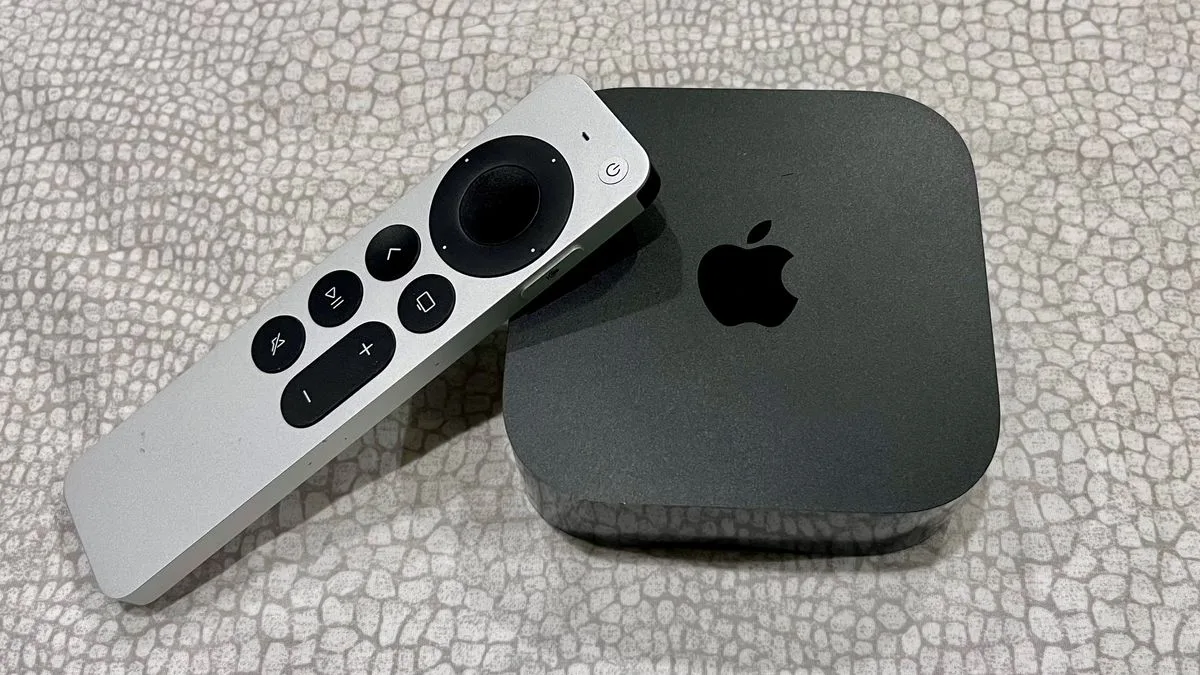
The Apple TV 4K just got even more interesting for projectors in tvOS 18.2

Projector improvements are still in beta Support for new aspect ratios including 21:9 Improved dialog and show information, too The latest version of Apple’s tvOS system for the Apple TV 4K introduces some new features that’ll be particularly useful for viewers with the best 4K projectors, or people who connect their Apple TV to widescreen monitors rather than TVs. In tvOS 18.2, Apple has added support for aspect ratios including 21:9. That’s not going to be relevant to most people viewing on TVs, which tend to be 16:9. But it’s great for ultrawide monitors and for projectors. What improvements does tvOS 18.2 deliver? The big draw here is the new aspect ratio support. The options are: Automatic 16:9 21:9 2.37:1 2.39:1 2.40:1 DCI 4K 32:9 In addition, the new beta improves Apple’s Enhance Dialog feature, turning on subtitles when you press the mute button, and there’s a redesigned Apple Fitness Plus app as well as improved support for using an iPhone as a FaceTime camera. The beta also includes InSight, a similar feature to Prime Video’s X-Ray that tells you who’s on screen and what music is playing. One feature that’s coming, but that hasn’t arrived yet, is new screensavers. The current crop are all very nice, but they’ve become rather familiar, and Apple is promising to bring screensavers from some of its hit shows on Apple TV Plus. We don’t yet know when those new screensavers will arrive, however. The improvements are currently in beta, which means they’re in final testing before release: if you don’t mind risking the odd bug or crash you can enrol your Apple TV 4K from the Software Updates part of its Settings menu, though we’d suggest just waiting for the finished version. The final release of tvOS 18.2 is currently scheduled for December 2024. Sign up to be the first to know about unmissable Black Friday deals on top tech, plus get all your favorite TechRadar content. You might also like

Posted on

3 new 4K Blu-ray discs you should add to your collection in November 2024

We here at TechRadar love 4K Blu-ray – the best way to see your favorite movies and TV shows with the highest picture and audio quality – so much so that we’ve created a new regular feature to share the Blu-ray Bounty. To start, we have a trio of 4K Blu-ray discs that will make excellent additions to your existing 4K Blu-ray collection, or even launch you on your 4K Blu-ray journey. When played on one of the best 4K Blu-ray players, these movies will look great on the best TVs, and sound great through one of the best soundbars. For this roundup, we won’t be reviewing the movies themselves; we’re just commenting on the picture and audio quality. This month’s three movies are Double Indemnity, Kingdom of the Planet of the Apes, and Power of the Dog – a classic noir, a modern action blockbuster and a somber, but beautiful drama, so three completely different movies to get us started! For testing, the movies were played on a Panasonic DP-UB820 4K Blu-ray player connected to a Panasonic MZ1500 OLED TV and Samsung HW-Q990C soundbar, predecessor to the Samsung HW-Q990D, one of the best Dolby Atmos soundbars. Double Indemnity (The Criterion Collection) Image 1 of 3 (Image credit: Future) (Image credit: Future) (Image credit: Future) Double Indemnity (1944) directed by Billy Wilder, is a classic noir that many argue helped define not only the genre but modern filmmaking in general. It tells the story of an insurance man (Fred MacMurray) who conspires with a woman (Barbara Stanwyck) to murder her husband in order to capitalize on his life insurance using a Double Indemnity clause. Double Indemnity looks stunning in 4K with Dolby Vision, with textures taking on a realistic look. The Criterion Collection’s black and white 4K restoration does a fantastic job defining the film’s light and dark tones, with plenty of gray ones in between. There’s a good amount of film grain present, which movie fans will appreciate, though it’s worth noting that some grain has been cleaned up. Double Indemnity is a great example of a 4K release of a classic movie done right, and it looked fantastic on the Panasonic MZ1500 OLED TV. The soundtrack is monaural – no Dolby Atmos here. Still, the sound has been cleaned up nicely, with clear dialogue and a good balance between the melodramatic, horn-heavy score and other sound effects. Sign up for breaking news, reviews, opinion, top tech deals, and more. Power of the Dog (The Criterion Collection) Image 1 of 3 (Image credit: Future) (Image credit: Future) (Image credit: Future) Power of the Dog (2021), directed by Jane Campion, is a Western drama that tells the story of a pair of ranch owners and brothers Phil (Benedict Cumberbatch) and George (Jessie Plemons) who navigate life after George brings home a new wife, Rose (Kirsten Dunst), and her son. Gorgeous landscapes and natural environments are used throughout the movie, and the wide open spaces, mountains and valleys look simply breathtaking. Criterion’s 4K Dolby Vision treatment brings out plenty of detail in not only these landscapes but also the characters’ facial features, and there is strong contrast in the film’s many night scenes. On the MZ1500 OLED, every aspect of the film’s picture looked incredible. Power of the Dog’s Dolby Atmos soundtrack gives the mournful, string-heavy score a real sense of space and weight. Scenes in nature sounded expansive, with the bird cries, crackling branches, and gravel placed accurately throughout and clearly heard in the Samsung HW-Q990C’s rear speakers. Kingdom of the Planet of the Apes (Disney / Buena Vista) Image 1 of 3 (Image credit: Future) (Image credit: Future) (Image credit: Future) Kingdom of the Planet of the Apes (2024) is the fourth installment in the rebooted Planet of the Apes franchise – following on from Rise, Dawn, and War of the Planet of the Apes, respectively. With the apes now fully in control of the planet, a young ape (Owen Teague) discovers truths that make him question everything he has ever known about the ape world. Kingdom of the Planet of the Apes’ greatest strength lies not in its visuals, but its sound design. Featuring a Dolby Atmos mix, this movie is the definition of an action blockbuster, with a thunderous score, crunching battle scenes and lively, open-sounding environments. From an eagle swooping through large landscapes in the movie’s opening, to the bruising fight scenes between the warring clans of apes, this movie is a perfect test for your sound system. Visually, Kingdom of the Planet of the Apes features beautiful natural environments and pretty good CGI creations of the different apes and monkeys throughout the movie. The 4K Dolby Vision transfer is detailed and dynamic-looking and it will show off what your TV and 4K Blu-ray player are capable of. Want to grab the equipment we used for testing? Check out links to that equipment below. In some cases, we’ve provided alternatives that are more current or available in your region. You might also like

Posted on

The Samsung S95D is our TV of the Year – and it’s thanks to a mix of old and new tech

Nominating the Samsung S95D as our TV of the Year for 2024 shouldn’t deliver the same shock factor as when the Samsung S90C OLED TV ended LG’s TV of the year reign in 2023, but the reason it earned this title at the TechRadar Choice Awards 2024 is an interesting mix. What it came down to was a combination of sensational AI-powered processing and a matte screen. This combination of digital and analog tech gave the Samsung S95D a leg-up over the competition and cemented it as one of the best TVs we’ve ever seen. When I reviewed the S95D, I was surprised by the effectiveness of its OLED Glare-Free screen. Our TV testing room at TechRadar has harsh overhead lighting to help us test reflectivity, but the S95D made easy work of it, all but eliminating reflections and screen glare. I could even watch The Batman, a notoriously dark-looking movie, in full lighting without being distracted! Screen reflections have typically been kryptonite for the best OLED TVs due to their relatively low brightness levels, and while the new Micro Lens Array (MLA) tech gives OLEDs like the LG G4 and Panasonic Z95A a serious boost, we found the S95D and its simple matte screen over a stunningly bright next-gen QD-OLED panel to be even more effective for viewing in bright rooms. As I said, the matte screen isn’t the only reason the S95D won – it’s just one big piece of the TV-of-the-Year-winning pie. Like other TV makers, Samsung talked up AI innovations in its TVs at CES 2024, but the S95D is one that legitimately shows how AI can improve picture quality. The Samsung S95D’s details and textures are ultra-realistic thanks to AI features like Real Depth Enhancer (Image credit: Future) When testing the S95D, I marveled at how realistic textures and details looked. Even stitching in clothing and cracks in rocks took on a lifelike quality I hadn’t seen before on a TV. Part of this is the S95D’s QD-OLED display panel, but it’s also Samsung’s Real Depth Enhancer AI feature that contributes to the TV’s spectacularly detailed picture. Other AI features in the S95D include 4K AI upscaling, which I found during testing even worked wonders with lower-resolution broadcast TV. Another new feature, OLED HDR Pro, further boosts brightness, giving HDR highlights in images a bolder, more vibrant look. In our tests, the S95D yielded 1,868 nits peak brightness – an over 35% brightness increase compared with its predecessor, the Samsung S95C, and the brightest OLED we’ve tested to date. Combine all these features with the rich color and powerful contrast delivered by the S95D’s QD-OLED panel and you get an outstanding TV that looks great with every source thrown at it. But it isn’t just picture quality where the S95D delivers. It’s stacked with features we look for in the best gaming TVs including 4K 144Hz, VRR (with AMD FreeSync Premium Pro), HGiG support and ALLM . It also comes with Samsung’s Gaming Hub built-in, a useful destination for gamers looking to get to the action right away. Rounding everything out, the S95D’s built-in sound provides accurate placement thanks to an Object Tracking Sound+ (OTS+) feature. It has a ‘floating’ appearance thanks to a clever stand design, and its external One Connect Box houses all connections with one cable connecting to the TV – ideal for wall-mounting and cable management. The S95D isn’t perfect. I think one of the best soundbars is needed to add extra audio immersion, and there was some black crush present in dark scenes when I tested it, but there really isn’t any other way I could fault Samsung’s top OLED TV. I’ve seen every major S95D competitor this year – the LG G4, Sony Bravia 9, Panasonic Z95A and Philips OLED909 to name a few – and while they all have their strengths and are superb TVs, none gave me the same feeling of seeing a leap forward that the S95D did. As I said in my review, the Samsung S95D is both “the future of OLED” and “the standard bearer for 2024”. If that doesn’t say TV of the Year, what does?

Posted on

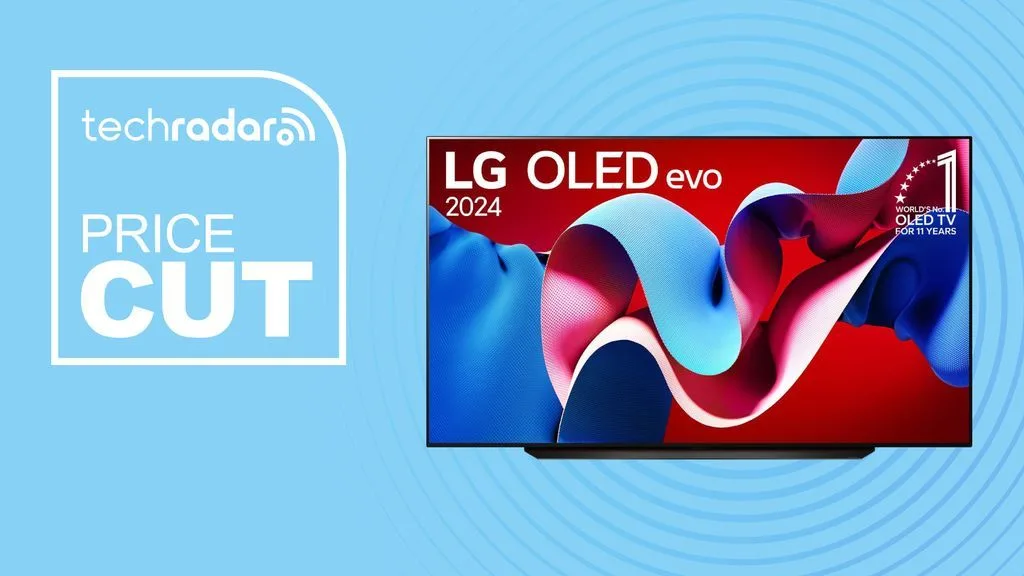
The LG C4 is a brilliant OLED TV and its already on sale ahead of Black Friday

At the end of September, the 44-inch version of the LG C4 could be bought for under $1,000, which is incredible. We’re now seeing an equally impressive deal on the 55-inch version, whereby you can get the LG C4 55-inch OLED TV at Currys for £1,299 (was £1,599). A similar offer is in the US, where the LG C4 55-inch OLED TV is at Amazon for $1,296.99 (was $1,999.99). The UK price is the lowest yet for the excellent all-around OLED TV. It might drop even further in the US when this year’s Black Friday deals get fully underway, but it’s still a solid deal if you want to secure this TV now. The 2024 OLED display is packed with the latest technology and is one of the best TVs available today. Today’s best LG C4 OLED TV deals The LG C4 supersedes and improves upon the LG C3 OLED. So much so that it went straight into our best TV guide as the most versatile option right now. The C4 delivers a range of improvements over its predecessor, including better image quality, a 144Hz refresh rate, four HDMI 2.1 ports with 4K 120Hz compatibility, and a new AI chip. Those are some features that an ideal for gamers who want to get a smooth experience on PS5 and Xbox Series X. Meanwhile, if you just want to kick back after a hard day at work and enjoy your favourite shows or movies on a big screen that offers excellent picture quality then you won’t be disappointed. Want to compare this to other options? There are loads of TV deals available right now. If it’s OLED technology that you’re looking for, then we also have an OLED TV deals page. And you could also check out our Black Friday TV deals hub for all the best offers throughout the next month.

Posted on

Vizio’s new Dolby Atmos soundbar is also a karaoke machine, because why not

Vizio has announced a new soundbar that doubles as a karaoke machine, offering singalong fanatics a sound system, two microphones, and access to 80,000 songs in a sleek and affordable package. The Vizio MicMe will ship with two wireless dynamic microphones that automatically activate the soundbar’s custom karaoke mode when removed from the included charging dock. Users will also be able to connect to other karaoke apps, such as Stingray. Users will also have the option of just singing over whatever’s playing on their smart TV, or streaming audio to sing along to over Bluetooth. And you can, of course, just use the MicMe as a typical soundbar for music, TV, and movies – the soundbar itself is a 30-inch 2.1 system that connects to an included wireless subwoofer, which we expect will offer more than enough fidelity and volume for a late-night ABBA sesh or two. (Image credit: Vizio) And the MicMe system even supports Dolby Atmos and DTS:X, so it’s actually pretty well-specced alongside the rest of the best soundbars. For further sound tuning, the MicMe system will integrate with the Vizio app – this app can also enable six vocal effects and nine ambient light colors for each of the microphones, adding a touch of personal flair to your living room performances. In terms of setup, the MicMe is compatible with Vizio’s own QuickFit system which allows for easy and tool-free attachment to Vizio TVs when wall-mounted. HDMI eARC handles the duties of connecting to your TV. Sign up for breaking news, reviews, opinion, top tech deals, and more. The Vizio MicMe will be available from Amazon, Best Buy, and Walmart among other retailers at a price of $349.99 (about £269 / AU$530), and the first units will ship from the end of November – at the time of writing, no specific release date has been confirmed, and we expect it to be a US and Canada launch only for now. We’re not quite sure if the Vizio MicMe will make it to our list of the best Dolby Atmos soundbars, but it certainly looks like a lot of fun, and the whole mic setup is a new one on us. And the price is impressive for something with this many features. We look forward to giving it a test. Well, some of us are looking forward to it more than others, admittedly. You might also like