Posted on

Our favorite projector deals from Amazon’s Big Spring Sale

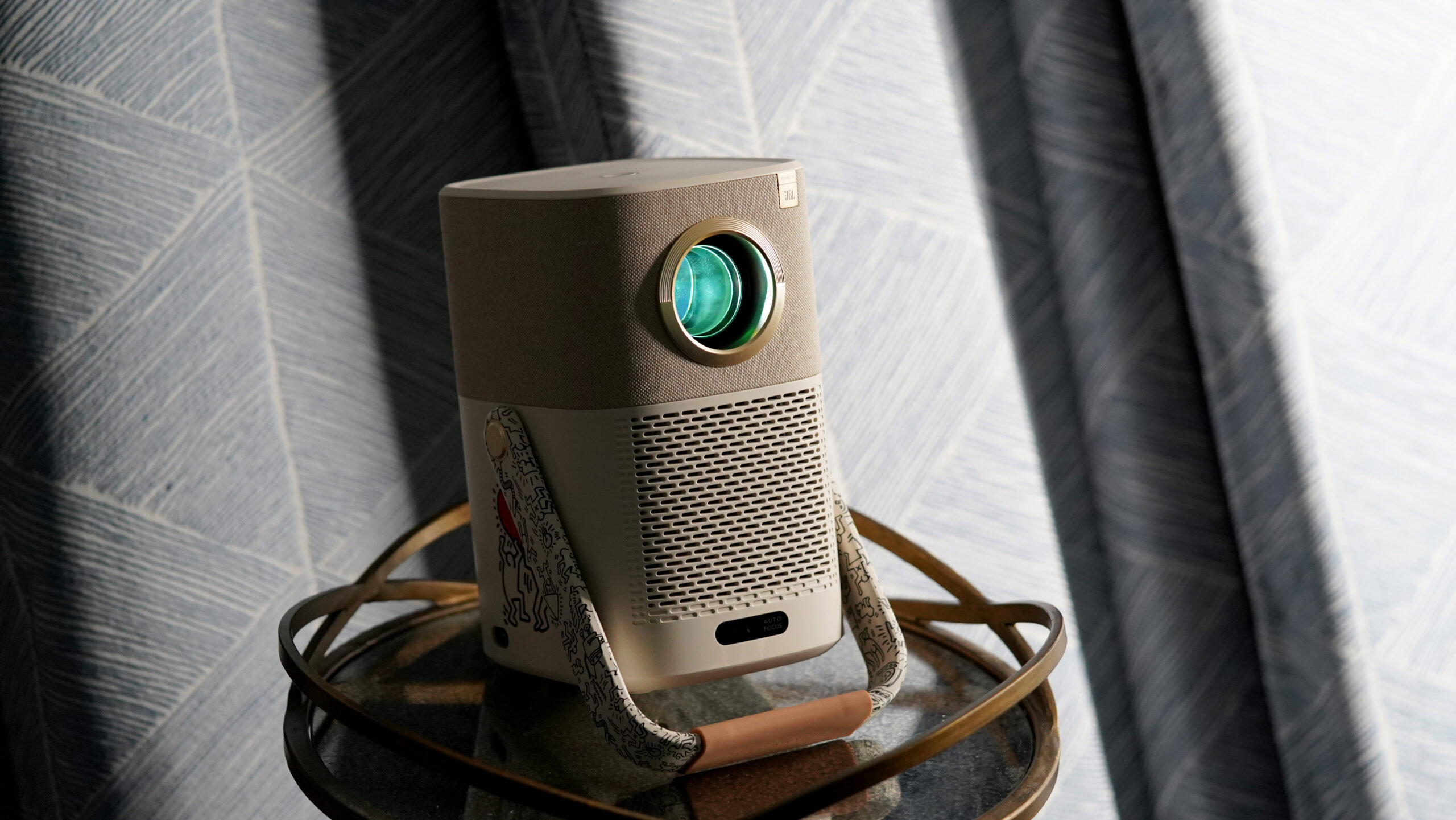
Yaber Project T2 angled

Kaitlyn Cimino / Android Authority

All of these offers are available from Amazon and are “Prime Spring Deals.” This sales event is scheduled to end on March 31, 2025, so we can only assume the discounts will be gone then.

Yaber Projector L2s Home Cinema Projector

The Yaber Projector L2s Home Cinema Projector is pretty much the cheapest projector we would still be willing to recommend. Our friends at Sound Guys gave the Yaber L2S Home Cinema a full review, and they were pleased with its clean, simple, and compact design. They also mention the fan is pretty quiet, which is always a concern with projectors.

This option is also very user-friendly. Maintenance and operation are simple, and you won’t have to do much tinkering to get your favorite movies playing right away.

Of course, it’s essential to keep your expectations in check. This is only $159.99, after all. It certainly has its downsides. Picture quality could be improved, for example, but the viewing is very decent considering its price range. It does get a Full HD resolution and 700 lumens of brightness. Not to mention, the image can be expanded to 150 inches, which is pretty huge!
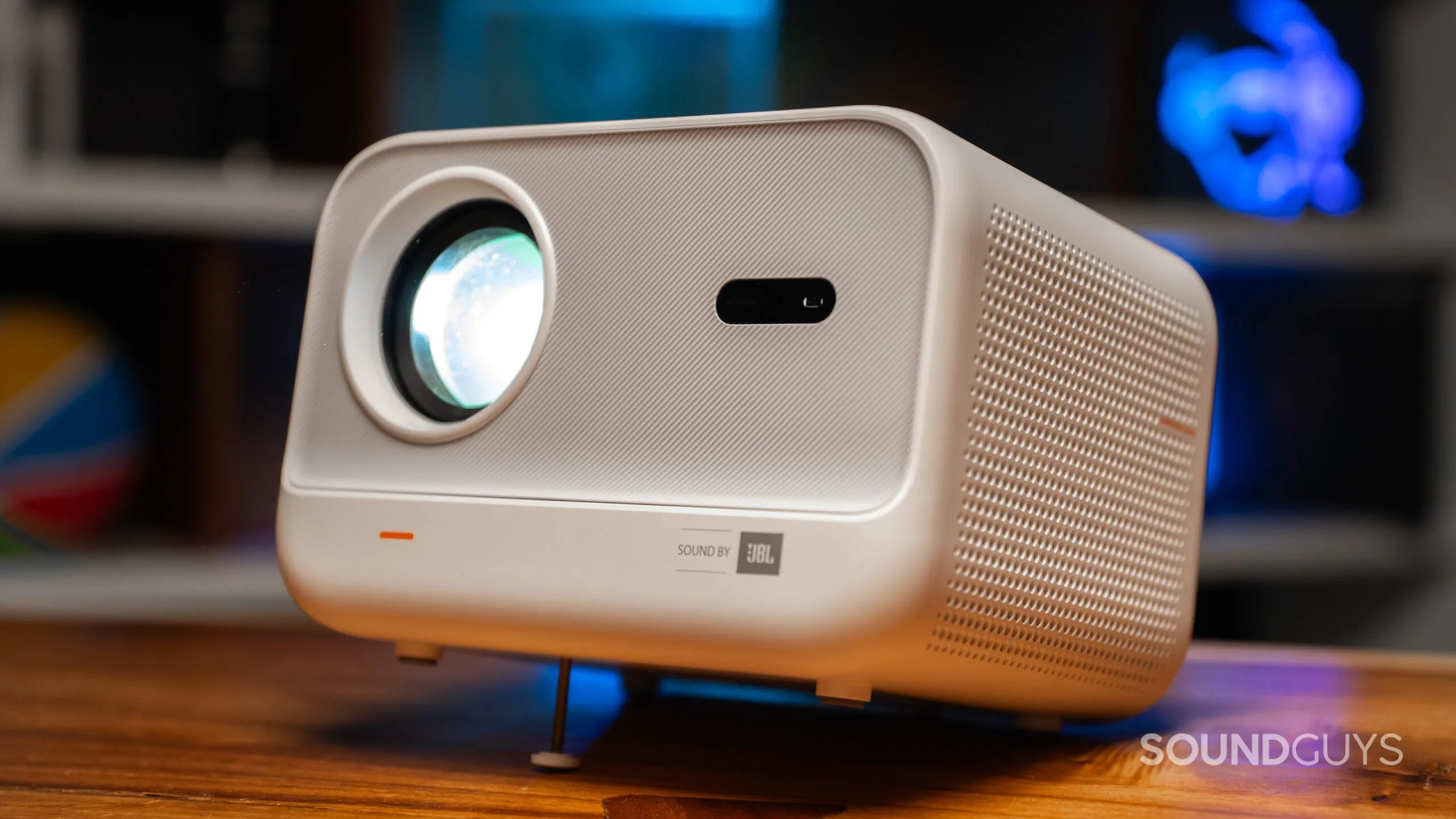
Yaber Projector L2s Home Cinema front

If you care about audio, the Yaber L2s has two 8W speakers built in. They are not exceptional, but we must keep in mind our reviewer is an audio expert, and his standards are pretty high. He does mention they sound pretty good compared to other projector speakers, which is a plus for such an affordable unit.

The only thing I would really complain about is that it doesn’t have an integrated smart TV operating system. Again, though, this is a very cheap projector. It has a full HDMI port, so you can always pick up a dongle like the Chromecast with Google TV, Fire TV Stick, or Roku. Oh, and it has no built-in battery, so it has to be plugged in to work.

Yaber T2 Outdoor Projector

Usually $359.99, it’s really nice to see the price of the Yaber T2 drop to just $249.99. This is a nice upgrade if you liked the Yaber projector above but want a bit more functionality.

For starters, this one comes with a battery, which can run the projector for about 2.5 hours. This makes it a much better alternative for those who want to take it places and use it away from home.

It still gets a Full HD resolution and features 450 lumens of brightness. And you also won’t need to worry about speakers, as it has a couple of 8W integrated drivers.

Yaber Projector T2 hand

Kaitlyn Cimino / Android Authority

What’s also nice is that this one doubles as a portable Bluetooth speaker, as it has audio-only mode. When not projecting and playing only audio, battery life gets extended to 18 hours, so you can listen to anything on the go for quite a long time.

While much more flexible than the projector listed before, it still lacks a smart TV OS. That said, the brand offers an optional Google TV dongle, but it costs an extra $49.99. It has an HDMI port, though, so nothing stops you from using any other smart TV dongle or box. Additionally, you can simply mirror your smartphone using Wi-Fi 6, and connecting to it is easy because the unit has an NFC shortcut on it.

XGIMI Elfin Flip Projector

Now, if you really want a projector with a smart TV OS, here’s a nice option. It’s also only $279 right now, and it comes with XGIMI OS. Additionally, it has an HDMI connection and a USB port for local playback. Those likely won’t be necessary, though, as you can stream directly from it using YouTube, Netflix, Amazon Prime Video, and more.

It helps that the XGIMI Elfin Flip is actually one of the most interestingly designed projectors on this list. Its size is similar to that of an average book, and the frame flips into a flat design. When in use, the outer part of the projector becomes a stand. The design looks really cool, is functional, and is very portable.

XGIMI Elfin Flip carried by young man

You can project an enormous 150-inch screen, and it also has a Full HD resolution. Brightness is 400 lumens, and the two 3W speakers are less powerful, but we assume that is due to the unique build.

But again, nothing is perfect. This one also lacks a built-in battery, so you have to plug it in to use it.

XGIMI MoGo 3 Pro Projector

It’s interesting to see that the most expensive projector on this list is just $379. If you are willing to pay this, though, you will get a really nice experience. The design is minimalist and very elegant, and it’s small and portable.

For starters, this one gets Google TV built-in. There’s no need for dongles or fumbling around with your device. It can project at up to 120 inches and has a Full HD resolution with 450 lumens of brightness. Color accuracy is actually really nice, as it can reproduce 90% of the DCI-P3 color gamut. Furthermore, you can project at up to 150 inches.

XGIMI MoGo 3 Pro

You’ll also get a couple of 5W Harman Kardon speakers, and you can also use it in audio-only mode.

That said, it still has no built-in battery, but everything else about it is really nice. And you can power it with any power bank that can output at least 65W.


Remember, these deals won’t last forever, and the sale is scheduled for March 31. The clock is ticking, so make up your mind quickly if you want to score one of these deals.

You might like
Posted on

Ring Battery Doorbell drops to a new all-time low price

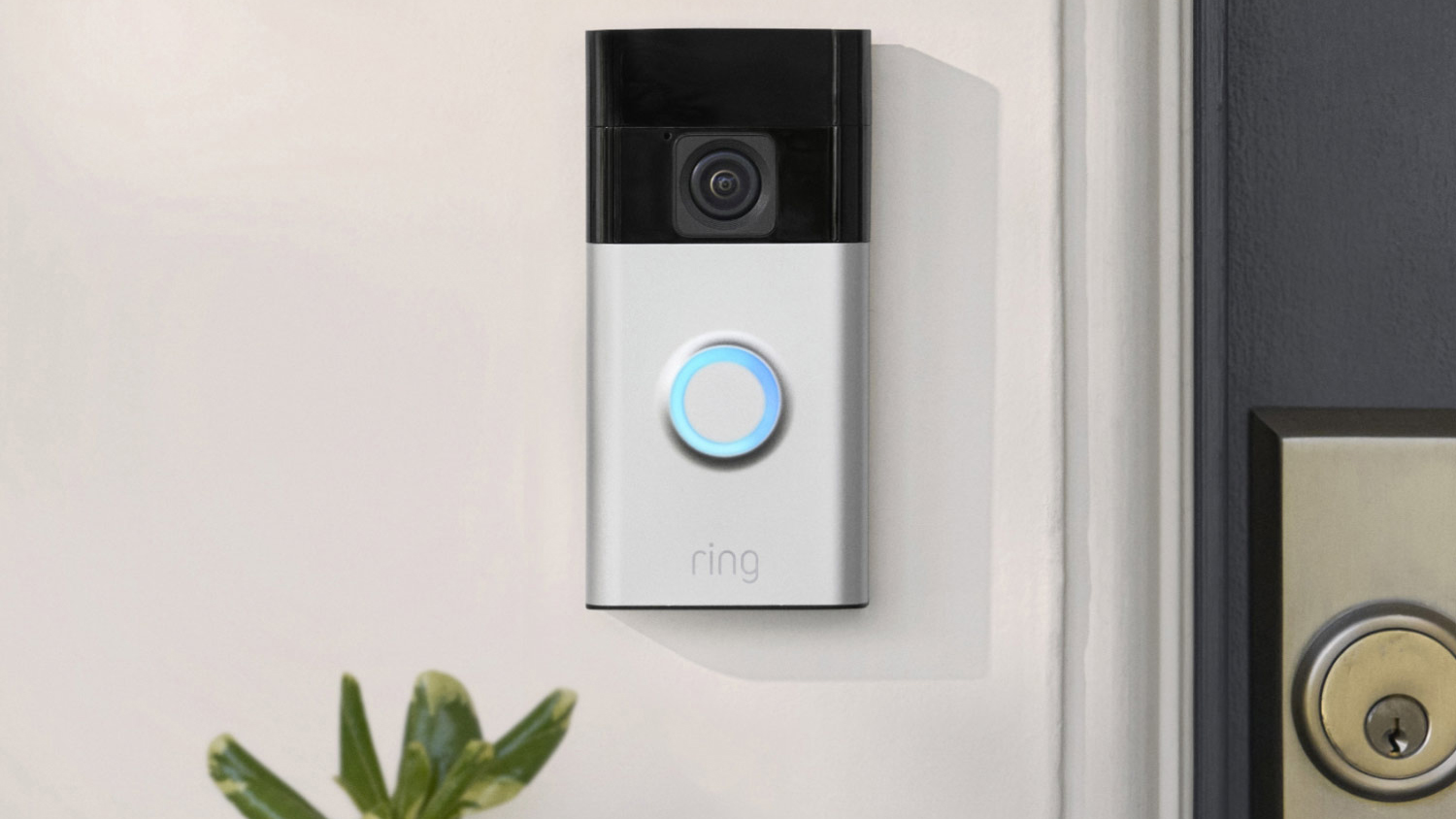
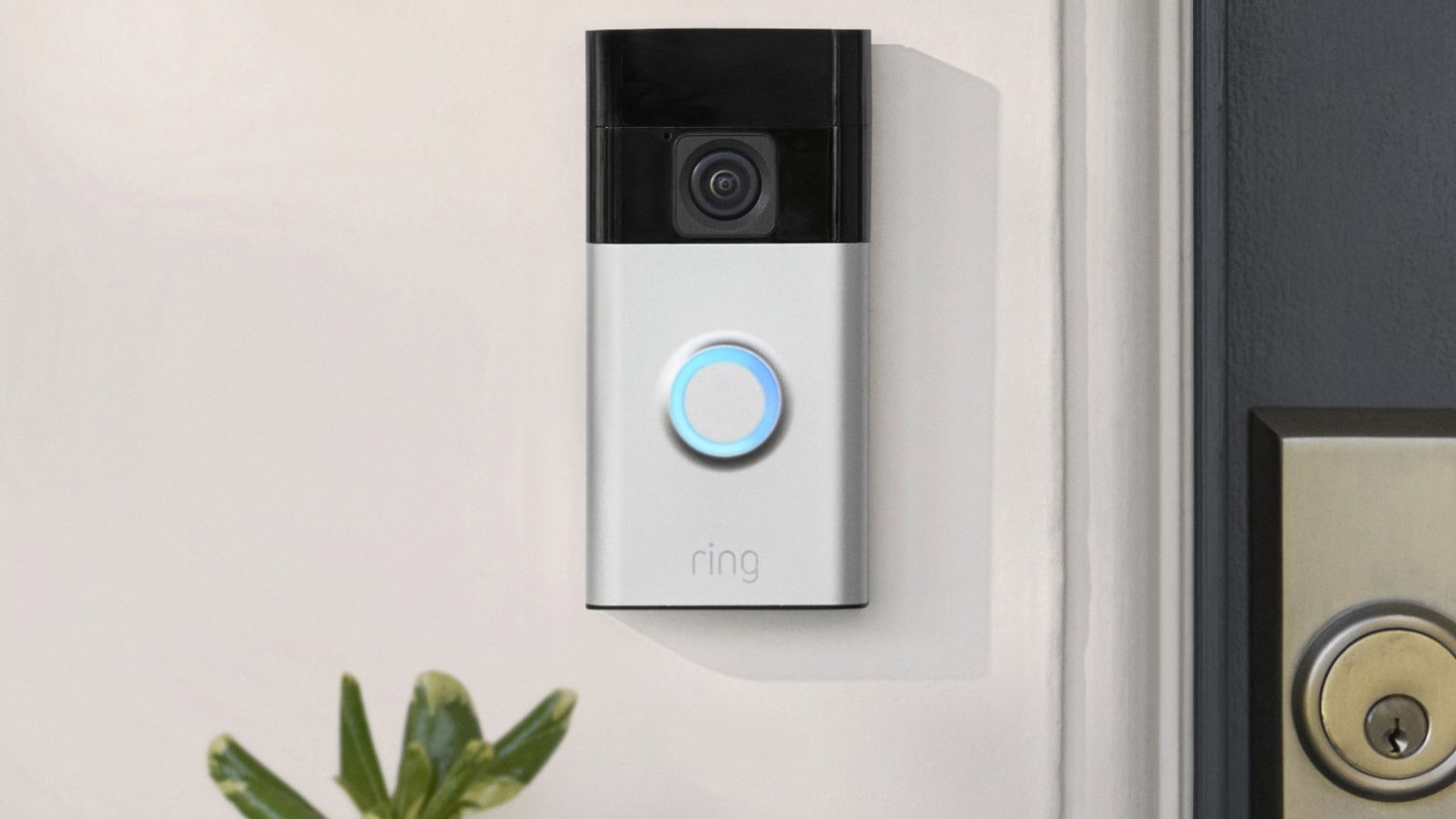
Ring Battery Doorbell

If you’ve been looking to get a smart doorbell, right now is your chance to get one at a record-low price. It’s a pretty good one, too. The Ring Battery Doorbell is cheaper than ever at $54.99. That is a 45% discount on the full $99.99 retail price.

Get the Ring Battery Doorbell for just $54.99 ($45 off)

This offer is available directly from Amazon, which owns the Ring brand. It is part of the online retailer’s “Big Spring Deal” sale, which ends on March 31, 2025. We can only assume this discount will go away then. The unit is available in Satin Nickel and Venetian Bronze; both are at the same discounted price.

I actually own this exact same model and got it for $59.99, so joke’s on the deals guy! You can get the Ring Battery Doorbell for $5 bucks less than I did, which happens to be the cheapest price we’ve ever seen this camera go for.

For this price, the Ring Battery Doorbell is quite a nice doorbell, even if it’s the cheapest available from the brand. It has a pretty nice 1,440p resolution. While that is less than the Doorbell Plus’ and Pro’s 1,536p resolution, the difference isn’t huge, and you’re saving a nice chunk of change with this one.

It also has a 150-degree field of view. According to Ring, this gives you a “head-to-toe” view of whoever approaches your front door, back door, or wherever you put it. Thanks to the night vision feature, the camera can also shoot at night, so this is good for any time of the day.

The Ring Battery Doorbell has many other features, including two-way audio, motion alerts, quick replies, package alerts, and Alexa support.

Mail man leaving package with Ring Battery Doorbell

The one thing I have a bit of an issue with is that it doesn’t have a removable battery. This means I have to remove the Ring Battery Doorbell to charge it. That said, that’s just me being picky because, honestly, the battery life is impressive at about 6-12 months. So it isn’t something you really have to worry about very often.

Also, you have to keep in mind that most features require a Ring Home subscription, and plans start at $4.99 per month. Without one, the only main features you get are live view and motion alerts. Things like cloud storage, custom notification zones, and other capabilities require a plan. Learn more about Ring Home plans here.

Again, this is a record-low price, so if you’re signing up for this deal, you probably want to act quickly. These all-time low prices don’t commonly last long.

Extra deal: Pick up a security camera on the cheap

Remember the Ring Stick Up Cam Battery? Well, Amazon decided to change its name to the Ring Outdoor Cam, and I am still getting used to the change, but it is really the same device. It’s a pretty good security camera, too, and right now, you can get it for just $59.99. It’s certainly a nice addition if you’re getting into the Ring ecosystem.

While the Ring Battery Doorbell can keep an eye on your door, the Ring Outdoor Cam can be placed anywhere else as long as it’s within Wi-Fi range. It can record at 1,080p resolution and has a 130-degree field of view. I personally use a few of these, and that’s more than enough to cover the areas I need to keep an eye on. I’ve never had any issues with resolution or the field of view.

You’ll get a nice set of features, too. It also has two-way audio, as well as motion detection, motion alerts, real-time notifications, night vision, and Alexa support. It’s weather-resistant, so it won’t get ruined by rain or snow. The installation is pretty simple, too, as it doesn’t require wiring.

This one does have a removable battery, which usually lasts 6-12 months on a full charge. I just invested in an extra battery I keep charged at home, and then I swap them around to avoid downtime. Regardless, you won’t need to worry about charging it often.

You might like

Posted on

Deal: eufy Security SoloCam S220 with solar charging is 50% off!

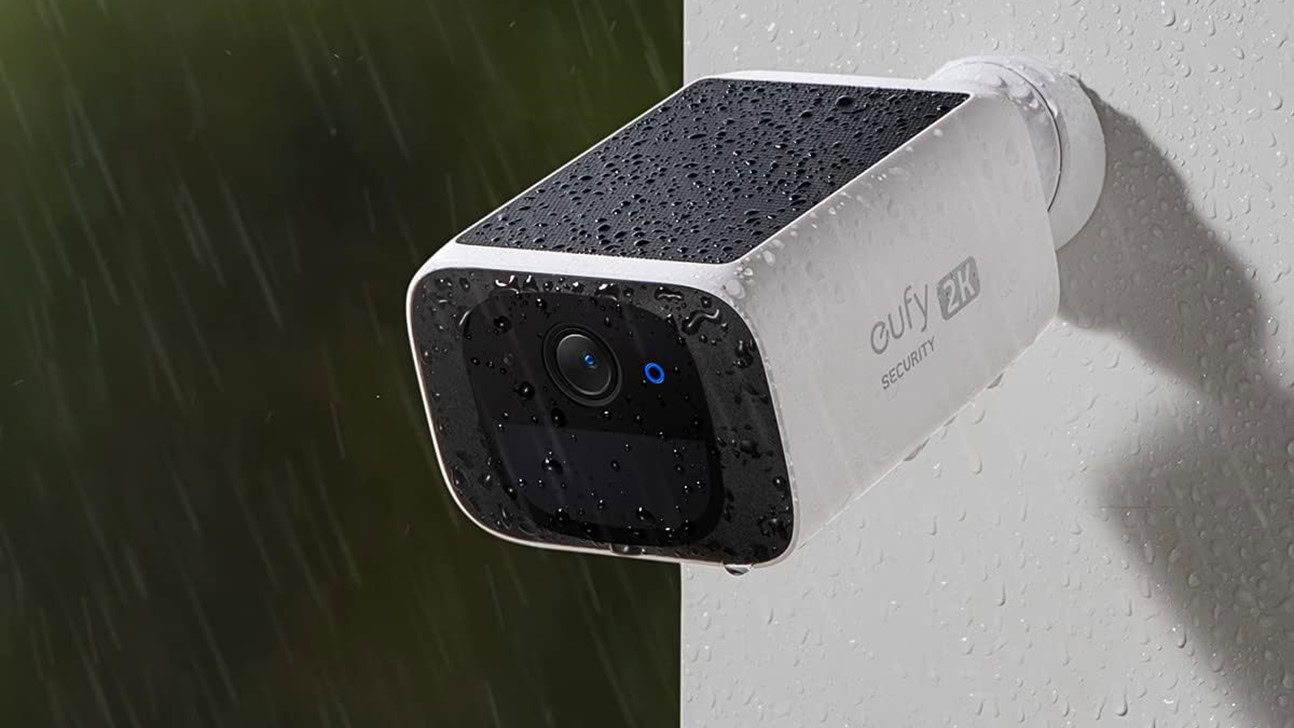
Eufy Security SoloCam S220 Promo Image

Are you looking for a good smart security camera? You’re probably looking at the big players, but there are some less-known brands that make excellent security cameras with innovative features. For example, the eufy Security SoloCam S220 has an integrated little solar panel! It’s also 50% off right now, slashing the price down to $64.99.

Get the eufy Security SoloCam S220 for just $64.99 ($65 off)

This offer is available from Amazon as a “Big Spring Deal.” This sale event ends on March 31, 2025, so we can only assume this deal will end then.

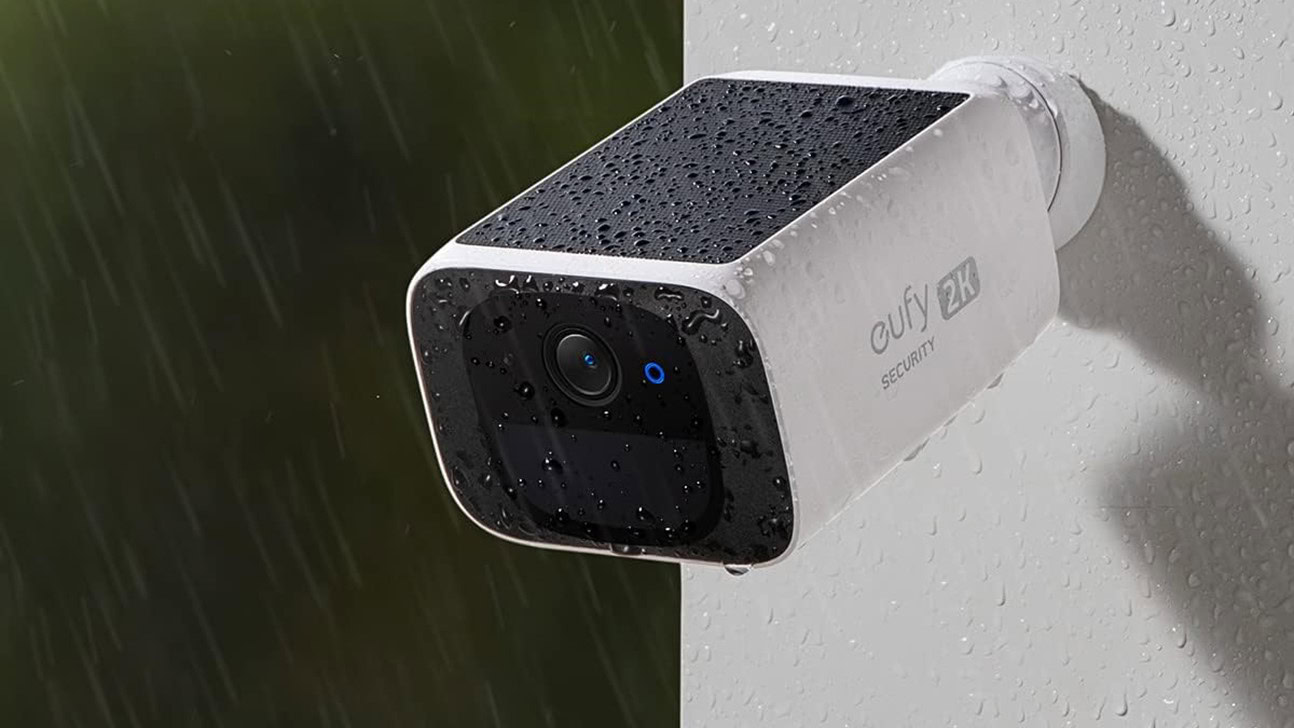
The eufy Security SoloCam S220 is a very special camera for one main reason: it has a solar panel. As you can see in the image above, it’s pretty tiny.

While many of you might be doubting it will move the needle at all, remember these smart security cameras are very battery efficient. They can usually last months, so you don’t need much energy to run them. With that in mind, eufy claims only three hours of direct sunlight will provide enough energy to power the camera for a full day. You will likely get more than that on normal sunny days. Even if the sun takes a day off, the battery would still last about three months on its own.

Pretty nice, right? If you live in a place with enough sunlight, you might not ever need to worry about charging it! What about the rest of the camera? Well, this is actually a pretty nice offering.

eufy Security SoloCam S220 install

The camera records at 2K resolution and has a 135-degree field of view. It has night vision, and Smart AI can detect both humans and pets. You’ll also get two-way audio, zone customizations, and support for both Google Assistant and Amazon Alexa. It also gets an IP67 rating, so it will be safe from the elements outdoors.

What’s even better, eufy makes it easy to avoid subscriptions, thanks to local storage support. You’ll even get all the features without the fee, which is rare in the world of security cameras. That said, some features, like face recognition, require a eufy HomeBase 3. If you do want cloud storage, you can sign up for a eufy Cloud Storage plan. They start at $2.99 monthly. If you want some extra protection, eufy also offers some Protection Plan options that offer advanced security monitoring, dispatch, etc. All that said, these are extras! You could just pay nothing per month and keep it all local.

By the way, this is an Anker-owned brand. Just in case you were worried about purchasing from an unknown manufacturer. We know buying from random brands can be a bit worrisome, as they can have horrible customer support or make it really hard to claim warranty, etc.

If you want in on this deal, make sure to act quickly. It’s a Big Spring Deal, and it’s ending relatively soon. Also, there is always a chance stock will run out.

Extra deal: The eufy Security eufyCam 3 is much better, and also on sale

If you like the idea of a security camera with a solar panel, and easy local storage without subscriptions, but need something higher-end, this is it. The eufy Security eufyCam 3 is a great upgrade. It’s also 43% off right now, bringing the price down to $124.99.

Because it is bigger, it can fit a bigger battery, which has an estimated battery life of up to one year. Additionally, the solar panel on top is also bigger, which means it needs only two hours of direct sunlight to give it enough juice to run the camera a whole day.

Of course, there are other upgrades. It has a 4K resolution, for starters. Other features stay the same. You still get night vision, two-way audio, local storage support, AI face recognition, and more. The one downside is that this one requires a eufy HomeBase 3. The SoloCam S220 can connect directly to your Wi-Fi.

You might like

Posted on

Killed by Google: These are the apps I miss the most

Google is responsible for some of the most important, impactful apps and services ever created. Where would we be without Google Search? What on earth would I use if not Gmail? How could I possibly begin to imagine a world without Android? For all these massive hits that survived the test of time, Google has also laid to rest several apps I’ve really enjoyed using in the past. There are the apps Google killed that I miss the most.

Which dead Google app do you miss the most?

22 votes

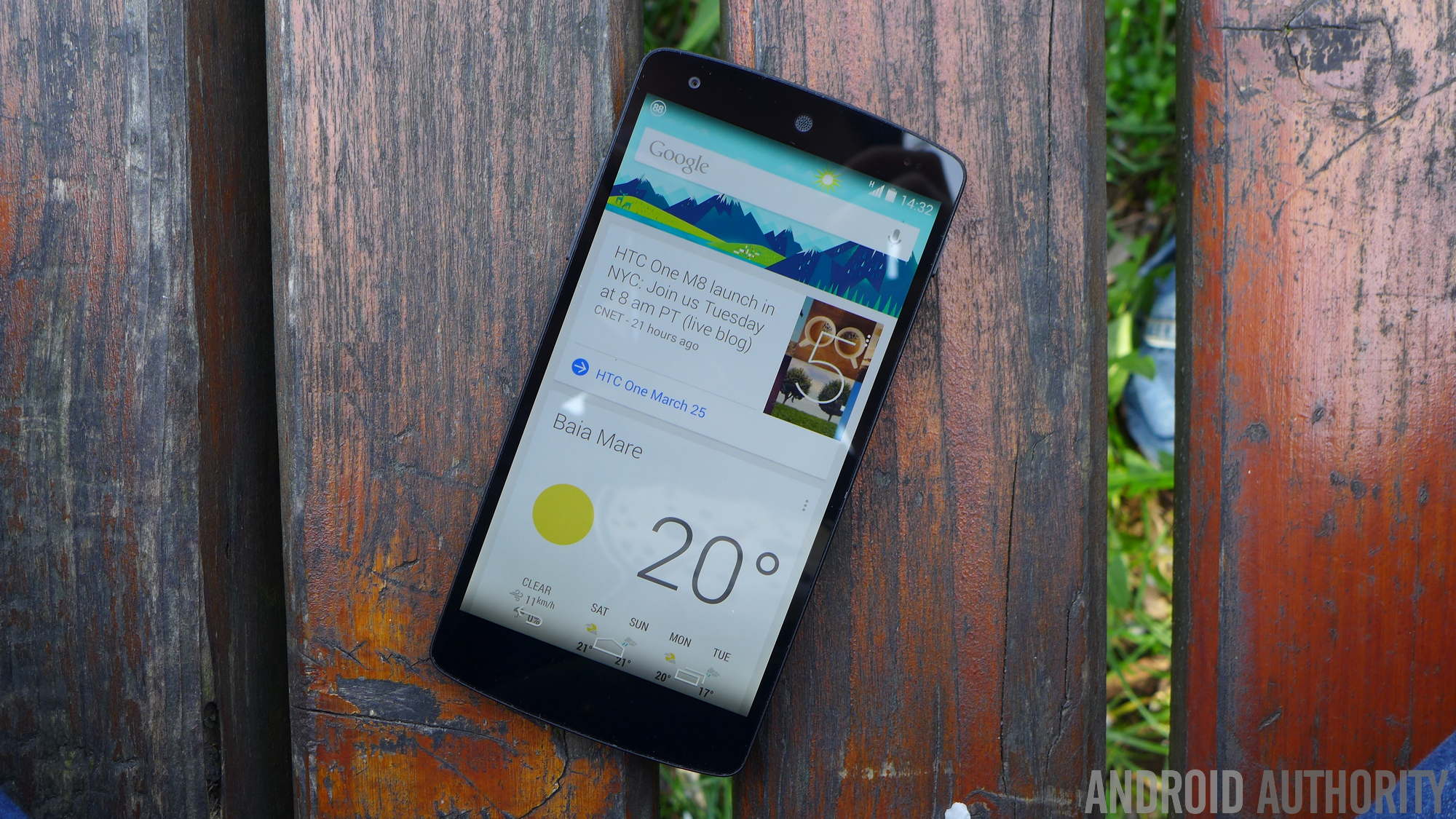
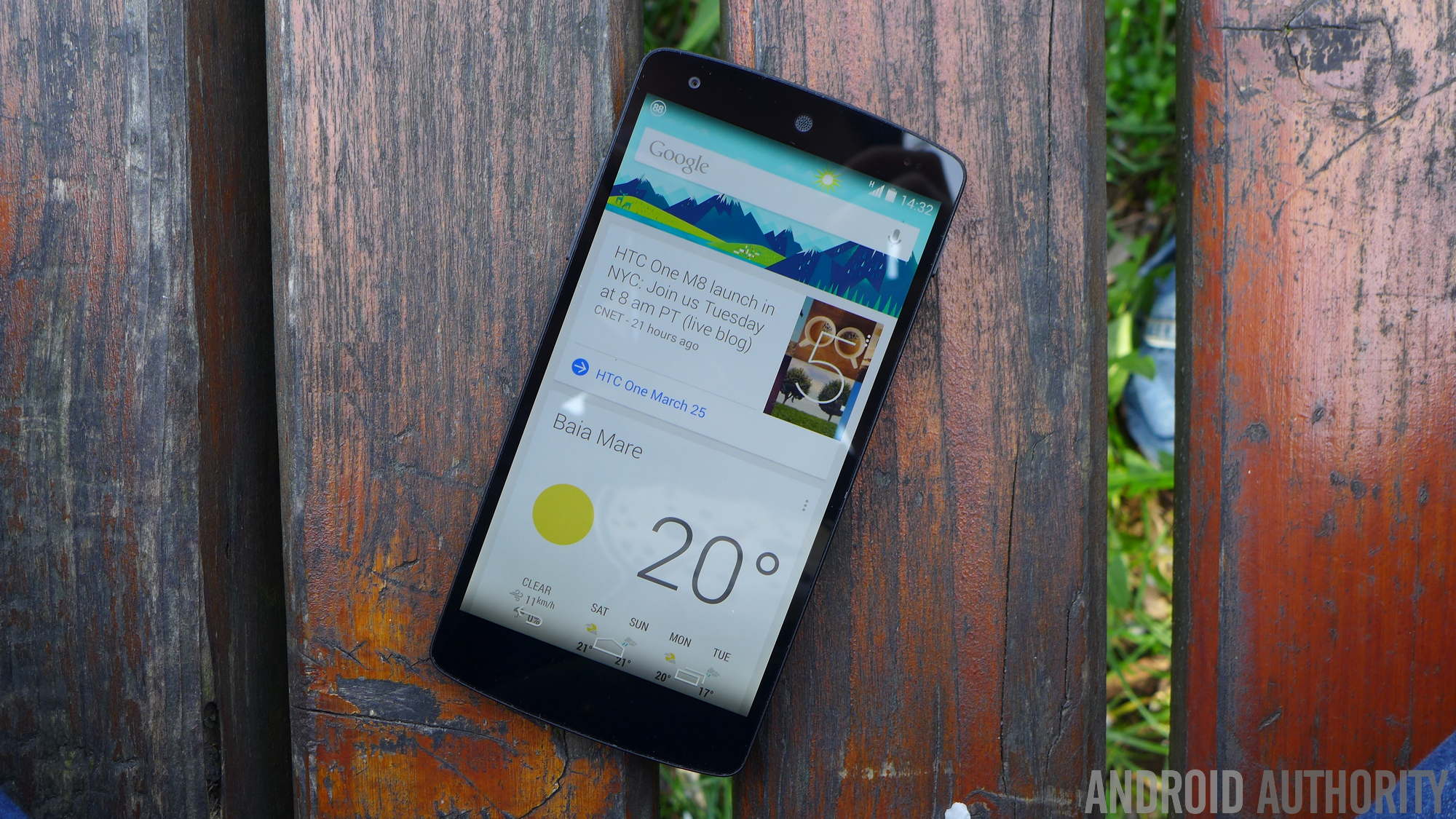
Google Now

A product well ahead of its time, Google Now launched in 2012 to deliver contextually relevant information to users when needed. This sounds a bit like Google’s At a Glance widget and Assistant, but Now’s implementation was far superior to both.

Located within the Google app, Now displayed its information in scrollable cards, making it easy to visualize and interact with them. It notified me of upcoming events, when I should leave to arrive at my planned destination (including a handy countdown), prepared my boarding pass details when my flight time neared, and alerted me of contacts’ birthdays and weather information. This was just a taste of what I found helpful, though. Now supported a dizzying number of information cards and eventually expanded support to third-party services.

Google Now reliably offered me the information I needed in the moment without any direct intervention.

In 2015, Google Now was shuttered and was eventually replaced by the Discover feed, Google Assistant, and other features spread across different offerings. As much as I’ve relied on Assistant over the years, I don’t consider it a Now replacement. Assistant (or Gemini now, to an extent) demands I interact with it before it delivers information. Google Now required little to no attention on my part.

Inbox by Google

Google Chrome, Inbox by Gmail, and Pocket Casts icons on an HTC10.

Inbox by Google was a smarter, feature-full alternative email client that starkly contrasted with Gmail’s seemingly changeless design. Although its primary goal aligned with a bog-standard email client, it’s how it performed its job that made it revolutionary.

Inbox seamlessly grouped similar emails into “bundles,” making it super simple to trash multiple emails in one fell swoop or access particular information more easily. Think travel documents, like boarding passes, hotel booking confirmations, and transport details. This, paired with its email pinning and reminder features, made it a potent personal management tool far beyond email.

Inbox was a fresh take on the email app that would still feel current years later.

I preferred Inbox over Gmail during its relatively brief run, enjoying many of its features at a time when I traveled plenty for work. It made achieving inbox zero possible, a goal I will never see again with Gmail.

While Google officially killed off Inbox in 2019, some five years after its debut, many of its features were integrated into Google’s premier email app. That said, I still miss the simplicity and focus of the company’s renegade mail tool.

Google Trips

As I wrote in a recent piece, Google desperately needs a reliable travel app. In 2016, it had just that.

Trips was another Google app I heavily relied on. It paired perfectly with Inbox or Gmail, automatically syncing important travel information from emails, detailing points of interest and travel guides from Google Maps, and offering easy access to itineraries. It also included a trip-planning feature for those who know they want to visit famous cities but have no idea where to start.

Trips was Google’s short-lived but much-loved travel app, and I still miss it dearly.

More importantly, Trips offered offline support for moments I wasn’t within sight of a cell tower and a brilliant point-by-point map visualization tool called “Your day plan.” How I wish the latter feature was integrated into modern Google Maps!

Not willing to let a good time stand, Google shuttered Trips in 2019 and still hasn’t replaced it with a competent travel platform. Of all the Google products that no longer exist, Trips leaves the largest void on my device.

Android Auto on smartphones

One of the first cars I owned was a beautifully simple Toyota built like a tiny fort that offered few creature comforts. But when I stuck a smartphone cradle on the dashboard and popped in my device, I could run Android Auto for phone screens on it for navigation like a member of the digital aristocracy. It was brilliant.

The app, which rolled out in 2016 for phones running Android Lollipop or newer, was a nifty innovation, especially before the dawn of modern Android Auto infotainment units, which are a dime a dozen on modern vehicles.

Don’t have a car with a screen? No Android Auto for you.

However, even though it still makes plenty of sense in the modern context, Google didn’t see fit to continue developing Android Auto for phone screens. The app would shutter in 2022, three years after Google announced its demise. Now, if you want Android Auto in your car, you’ll need a vehicle with a dedicated screen and relevant support.

Granted, we still have driving mode on Google Maps for those who don’t have Google’s automotive support in their cars, so not all is lost.

Trusted Contacts

google maps apple maps google strip district

Ryan Haines / Android Authority

Google Maps

Trusted Contacts rolled out in 2016 to keep loved ones up to date about the live location of friends and family members. The app allowed users to request the location of others, making it useful for parents to keep tabs on their kids.

I know many modern location-sharing apps exist on Android, but Trusted Contacts was simple enough for anyone to use. My family, in particular, relied on this app back when I scuttled myself to and from work on foot and by rail.

Trusted Contacts offered a fast and fluid way to keep my live location shared with loved ones.

My folks could see where I was on my journey home, while I could also keep tabs on them when they travel. If their request for my location wasn’t accepted within a few minutes, it would automatically share my details with them. This meant that if I couldn’t get my device out on a train or at the side of the road, they’d know where I was regardless.

Despite its simple functionality, Trusted Contacts lasted a surprisingly long before being absorbed into Google Maps. It drew its last breath in 2020, but we can still enjoy location-tracking features in Google’s mapping app. It’s not quite the same, though.

Google Reader

google news alternative inoreader 1

Andy Walker / Android Authority

Shut down in 2013, Google Reader was an aggregation tool that closely resembled Gmail in its appearance. But instead of providing a river of emails, it siphoned content from RSS feeds you plug into it.

Although it may not be aesthetically exciting or groundbreaking through our modern lens, it offers plenty of essentials for catching up on the news. I loved its broad search functionality, sensible categorization and organization tools, and fuss-free ability to share interesting articles with others.

Perhaps it’s the nostalgia talking, but Google Reader was the perfect RSS feed aggregator for my needs.

Google Reader also functioned offline through the Google Gears extension. At a time when my internet connection was spotty at worst and 2Mbps at its best, this was an invaluable trick for me. Of course, my Reader journey started when Windows XP was still my desktop OS, and it took another five years for Reader to migrate to Android.

Of course, modern RSS and feed readers for Android exist in the hundreds, with many great options available. Inoreader (pictured above), in addition to Feedly, are two of my current favorites, although both lack the early charm of Reader.


Is there a dead Google product that you still miss today? We’d love to hear how it left an impression on you. Drop a comment below.

You might like

Posted on

T-Mobile is giving long-time customers a free line, but there are some catches

T Mobile logo on smartphone (1)

Edgar
Cervantes
/
Android
Authority

TL;DR

  • T-Mobile
    is
    giving
    away
    a
    free
    line
    to
    some
    customers
    who’ve
    been
    with
    the
    carrier
    for
    at
    least
    10
    years.
  • There
    are
    several
    qualifying
    criteria,
    though,
    and
    only
    users
    who
    are
    notified
    via
    SMS
    can
    take
    advantage
    of
    the
    offer.
  • This
    comes
    just
    a
    week
    after
    T-Mobile
    offered
    another
    free
    line
    promotion.


T-Mobile

recently

gave
away
free
voice
lines

for
some
users,
and
it
looks
like
the
company
isn’t
stopping
here.
Now,
the
carrier
is
reportedly
giving
away
free
lines
to
long-time
customers,
but
there
are
a
few
caveats.

According
to


The
Mobile
Report
,
citing
multiple
sources
and
internal
documents,
T-Mobile
is
giving
away
a
free
line
to
eligible
customers
who
have
been
with
the
carrier
for
at
least
10
years.

However,
the
carrier
apparently
has
a
few
conditions
for
users:

Targeted
customers
active
as
of
March
10,
2015
who
are
on
eligible
rate
plans,
and
who
have
a
multi-line
account
with
at
least
2
paid
voice
lines
on
a
Family
Plan
and
no
more
than
one
free
or
discounted
lines
on
their
account,
can
get
a
free
voice
line
(via
monthly
bill
credits).

In
other
words,
you
don’t
qualify
for
this
offer
if
you
have
a
plan
targeting
certain
population
segments
(e.g.
55+,
first
responders)
or
if
you
already
have
two
or
more
free/discounted
lines.
The
outlet
also
reports
that
you
can’t
finance
a
device
on
the
free
line
(so
you’ll
need
to
bring
your
own
phone).
Furthermore,
you
can’t
cancel
your
existing
paid
lines
for
a
year
after
taking
advantage
of
this
offer.


The
Mobile
Report

adds
that
only
customers
notified
via
SMS
will
be
eligible
for
the
deal.
Finally,
customers
who
took
advantage
of
the
previous
line
offer
aren’t
eligible
for
this
offer
(and
vice-versa).

This
latest
promotion
indeed
comes
a
week
after
the
company
gave
away
free
lines
to
some
users
via
the
T-Life
app
“just
for
being
a
valued
customer.”
Customers
had
to
pay
a
$10
one-time
fee,
while
certain
plans
carried
taxes
and
extra
fees.

There
was

some
confusion

following
this
previous
offer.
Some
users
reported
that
they
were
able
to
claim
the
offer
despite
having
existing
free
lines.
Meanwhile,
other
people
reportedly
received
messages
saying
their
existing
free
lines
were
removed
after
claiming
the
new
one,
but
this
was
apparently
just
a
system
adjustment
by
T-Mobile.


Got
a
tip?
Talk
to
us!
 Email
our
staff
at

news@androidauthority.com
.
You
can
stay
anonymous
or
get
credit
for
the
info,
it’s
your
choice.

You
might
like